
syitren R300
Syitren R300 Portable Bluetooth Desktop Retro CD Player User Manual
Model: R300 | Brand: syitren
Introduction
This manual provides detailed instructions for the operation and maintenance of your Syitren R300 CD Player. Please read this manual thoroughly before using the device to ensure proper function and longevity.
Video: R300 CD Player User Manual. This video provides a comprehensive overview of the product's features and usage.
Safety Information
- To avoid the risk of fire and electric shock, do not expose this device to rain or moisture.
- Only use accessories specified by the manufacturer.
- This device is only suitable for non-tropical climate conditions.
- Do not place any liquid-filled items (such as vases) on this product, and water drops and splashes are strictly prohibited.
- Do not block the opening of this product. Before connecting, please check whether there is any foreign matter on the port, whether the plug matches the interface, and whether the direction is correct.
- Keep away from heat sources (such as radiators, stoves and other equipment that generate heat sources).
- Do not disassemble the device casing without authorization. If disassembly is required, please contact professional maintenance personnel for maintenance.
- Please do not look directly at the laser head to avoid eye damage.
What's in the Box
- R300 CD Player Unit
- Type-C Power Cable
- Complimentary Wired Earphones
- Instruction Manual
Video: Syitren R300 CD Player Unboxing Video. This video demonstrates the contents of the product packaging.
Product Overview
The Syitren R300 CD Player combines retro aesthetics with modern functionality, featuring a compact design and intuitive controls.

Image: Top-down view of the Syitren R300 CD Player with its transparent lid open, showcasing the disc tray and the wooden control panel on the right.
Controls and Interfaces
- Volume Roller: Located on the wooden side panel for easy volume adjustment.
- Playback Buttons: Control play/pause, stop, previous/next track, and playback modes.
- Power Switch: A classic on/off toggle switch.
- 3.5mm Audio Jack: For connecting wired headphones or external amplifiers.
- USB-C Charging Port: For power input and charging the internal battery.
- SPDIF Optical Output: For high-quality digital audio connection to compatible stereo systems.
- LED Display: Shows track number, time, battery status, and playback modes.
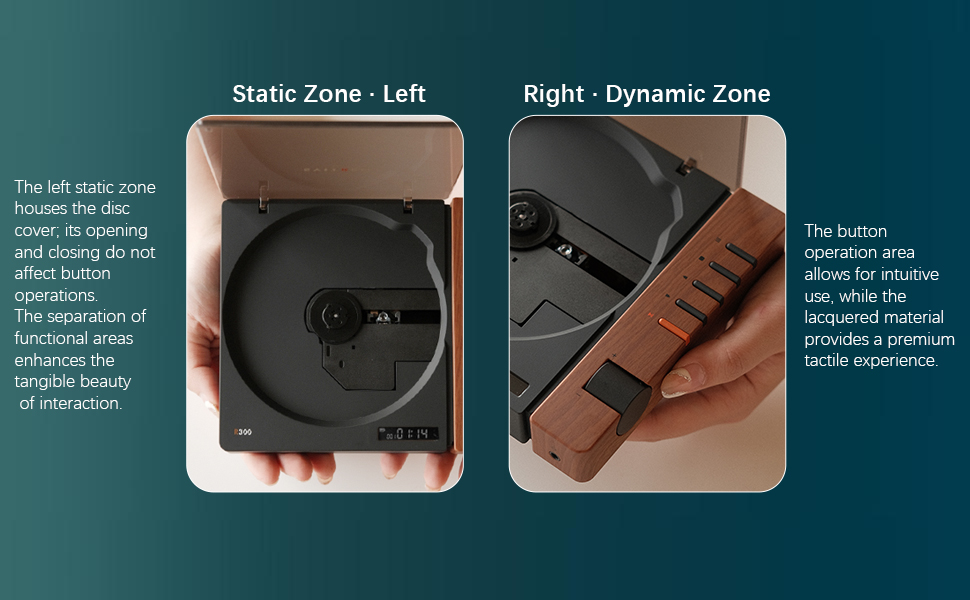
Image: Diagram illustrating the "Static Zone" (disc area) and "Dynamic Zone" (control panel) of the R300, highlighting the separation of functional areas for intuitive use.
Setup
Initial Setup
Upon first use, please remove the protective card from the disc tray. This card prevents eye damage from the laser during initial handling.

Image: A hand removing the orange protective card from the disc tray of the Syitren R300 CD Player.
Charging the Device
The R300 features a built-in 2000mAh rechargeable battery. Use the provided Type-C power cable to charge the device. A 5V/2A plug is recommended for optimal charging. The power icon on the display will flash during charging and remain solid when fully charged.
- Connect the Type-C cable to the DC IN 5V port on the back of the player.
- Connect the other end of the cable to a compatible USB power adapter (not included).
- Keep the power switch in the "ON" position during charging for the battery icon to display correctly.

Image: Rear view of the Syitren R300 CD Player, showing the DC IN 5V USB-C charging port and the SPDIF optical output.
Video: R300 CD Player Connect to your stereo using Bluetooth. This video also briefly shows the charging process and the power switch.
Operating Instructions
Power On/Off
- To power on, toggle the switch to "ON". The screen lights up.
- To shut down, toggle the switch to "OFF".
- If no disc is inserted after booting, the screen will display "NO CD".
CD Playback
The R300 supports CD, CD-G, and MP3 formats. It features a real CD movement for clear, pure sound quality.
- Open the transparent lid and place a CD onto the spindle.
- Press the Play/Pause button (►►) to start playing.
- Press the Stop button (■) to stop playback.
- Use the Previous Song (◀◀) and Next Song (►►) buttons for track navigation. Long press for fast rewind/forward.
- Press the Mode button (≡) to cycle through playback modes: Single Cycle, Sequential Cycle, Random Play (Shuffle).
- The lid can be opened during playback without stopping the disc, allowing you to view the spinning CD. However, avoid touching the disc while it's spinning.

Image: The Syitren R300 CD Player with a disc spinning, showing the transparent lid open and the digital display.
Video: Syitren R300 CD Player Function Introduction. This video demonstrates various playback options and controls.
Bluetooth Function
The R300 features Bluetooth 5.3 for wireless audio streaming to external Bluetooth speakers or headphones. Note: AirPods and iPhones are not supported for direct Bluetooth connection from the R300.
- To activate Bluetooth, long press the Mode button (≡). The Bluetooth icon on the display will flash, indicating it's in pairing mode.
- Enable discovery mode on your Bluetooth audio device (speaker/headset).
- Once paired, the Bluetooth icon on the R300 display will become solid.
- Audio streaming will now be available through the connected Bluetooth device.
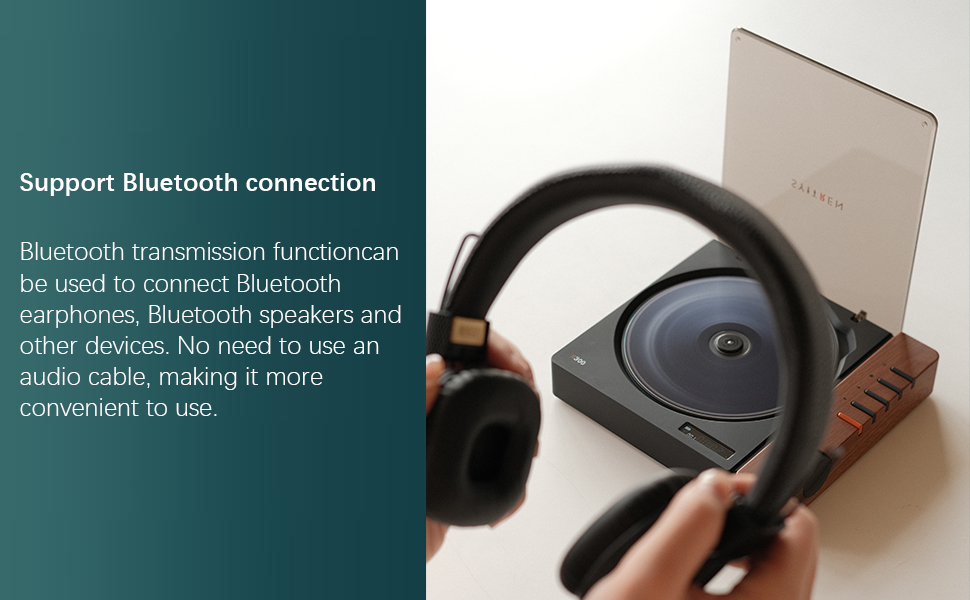
Image: The Syitren R300 CD Player shown with a pair of Bluetooth headphones, illustrating its wireless connectivity capability.
Audio Outputs
The R300 offers versatile audio output options to connect to various audio systems.
- 3.5mm Audio Jack: Located on the front wooden panel, compatible with standard headphones or auxiliary input of amplifiers.
- SPDIF Optical Output: Located on the back panel, provides high-quality digital audio transmission. This output automatically disables when the 3.5mm jack is engaged.
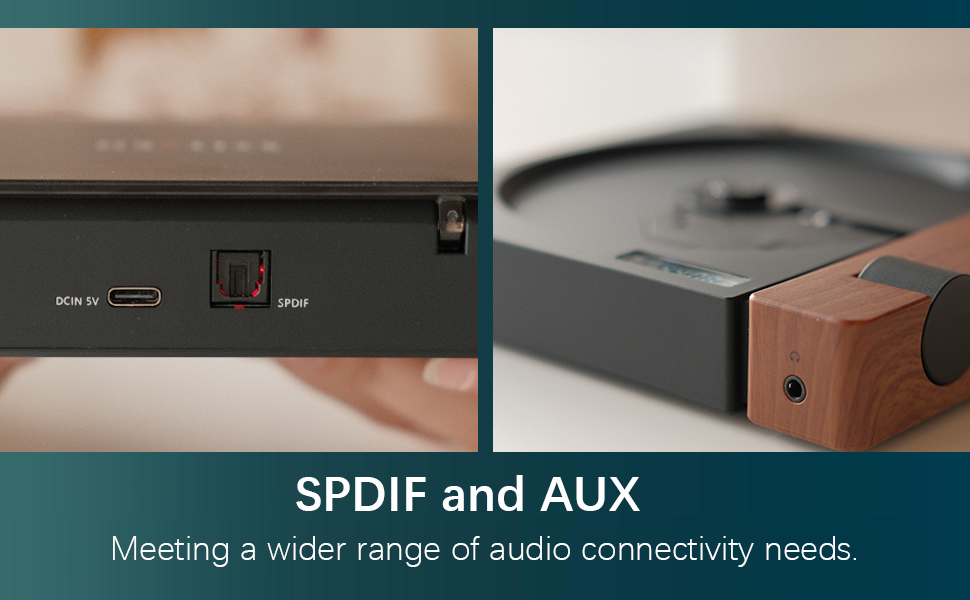
Image: Close-up view of the SPDIF optical output and AUX (3.5mm) port on the Syitren R300, highlighting its connectivity options.
Maintenance
- Clean the device regularly with a soft, dry cloth. Do not use liquid cleaners or abrasive materials.
- Keep the disc tray clean and free of dust and debris to ensure optimal disc reading.
- Store the CD player in a cool, dry place away from direct sunlight and extreme temperatures.
- When not in use, it is recommended to close the lid to avoid dust accumulation on the disc mechanism.

Image: The Syitren R300 CD Player placed on a white desk, demonstrating its compact size and suitability for desktop use.
Troubleshooting
| Problem | Possible Cause | Solution |
|---|---|---|
| Device does not power on. | Battery is depleted; Power switch is OFF. | Charge the device; Ensure power switch is in "ON" position. |
| Disc does not play / "NO CD" displayed. | No disc inserted; Disc is dirty or scratched; Protective card still in tray. | Insert a CD; Clean or replace disc; Remove protective card. |
| Bluetooth device not connecting. | Bluetooth not in pairing mode; Device out of range; Incompatible device (e.g., iPhone/AirPods). | Long press Mode button to enter pairing mode; Ensure device is within range; Note specific device incompatibilities. |
| No sound from SPDIF output. | 3.5mm audio jack is plugged in. | Unplug the 3.5mm audio jack. |
Specifications
- Model Name: R300
- Brand: syitren
- Product Dimensions: 6.38 x 5.79 x 1.28 inches (162mm x 147.3mm x 32.5mm)
- Item Weight: 14.1 ounces (0.4 KG)
- Color: BROWN/BLACK
- Connectivity Technology: Bluetooth 5.3, Auxiliary (3.5mm), SPDIF Optical
- Supported Disc Formats: CD, CD-R, CD-RW
- Supported Audio Formats: CD, MP3, WAV, WMA
- Battery Capacity: 2000mAh (up to 6+ hours playback)
- Charging Interface Type: USB Type-C (DC 5V/2A)
- Decoding Chip Model: AB5305U
- SNR: 80dB
- Audio Output Thrust: 280mW

Image: Diagram showing the key dimensions of the Syitren R300 CD Player.
Warranty and Support
The Syitren R300 CD Player comes with a one-year warranty service from the manufacturer to address any concerns or defects.
For technical support, troubleshooting assistance, or warranty claims, please contact Syitren customer service through the retailer where the product was purchased or visit the official Syitren website.
Related documentsR300


Ask a question about this manual
Ask about setup, troubleshooting, compatibility, parts, safety, or missing instructions. Manuals+ will review the question and use this page’s manual context to help answer it.