
1. Introduction
This user manual provides essential information for the safe and efficient operation, installation, and maintenance of your Hitachi 1.5 Ton 5 Star Window Inverter AC, model RAW518HHEO. Please read this manual thoroughly before using the appliance and retain it for future reference.
The Hitachi RAW518HHEO is a 1.5 Ton window inverter air conditioner designed for medium-sized rooms (111 to 150 sq.ft). It features a Twin Rotary compressor for efficient cooling, 100% copper tubes for durability, and a 5-star energy rating for optimal efficiency. Key features include 100% cooling at 43° Celsius, 4-Way Swing, Expandable Inverter Technology, Auto Fan Speed, Auto Restart, Defrost Sensor, Auto Power Save Mode, and a Wireless LCD Remote with Backlight.
2. Safety Information
Always follow basic safety precautions when using electrical appliances to reduce the risk of fire, electric shock, or injury.
- Ensure the AC is installed by a qualified technician according to local electrical codes and this manual.
- Do not operate the AC with wet hands or when standing on a wet surface.
- Do not insert fingers or objects into the air inlet/outlet.
- Turn off the power supply before cleaning or performing any maintenance.
- Keep children away from the unit and remote control.
- Do not attempt to repair or modify the unit yourself. Contact authorized service personnel.
- Ensure proper grounding to prevent electric shock.
3. What's in the Box
Upon unpacking, please verify that all the following items are included:
- AC Unit
- Remote Control
- User Manual (this document)
4. Setup and Installation
Installation of this window air conditioner requires professional expertise. It is highly recommended to have the unit installed by a certified Hitachi service technician to ensure proper functioning and safety.
4.1 Choosing an Installation Location
- Select a window that can support the weight of the unit (48 kg).
- Ensure there are no obstructions to airflow both inside and outside the room.
- The location should allow for easy drainage of condensed water.
- Maintain adequate clearance around the unit for maintenance and optimal performance.
4.2 Installation Steps (Overview)
- Prepare the window opening to fit the unit's dimensions (73.3D x 66W x 43H Centimeters).
- Securely mount the AC unit in the window frame, ensuring it is level or slightly tilted outwards for drainage.
- Seal any gaps around the unit to prevent air leakage.
- Connect the power supply to a dedicated and properly grounded electrical outlet.

Figure 1: Front view of the Hitachi Window AC RAW518HHEO. This image shows the main grille and control panel.

Figure 2: Side view of the Hitachi Window AC RAW518HHEO, illustrating its depth and external casing.
5. Operating Instructions
Your Hitachi Window AC is designed for user-friendly operation. All primary functions are controlled via the included wireless LCD remote.
5.1 Remote Control Functions
The wireless LCD remote allows you to adjust settings from anywhere in the room. The backlight feature assists in low-light conditions.
- Power Button: Turns the unit On or Off.
- Mode Button: Cycles through operating modes: Cool, Fan, Dry, Auto.
- Temperature Adjustment: Use ▲ and ▼ buttons to set desired temperature.
- Fan Speed: Adjusts fan speed (Low, Medium, High, Auto).
- Swing Button: Activates or deactivates the 4-Way air swing for uniform air distribution.
- Timer Button: Sets On/Off timers for scheduled operation.
5.2 Key Operating Features
- Expandable Inverter Technology: This feature allows the AC to expand its cooling capacity when the ambient temperature rises, ensuring consistent cooling even at 43° Celsius.
- Auto Fan Speed: The unit automatically adjusts fan speed based on the room temperature to maintain comfort and efficiency.
- Auto Restart: In case of a power outage, the AC will automatically restart with the previous settings once power is restored.
- Defrosting Sensor: Prevents ice formation on the indoor coil, ensuring efficient operation and prolonging unit life.
- Auto Power Save Mode: Optimizes energy consumption by intelligently adjusting settings to save power without compromising comfort.
- On/Off Timer with Advanced Start-Up: Program the AC to turn on or off at specific times. The advanced start-up feature pre-cools the room before your set 'on' time.

Figure 3: Illustration of the 'On/Off Time with Advanced Start-Up' feature, showing the AC operating in a room.

Figure 4: Visual representation of the 'Xpandable Inverter' technology, indicating increased cooling capacity.

Figure 5: Depiction of the 'Defrosting Sensor' functionality, showing the AC preventing ice build-up.

Figure 6: Visual illustrating 'Auto Power Save Mode' and 'Auto Fan Speed' for optimized performance.
6. Maintenance
Regular maintenance ensures optimal performance and extends the lifespan of your air conditioner. Always disconnect power before performing any maintenance.
6.1 Air Filter Cleaning
- The AC features a "Filter Clean Indicator" to remind you when to clean the filters.
- Carefully remove the air filters from the front panel.
- Wash the filters with lukewarm water and a mild detergent. Rinse thoroughly.
- Allow filters to dry completely in a shaded area before reinserting.
- Clean filters every two weeks or more frequently depending on usage and air quality.
6.2 Exterior Cleaning
- Wipe the exterior of the unit with a soft, damp cloth.
- Do not use harsh chemicals, abrasives, or solvents.
6.3 Seasonal Maintenance
- Before the cooling season, ensure the outdoor coils are free from debris.
- Consider a professional service check-up annually.
7. Troubleshooting
Before contacting customer service, please refer to the following common issues and solutions:
| Problem | Possible Cause | Solution |
|---|---|---|
| AC does not turn on. | No power, tripped circuit breaker, remote control batteries dead. | Check power supply, reset breaker, replace remote batteries. |
| Insufficient cooling. | Dirty air filters, blocked outdoor unit, wrong mode selected, room too large. | Clean air filters, clear obstructions, select 'Cool' mode, ensure room size is appropriate. |
| Unusual noise. | Loose parts, foreign objects, unit not level. | Check for loose components, remove foreign objects, ensure unit is level. If noise persists, contact service. |
| Water leakage. | Blocked drain pipe, improper installation angle. | Clear drain pipe, ensure unit is slightly tilted outwards. |
If the problem persists after attempting these solutions, please contact Hitachi customer support.
8. Specifications
Below are the detailed specifications for the Hitachi 1.5 Ton 5 Star Window Inverter AC (RAW518HHEO):
| Feature | Detail |
|---|---|
| Brand | Hitachi |
| Model | RAW518HHEO |
| Capacity | 1.5 Tons |
| Energy Efficiency Rating | 5 Star (as per 2025 BEE guidelines) |
| Annual Energy Consumption | 1069.33 Kilowatt Hours |
| ISEER Value | 3.55 |
| Noise Level | 54 Decibels |
| Installation Type | Window |
| Refrigerant Gas | R32 (Environmental Friendly) |
| Condenser Coil | 100% Copper tubes with Nano Tech Ultra Coating |
| Special Features | Auto Fan Speed, Auto Restart, Defrosting Sensor, Precoated Aluminum Fins, Wireless LCD Remote, Expandable Inverter Technology, Auto Power Save Mode, Filter Clean Indicator |
| Color | White |
| Voltage | 230 Volts |
| Wattage | 1645 Watts |
| Material | Plastic |
| Item Weight | 48 kg |
| Item Dimensions (LxWxH) | 73.3 x 66 x 43 Centimeters |
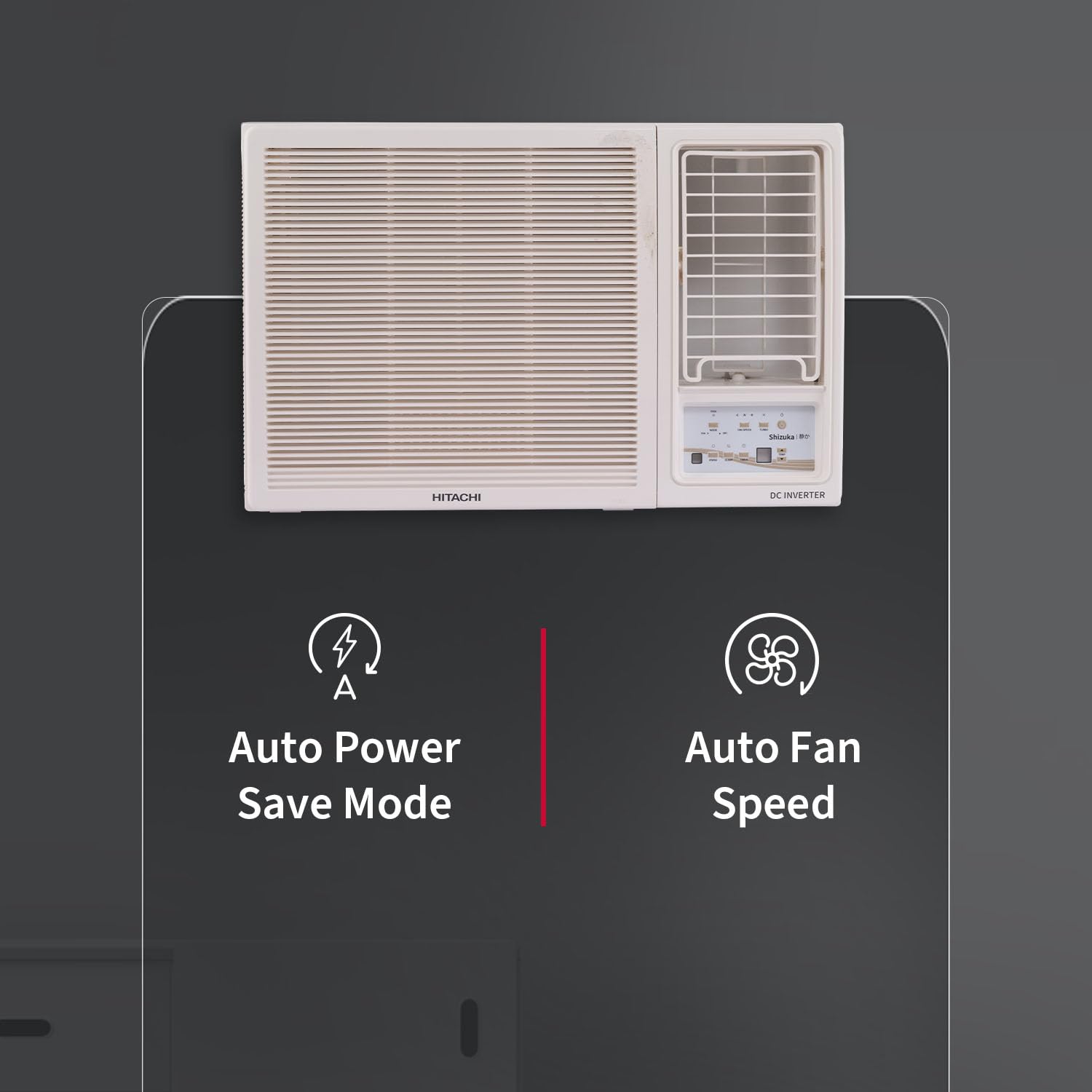
Figure 7: Dimensions of the Hitachi Window AC and its energy savings guide label.
9. Warranty and Support
9.1 Warranty Information
Your Hitachi 1.5 Ton 5 Star Window Inverter AC comes with the following warranty:
- 5 Year Comprehensive Warranty on Product
- 10 Years on Compressor
- 5 Years on PCB/Controller
To avail warranty services, please retain your purchase invoice (e.g., Amazon invoice) as proof of purchase.
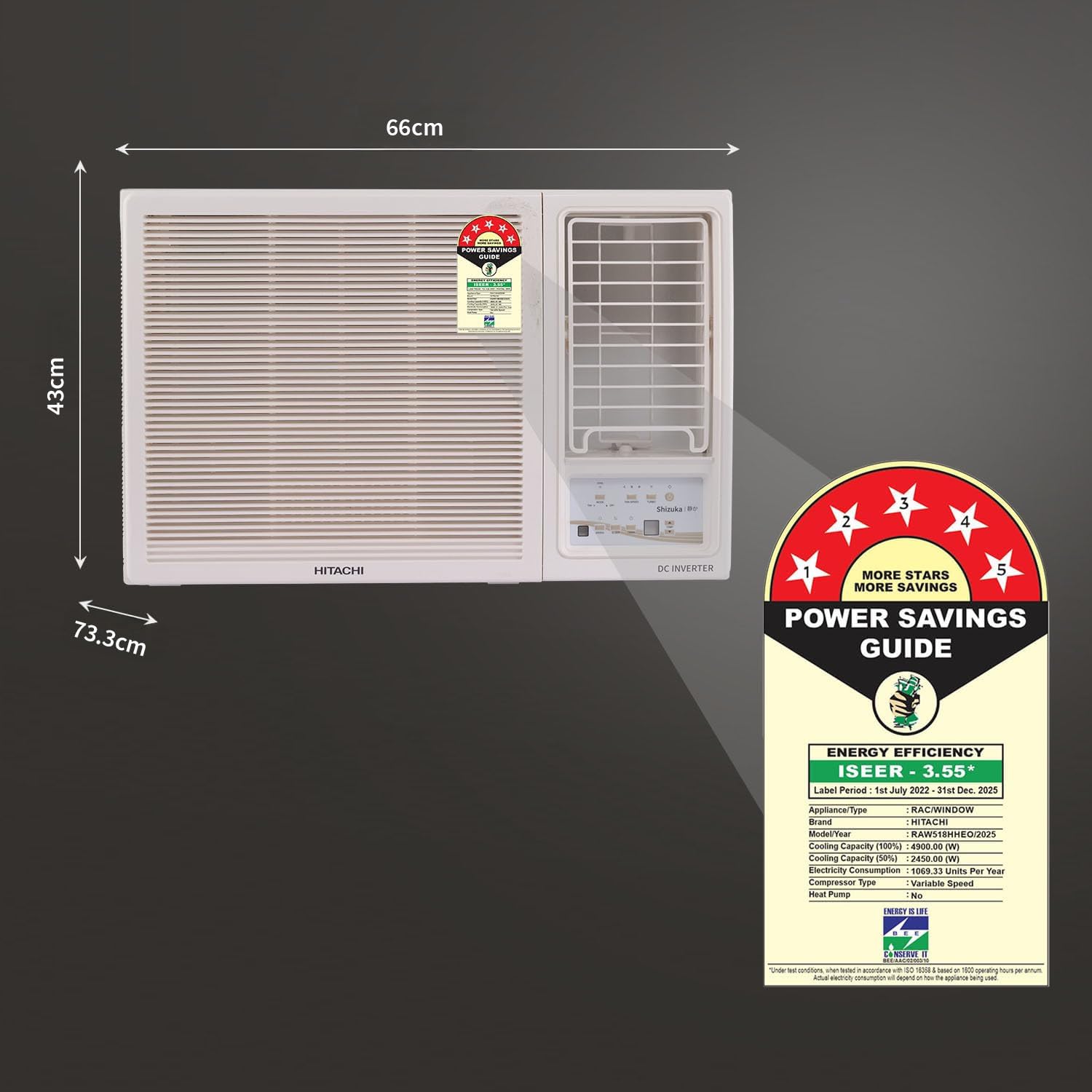
Figure 8: Visual confirmation of the 5-year comprehensive warranty.
9.2 Customer Support
For any queries, service requests, or technical assistance, please contact:
- Manufacturer: Johnson Controls Hitachi Air Conditioning India Limited
- Customer Care No.: 7567884848
- Email: customercare@jci-hitachi.com
- Address: Hitachi Complex, Karannagar, Kadi. Dist. Mehsana- 382715. Gujarat. India.