
Introduction
This user manual provides comprehensive instructions for the MiLESEEY DT20 Laser Tape Measure. The DT20 is a versatile 3-in-1 measuring tool combining a laser distance meter, a digital tape measure, and a traditional tape measure. It is designed for accurate and efficient measurements in various professional and home improvement applications.
Product Features
- 3-in-1 Measurement Capability: Integrates a 16ft (5m) traditional tape measure, a 16ft (5m) digital tape measure with real-time display, and a 130ft (40m) laser distance meter.
- Green Beam Laser Technology: The laser distance meter features a green beam, which is up to 3 times brighter and more visible than red beams, especially in bright conditions. It extends up to 229ft (70m) with Class 2 eye-safe laser.
- Digital Display and Data Sync: The patented PowerBrust Digital Display technology provides real-time, precise measurements directly on the screen as the tape is extended.
- Electronic Angle Sensor: A built-in digital tilt angle sensor provides real-time angle measurements, aiding in more accurate and horizontal direction finding.
- High Accuracy: Achieves measurement accuracy of up to ±(2mm+5x10⁻⁵D) for laser measurements.
- Memory Function: Stores up to 20 sets of measurement values for convenient recall.
- Durable and Portable Design: Features impact-absorbing geometries and soft materials for protection against drops and shocks. Its compact and lightweight design includes a wrist strap and back clip for easy portability.
- Rechargeable Battery: Equipped with a rechargeable Lithium-Ion battery for extended use.

This image illustrates the three primary measurement functions of the MiLESEEY DT20: traditional tape, digital tape, and laser distance measurement.
Setup
1. Charging the Battery
The MiLESEEY DT20 comes with a built-in rechargeable Lithium-Ion battery. Before first use, ensure the device is fully charged. Connect the included USB cable to the charging port on the device and to a standard USB power adapter (not included) or a computer USB port. The battery indicator on the display will show charging status.
2. Initial Power On
Press and hold the ON/MEAS button to power on the device. The display will illuminate, and the device will be ready for use.
Operating Instructions
Power On/Off
- To power on: Press the ON/MEAS button.
- To power off: Press and hold the OFF/CLEAR button. The device will also automatically power off after a period of inactivity to conserve battery.
Using the Digital Tape Measure
Pull out the physical tape measure. The digital display will automatically show the measurement in real-time. The display provides clear, precise figures for easy reading.

This image demonstrates the real-time digital display of the tape measure, showing a measurement of 25 and 3/16 inches.
Using the Laser Distance Meter
- Ensure the tape measure is fully retracted.
- Press the ON/MEAS button once to activate the laser. A green laser dot will appear.
- Aim the laser dot at the target point.
- Press the ON/MEAS button again to take a measurement. The distance will be displayed on the screen.
- For continuous measurement (tracking mode), press and hold the ON/MEAS button. The display will update in real-time as you move the device.
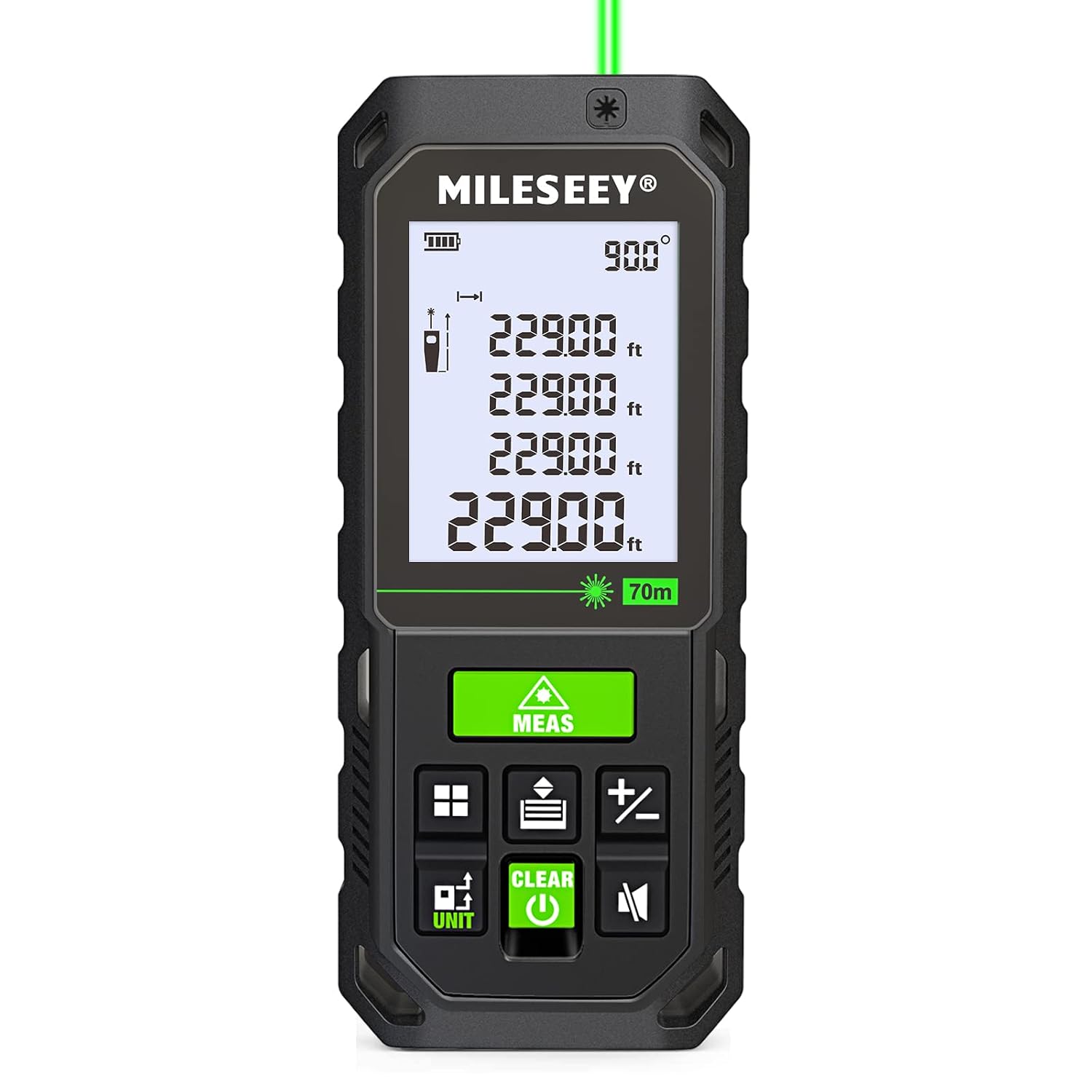
This image shows the MiLESEEY DT20 in laser measurement mode, with the green laser active and measurement data displayed on the screen.

This image highlights the superior visibility of the green laser beam compared to traditional red lasers, especially in bright environments.
Unit Conversion
To change the measurement unit (e.g., between meters, feet, inches, or fractions), press the UNIT button. Repeated presses will cycle through available units.

This image illustrates the continuous measurement mode and how to convert between different units like meters, feet, and inches.
Using the Electronic Angle Sensor
The built-in angle sensor provides real-time tilt measurements. This feature is particularly useful for ensuring level surfaces or for calculating heights using indirect measurement methods (e.g., Pythagorean theorem, though specific functions for this are not detailed, the sensor aids in such calculations).

This image shows the MiLESEEY DT20 displaying an angle measurement, indicating its electronic angle sensor functionality.
Memory Function
The device can store up to 20 measurement values. Refer to the on-screen icons or specific buttons (if available, not explicitly detailed in input) to save and recall measurements.
Maintenance
- Cleaning: Use a soft, damp cloth to clean the device. Do not use abrasive cleaners or solvents. Ensure the laser lens and display screen are kept clean for optimal performance.
- Storage: Store the device in a cool, dry place, away from direct sunlight and extreme temperatures. When not in use for extended periods, ensure the battery is partially charged (around 50%) to prolong its lifespan.
- Battery Care: Recharge the battery regularly, even if the device is not frequently used, to maintain battery health. Avoid fully discharging the battery for prolonged periods.
- Handling: While designed to be durable, avoid dropping the device or subjecting it to severe impacts to prevent damage to internal components and calibration.
Troubleshooting
- Device does not power on:
Ensure the battery is sufficiently charged. Connect the device to a charger and try again.
- Laser not visible or inaccurate:
Check if the laser lens is clean. Ensure you are within the specified measurement range (up to 229ft/70m). Extreme lighting conditions can affect visibility; the green laser is designed to mitigate this, but very bright sunlight can still pose challenges.
- Digital tape measure display not updating:
Ensure the tape is pulled out smoothly. Check for any obstructions or debris in the tape retraction mechanism.
- Inaccurate measurements:
Ensure the measurement surface is flat and reflective enough for the laser. For tape measurements, ensure the tape is taut and not twisted. Calibrate the device if a calibration option is available (refer to specific device settings if present, not detailed in general input).
Specifications
| Feature | Specification |
|---|---|
| Brand | MiLESEEY |
| Model | DT20 |
| Laser Distance Range | Up to 229 ft (70 m) |
| Digital Tape Measure Length | 16 ft (5 m) |
| Laser Accuracy | ±(2mm+5x10⁻⁵D) |
| Laser Class | Class 2 |
| Beam Color | Green |
| Battery Type | Rechargeable Lithium-Ion |
| Memory Storage | Up to 20 values |
| Material | Plastic |
| Color | Black |
Warranty and Support
For warranty information and technical support, please contact MiLESEEY Innovation, the manufacturer or authorized seller. Keep your purchase receipt as proof of purchase. Contact details can typically be found on the product packaging or the official MiLESEEY website.
For further assistance, you may visit the MiLESEEY Store on Amazon.