
1. Product Overview
Thank you for choosing the Ohniyou 42-inch Flush Mount Ceiling Fan. This modern ceiling fan is designed for both indoor and covered outdoor use, offering versatile features such as remote and app control, dimmable LED lighting with adjustable color temperatures, and a quiet, energy-efficient reversible DC motor. Enjoy comfortable airflow and customizable lighting in various settings, including bedrooms, dining rooms, living rooms, and covered patios.
2. Product Features
- Remote and App Control: Control fan speeds, light brightness, and color temperature independently via the included remote or a smart app.
- Dimmable LED Light: Features adjustable brightness (10%-100%) and three color temperatures (3000K Warm Light, 4500K Natural Light, 6000K Cool Light).
- Energy-Efficient Reversible DC Motor: Operates quietly (below 35dB) and enhances air circulation for both summer (downward airflow) and winter (upward airflow) comfort.
- 6 Fan Speeds: Choose from six adjustable fan speeds to suit your comfort needs.
- Timer Function: Set the fan to turn off automatically after 1, 4, or 8 hours.
- Light Memory Function: The fan remembers your last used LED light color and brightness settings when powered off and on, eliminating the need for repetitive adjustments.
- High Airflow: Delivers up to 3586 CFM, suitable for spaces up to 15x15 feet.
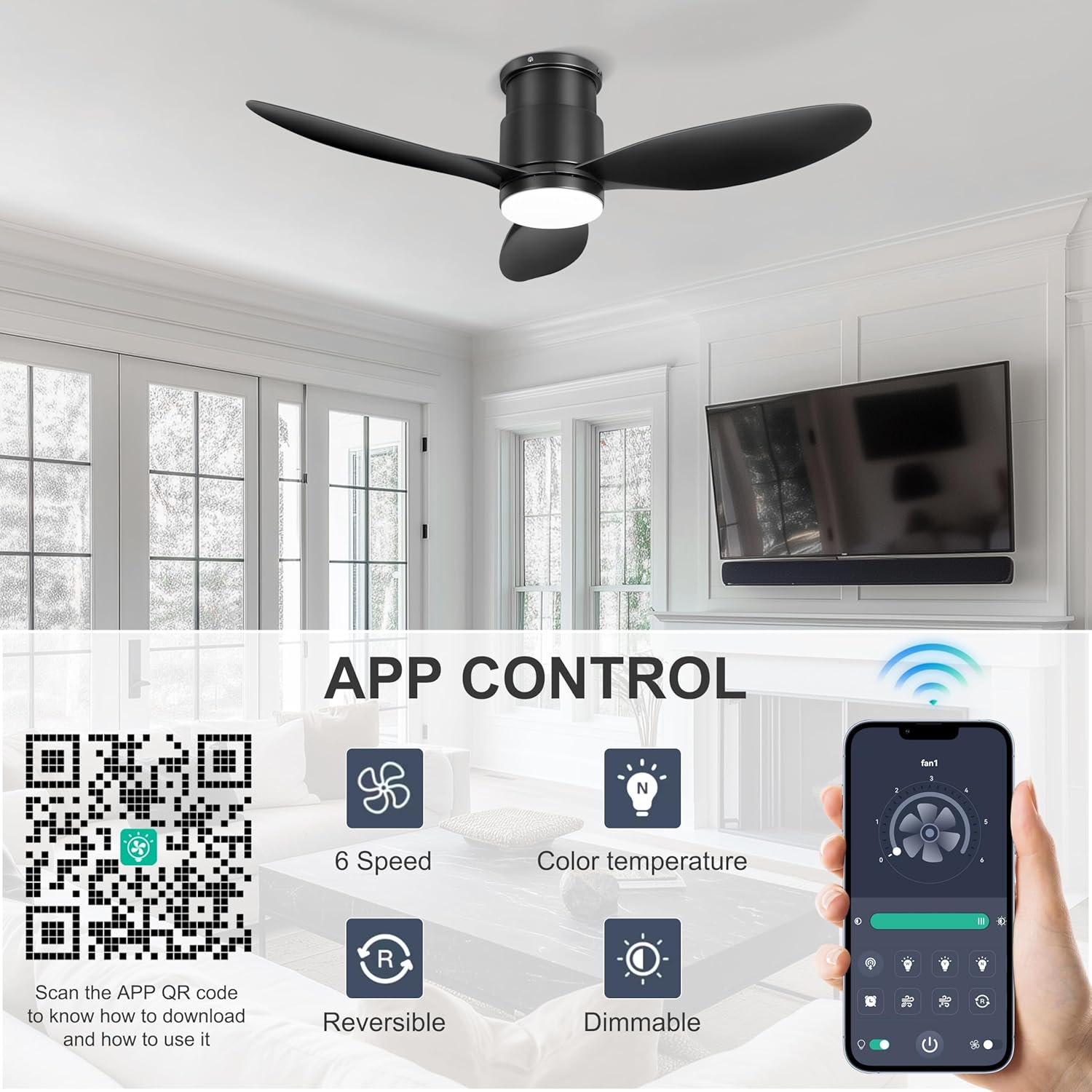
Image: Dimmable LED light with adjustable color temperatures.
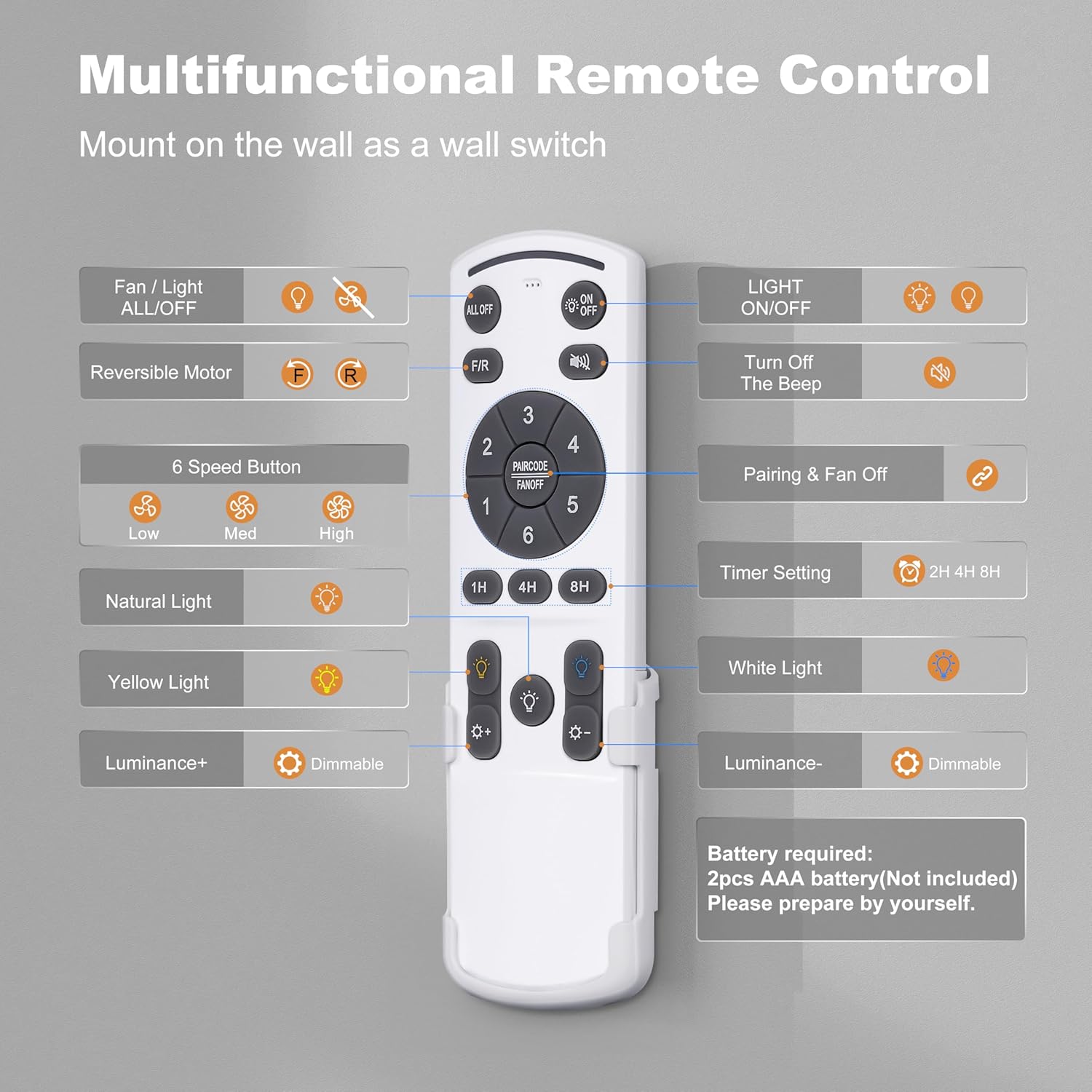
Image: Six adjustable fan speeds for varied comfort.
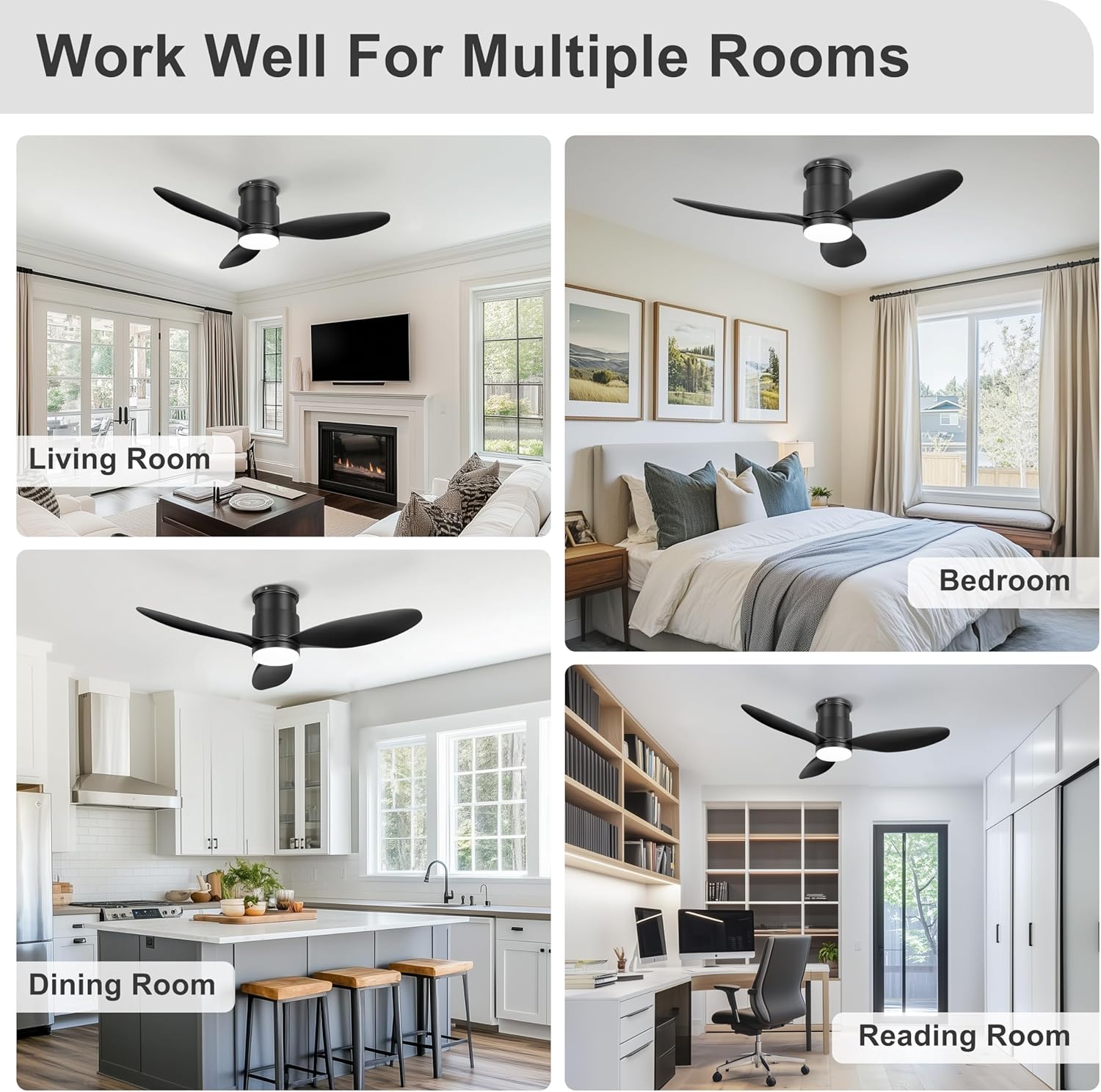
Image: Reversible DC motor for year-round use.
3. Package Contents
Please check that all components are present and undamaged before installation. If any parts are missing or damaged, please contact customer support.
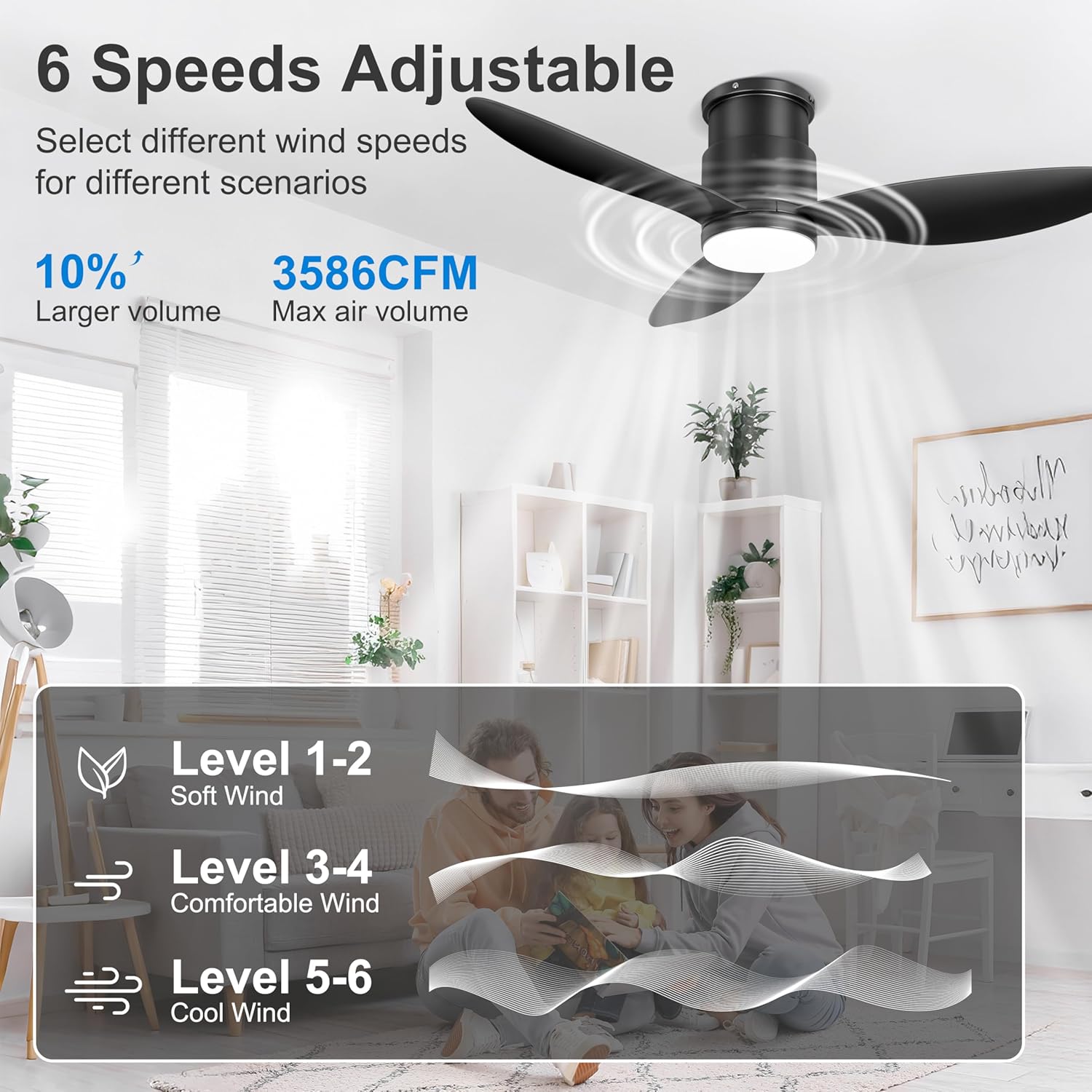
Image: All components included in the package.
- Instruction Manual
- Remote Control
- Receiver
- Screws (various sizes)
- Light Cover
- Hanging Plate
- Motor Body
- S Hooks
- 3 Fan Blades
4. Safety Information
- Always turn off the power at the circuit breaker before installation or maintenance.
- Ensure all electrical connections comply with local codes and ordinances.
- Consult a qualified electrician if you are unsure about wiring or installation.
- Mount the fan to a ceiling outlet box marked 'Acceptable for Fan Support of 35 lbs (15.9 kg) or less'.
- Do not bend the blade holders during installation, balancing, or cleaning.
- Keep children away from the fan during operation.
5. Installation Guide
Follow these steps for proper installation of your Ohniyou 42-inch Flush Mount Ceiling Fan.
Step-by-Step Installation
- Prepare the Motor Body: Loosen the screws on the motor body and remove the hanging plate.
- Install Mounting Plate on Motor: Pass the wires through the mounting plate and install it onto the motor body, securing with screws.
- Remove LED Light Plate: Unplug the wire connector clip and remove the LED light plate. Use a screwdriver to loosen the screws holding the light plate.
- Install Fan Blades: Attach the fan blades to the motor using the provided screws.
- Mount to Ceiling: Install the hanging plate to the ceiling using screws. Use the S hook to temporarily hang the fan while connecting wires.
- Wire Connections: Connect the live wire and neutral wire from the fan to your ceiling wire. Ensure receiver wires of the same color are connected together.
- Secure Fan to Hanging Plate: Remove the S hook. Align the screw on the side of the fan's body with the hanging plate and tighten the screws to secure the fan.
- Attach Light Cover: Turn the light cover to the right to lock it into place.
Video: Detailed installation guide for the Ohniyou 42-inch flush mount ceiling fan.
6. Operation
6.1 Remote Control
The included remote control allows for convenient operation of your ceiling fan and light. Ensure 2x AAA batteries (not included) are installed.
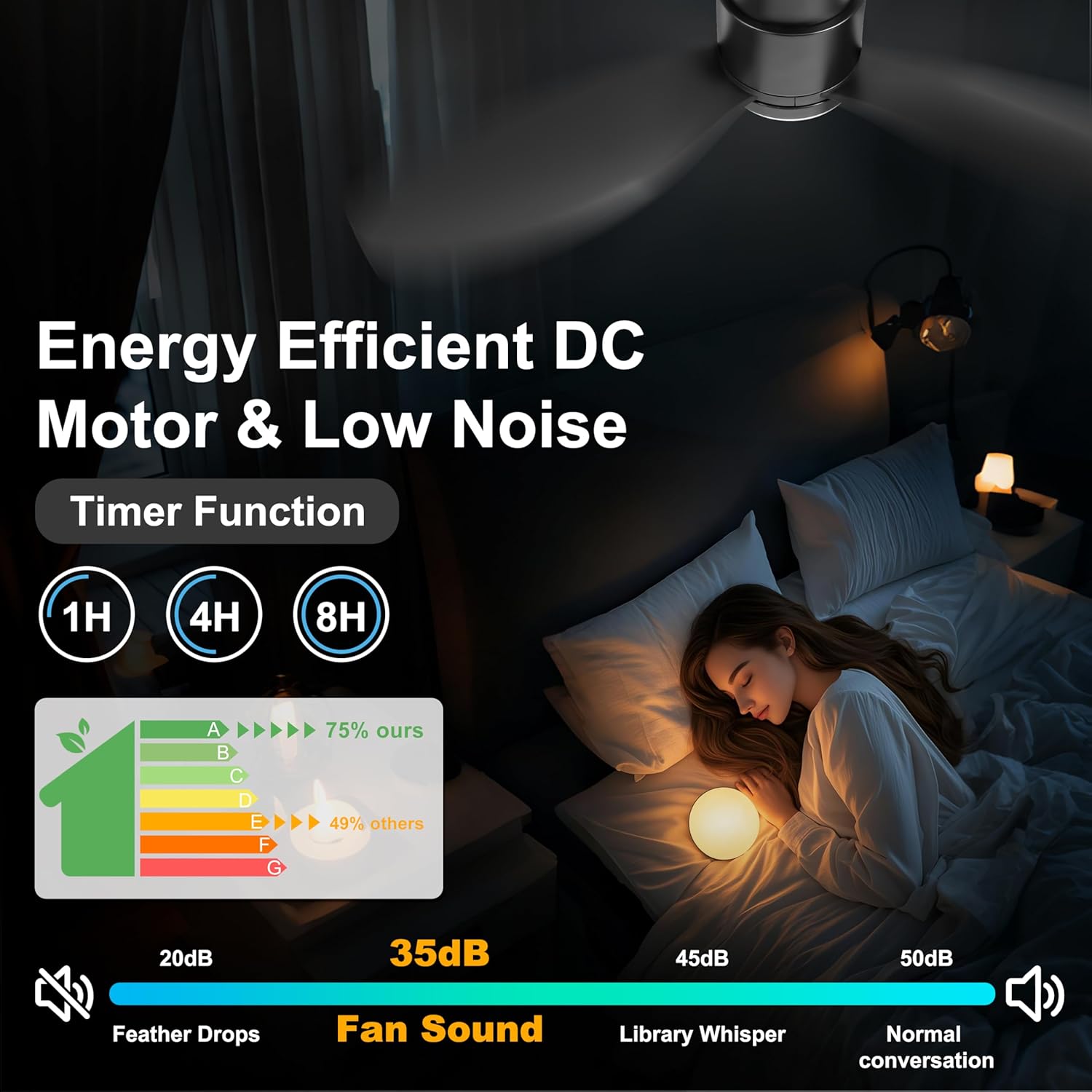
Image: Multifunctional Remote Control Layout.
- Fan/Light ALL/OFF: Turns both fan and light on/off.
- Light ON/OFF: Controls the light independently.
- F/R (Reversible Motor): Switches between summer (downward) and winter (upward) modes.
- 6 Speed Buttons (1-6): Adjusts fan speed from low (1) to high (6).
- Natural Light / Yellow Light / White Light: Cycles through 3000K, 4500K, and 6000K color temperatures.
- Luminance +/-: Adjusts light brightness (dimmable).
- Timer Setting (1H/4H/8H): Sets the fan to turn off after the selected duration.
- Turn Off The Beep: Mutes/unmutes the fan's operational beeps.
- Pairing & Fan Off: Used for remote pairing and turning the fan off.
6.2 App Control
Control your fan conveniently from your smartphone using the dedicated app.
- Download the App: Scan the QR code provided in the product packaging or search for "FanLamp Pro" in your app store.
- Open the App: Add a device for your fan and name it (e.g., Fan 1).
- Enable Bluetooth: Turn on your phone's Bluetooth.
- Pairing: Reset the fan by turning off the wall switch for 5 seconds, then turn it back on. Hit the pair button on the app about 3 times until you hear a beep from the fan and the light flashes.
Video: How to download and connect to the FanLamp Pro app.
Video: Instructions on how to re-pair the remote control if it stops working.
6.3 Light Memory Function
To activate the light memory function, adjust the desired color and brightness using the remote or app. Keep the light on for at least 10 seconds before turning it off. The fan will then remember these settings for future use.

Image: How to use the light memory function.
7. Maintenance
- Cleaning: To clean the fan, wipe with a soft, damp cloth. Do not use abrasive cleaners or solvents.
- Blade Care: Periodically check fan blades for dust buildup. Clean gently to maintain optimal airflow.
- Tighten Screws: Check all screws and connections periodically to ensure they are secure.
8. Troubleshooting
| Problem | Possible Cause | Solution |
|---|---|---|
| Fan does not start | No power to the fan; loose wiring; remote control not paired. | Check circuit breaker and wall switch. Ensure all wires are securely connected. Re-pair the remote control (refer to Section 6.2). |
| Light does not work | Loose wiring; LED light plate issue. | Check light wiring connections. If the issue persists, contact customer support. |
| Remote control not responding | Dead batteries; remote not paired; interference. | Replace batteries. Re-pair the remote control (refer to Section 6.2). Ensure no obstructions between remote and fan. |
| Fan makes excessive noise | Loose screws; unbalanced blades. | Check and tighten all mounting screws. Ensure fan blades are securely attached. |
| App control not working | Bluetooth off; app not paired; app malfunction. | Ensure Bluetooth is enabled on your phone. Re-pair the app (refer to Section 6.2). Try restarting the app or your phone. |
9. Specifications
| Feature | Specification |
|---|---|
| Brand | Ohniyou |
| Model Number | GLX098 |
| Size | 42 inches |
| Color | Black |
| Material | Iron Plastic |
| Motor Type | DC Motor (Reversible) |
| Fan Speeds | 6 Speeds |
| Airflow Volume | Up to 3586 CFM |
| Noise Level | Below 35dB |
| Light Source | LED |
| Light Wattage | 32 watts |
| Color Temperatures | 3000K, 4500K, 6000K (Dimmable) |
| Control Method | Remote Control, App Control |
| Timer Settings | 1H, 4H, 8H |
| Indoor/Outdoor Usage | Indoor, Covered Outdoor |
| Mounting Type | Flush Mount |
| Voltage | 110V (AC), 220V (AC) |
10. Warranty and Support
Ohniyou provides customer support for any questions or issues you may encounter with your ceiling fan. If you experience missing parts or require assistance, please contact us directly.
Contact Email: ohniyou@ledphy.com
We aim to reply within 12 hours.
Video: Information on how to get replacements for missing parts.