
1. Introduction
This manual provides comprehensive instructions for the operation and maintenance of your Retevis MA1 Dual Band Ham Radio. Please read this manual thoroughly before using the device to ensure proper function and safety.
The Retevis MA1 is a versatile 50W dual-band ham radio featuring cross-band repeater capabilities, a mobile transceiver 2-in-1 design, a superheterodyne receiver for enhanced sensitivity, air band reception, a detachable control panel, and noise reduction technology. It is designed for reliable communication in various environments.
2. What's in the Box
- MA1 Ham Radio & Speaker microphone x1
- Speaker microphone bracket & panel bracket & radio bracket x1
- Fuse x2
- Data cable & power cable & 3m connection cable x1
- User manual x1

3. Product Overview
The Retevis MA1 features a robust design with a detachable control panel for flexible installation. Its dual-band capability allows for simultaneous monitoring of two frequencies.

3.1 Key Features
- Cross-Band Repeater: Extend communication range by relaying signals between different bands.
- Superheterodyne Receiver: Ensures stable signal reception and strong interference resistance.
- Detachable Control Panel: Allows for flexible installation in vehicles or base stations.
- Noise Reduction: TX noise canceling function for clear transmissions in noisy environments.
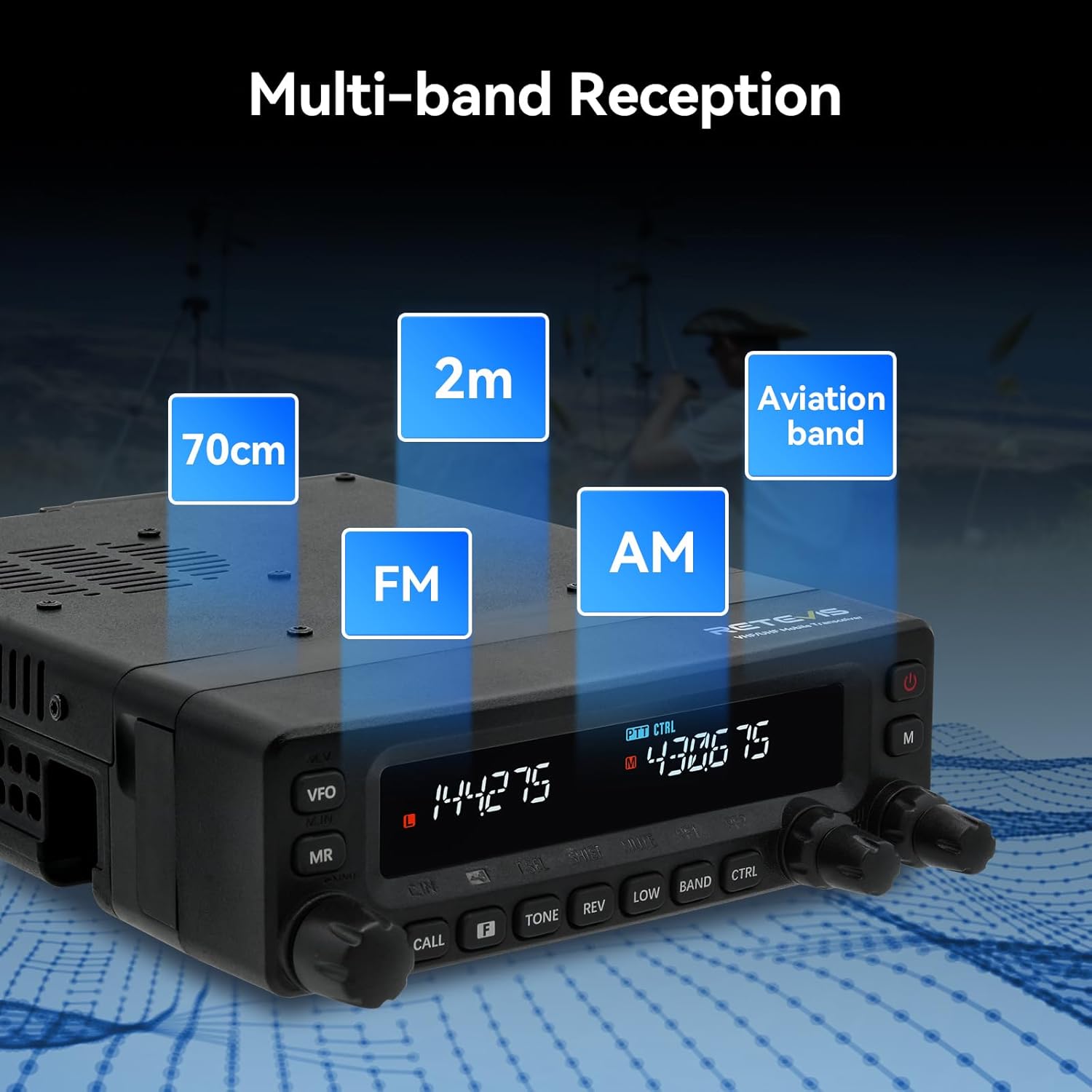
- Multi-band Reception: Capable of receiving 2m, 70cm, FM, AM, and aviation band frequencies.
- Dual Display/Dual Watch: Monitor two frequencies simultaneously for increased efficiency.
- Multi-functional Speaker Mic: Full keypad and function keys for convenient operation without touching the main unit.
- Independent Operation: Two independent adjustment knobs for dual-band frequencies.
4. Setup
4.1 Power Connection
Connect the provided power cable to the radio unit. Ensure the power source is 13.8 Volts DC. Observe correct polarity to prevent damage.
4.2 Antenna Connection
Connect a suitable dual-band antenna (not included with this model) to the ANT connector on the rear of the radio. Ensure the connection is secure.
4.3 Detachable Panel Installation
The control panel can be detached from the main unit for remote installation. Use the included 3-meter connection cable to link the detached panel to the main radio body. This allows for flexible mounting options in vehicles or fixed stations.

5. Operating Instructions
5.1 Basic Operation
Turn on the radio using the power button. The LCD screen will display frequency information. Adjust volume and squelch using the independent knobs for each channel.
5.2 Frequency and Channel Adjustment
Frequencies can be adjusted using the main knobs on the unit or via the multi-functional speaker microphone. The radio supports 999 channels for extensive programming.
5.3 Cross-Band Repeater Function
The MA1 can function as a cross-band repeater, extending your communication range by relaying signals received on one band (e.g., 2m) to another (e.g., 70cm). This feature is useful for overcoming terrain obstacles or extending the reach of handheld radios.

5.4 Multi-band Reception
The MA1 supports reception across multiple bands, including 2m, 70cm, FM, AM, and aviation band frequencies. This broad reception capability enhances its utility for various listening experiences.
5.5 Noise Reduction
The MA1 is equipped with a TX noise canceling function to ensure clear communication, even in noisy environments. This is particularly beneficial in emergency situations where clear audio is critical.

6. Maintenance
6.1 Cleaning
Regularly clean the exterior of the radio with a soft, dry cloth. Avoid using abrasive cleaners or solvents that could damage the finish or internal components.
6.2 Storage
When not in use for extended periods, store the radio in a cool, dry place away from direct sunlight and extreme temperatures. Disconnect all cables before storage.
6.3 Firmware Updates
Check the official Retevis website periodically for firmware updates. Updates can improve performance, add new features, or resolve known issues. Follow the instructions provided with the firmware update carefully.
7. Troubleshooting
| Problem | Possible Cause | Solution |
|---|---|---|
| Radio does not power on. | No power connection or incorrect voltage. | Check power cable connection and ensure 13.8V DC supply. Verify fuse integrity. |
| No signal reception. | Antenna not connected, incorrect frequency, or high squelch level. | Ensure antenna is connected. Verify frequency settings. Adjust squelch level. |
| Poor audio quality. | Low signal strength, interference, or microphone issue. | Check antenna and signal strength. Enable noise reduction. Test microphone. |
| Control panel not responding. | Loose connection to main unit. | Ensure the detachable panel is securely connected to the main unit via the extension cable. |
8. Specifications
| Feature | Specification |
|---|---|
| Model Number | MA1 |
| Item Weight | 4.55 pounds |
| Product Dimensions | 8.34 x 5.51 x 1.73 inches |
| Number of Channels | 999 |
| Frequency Range | Dual Band (AM: 108-133.995MHz, FM: 136-180MHz; 400-520MHz) |
| Voltage | 13.8 Volts |
| Water Resistance Level | Not Water Resistant |
| Special Features | Cross-band relay, Superheterodyne receiver, Detachable front panel, Multi-band reception |
9. Warranty and Support
Retevis provides a 2-year warranty for the radio body and a 1-year warranty for accessories. A 30-day no-reason return policy is also in effect. For support beyond the warranty period, maintenance services are offered, with buyers responsible for associated costs.
For any inquiries or support needs, please contact Retevis customer service on Amazon. They aim to reply within 12 hours.
For more information and resources, visit the official Retevis Store on Amazon.

