
Introduction
This manual provides detailed instructions for the installation, operation, and maintenance of your Hapadif Motorized Roller Window Shades. Please read this manual thoroughly before installation and use to ensure proper function and longevity of your product. Keep this manual for future reference.

Image: Hapadif Motorized Roller Shade showcasing its thermal insulation, UV protection, and privacy features.
Safety Information
- Ensure all components are securely installed before operating the blinds.
- Keep the remote control out of reach of children.
- Do not attempt to disassemble or repair the motor or remote control. Contact customer support for assistance.
- Avoid exposing the blinds to excessive moisture or direct water spray.
Package Contents
Verify that all items are present in your package:
- Motorized Roller Shade Unit
- Remote Control
- Mounting Hardware (brackets, screws)
- User Manual (this document)
- Valance
Installation
1. Measuring Your Window
Accurate measurements are crucial for proper fit and function. Refer to the diagram below for guidance on inside and outside mount measurements.

Image: Guide for measuring window dimensions for both inside and outside mount installations.
Inside Mount:
- Measure the exact width of the window opening at three points (top, middle, bottom) and use the smallest measurement.
- Subtract 1/4 inch from the smallest width for the order width.
- Ensure window frame depth is at least 1.5 inches (2.5 inches if drilling holes).
- Order height should be 72 inches, as height is adjustable from 0-72 inches.
Outside Mount:
- Measure the desired width to be covered, ensuring it extends at least 4 inches beyond the window frame on each side.
- Add 4 inches to the largest window width for the order width.
- Order height should be 72 inches, as height is adjustable from 0-72 inches.

Image: Table providing specific order width recommendations for various window widths for inside mount installations.
2. No-Drill Installation
The Hapadif Motorized Roller Shades are designed for easy, no-drill installation, particularly suitable for inside mounts. Mounting screws are also provided for alternative installation methods if preferred.
Video: Step-by-step guide on how to perform a no-drill installation for your Hapadif motorized blinds.
- Install the trim panel bracket.
- For inside mount, insert the no-drill device side into the left.
- Place a block to increase friction and secure the installation.
Operation
1. Remote Control Functions
Your motorized blinds come with a remote control for convenient operation. The remote is pre-matched with the blind before shipment.
Video: Demonstration of remote control functions for Hapadif roller shades.

Image: Overview of the remote motor, available remote controls, and smart bridge options for app and voice control.
- Up Button: Raises the blind.
- Down Button: Lowers the blind.
- Stop/Pause Button: Stops the blind at any desired position.
- 1-Channel Remote: Included with your blinds.
- 15-Channel Remote (Optional): Can connect up to 15 blinds and allows for group control.
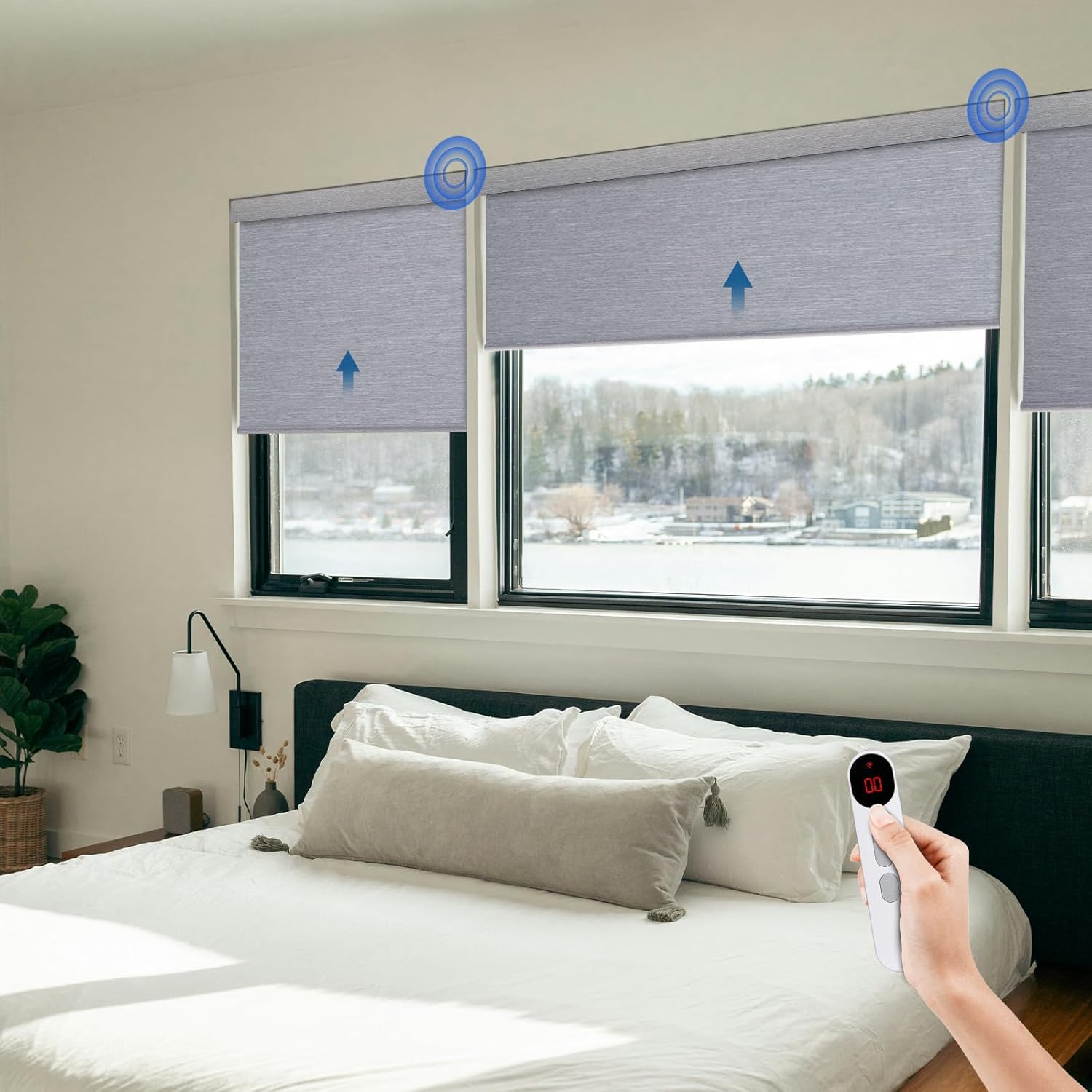
Image: A user operating the motorized blinds with a remote control in a bedroom.
2. Setting Upper and Lower Limits
You can set the precise upper and lower stopping points for your blinds using the remote control.
Video: Instructions on how to set the upper and lower travel limits of the blinds using the remote.
Refer to the video for detailed step-by-step guidance on programming the limits. Generally, this involves entering a programming mode on the remote and moving the blind to the desired upper and lower positions, then confirming these settings.
3. Smart Home Integration (Optional)
The built-in motor system (AX290) can be integrated with smart home systems like Alexa or Google Assistant via a smart hub (sold separately). This allows for voice control, scheduling, and custom scene creation.
Video: Guide on connecting your Hapadif motorized blinds with a smart bridge for smart home integration.

Image: Example of voice control for motorized blinds using an Alexa device in a kitchen setting.
To enable smart integration:
- Acquire a compatible smart hub.
- Follow the instructions provided with your smart hub to connect it to your home network.
- Use the smart hub's application to discover and pair your Hapadif motorized blinds.
- Once paired, you can use voice commands (e.g., "Alexa, open the blinds") or set schedules and routines through the app.
Maintenance
To ensure the longevity and appearance of your Hapadif Motorized Roller Window Shades, follow these maintenance guidelines:
- Cleaning: Gently wipe the fabric with a soft, damp cloth. For stubborn spots, use a mild soap solution and blot carefully. Avoid harsh chemicals or abrasive cleaners.
- Dusting: Regularly dust the blinds with a soft brush or vacuum cleaner with a brush attachment.
- Motor Care: The motor is designed for durability. Avoid applying force to the blinds manually, as this can damage the motor mechanism.
- Battery Replacement: The motor operates on AA batteries. A single battery change can last approximately 1 year or 600 cycles. Replace batteries when performance diminishes.

Image: Details on the ultra-quiet motor, indicating low noise levels during operation.
Troubleshooting
If you encounter issues with your Hapadif Motorized Roller Window Shades, refer to the following common problems and solutions:
| Problem | Possible Cause | Solution |
|---|---|---|
| Blinds do not respond to remote. | Dead batteries in remote or motor. Remote not paired. | Replace batteries in remote and/or motor. Re-pair remote with blinds according to pairing instructions (if available, typically involves a button on the motor). |
| Blinds stop mid-way or do not reach full up/down position. | Limits not set correctly. Obstruction. | Reset and reprogram the upper and lower limits. Check for any physical obstructions. |
| Blinds make unusual noise. | Obstruction. Loose mounting. | Check for obstructions in the roller mechanism. Ensure mounting brackets are secure. |
| Smart home integration not working. | Smart hub not connected. Blinds not paired with hub. | Verify smart hub is online and connected to your network. Re-pair blinds with the smart hub via the hub's application. |
Specifications
Product specifications for the Hapadif Motorized Roller Window Shades (Model MH100):
| Feature | Detail |
|---|---|
| Brand | Hapadif |
| Model Number | MH100 |
| Material | Fabric |
| Color | Grey |
| Size (Current Product) | 34.0"W x 72"L |
| Opacity | Blackout |
| Operation Mode | Automatic |
| Control Type | Remote; App; Voice (with smart hub) |
| Mounting Type | Inside Mount; Outside Mount |
| Included Components | Mounting Hardware, Remote, User Manual, Valance |
| Recommended Uses | Indoor (Bathroom, Bedroom, Kids Room, Living Room) |

Image: Features of the 100% blackout fabric, including noise reduction, UV protection, easy cleaning, and privacy protection.
Warranty and Support
Hapadif is committed to providing quality products and customer service.
- Damage Upon Arrival: If any part of your purchase is damaged upon arrival, contact customer support within 30 days for a replacement.
- Motor and Controller Warranty: Enjoy a 2-year warranty on motors and controllers, ensuring long-lasting performance.
For further assistance or inquiries, please contact Hapadif customer support.