
1. Product Overview
This Sauder Select TV Stand is designed to blend modern function with transitional style, serving as an entertainment credenza. It can support up to a 65-inch TV weighing up to 70 lbs. The unit features divided storage for audio and video equipment, with an enclosed back panel for cord management. It includes two doors with matte black hardware, offering hidden storage with an adjustable shelf behind each door. An open center area also provides two adjustable shelves for flexible storage.
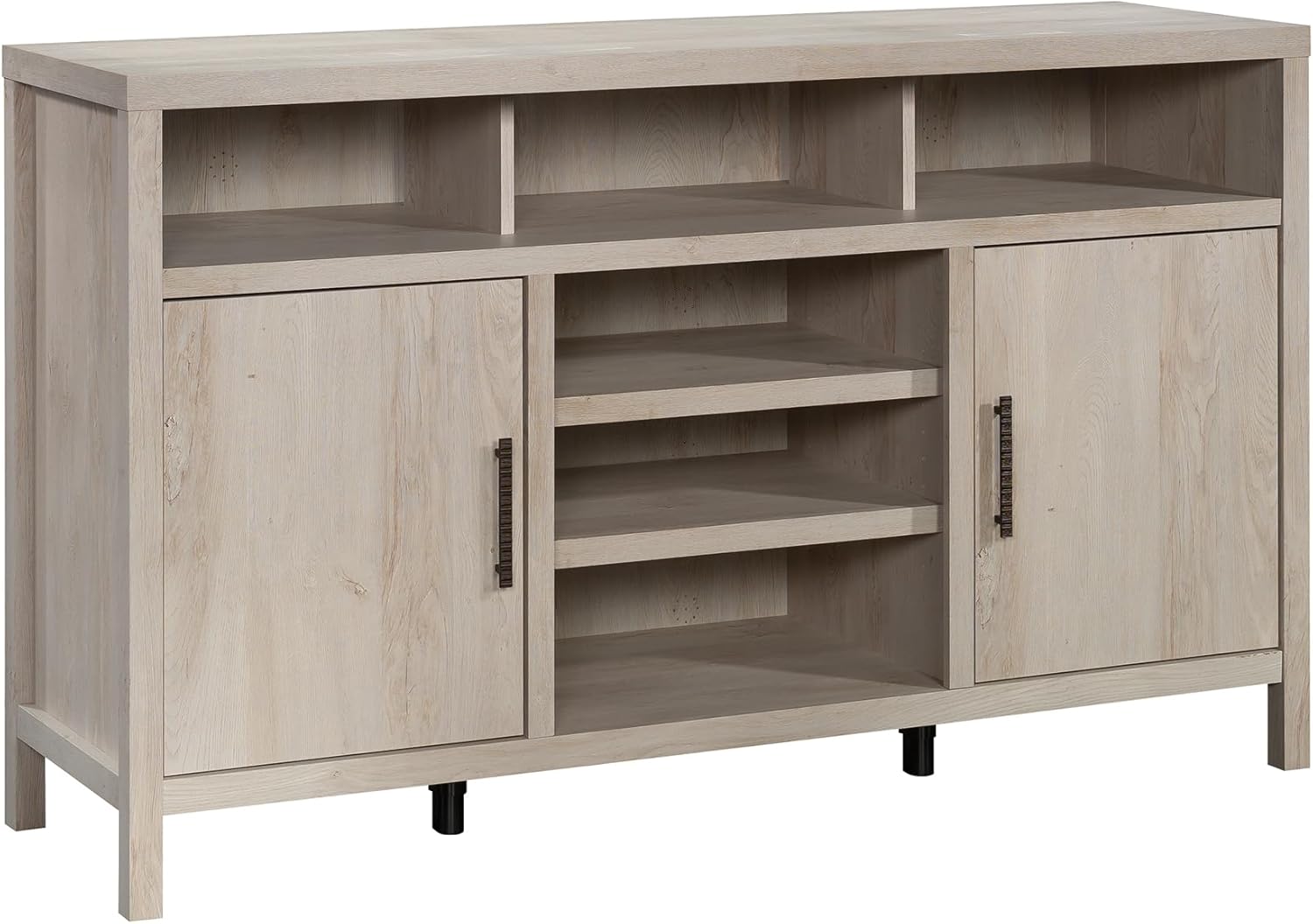
Figure 1: Sauder Select TV Stand, Chalked Chestnut Finish.
2. Safety Information
California Safe Harbor Warning: This product may expose you to Formaldehyde, which is known to the State of California to cause cancer. For more information, go to www.p65warnings.ca.gov.
3. Components and Dimensions
The TV stand is constructed from engineered wood and features matte black hardware. It includes two cabinet doors and an open center section with adjustable shelving.
- Material: Engineered Wood
- Overall Dimensions (L x W x H): 59.29 x 17.6 x 35.47 inches
- Item Weight: 117.7 pounds
- TV Compatibility: Supports up to a 65-inch TV weighing 70 lbs. or less.
- Storage: Two adjustable shelves behind doors, two adjustable shelves in the open center area.

Figure 2: Product Dimensions.

Figure 3: Adjustable shelf detail.
4. Setup and Assembly
This TV stand is designed for quick and straightforward assembly. Please refer to the detailed assembly instructions included in the product packaging for step-by-step guidance. Ensure all components are present and undamaged before beginning assembly.
Important: For proper door alignment, ensure the back panel is attached squarely during assembly. Incorrect back panel attachment can affect door fit and function.

Figure 4: Assembled TV Stand in a living room environment.
5. Operating Instructions
The Sauder Select TV Stand offers versatile storage options:
- Adjustable Shelves: The shelves behind the doors and in the open center area can be adjusted to accommodate items of varying heights. Refer to the assembly guide for instructions on how to reposition these shelves.
- Cord Management: The enclosed back panel includes cutouts to facilitate neat and organized routing of power cords and cables for your electronic devices.
- Door Operation: The cabinet doors open and close smoothly. If doors appear misaligned after assembly, refer to the hinge adjustment section in your detailed assembly manual.

Figure 5: TV Stand with doors open, showcasing storage.

Figure 6: TV Stand configured for multi-purpose storage.
6. Maintenance and Care
To maintain the appearance and longevity of your Sauder Select TV Stand:
- Wipe surfaces with a clean, damp cloth. Avoid harsh chemicals or abrasive cleaners.
- Protect the finish from direct sunlight and extreme temperature changes.
- Periodically check and tighten all hardware to ensure stability.
7. Troubleshooting
If you encounter any issues with your TV stand, please refer to the detailed assembly instructions for specific troubleshooting steps related to assembly or component alignment. For further assistance, contact Sauder customer support.
8. Warranty and Support
This Sauder Select TV Stand is backed by a 5-Year Limited Warranty. For warranty claims or product support, please contact Sauder customer service.
Sauder Customer Support:
- Website: sauder.com/service
- Phone: 800-523-3987

Figure 7: Sauder Domestic Call Center information.