
1. Introduction
Thank you for choosing the iDOO Graphene-Infused Heating Pad. This product is designed to provide targeted heat therapy for your neck, shoulders, and back, offering comfort and relief from muscle tension and pain. Please read this manual thoroughly before use to ensure safe and effective operation.

The iDOO Graphene-Infused Heating Pad in use, providing warmth to the neck and shoulders.
2. Safety Information
Important Safety Instructions:
- Always follow the instructions provided with the product.
- Keep the heating pad away from water and do not use it while sleeping or under blankets.
- Allow the pad to cool before storing.
- Keep out of reach of children and pets.
- Do not use if you have a pacemaker or other medical device that may be affected by electromagnetic fields.
- Consult your doctor before use if you are pregnant, have a heart condition, or any other medical condition.
- Do not use if the pad is damaged or shows signs of wear.
- Unplug the pad when not in use.
3. Product Features
- Advanced Graphene Heating: Experience deep, penetrating warmth with graphene-infused technology, delivering 3X deeper heat penetration for faster muscle relaxation.
- Weighted Design: A 2.89lb weighted design with evenly distributed micro glass beads molds perfectly to your body, enhancing heat contact and stability.
- Customizable Heat & Timer Settings: Features an intuitive LED controller with 6 temperature levels (108-144°F) and 4 auto-shutoff timers (30/60/90/120 minutes).
- Ultra-Soft Fabric: Crafted from premium flannel plush for comfort against the skin.
- Machine-Washable: Detach the controller for easy machine washing, ensuring hygiene and longevity.
- Generous Size: Measures 19"x24" for full, hands-free coverage of neck, shoulders, and back.
- Safety Features: Includes automatic shut-off and overheat protection.
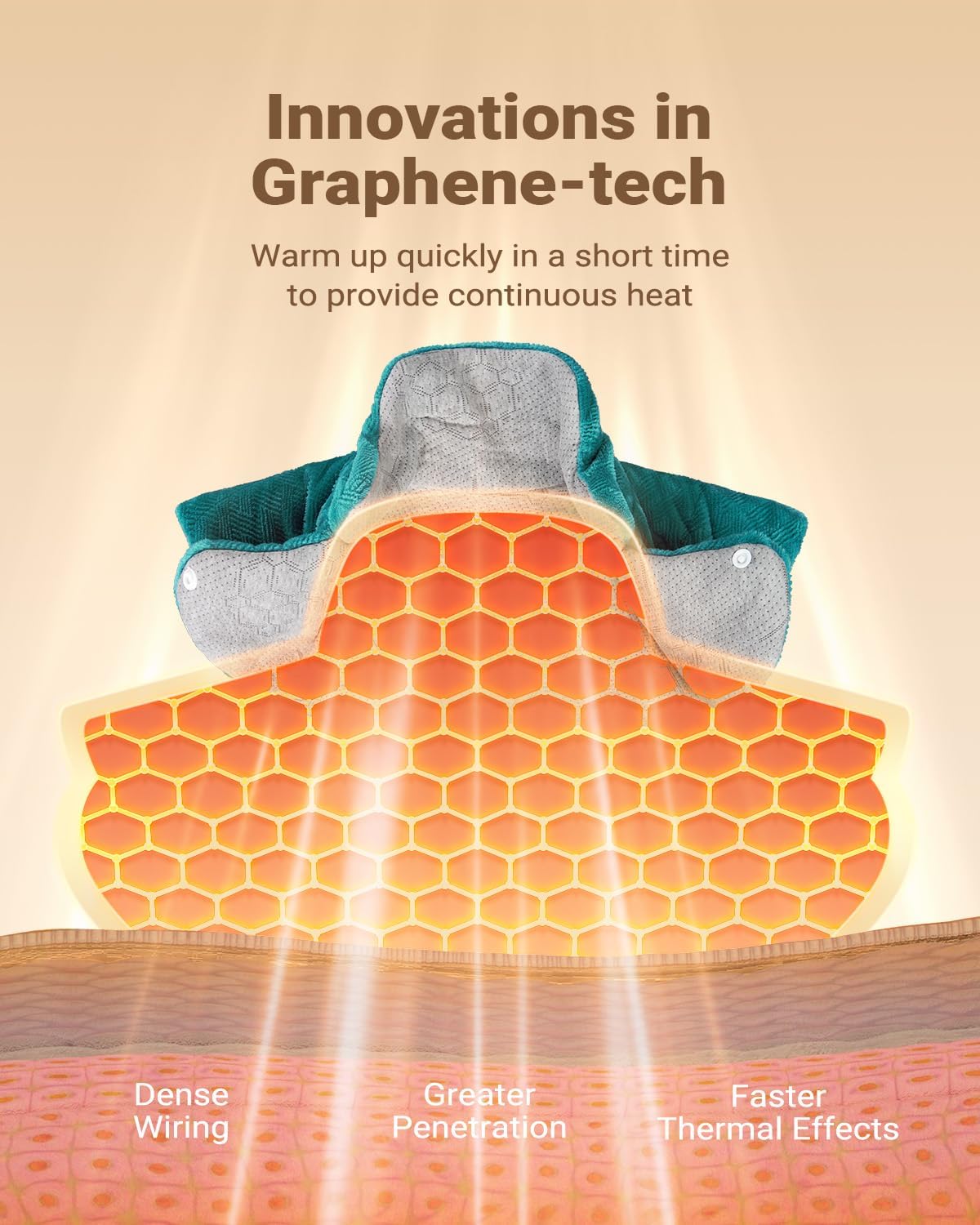
Illustration of the graphene heating technology for deep heat penetration.

The unique weighted design ensures the pad stays in place and conforms to your body.
4. Setup
- Unpack: Carefully remove the heating pad and its controller from the packaging. Inspect for any signs of damage.
- Connect Controller: Ensure the controller cable is securely plugged into the heating pad's connector.
- Position Pad: Place the heating pad on the desired area of your body (neck, shoulders, back, waist, abdomen, legs, or arms). The weighted design helps it stay in place.
- Plug In: Insert the power cord into a standard 120V AC electrical outlet.

The 19"x24" heating pad provides ample coverage for various body parts.
5. Operating Instructions
Use the attached LED controller to manage your heat therapy session.
- Power On/Off: Press the power button (usually indicated by a power symbol) to turn the heating pad on or off.
- Adjust Heat Setting: Press the temperature control button (often indicated by a thermometer or heat wave symbol) to cycle through the 6 available heat levels (108-144°F). The current setting will be displayed on the LED screen.
- Set Auto-Off Timer: Press the timer button (often indicated by a clock symbol) to select an automatic shut-off duration: 30, 60, 90, or 120 minutes. The pad will turn off automatically after the selected time. If no timer is set, the pad will default to a 120-minute auto-off for safety.
- Enjoy: Relax and allow the graphene-infused heat to soothe your muscles.

The intuitive LED controller allows for easy adjustment of heat and timer settings.
Official product video demonstrating the iDOO Heating Pad for Neck and Shoulders and Back, showcasing its features and ease of use.
6. Maintenance
- Cleaning: The heating pad is machine washable. Before washing, ensure the controller is detached from the pad. Wash on a gentle cycle with cold water. Do not bleach or iron. Tumble dry on low heat or air dry.
- Storage: Always allow the heating pad to cool completely before folding and storing. Store in a dry, cool place, away from direct sunlight and moisture. Do not wrap the cord tightly around the controller or pad.
7. Troubleshooting
- Pad Not Heating: Check that the power cord is securely plugged into the wall outlet and the controller is firmly connected to the pad. Ensure the power button on the controller has been pressed.
- Uneven Heat: Adjust the pad's position to ensure it lies flat and makes full contact with the body area.
- Pad Shuts Off Unexpectedly: The heating pad has an automatic shut-off feature for safety. This is normal operation. If it shuts off before the set timer, check for overheating or consult the safety guidelines.
- Controller Display Not Working: Unplug the unit from the wall, wait a few minutes, and plug it back in. If the issue persists, contact customer support.
If you encounter any issues not listed here or if troubleshooting steps do not resolve the problem, please contact iDOO customer support.
8. Specifications
| Brand | iDOO |
| Model Number | I-HAP07 |
| Dimensions | 19" x 24" (Pad Size) |
| Material | Flannel Plush |
| Heating Technology | Graphene-Infused |
| Weighted Design | 2.89 lbs (Micro Glass Beads) |
| Heat Settings | 6 Levels (108-144°F) |
| Auto-Off Timer | 30, 60, 90, 120 minutes |
| Color | Blue |
9. Warranty and Support
For detailed warranty information, product registration, or to contact customer support, please refer to the documentation included with your product or visit the official iDOO website. Our customer service team is available to assist you with any questions or concerns.