
1. Introduction
Thank you for choosing the DADA-TECH W2 Cordless Water Flosser and DT-22 Sonic Electric Toothbrush bundle. This comprehensive oral care system is designed to provide superior cleaning and improve your overall oral hygiene. This manual provides detailed instructions for the safe and effective use, setup, operation, and maintenance of both devices.
2. Important Safety Information
Please read all instructions carefully before using the product. Keep this manual for future reference.
- Do not immerse the main unit of either device in water for extended periods, despite their IPX7 waterproof rating. Ensure the charging port cover is securely closed when in use or near water.
- Keep out of reach of children. This product is not intended for use by children without adult supervision.
- Do not use if the product or charging cable appears damaged.
- Use only the charging cable provided by DADA-TECH.
- Consult your dentist before use if you have severe periodontal disease or have undergone oral surgery recently.
- Statements regarding dietary supplements have not been evaluated by the FDA and are not intended to diagnose, treat, cure, or prevent any disease or health condition.
3. Product Components
Your DADA-TECH oral care bundle includes the following items:

Image: The complete DADA-TECH oral care bundle, showing the W2 Water Flosser, DT-22 Sonic Electric Toothbrush, and their respective accessories.
3.1. DADA-TECH W2 Cordless Water Flosser
- Water Flosser Main Unit
- 7 Professional Nozzles:
- 1 Orthodontic Nozzle (for braces and bridges)
- 3 Dense Hydro Nozzles (for thorough daily cleaning)
- 1 U-shaped Nozzle (for interior teeth cleaning)
- 1 Periodontal Nozzle (for gingival sulcus cleaning)
- 1 Tongue Scraper (for bacteria removal and fresh breath)
- USB Charging Cable
- User Manual

Image: A close-up view of the seven different professional nozzles included with the DADA-TECH Water Flosser, each designed for specific oral care needs.
3.2. DADA-TECH DT-22 Sonic Electric Toothbrush
- Sonic Electric Toothbrush Main Unit
- Multiple Brush Heads (with over 90% rounded bristles)
- USB Charging Cable
- User Manual
4. Specifications
4.1. DADA-TECH W2 Cordless Water Flosser
| Feature | Specification |
|---|---|
| Water Pressure Range | 30-120 PSI (8 adjustable levels in Custom mode) |
| Pulsations per Minute | 1400-1800 |
| Water Tank Capacity | 300ML (10 ounces) |
| Waterproof Rating | IPX7 |
| Cleaning Modes | Soft, Normal, Shoot, Custom |

Image: Visual representation of the Water Flosser's Dense Hydro Technology, highlighting 0.3mm water column, 1400-1800 pulsations per minute, and 30-120 PSI pressure range.
4.2. DADA-TECH DT-22 Sonic Electric Toothbrush
| Feature | Specification |
|---|---|
| Vibrations per Minute | 40,000 VPM (A+ grade sonic motor) |
| Bristle Type | Over 90% rounded bristles |
| Cleaning Modes | White, Clean, Sensitive, Polish, Massage (5 modes) |
| Smart Features | 2-minute smart timer, 30-second interval pause |
| Waterproof Rating | IPX7 |

Image: The DADA-TECH Sonic Electric Toothbrush highlighting its 40,000 VPM A+ Class Motor and the benefits of its sonic technology.
5. Setup Guide
5.1. Initial Charging
Before first use, fully charge both the Water Flosser and the Sonic Electric Toothbrush. Connect the provided USB charging cable to the charging port on each device and plug the other end into a compatible USB power adapter (not included). The LED indicators will show charging status and turn off or change color when fully charged.
5.2. DADA-TECH W2 Water Flosser Setup
- Attach Nozzle: Insert your desired nozzle into the hole at the top of the water flosser handle until it clicks into place.
- Fill Water Tank: Open the water fill hole cover on the back of the unit. Fill the 300ML water tank with lukewarm water. Close the cover securely to prevent leaks. Alternatively, the detachable base can be removed for easier filling and cleaning.

Image: The DADA-TECH Water Flosser illustrating its large 300ML water tank, the water fill hole, and the detachable base for easy cleaning and refilling.
5.3. DADA-TECH DT-22 Sonic Electric Toothbrush Setup
- Attach Brush Head: Align the brush head with the metal shaft on the toothbrush handle and push it down firmly until it is securely in place.
6. Operating Instructions
6.1. DADA-TECH W2 Water Flosser Operation
- Power On/Off: Press the power button to turn the device on or off.
- Select Mode: Press the mode button to cycle through the four cleaning modes:
- Soft: For sensitive gums or new users.
- Normal: Balanced power and comfort, suitable for daily use.
- Shoot: For precise, targeted cleaning of specific areas. Press to spray, release to halt.
- Custom: Allows personalization with eight adjustable pressure levels (30-120 PSI). Use the '+' and '-' buttons to adjust pressure.
- Flossing Technique: Lean over a sink. Place the nozzle tip in your mouth, aiming at the gumline at a 90-degree angle. Close your lips slightly to prevent splashing while allowing water to flow into the sink. Move the nozzle along the gumline, pausing briefly between teeth.
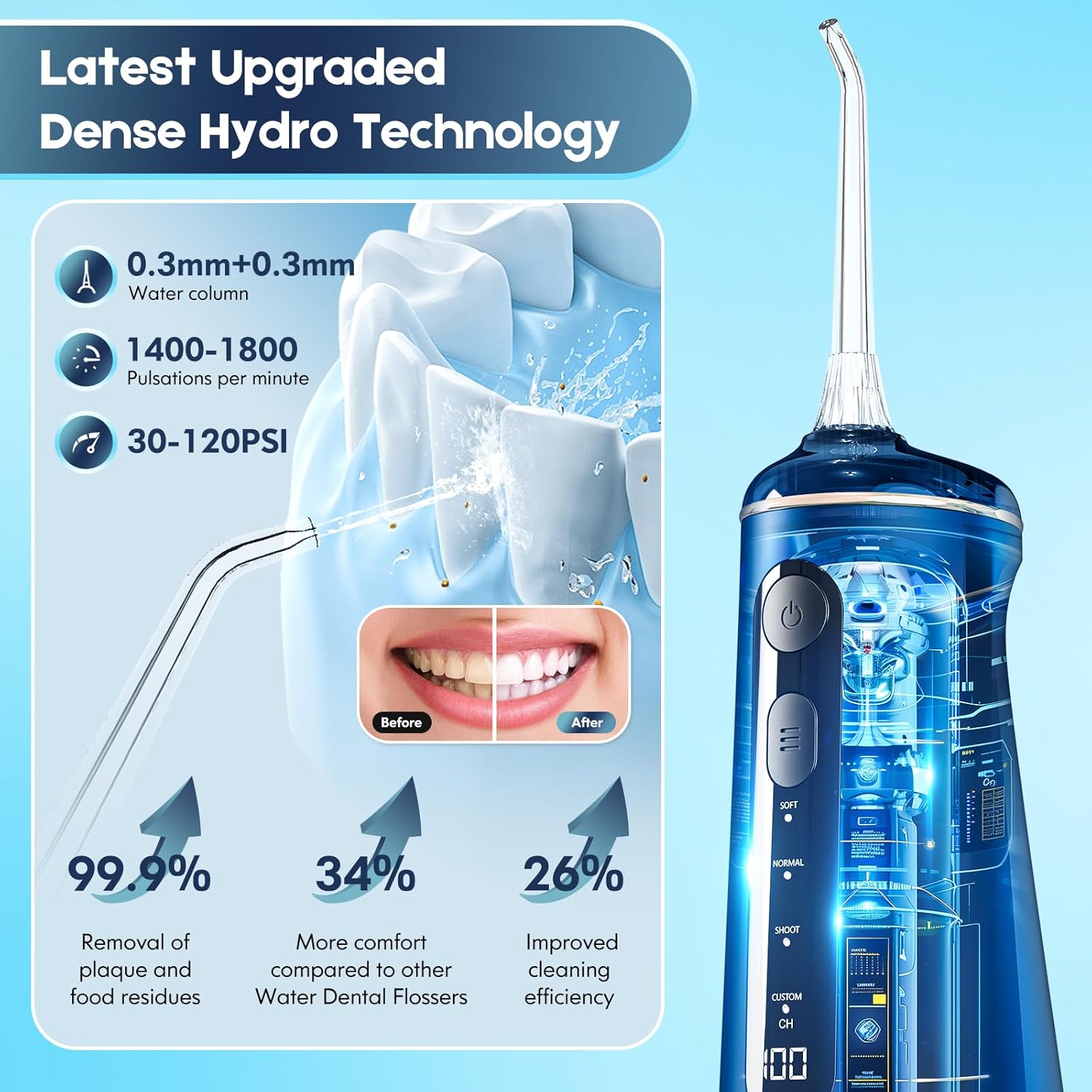
Image: The DADA-TECH Water Flosser displaying its four cleaning modes (Soft, Clean, Shoot, Custom) and the battery/custom mode display.
6.2. DADA-TECH DT-22 Sonic Electric Toothbrush Operation
- Power On/Off: Press the power button to turn the device on or off.
- Select Mode: Press the mode button to cycle through the five brushing modes:
- WHITE: Removes surface stains and whitens teeth.
- CLEAN: Routine daily cleaning.
- SENSITIVE: Specially designed for sensitive gums and first-time users.
- POLISH: Removes stubborn stains and polishes teeth.
- MASSAGE: Provides a massage-like brushing experience.
- Brushing Technique: Apply a small amount of toothpaste to the brush head. Place the brush head against your teeth at a slight angle towards the gumline. Press the power button. Gently move the brush head across your teeth, allowing the sonic vibrations to do the work.
- Smart Timer: The toothbrush features a 2-minute smart timer, automatically turning off after the recommended brushing time. It also has a 30-second interval pause to remind you to move to the next quadrant of your mouth.
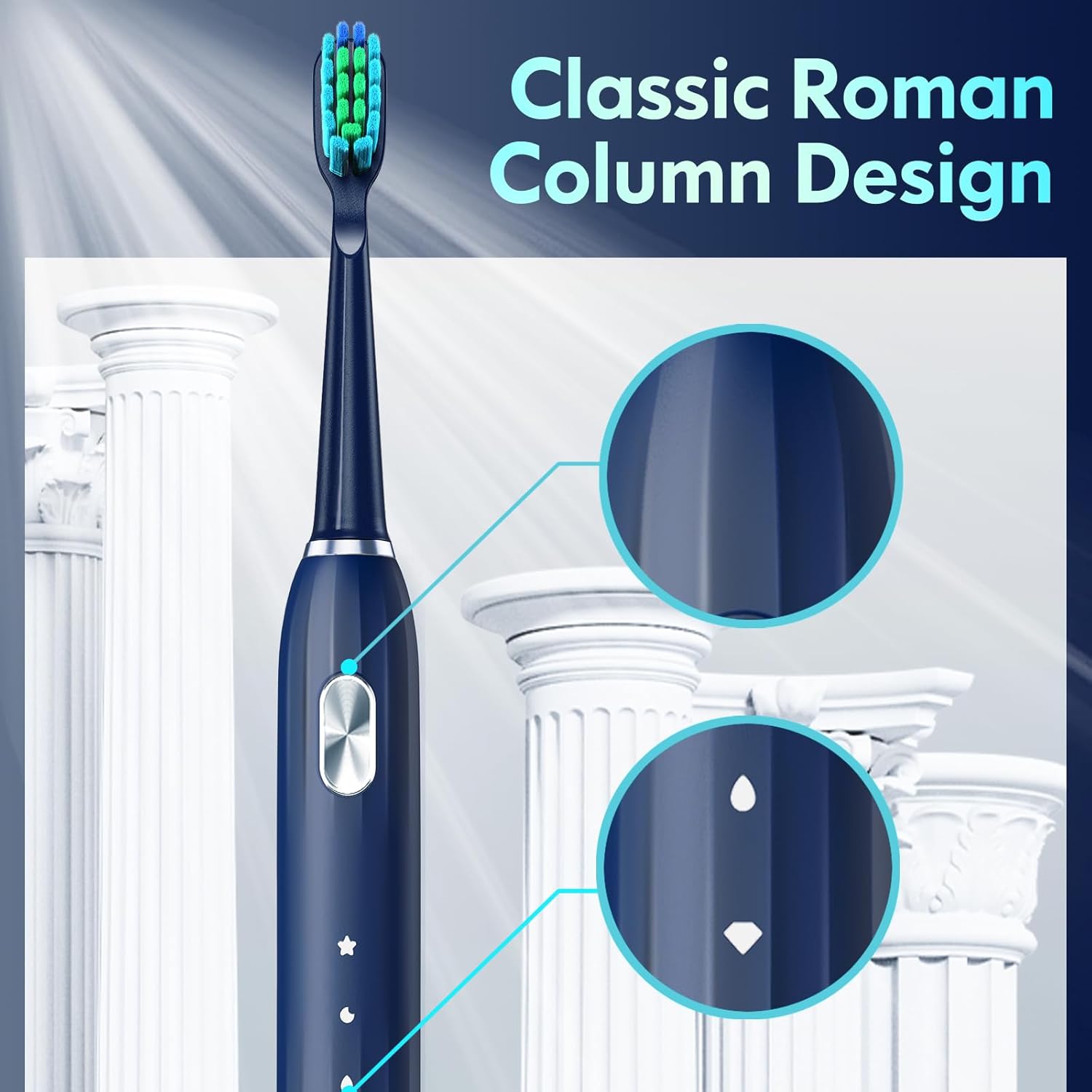
Image: The DADA-TECH Sonic Electric Toothbrush displaying its five brushing modes: White, Clean, Sensitive, Polish, and Massage.

Image: A visual explanation of the toothbrush's 2-minute smart timer and 30-second interval pause feature, guiding users to clean all teeth effectively.
7. Maintenance and Cleaning
Regular cleaning ensures optimal performance and extends the lifespan of your devices.
7.1. DADA-TECH W2 Water Flosser Cleaning
- After Each Use: Empty any remaining water from the tank.
- Clean Tank and Base: The detachable base allows for thorough cleaning and drying of the 300ML water tank, reducing microbial growth. Rinse the tank and base with clean water.
- Clean Nozzles: Remove the nozzle and rinse it under running water. For deeper cleaning, nozzles can be soaked in a denture cleaning solution or a mixture of water and white vinegar.
- Wipe Main Unit: Wipe the exterior of the main unit with a soft, damp cloth. Do not use abrasive cleaners.
7.2. DADA-TECH DT-22 Sonic Electric Toothbrush Cleaning
- After Each Use: Rinse the brush head thoroughly under running water while the toothbrush is still on, to remove any remaining toothpaste or debris.
- Clean Handle: Wipe the handle of the toothbrush with a damp cloth. Do not immerse the entire handle in water, especially the charging port area.
- Replace Brush Heads: For optimal hygiene and performance, replace brush heads every 3 months, or sooner if the bristles become frayed.
8. Troubleshooting
If you encounter any issues with your DADA-TECH products, please refer to the following table:
| Problem | Possible Cause | Solution |
|---|---|---|
| Device does not turn on. | Low battery. | Charge the device fully. |
| Water Flosser has weak water pressure. | Low battery; Nozzle clogged; Air in pump. | Charge the device; Clean the nozzle; Ensure tank is full and prime the pump by running it over a sink until water flows consistently. |
| Water Flosser leaks. | Water tank cover not closed properly; Nozzle not inserted correctly. | Ensure the water fill hole cover is securely closed; Re-insert the nozzle until it clicks. |
| Toothbrush vibrations are weak. | Low battery; Brush head not securely attached. | Charge the device; Push the brush head down firmly onto the shaft. |
| Toothbrush stops before 2 minutes. | Battery is critically low. | Charge the device. |
9. Warranty and Support
DADA-TECH products are manufactured with high-quality standards. For specific warranty information and customer support, please refer to the warranty card included in your product packaging or visit the official DADA-TECH website. If you have any questions or require assistance, please contact DADA-TECH customer service.