
1. Introduction
This manual provides essential information for the safe and efficient operation of your Retevis MA1 Dual Band Mobile Ham Radio. Please read this manual thoroughly before using the transceiver to ensure proper functionality and to prevent damage. Keep this manual for future reference.
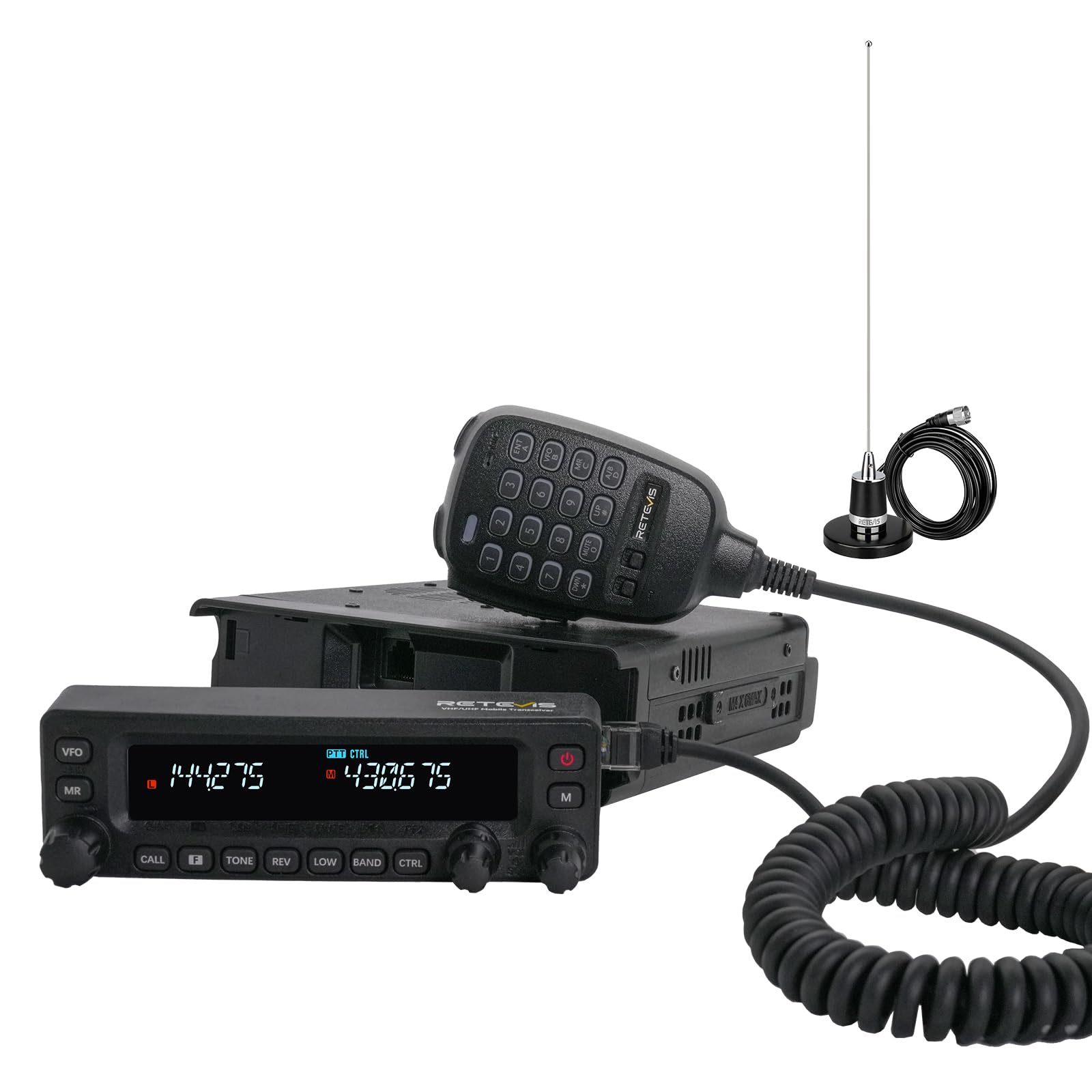
Image 1.1: The Retevis MA1 Dual Band Mobile Ham Radio, showcasing its main unit, microphone, and included antenna.
2. Safety Information
Observe the following precautions to prevent fire, personal injury, or damage to the transceiver.
- Do not operate the transceiver in explosive atmospheres (e.g., flammable gases, dust particles, metallic powders).
- Do not transmit without an antenna connected.
- Avoid exposing the transceiver to direct sunlight for extended periods or to extreme temperatures.
- Ensure the power supply voltage is within the specified range (13.8 Volts).
- Keep the transceiver away from water and moisture. This product is not water resistant.
- Use only Retevis-approved accessories.

Image 2.1: Supplier's Declaration of Conformity for the Retevis MA1 Mobile Transceiver, confirming compliance with FCC Part 15 and Part 97 Rules.
3. Package Contents
Verify that all items listed below are included in your package. If any items are missing or damaged, contact your dealer immediately.
- MA1 Ham Radio & Microphone x1
- Microphone bracket & panel bracket & radio bracket x1
- Data cable & power cable & 3m connection cable x1
- Strong magnetic base & 4 meters RG58 coaxial cable x1
- User Manual x1
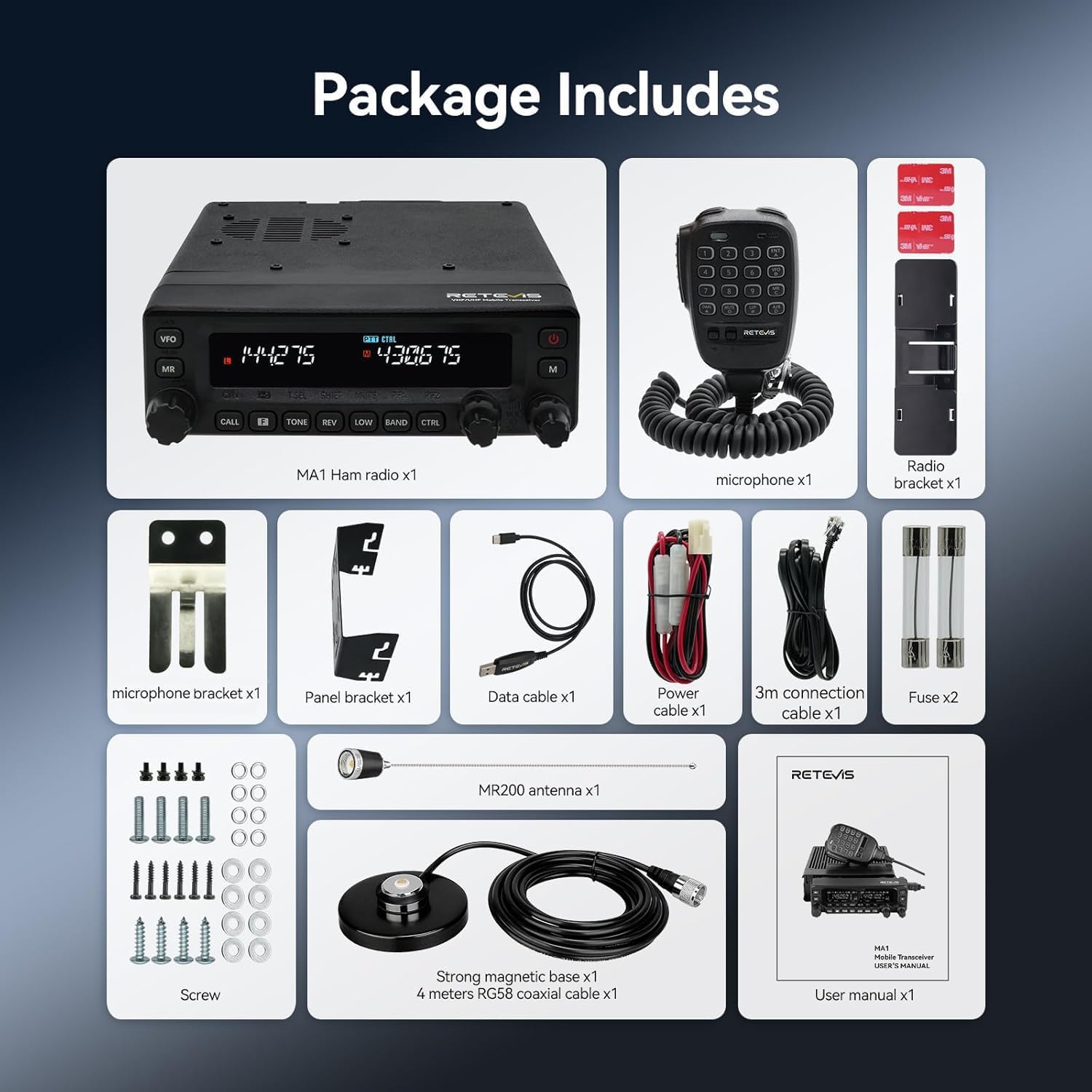
Image 3.1: All components included in the Retevis MA1 package, neatly arranged for identification.
4. Product Overview
4.1 Controls and Display
The MA1 features a clear LCD display and intuitive controls, including a multi-functional microphone for convenient operation.

Image 4.1: The MA1's LCD display, providing clear visibility of dual frequencies and operational status.

Image 4.2: The multi-functional microphone, designed for ease of use and access to various radio functions.

Image 4.3: The independent adjustment knobs for each band, allowing separate frequency control.
5. Installation
5.1 Mounting the Transceiver
The MA1 features a detachable front panel, allowing for flexible installation options in vehicles or as a base station. Use the provided brackets to secure the main unit and the control panel.
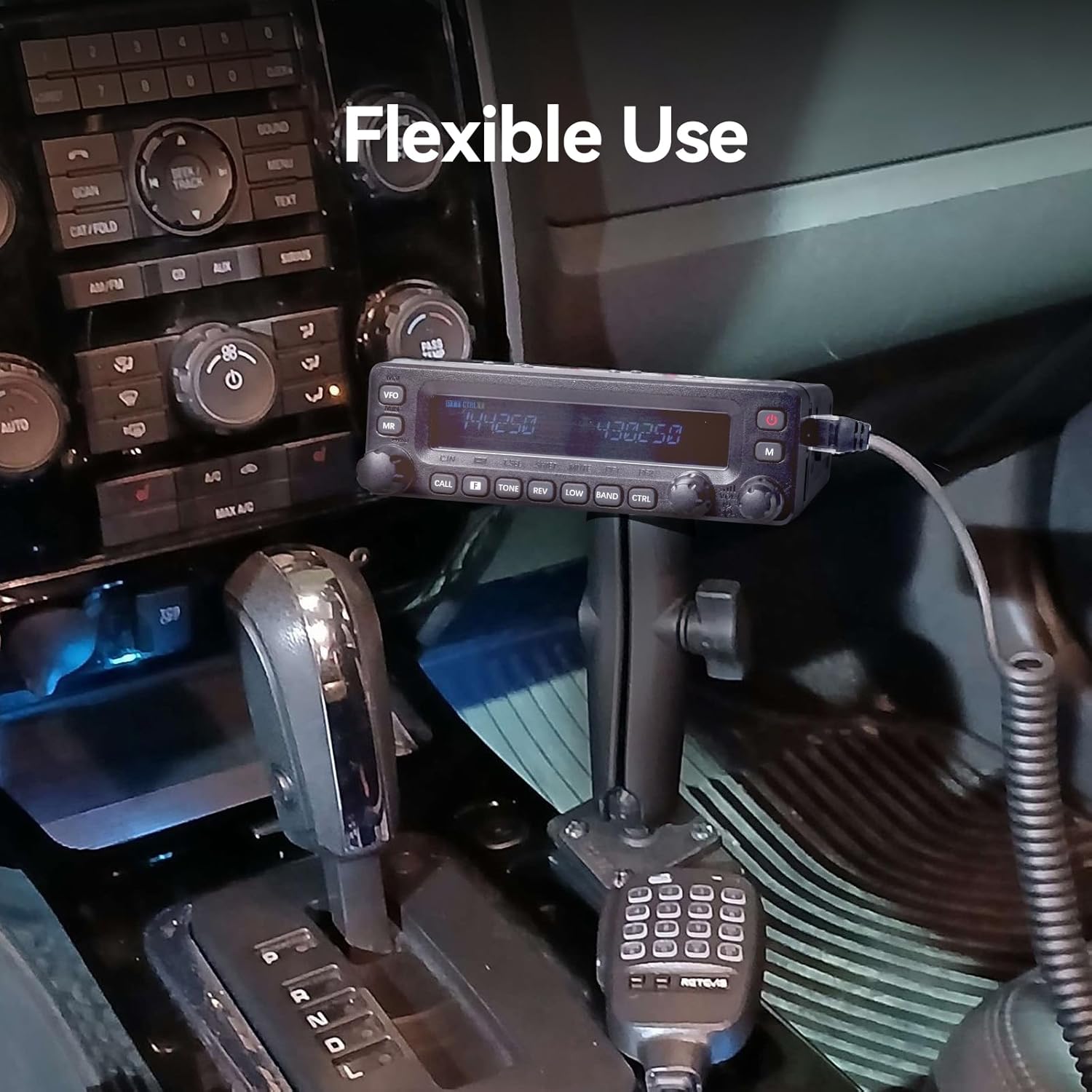
Image 5.1: The detachable control panel installed in a vehicle, demonstrating flexible mounting options.
5.2 Antenna Connection
Connect the provided NMO antenna to the transceiver. Ensure a secure connection for optimal performance. The strong magnetic base and RG58 coaxial cable facilitate easy and stable antenna placement.

Image 5.2: The NMO antenna, designed for durability, waterproofing, and enhanced signal reception.
5.3 Power Connection
Connect the power cable to a 13.8V DC power source. Ensure correct polarity. The transceiver is designed for mobile or base station use.
6. Basic Operation
6.1 Power On/Off
Press and hold the power button on the control panel to turn the transceiver on or off.
6.2 Volume Adjustment
Rotate the volume knob for each band (A/B) to adjust the audio output level. The MA1 features independent volume controls for dual bands.
6.3 Squelch Control
Adjust the squelch level to suppress background noise when no signal is present. A higher squelch level requires a stronger signal to open the receiver.
6.4 Frequency Selection
Use the VFO (Variable Frequency Oscillator) mode to manually tune frequencies or the MR (Memory Recall) mode to select pre-programmed channels. The multi-functional microphone also allows for direct frequency input.
7. Advanced Features
7.1 Cross-Band Repeater
The MA1 supports cross-band relay functionality, allowing it to extend communication range by repeating signals between different frequency bands (e.g., 2m and 70cm).

Image 7.1: Illustration of the MA1's cross-band repeater capability, extending communication between 2m and 70cm bands.
7.2 Superheterodyne Receiver
Equipped with a superheterodyne receiver, the MA1 reduces interference and improves reception sensitivity, ensuring stable communication even in challenging environments.

Image 7.2: The MA1's superheterodyne receiver technology, designed for enhanced signal reception in various conditions.
7.3 Dual Display Dual Watch
The transceiver allows simultaneous monitoring of two different frequencies on its dual display, enabling flexible operation and ensuring you don't miss important transmissions.
7.4 Air Band Reception
The MA1 supports multi-band reception, including 2m, 70cm, FM, AM, and airbands on the A Channel, providing versatility for various listening needs.

Image 7.3: The MA1's capability to receive aviation band frequencies.
7.5 TX Noise Cancellation
The TX noise cancellation feature reduces background noise during transmission, ensuring clear audio output even in noisy environments.

Image 7.4: Visual representation of TX noise cancellation, ensuring clear communication.
8. Programming
8.1 Manual Programming
Frequencies and settings can be programmed directly from the transceiver's control panel using the function keys and knobs. Refer to the detailed programming section in the full user manual for step-by-step instructions.
8.2 Software Programming
For advanced programming and channel management, connect the MA1 to a computer using the provided data cable. Programming software (available from Retevis) allows for efficient setup of multiple channels, tones, and other parameters.
9. Maintenance
9.1 Cleaning
Regularly clean the transceiver's exterior with a soft, dry cloth. Do not use abrasive cleaners or solvents. Ensure no moisture enters the unit.
9.2 Antenna Care
Inspect the antenna and coaxial cable periodically for any signs of wear or damage. Replace damaged components to maintain optimal performance.
9.3 Firmware Updates
Check the Retevis website for available firmware updates. Keeping your transceiver's firmware updated can improve performance and address known issues. The new firmware version V2.39 effectively reduces issues such as non-linear volume adjustment and PTT delay.
10. Troubleshooting
| Problem | Possible Cause | Solution |
|---|---|---|
| No power | Loose power connection; Blown fuse; Incorrect voltage. | Check power cable connection; Replace fuse if necessary; Verify power supply voltage (13.8V). |
| No reception/Poor reception | Antenna not connected; Incorrect frequency/channel; Squelch level too high; Antenna damage. | Connect antenna securely; Verify frequency/channel settings; Adjust squelch level; Inspect antenna for damage. |
| Cannot transmit | No antenna; Incorrect frequency; PTT button issue; Power output setting too low. | Ensure antenna is connected; Verify transmit frequency is allowed; Check PTT button functionality; Adjust power output. |
| Audio distortion | Volume too high; Microphone issue; Interference. | Adjust volume; Check microphone connection; Identify and mitigate interference sources. |
If the problem persists after attempting these solutions, please contact Retevis customer support.
11. Specifications
- Item Weight: 6.38 pounds
- Product Dimensions: 8.34 x 5.51 x 1.73 inches
- Item Model Number: MA1
- Brand: Retevis
- Color: Black
- Number of Channels: 999
- Special Features: Cross-band relay, Detachable front panel, Superheterodyne receiver
- Frequency Range: Dual band (2m/70cm, FM, AM, Airband reception)
- Voltage: 13.8 Volts
- Water Resistance Level: Not Water Resistant
- Compatible Devices: Other two-way radios on 2m, 70cm, FM, AM bands
12. Warranty and Support
Retevis provides a 2-year warranty for the radio body and a 1-year warranty for accessories. A 30-day no-reason return policy is also offered. For warranty claims or technical support, please contact Retevis customer service through Amazon. They aim to reply within 12 hours. Maintenance services are available beyond the warranty period, with buyers responsible for associated costs.

