Introduction
Thank you for choosing the Silvergear Slow Juicer. This appliance is designed to extract maximum juice from fruits and vegetables, preserving nutrients and flavor through its slow-press technology. Please read this manual carefully before first use to ensure proper operation, maintenance, and safety.

Image: The Silvergear Slow Juicer, a sleek black appliance, is shown surrounded by fresh fruits like apples, oranges, and kiwi, with glasses of extracted juice, highlighting its primary function.
Important Safety Instructions
Always follow basic safety precautions when using electrical appliances to reduce the risk of fire, electric shock, and injury.
- Read all instructions before use.
- Do not immerse the motor base in water or other liquids.
- Unplug from outlet when not in use, before assembling or disassembling parts, and before cleaning.
- Avoid contact with moving parts.
- Do not operate any appliance with a damaged cord or plug, or after the appliance malfunctions or has been dropped or damaged in any manner.
- The use of attachments not recommended or sold by the manufacturer may cause fire, electric shock, or injury.
- Do not use outdoors.
- Do not let cord hang over edge of table or counter, or touch hot surfaces.
- Do not place on or near a hot gas or electric burner, or in a heated oven.
- Always ensure the juicer is properly assembled before turning it on.
- Do not put fingers or other objects into the feed chute while the appliance is operating. If food becomes lodged, use the food pusher provided.
- This appliance is for household use only.
Product Overview and Components
Familiarize yourself with the parts of your Silvergear Slow Juicer before assembly.

Image: A detailed diagram showing all components of the Silvergear Slow Juicer, including the main device, filling cup, pusher, soft filter, hard filter, screw (auger), pulp cup, and juice cup. Dimensions are also indicated.
- Device (Motor Base): The main unit containing the motor and control knob.
- Filling Cup: The top part where ingredients are placed.
- Pusher: Used to gently push ingredients down the feed chute.
- Juicing Bowl: The transparent chamber where juicing occurs.
- Soft Filter: For softer fruits and vegetables.
- Hard Filter: For harder fruits and vegetables.
- Screw (Auger): The slow-press mechanism that crushes and squeezes ingredients.
- Pulp Cup (2x 550ml): Collects the extracted pulp.
- Juice Cup (2x 500ml): Collects the fresh juice.
Setup and Assembly
Follow these steps to assemble your slow juicer before first use.
- Place the motor base on a stable, flat surface.
- Insert the juicing bowl onto the motor base, aligning the arrows or marks.
- Choose the appropriate filter (soft or hard) based on your ingredients and place it inside the juicing bowl.
- Insert the screw (auger) into the center of the filter, rotating it until it drops into place.
- Place the filling cup on top of the juicing bowl, ensuring it locks securely.
- Position the pulp cup under the pulp spout and the juice cup under the juice spout.
- Ensure all parts are securely locked before plugging in the appliance.
Operating Instructions
Ingredient Preparation
Proper preparation ensures optimal juicing performance and safety.
- Wash all fruits and vegetables thoroughly.
- Remove large seeds (e.g., from peaches, plums, mangoes) and hard pits (e.g., from avocados).
- For citrus fruits, peel the skin before juicing.
- The juicer features a large 103mm filling opening, allowing you to add many fruits and vegetables without pre-chopping. However, for very fibrous ingredients or to maximize yield, you may cut them into smaller pieces.
- Do not juice frozen fruits or vegetables.

Image: A hand is shown inserting a whole apple into the wide 103mm filling opening of the Silvergear Slow Juicer, demonstrating its ability to handle larger ingredients without extensive pre-cutting.
Juicing Process
- Plug the power cord into a suitable electrical outlet (220 Volts).
- Turn the control knob to the "ON" position. The juicer will start operating.
- Slowly feed prepared ingredients into the filling cup. Use the food pusher only if necessary to guide ingredients down. Do not force ingredients.
- The juicer will separate the juice and pulp into their respective cups.
- Once juicing is complete, turn the control knob to the "OFF" position and unplug the appliance.
- For optimal nutrient preservation and taste, consume juice immediately.
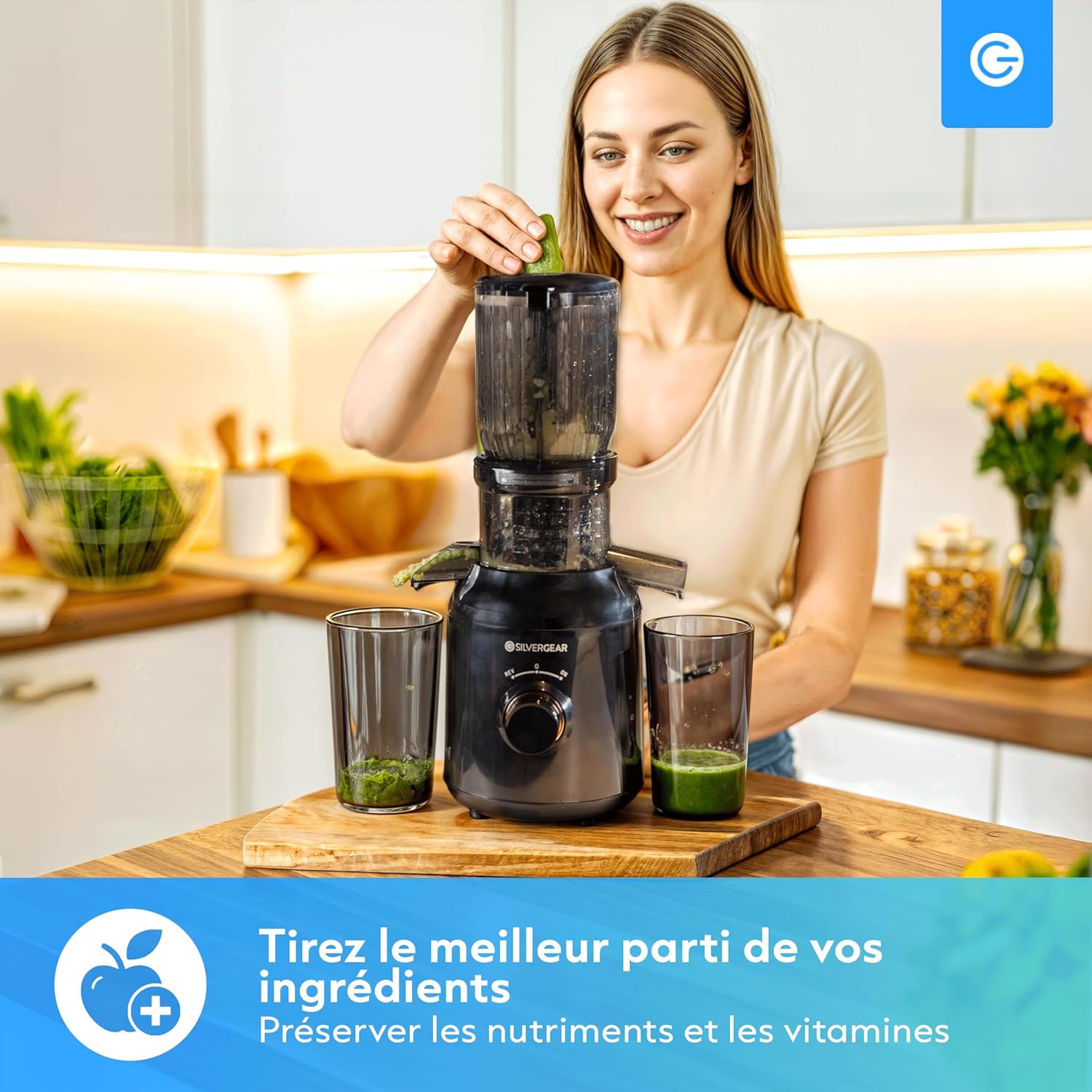
Image: A woman is shown operating the Silvergear Slow Juicer, adding green vegetables to the top, with a glass of fresh green juice collecting below, emphasizing the preservation of nutrients.
Reverse Function
If ingredients become jammed or the juicer stops, turn the control knob to the "REV" (Reverse) position for a few seconds. This will help dislodge the ingredients. Then, switch back to "OFF" and then "ON" to resume juicing. Do not hold the "REV" button for extended periods.

Image: The Silvergear Slow Juicer's control knob is highlighted, showing the "ON", "OFF", and "REV" (Reverse) settings, illustrating the compact design and reverse function for easy operation.
Maintenance and Cleaning
Regular cleaning ensures the longevity and hygiene of your juicer.
- Always unplug the juicer before cleaning.
- Disassemble all removable parts: filling cup, pusher, juicing bowl, filter, and auger.
- Rinse all removable parts under running water immediately after use to prevent pulp from drying and sticking.
- Use the cleaning brush (if included) to remove any stubborn pulp from the filter mesh.
- Some removable parts are dishwasher safe. Refer to the specific markings on the parts for dishwasher compatibility.
- Wipe the motor base with a damp cloth. Never immerse the motor base in water.
- Ensure all parts are completely dry before reassembling or storing.

Image: Various removable components of the Silvergear Slow Juicer are neatly arranged in a dishwasher rack, illustrating the ease of cleaning for these parts.
Troubleshooting
Refer to this section for common issues and their solutions.
| Problem | Possible Cause | Solution |
|---|---|---|
| Juicer does not turn on. | Not plugged in; parts not assembled correctly; power outage. | Ensure power cord is securely plugged in. Check if all parts are correctly assembled and locked. Check household fuse/circuit breaker. |
| Juicer stops during operation or jams. | Too much ingredient at once; hard ingredients; pulp buildup. | Turn to "REV" (Reverse) for a few seconds, then "OFF", then "ON". Reduce the amount of ingredients fed at once. Cut hard ingredients into smaller pieces. Clean the filter if pulp buildup is excessive. |
| Excessive vibration or noise. | Parts not assembled correctly; uneven surface. | Disassemble and reassemble all parts, ensuring they are securely locked. Place the juicer on a stable, flat surface. |
| Low juice yield or wet pulp. | Incorrect filter used; ingredients too soft/hard for chosen filter; filter clogged. | Ensure the correct filter (soft/hard) is used for the ingredients. Clean the filter thoroughly. |
Specifications
- Brand: Silvergear
- Model Number: 4774
- Power: 250 Watts
- Voltage: 220 Volts
- Capacity: 450 Milliliters (Juice Cup)
- Item Weight: 3.47 Kilograms
- Package Dimensions: 48.29 x 36.4 x 17.3 cm
- Country of Origin: China
- Dishwasher Safe Parts: Yes (some removable parts)
Warranty and Support
For warranty information or technical support, please refer to the warranty card included with your product or visit the official Silvergear website. Keep your purchase receipt as proof of purchase for any warranty claims.
For further assistance, you may contact Silvergear customer service through their official channels. You can find more information about Silvergear products and support at their Amazon Brand Store.


