
1. Introduction
Thank you for choosing the Philips Reuel Outdoor 24V GardenLink Low-Voltage Spotlight. This starter pack includes three durable, low-voltage LED spotlights designed to enhance your outdoor spaces with warm, reliable illumination. The GardenLink system offers easy installation and safe operation, making it ideal for various garden lighting applications.
This manual provides essential information for the safe and efficient use of your spotlights, including installation, operation, maintenance, and troubleshooting.
2. Important Safety Instructions
Please read and understand all instructions before installing or using this product. Keep this manual for future reference.
- Low-Voltage System: This product operates on a safe 24V low-voltage system, reducing the risk of electrical shock. No professional electrician is required for installation.
- Power Source: Only use the provided Philips GardenLink power supply with these spotlights. Do not connect directly to mains voltage without the appropriate transformer.
- Water Resistance: The spotlights and connectors are designed to be water-resistant (IP67 for connectors, IP44 for fixtures). Ensure all connections are securely fastened to maintain water integrity.
- Placement: Do not submerge spotlights in water. Ensure proper drainage around the installation area.
- Damage: Do not use if any part of the product (cables, connectors, fixtures) is damaged. Contact customer support for replacement parts.
- Disassembly: Do not attempt to disassemble or modify the LED light source. The light source is not user-replaceable.
3. Package Contents
Verify that all components are present in your package:
- 3 x Philips Reuel LED Spotlights (black)
- 3 x Ground stakes
- 1 x Power supply unit (EU plug)
- Connection cables with twist-and-lock connectors

Image 3.1: Contents of the Philips Reuel Outdoor 24V GardenLink Low-Voltage Spotlight starter pack, showing three spotlights, ground stakes, connection cables, and the product packaging.
4. Installation Guide
The Philips GardenLink system is designed for easy, tool-free installation.
4.1. Planning Your Layout
Before installation, plan the desired placement of your spotlights. Consider the areas you wish to illuminate and the path of the connection cables. The system is flexible, allowing you to reposition fixtures easily.

Image 4.1: Philips Reuel spotlights installed in a garden, providing illumination at night. The image demonstrates how the lights can be used to highlight garden features.
4.2. Securing the Spotlights
- Attach a ground stake to the base of each spotlight by twisting it securely.
- Carefully push the ground stake into the soil at your desired location. Ensure the spotlight is stable and upright.
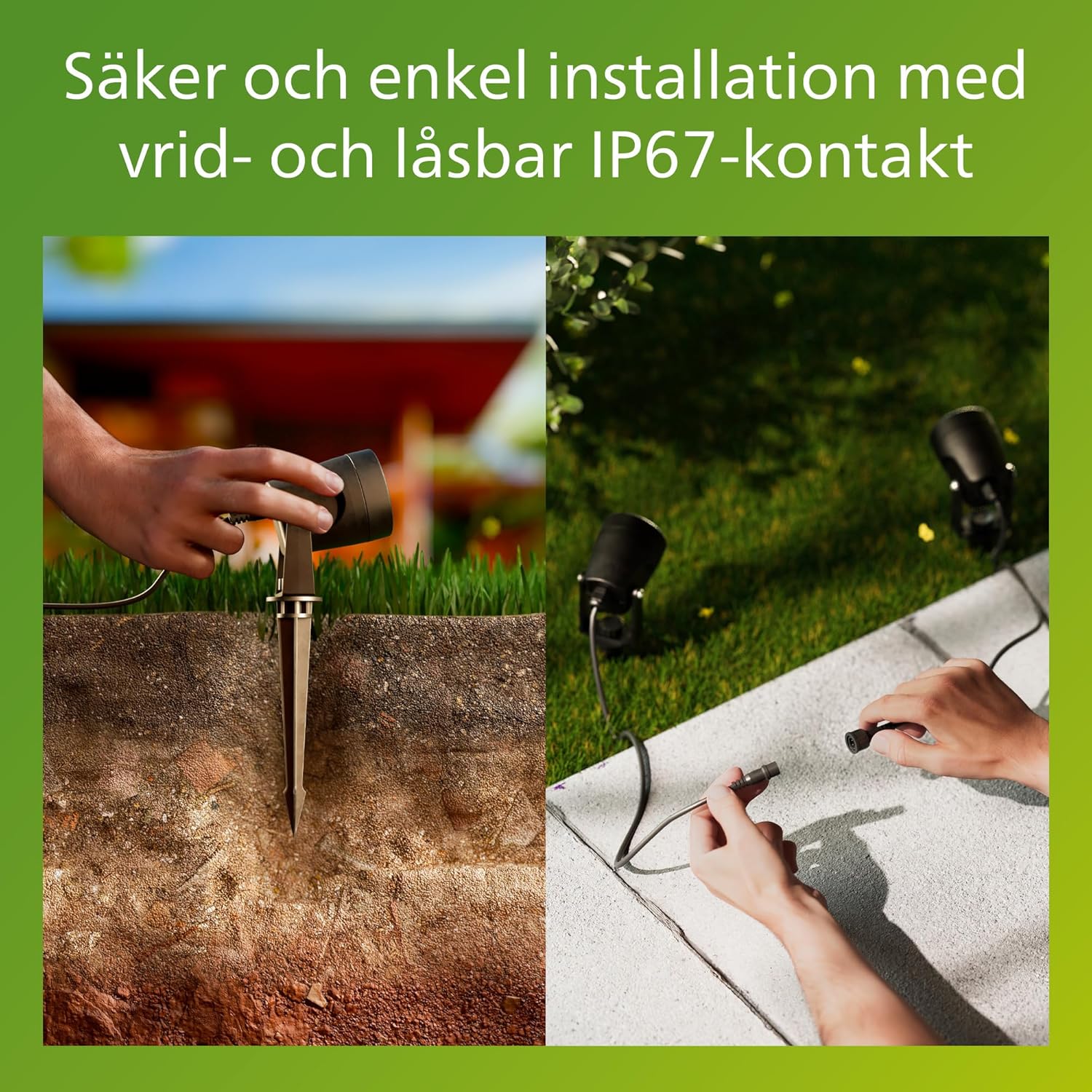
Image 4.2: This image illustrates the installation process, showing a hand pushing a spotlight with its ground stake into the soil. A separate inset shows a close-up of the secure twist-and-lock IP67 connector, highlighting the ease and safety of connection.
4.3. Connecting the System
The GardenLink system uses water-resistant twist-and-lock connectors for simple and secure connections.
- Connect the cable from the power supply to the first spotlight using a twist-and-lock connector. Ensure it is fully twisted until secure.
- Connect subsequent spotlights in series using the provided connection cables and twist-and-lock connectors.
- Ensure all connections are tight to maintain water resistance (IP67).
4.4. Powering On
Once all spotlights are securely installed and connected, plug the power supply unit into a suitable outdoor power outlet. The spotlights should illuminate immediately.
5. Operation
The Philips Reuel spotlights are designed for continuous outdoor illumination when powered. There is no separate on/off switch on the individual spotlights.
- On/Off: To turn the lights on or off, plug or unplug the power supply unit from the mains outlet. For automated operation, consider connecting the power supply to an outdoor timer (not included).
- Adjusting Light Direction: Each spotlight head can be manually tilted and rotated to direct the light beam as desired. Adjust carefully to avoid over-tightening or damaging the fixture.
6. Maintenance and Care
The Philips Reuel spotlights are built for durability and minimal maintenance.
- Cleaning: Periodically clean the exterior of the spotlights with a soft, damp cloth. Do not use abrasive cleaners or solvents. Ensure the power supply is unplugged before cleaning.
- LED Lifespan: The integrated LED light source has a long lifespan of up to 20,000 hours, providing years of reliable illumination without the need for bulb replacement.
- Weather Resistance: The fixtures are designed to withstand various weather conditions, including rain and sun exposure.
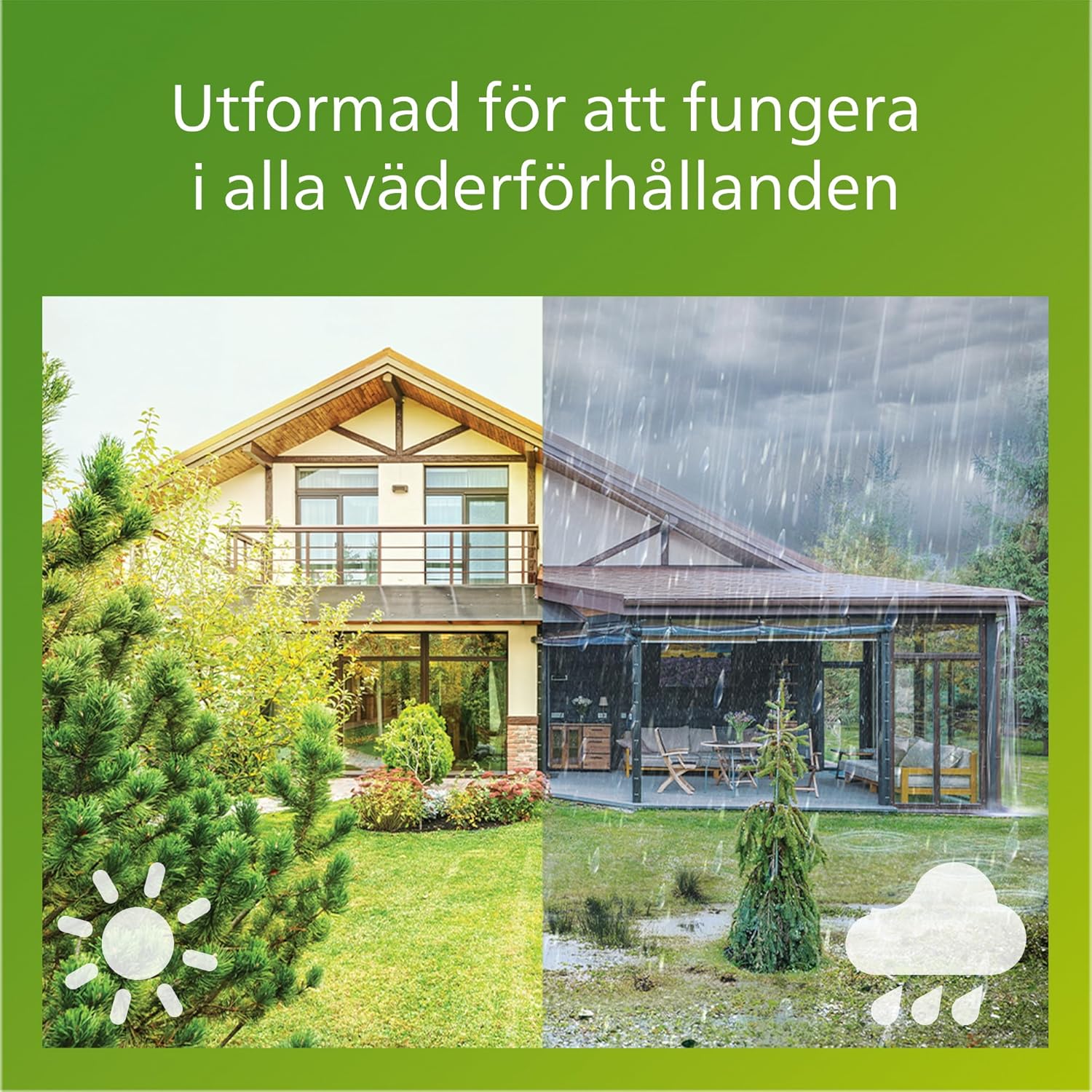
Image 6.1: This image depicts the Philips Reuel spotlights functioning effectively in both sunny and rainy weather, illustrating their design for all-weather performance.

Image 6.2: A visual overview of the Philips Reuel spotlight's key features, including its reliable and long-lasting light, safe and easy connection, 24V low-voltage system, IP67 twist-and-lock connectors, corrosion-free materials, weather-resistant construction, and sun-resistant properties.
7. Troubleshooting
If you encounter issues with your Philips Reuel spotlights, refer to the following common problems and solutions:
| Problem | Possible Cause | Solution |
|---|---|---|
| Spotlights do not turn on. | No power to the outlet. | Check the power outlet with another device. Ensure the outlet is functional. |
| Power supply not plugged in or faulty. | Ensure the power supply is securely plugged into the outlet. If possible, test with another compatible power supply. | |
| Loose or improper cable connections. | Unplug the power supply, then check all twist-and-lock connections to ensure they are fully secured. | |
| Damaged cable or spotlight. | Inspect cables and spotlights for visible damage. If damaged, discontinue use and contact customer support. | |
| Light output is dim or flickering. | Poor connection. | Check all twist-and-lock connections. |
| Dirt or debris on the lens. | Clean the lens with a soft, damp cloth. |
8. Product Specifications
| Feature | Specification |
|---|---|
| Model Number | 929004659301 |
| Brand | Philips Lighting |
| Type | Outdoor Low-Voltage LED Spotlight |
| Light Color Temperature | 2700 K (Warm White) |
| Luminous Flux (per spotlight) | 180 lm |
| Wattage (per spotlight) | 1.5 W |
| System Voltage | 24 V DC (Low-Voltage) |
| Power Supply Input | 220-240 V ~ 50/60 Hz (for power adapter) |
| Ingress Protection (Fixture) | IP44 |
| Ingress Protection (Connectors) | IP67 |
| Lifespan | Up to 20,000 hours |
| Dimensions (per spotlight) | 5.8 x 5.8 x 27 cm (Length x Width x Height, including stake) |
| Weight (total package) | 960 Grams |

Image 8.1: Technical diagram illustrating the dimensions of the Philips Reuel spotlight in millimeters. The diagram shows a height of 270mm (125mm fixture + 145mm stake) and a width of 58mm. Note: The image indicates 220-240V input, which refers to the power adapter's input, converting to 24V for the lights.
9. Warranty and Support
Philips Lighting products are designed and manufactured to the highest quality standards. For information regarding warranty coverage and terms, please refer to the warranty card included with your product or visit the official Philips Lighting website.
For technical assistance, troubleshooting beyond this manual, or to inquire about replacement parts, please contact Philips Lighting customer support through their official website or the contact information provided in your product documentation.


