1. Introduction
Thank you for choosing the PALOTR X7 Robot Vacuum Cleaner. This device is designed to provide efficient and intelligent cleaning for your home, featuring Lidar navigation, wet and dry cleaning capabilities, and smart app control. Please read this manual thoroughly before operating the product to ensure proper use, maintenance, and safety.
Important Safety Instructions
- Read all instructions before using this appliance.
- Do not allow children to operate the robot vacuum. Supervise children and pets when the robot is operating.
- Ensure the charging station is placed on a flat surface against a wall, with clear space around it.
- Do not use the robot vacuum in wet environments or near flammable materials.
- Regularly clean the brushes, filters, and sensors to maintain optimal performance.
- Use only the original power adapter and charging station provided with the device.
2. Package Contents
Verify that all items are present in the package:
- Host machine (Robot Vacuum) x 1
- 2-in-1 Water Tank & Dust Box x 1
- Adaptor x 1
- Main Brush x 1
- Side Brush x 2
- Mop x 2
- Recharging Station x 1
- HEPA Filter x 2
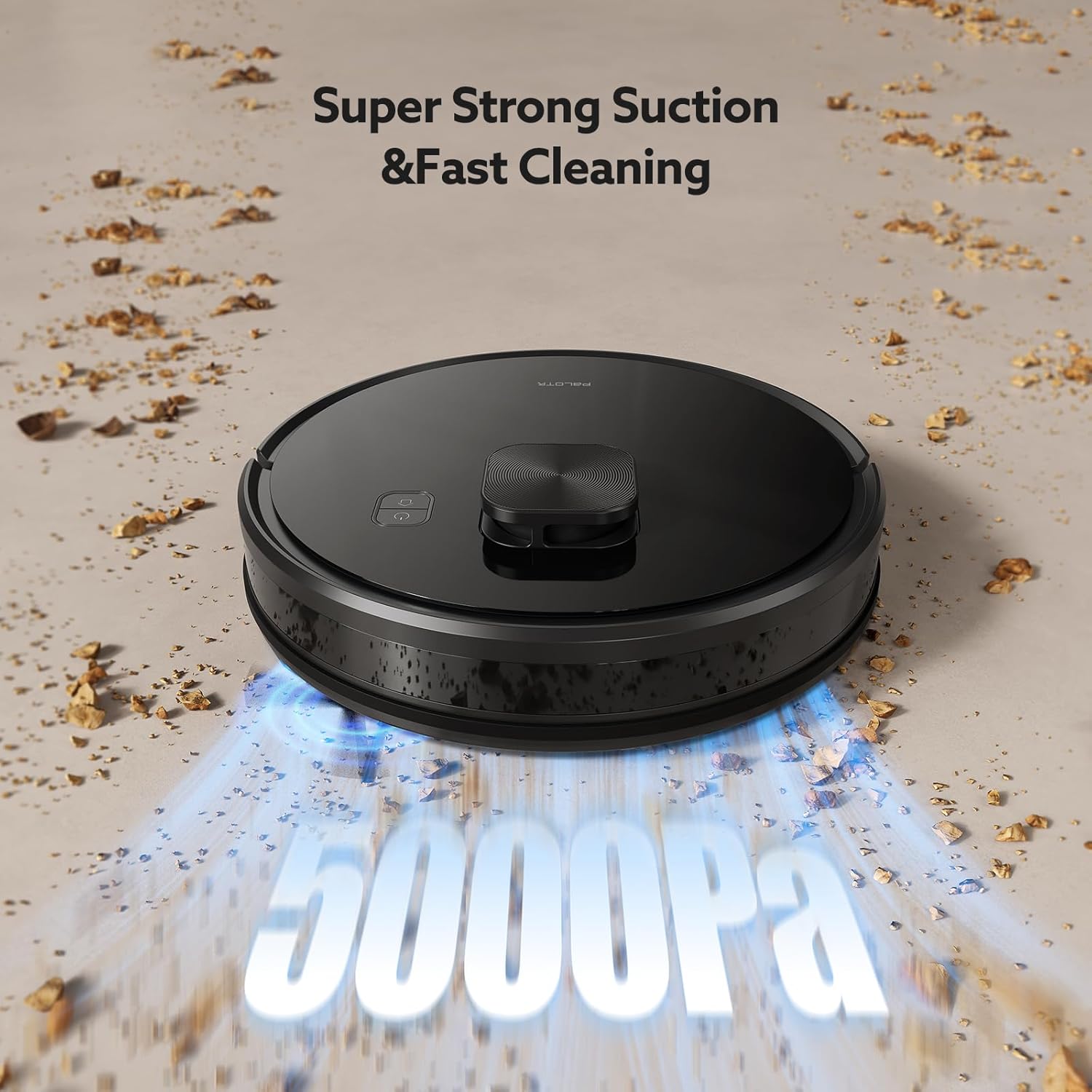
Image: The PALOTR X7 Robot Vacuum Cleaner with its included accessories, such as the charging dock, side brushes, and cleaning tools.
3. Product Overview
Robot Components
The PALOTR X7 features a compact design with advanced sensors and cleaning mechanisms.
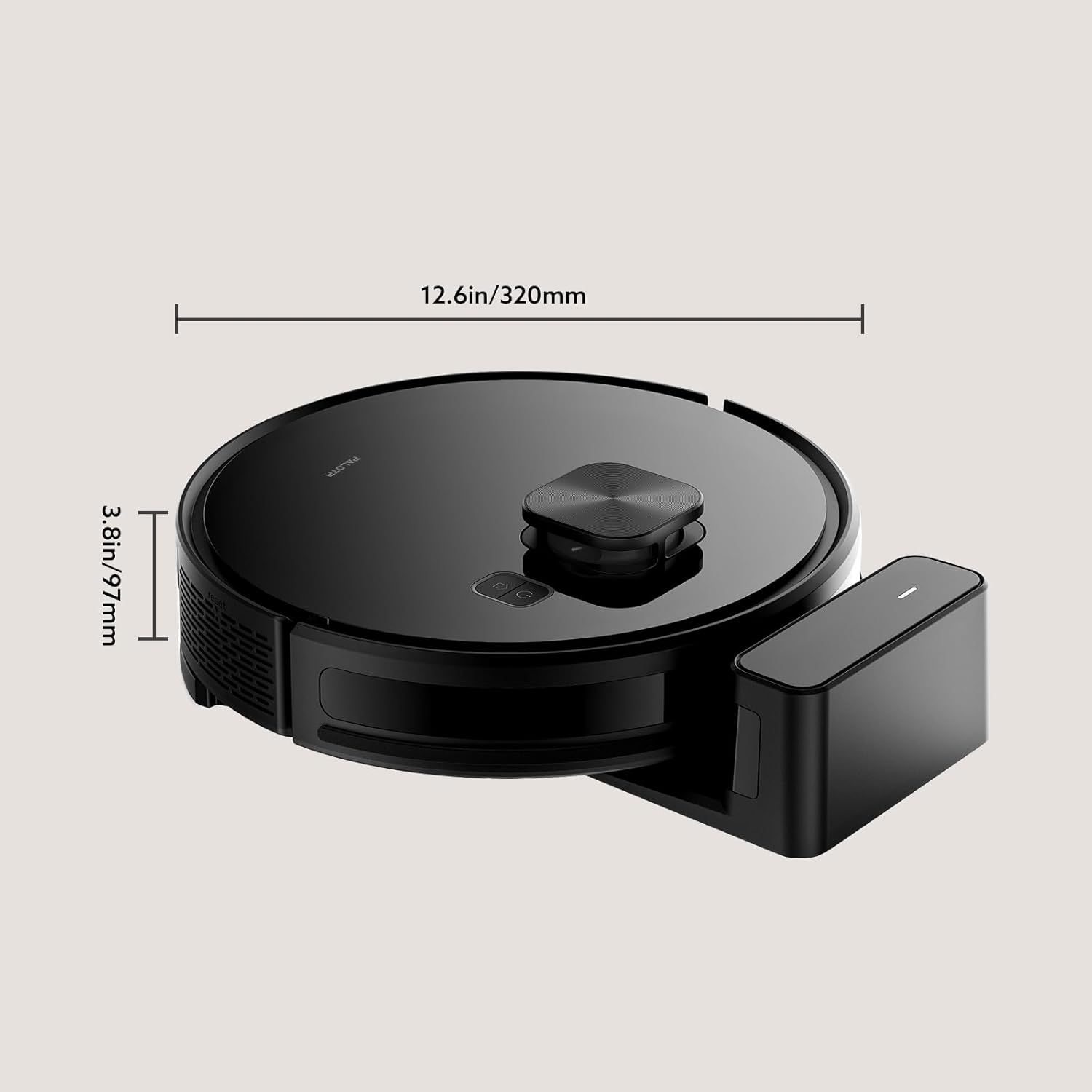
Image: A diagram illustrating the dimensions of the PALOTR X7 Robot Vacuum Cleaner, showing a diameter of 320mm (12.6in) and a height of 97mm (3.8in).
Key Features
- Lidar Navigation: For precise mapping and efficient cleaning paths.
- 5000Pa Suction Power: Strong suction for effective dirt and debris removal.
- Wet and Dry Cleaning: Integrated 2-in-1 water tank and dust box for vacuuming and mopping.
- App Control: Manage cleaning schedules, modes, and no-go zones via TUYA or Smart Life App.
- Automatic Recharging: The robot returns to its charging station when battery is low.
- Obstacle Detection: Advanced sensors prevent collisions and falls.

Image: The PALOTR X7 Robot Vacuum Cleaner demonstrating its intelligent recognition and powerful cleaning capabilities, with indicators for 'Standard' and 'Max' suction modes.
4. Setup
4.1 Charging Station Placement
Place the charging station on a hard, level surface against a wall. Ensure there is at least 0.5 meters (1.6 feet) of clear space on both sides and 1.5 meters (4.9 feet) in front of the charging station for the robot to navigate effectively.
4.2 Initial Charging
- Connect the adapter to the charging station and plug it into a power outlet.
- Place the robot onto the charging station. Ensure the charging contacts on the robot align with those on the station.
- The robot will begin charging. A full charge takes approximately 4-5 hours. The indicator light on the robot will change to indicate charging status.
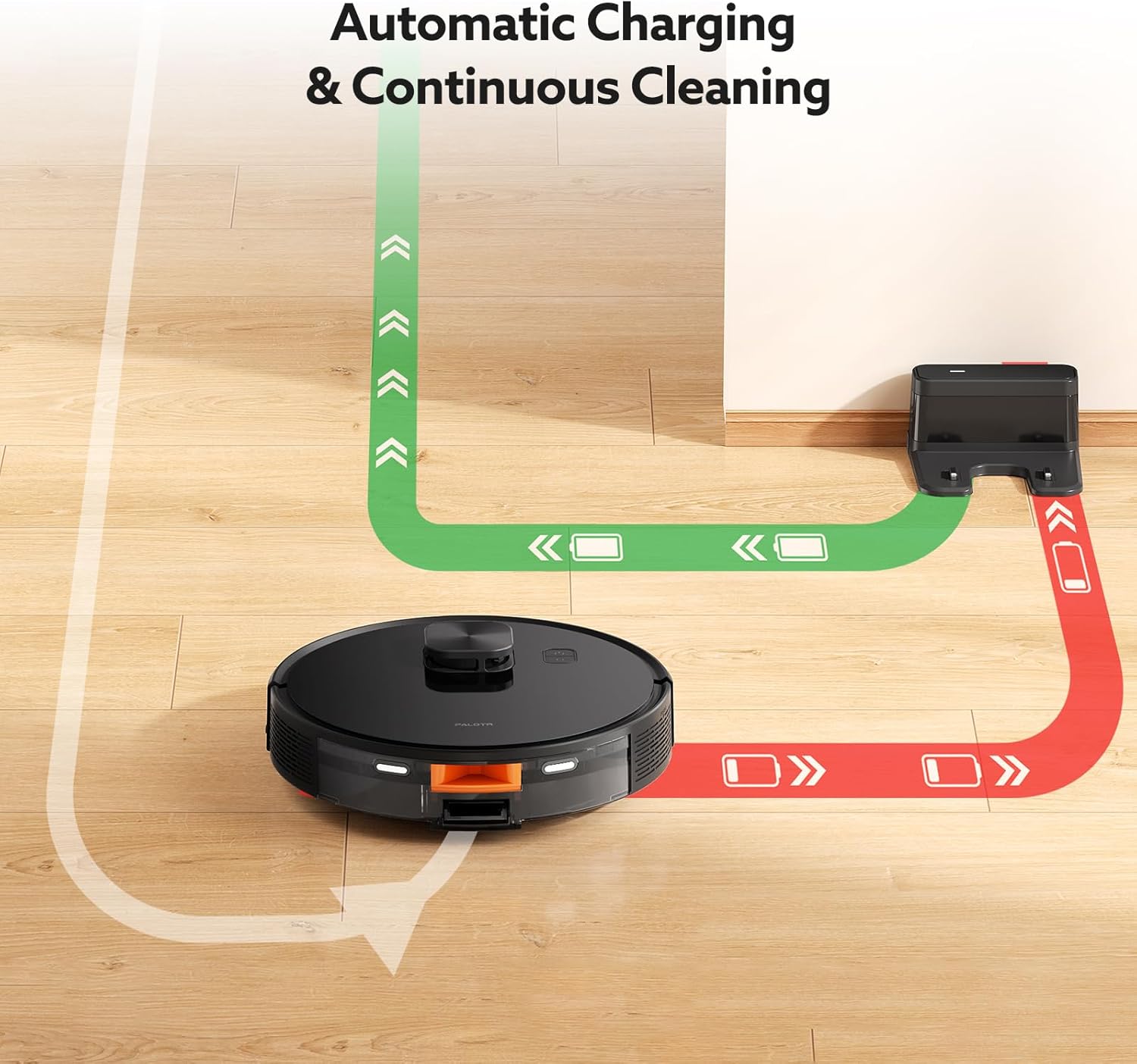
Image: A visual representation of the PALOTR X7 Robot Vacuum Cleaner's automatic charging feature, showing it returning to its dock when the battery is low and resuming cleaning after charging.
4.3 App Download and Connection
The PALOTR X7 can be controlled via the TUYA Smart or Smart Life app.
- Download the 'TUYA Smart' or 'Smart Life' app from your mobile device's app store.
- Register or log in to your account.
- Turn on the robot vacuum.
- In the app, tap '+' to add a device. Select 'Robot Vacuum' or search for 'X7'.
- Follow the in-app instructions to connect the robot to your Wi-Fi network. Ensure your Wi-Fi is 2.4GHz.
5. Operating Instructions
5.1 Starting and Stopping Cleaning
- Start Cleaning: Press the power button on the robot or tap 'Start' in the app. The robot will begin cleaning in Auto mode.
- Pause Cleaning: Press the power button again or tap 'Pause' in the app.
- Return to Charging: Press the home button on the robot or tap 'Recharge' in the app.
5.2 Cleaning Modes
The PALOTR X7 offers various cleaning modes:
- Auto Cleaning: The robot intelligently maps and cleans your home.
- Spot Cleaning: Cleans a specific area intensively. Place the robot in the center of the area to be cleaned and select Spot Cleaning in the app.
- Edge Cleaning: The robot cleans along walls and furniture edges.
- Zone Cleaning: Define specific areas on the map in the app for the robot to clean.
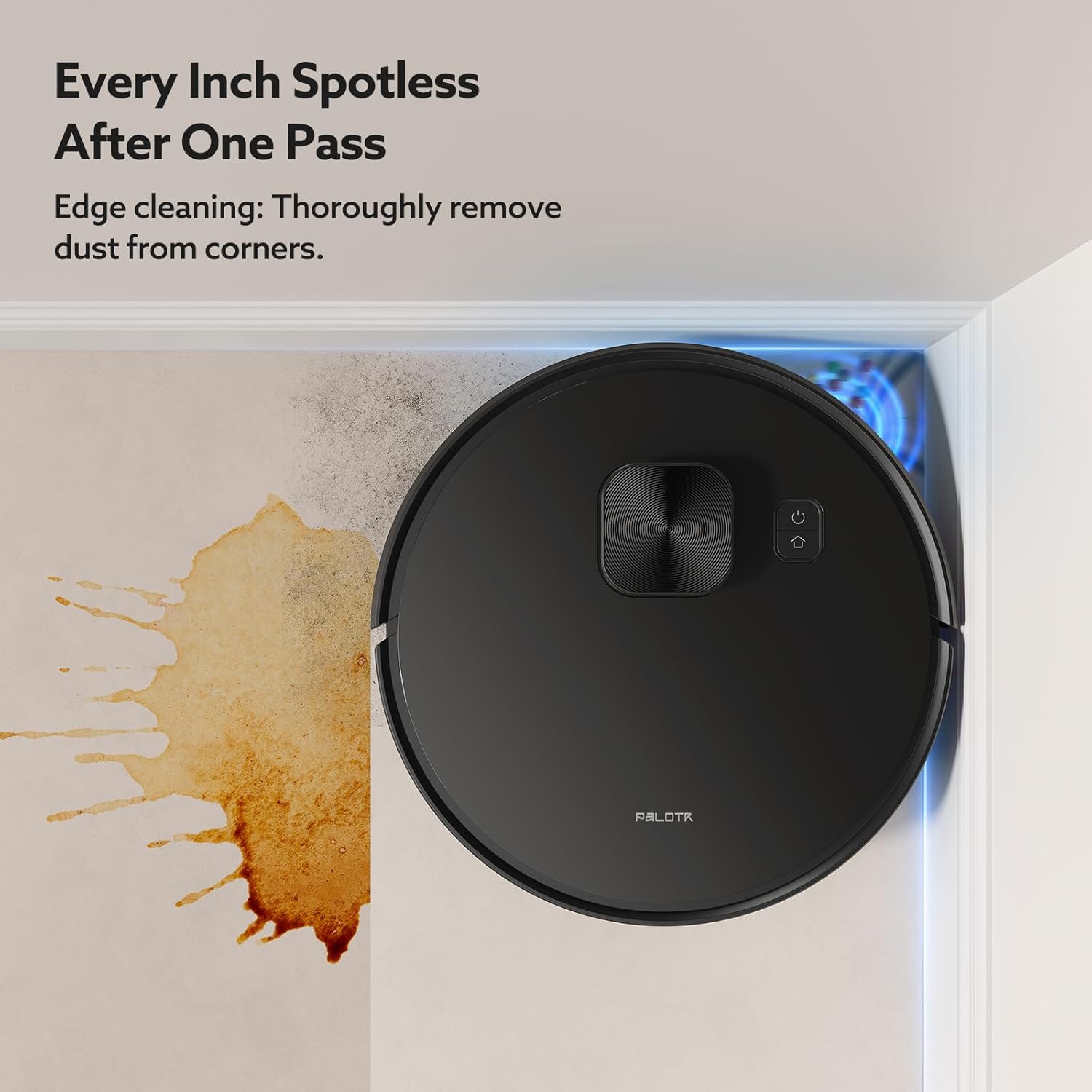
Image: The PALOTR X7 Robot Vacuum Cleaner demonstrating its edge cleaning capability, thoroughly removing dust from corners and along walls.
5.3 App Control Features
Using the TUYA Smart or Smart Life app, you can:
- View the real-time cleaning map.
- Set cleaning schedules.
- Adjust suction power and water volume for mopping.
- Define No-Go Zones or Virtual Walls to restrict cleaning areas.
- Select specific rooms or zones for cleaning.

Image: The PALOTR X7 Robot Vacuum Cleaner navigating around a designated 'No-Mop Zone' on a floor, illustrating the custom no-go area feature.
5.4 Voice Control
The PALOTR X7 supports voice control via Google Assistant and Amazon Alexa.
- Ensure your robot vacuum is connected to the TUYA Smart or Smart Life app.
- Link your TUYA Smart/Smart Life account to your Google Home or Amazon Alexa app.
- Use commands such as "Alexa, start cleaning" or "Hey Google, tell X7 to go home."

Image: The PALOTR X7 Robot Vacuum Cleaner shown with icons indicating compatibility with Google Assistant and Amazon Alexa, highlighting its app and voice control capabilities.
6. Maintenance
Regular maintenance is crucial for the optimal performance and longevity of your PALOTR X7 robot vacuum.
6.1 Emptying the Dustbin
Empty the dustbin after each cleaning cycle or when full. Press the release button on the 2-in-1 tank, remove it, open the dustbin cover, and discard the contents.
6.2 Cleaning the Water Tank and Mop
After mopping, empty any remaining water from the tank. Remove the mop pad, rinse it thoroughly, and allow it to air dry. The mop pad can be machine washed if necessary.
6.3 Cleaning the Main Brush
Periodically remove the main brush cover and the main brush. Use the cleaning tool to remove hair and debris tangled around the brush. Reinstall the brush and cover.
6.4 Cleaning the Side Brushes
Check the side brushes regularly for tangled hair or debris. If damaged, replace them. To clean, gently pull them off, remove debris, and push them back into place.
6.5 Cleaning the HEPA Filter
Tap the HEPA filter to remove dust. Do not wash the HEPA filter with water, as this can damage it. Replace the HEPA filter every 3-6 months, depending on usage.
6.6 Cleaning Sensors and Charging Contacts
Wipe the cliff sensors, anti-collision sensors, and charging contacts on both the robot and the charging station with a clean, dry cloth. This ensures proper navigation and charging.
7. Troubleshooting
If you encounter issues with your PALOTR X7, refer to the following common problems and solutions:
| Problem | Possible Cause | Solution |
|---|---|---|
| Robot does not turn on | Low battery; Power switch off | Charge the robot; Ensure power switch is on |
| Robot cannot charge | Charging contacts dirty; Charging station unplugged | Clean charging contacts; Ensure charging station is powered |
| Robot gets stuck frequently | Obstacles on floor; Sensors dirty | Clear cables and small objects; Clean sensors |
| Poor cleaning performance | Dustbin full; Brushes tangled; Filter clogged | Empty dustbin; Clean brushes; Clean/replace filter |
| App connection failed | Incorrect Wi-Fi password; 5GHz Wi-Fi; Robot too far from router | Verify password; Use 2.4GHz Wi-Fi; Move robot closer to router |

Image: A comparison showing the PALOTR X7 Robot Vacuum Cleaner's precision obstacle detection and avoidance capabilities versus other robots that may collide with objects.
8. Specifications
| Feature | Specification |
|---|---|
| Model Name | X7 |
| Navigation | Lidar |
| Battery Capacity | 2600mAh |
| Suction Power | 5000Pa |
| Working Time | 120-160 minutes |
| Charging Time | 4-5 hours |
| Rated Power | 14.8V/32W |
| Product Dimensions | 32L x 32W x 9.7H cm |
| Item Weight | 4.44 kg |
| Material | ABS |
| Controller Type | App Control (TUYA/Smart Life) |
| Filter Type | HEPA |
| Special Features | Anti-Collision, Position Memory, Real-time Mapping, Preset for Cleaning, Auto Recharge, Voice Announcement |
9. Warranty and Support
The PALOTR X7 Robot Vacuum Cleaner comes with a standard manufacturer's warranty. Please refer to the warranty card included in your package for specific terms and conditions. For technical support, troubleshooting assistance, or warranty claims, please contact PALOTR customer service through the contact information provided with your purchase or on the official PALOTR website.