
Ensenior ZF1-52-5Y
Ensenior 52 Inch Ceiling Fan with Light and Remote Instruction Manual
Model: ZF1-52-5Y
Introduction
Thank you for choosing the Ensenior 52 Inch Ceiling Fan with Light and Remote. This manual provides detailed instructions for the safe and efficient installation, operation, and maintenance of your new ceiling fan. Please read all instructions carefully before beginning installation and retain this manual for future reference.
Important Safety Information
- Always turn off power at the circuit breaker before installation or servicing.
- Ensure all electrical connections comply with local codes and ordinances.
- Consult a qualified electrician if you are unsure about wiring.
- Mount the fan to a ceiling joist or a securely supported outlet box capable of supporting the fan's weight.
- Keep hands clear of fan blades during operation.
Package Contents
Verify that all components are present and undamaged before proceeding with installation. Refer to the diagram below for a visual representation of the parts included.

Image: Overview of all Ensenior 52 Inch Ceiling Fan components.
- Fan Motor Assembly
- 5 Reversible Fan Blades (Walnut/Black)
- Blade Brackets
- Downrod (6-inch and 10-inch options)
- Canopy and Decorative Yoke Cover
- LED Light Kit
- Remote Control with Receiver
- Mounting Bracket and Hardware
Setup and Installation
The Ensenior ceiling fan is designed for easy installation with many components pre-assembled. A detailed installation video is available to guide you through the process. Ensure the recommended installation height of 7.5 feet from the ground to the blades is met for optimal performance.
Video: Step-by-step guide on how to install the Ensenior 52 Inch Ceiling Fan.
Installation Steps Overview:
- Install the Hanger Bracket: Securely attach the hanger bracket to the ceiling outlet box.
- Assemble Downrod and Motor: Remove the downrod clip and pin, then assemble the downrod, decorative cap, and canopy onto the motor. Secure the downrod to the motor.
- Attach Fan Blades: Connect the fan blade brackets to the fan blades, then install the assembled blades onto the motor fixture.
- Connect Wiring: Hang the fan assembly onto the hanger bracket. Connect the electrical wires from the ceiling to the receiver, and then the receiver to the fan motor and light kit wires.
- Attach LED Light Kit: Connect the LED light kit wires and attach the light kit to the bottom of the motor housing.
- Secure Canopy: Slide the canopy up and secure it to the hanger bracket with screws.

Image: Visual guide for the six-step installation process.
Product Dimensions and Room Suitability:
This 52-inch ceiling fan is suitable for rooms approximately 225-400 sq ft. The recommended installation height from the ground to the fan blades is 7.5 feet.

Image: Product size and recommended room dimensions.

Image: Ceiling compatibility for installation.
Operating Instructions
Your Ensenior ceiling fan is equipped with a convenient remote control for easy customization of fan and LED lighting settings. The fan and light can be operated independently.
Video: Demonstration of Ensenior Ceiling Fan features including light and remote control.
Remote Control Functions:
- Power On/Off: Turns the fan and light on or off.
- Fan Speed Control: Select from 6 distinct wind speeds.
- Light Control: Turn the light on/off and adjust brightness.
- Color Temperature Adjustment: Cycle through 3 color temperatures (3000K, 4000K, 6000K).
- Reversible Motor: Switch between downdraft (summer cooling) and updraft (winter warming) modes.
- Timer Settings: Set the fan to turn off automatically after 1, 2, or 4 hours.
- Mute Function: Silences remote control beeping sounds.
- Memory Function: The fan remembers the last light setting after being off for more than 10 seconds.
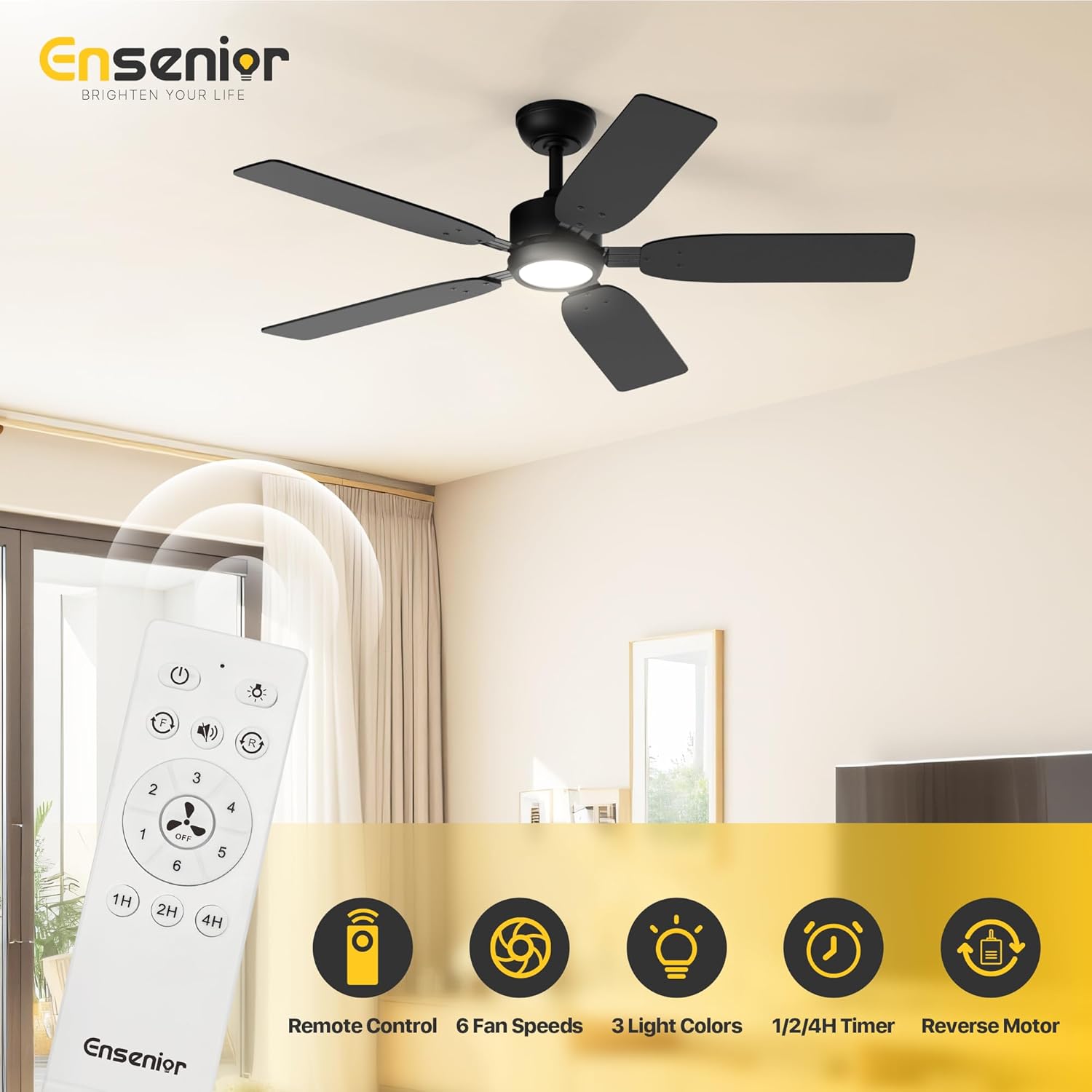
Image: Remote control functions.
Seasonal Operation (Reversible Motor):
The reversible DC motor allows for year-round comfort. In summer, set the fan to downdraft mode (blades rotate counter-clockwise) to create a cooling breeze. In winter, switch to updraft mode (blades rotate clockwise) to circulate warm air near the ceiling, helping to warm the room.

Image: Reversible function for summer and winter.

Image: Updraft mode for winter warmth.
Light Settings:
The integrated LED light offers 3 color temperatures (3000K Warm White, 4000K Natural White, 6000K Cool White) and is dimmable. The memory function ensures the light returns to its last setting after being turned off for more than 10 seconds.
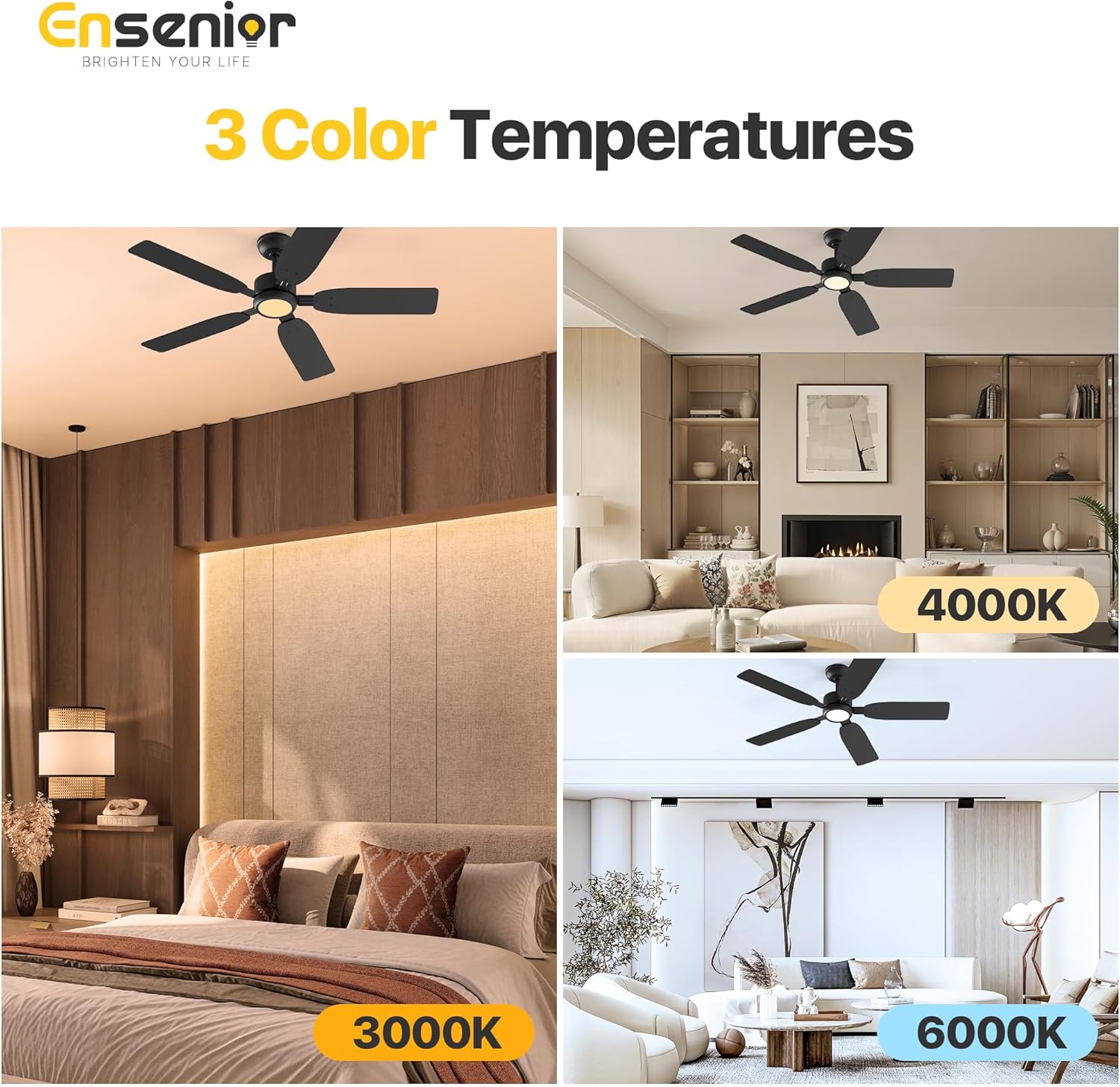
Image: Three adjustable color temperatures.

Image: Light memory function.
Quiet Operation:
The fan operates at a low noise level of 35dB, comparable to falling leaves, ensuring a peaceful environment. The remote's mute function further eliminates beeping sounds.
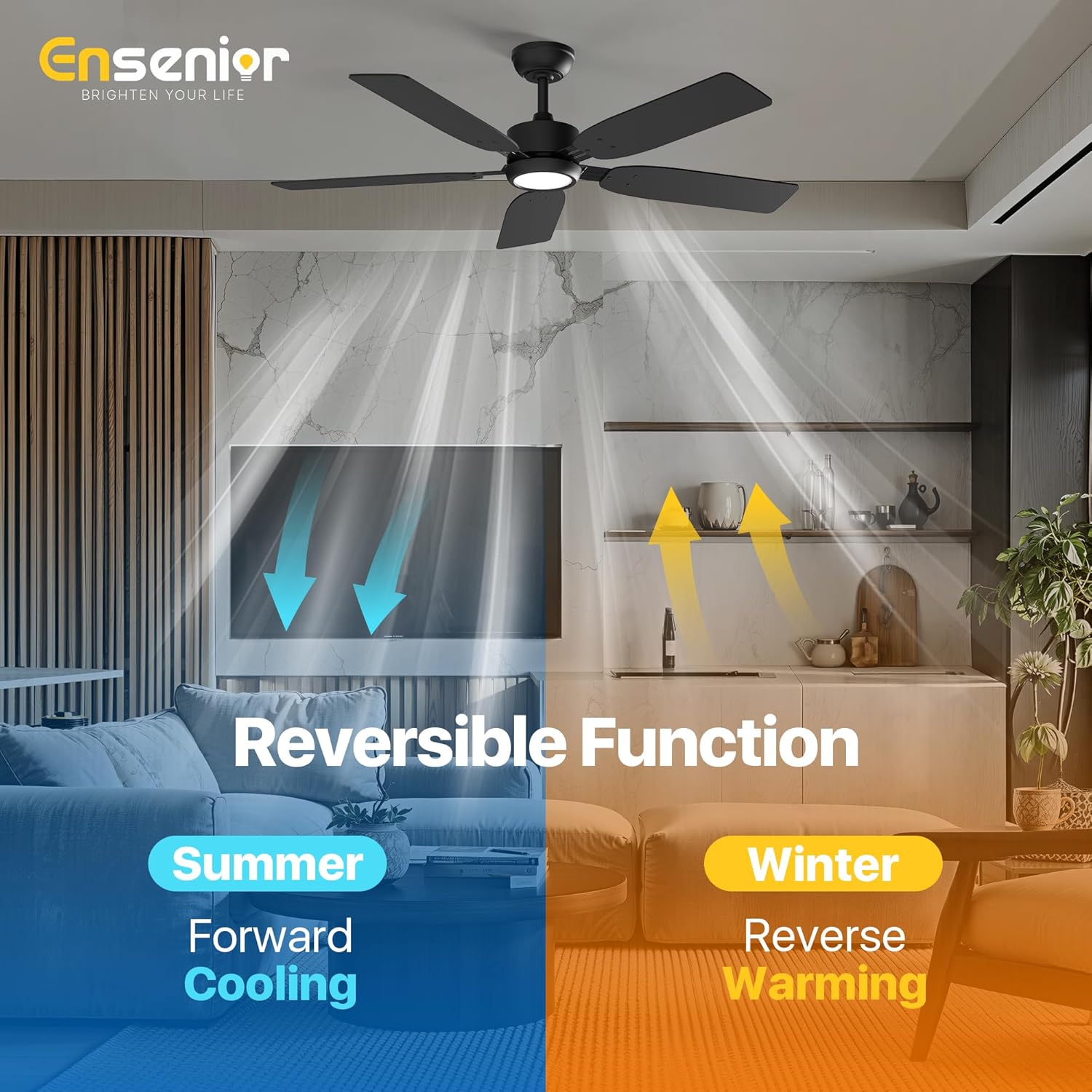
Image: Fan noise level comparison.
Blade Options:
The fan features 5 double-sided wooden blades, with one side in a walnut finish and the other in black, allowing you to choose the best aesthetic for your room.

Image: Double-sided fan blades (Walnut and Black).
Maintenance
Regular maintenance ensures the longevity and optimal performance of your ceiling fan.
- Cleaning: Use a soft, damp cloth to clean the fan blades and motor housing. Do not use abrasive cleaners or solvents.
- Blade Inspection: Periodically check all blade screws for tightness. Loose screws can cause wobbling and noise.
- Light Kit: The LED light kit is integrated and does not require bulb replacement.
Troubleshooting
If you experience issues with your fan, refer to the common problems and solutions below. For further assistance, contact customer support.
| Problem | Possible Cause | Solution |
|---|---|---|
| Fan does not start | No power to the fan; loose wire connections; remote control not paired. | Check circuit breaker; ensure all wires are securely connected; re-pair remote control according to instructions. |
| Light does not work | Loose wire connection to light kit; faulty LED driver. | Check light kit wiring; contact customer support for LED driver replacement if necessary. |
| Fan wobbles | Loose blade screws; unbalanced blades; improper mounting. | Tighten all blade screws; use balancing kit (included) to balance blades; ensure mounting bracket is securely installed. |
| Remote control not responding | Dead batteries; remote not paired; interference. | Replace remote batteries; re-pair remote control; ensure no obstructions between remote and receiver. |
Specifications
| Feature | Detail |
|---|---|
| Brand | Ensenior |
| Model Name | Ceiling Fan with Light |
| Item Model Number | ZF1-52-5Y |
| Size | 52 Inch |
| Number of Blades | 5 |
| Blade Material | Wood |
| Motor Type | Reversible DC Motor |
| Fan Speeds | 6 |
| Light Source Type | LED |
| Wattage (Light) | 33 watts |
| Wattage (Fan) | 18 watts |
| Color Temperatures | 3 (3000K, 4000K, 6000K) |
| Control Method | Remote Control |
| Special Features | Adjustable Color Temperature, LED Light, Quiet Operation, Remote Controlled, Timer |
| Voltage | 120 Volts |
| Item Weight | 13.4 pounds |
| Product Dimensions | 17.52 x 13.58 x 6.77 inches |
| Air Flow Capacity | 5000 Cubic Feet Per Minute |

Image: EnergyGuide label.
Warranty Information
Your Ensenior 52 Inch Ceiling Fan comes with a 3-year warranty from the date of purchase. This warranty covers defects in materials and workmanship under normal use. Please retain your proof of purchase for warranty claims.
Customer Support
For any questions, technical assistance, or warranty claims, please contact Ensenior customer support. Our professional after-sales team is available 24/7 to provide hassle-free support.
Contact Information: Refer to the contact details provided on the product packaging or the official Ensenior website.
Related documentsZF1-52-5Y


Ask a question about this manual
Ask about setup, troubleshooting, compatibility, parts, safety, or missing instructions. Manuals+ will review the question and use this page’s manual context to help answer it.