
1. Introduction
Thank you for choosing the INIU P51L 20000mAh 45W Portable Charger. This device is designed to provide reliable and fast charging for your electronic devices on the go. Please read this manual carefully to ensure proper use and maintenance of your power bank.
2. Product Overview
2.1 Key Features
- 45W Full-Speed Charging: Supports PD, QC, and other fast-charging protocols for rapid device charging.
- 20000mAh High Capacity: Provides multiple charges for smartphones and tablets.
- Built-in USB-C Cable: Integrated cable for convenient charging without needing to carry extra cables.
- Simultaneous Charging: Capable of charging up to three devices concurrently.
- Digital Display: Clear display showing remaining battery percentage.
- Compact Design: Market's smallest 20000mAh power bank for easy portability.
- 18-Layer SmartProtect System: Ensures safe and reliable charging.
2.2 Package Contents
- INIU P51L 20000mAh 45W Portable Charger
- User Manual
2.3 Product Diagram

Figure 1: INIU P51L Portable Charger with built-in USB-C cable.
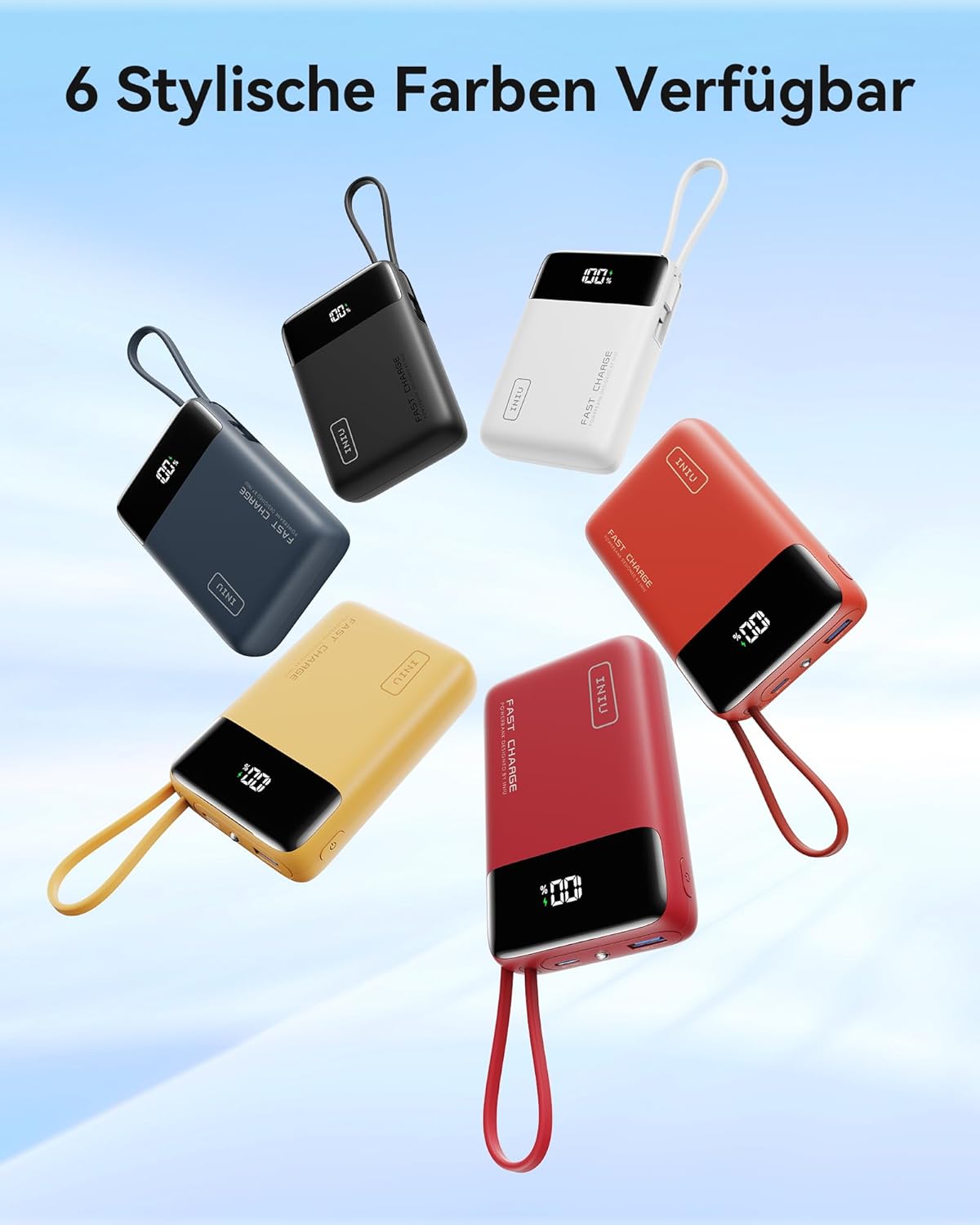
Figure 2: Top view showing USB-A and USB-C ports.

Figure 3: Digital display indicating battery percentage.

Figure 4: 45W Full Charge for Phone & Tablet.

Figure 5: Compact, but powerful 20,000mAh | 45W 30% smaller.

Figure 6: Built-in braided USB-C cable. Never search for cables again. 13,000+ Bend Tests. 45W Super Fast Charging 2.0. 27W Recharging.

Figure 7: Flight Approved. 2 Days Power. 20,000mAh. Charges for Phones ≈ 4. Charges for Tablets ≈ 2.
Figure 8: 18-Layer SmartProtect System for enhanced safety.

Figure 9: Broad Compatibility with various devices.
2.4 Official Product Videos
Video 1: INIU PowerBank 20000 mAh - Unboxing. This video provides an initial look at the INIU P51L 20000mAh Power Bank, showcasing its packaging and contents.
Video 2: INIU p51l Power Bank 20000 mAh - Review. This video offers a detailed review of the INIU P51L 20000mAh Power Bank, highlighting its features and performance.
3. Setup
Before first use, it is recommended to fully charge your INIU P51L Portable Charger. This ensures optimal battery performance and longevity.
- Connect the built-in USB-C cable or a separate USB-C cable to the IN/OUT2 port on the power bank.
- Plug the other end of the cable into a compatible USB wall charger (not included).
- The digital display will show the charging progress. The power bank is fully charged when the display shows 100%.
4. Operating Instructions
4.1 Charging Your Devices
The INIU P51L offers multiple ways to charge your devices:
- Using the Built-in USB-C Cable: Simply pull out the built-in USB-C cable and connect it directly to your USB-C compatible device.
- Using the USB-C Port (IN/OUT2): Connect your device's USB-C charging cable to the IN/OUT2 port on the power bank.
- Using the USB-A Port (OUT3): Connect your device's USB-A charging cable to the OUT3 port on the power bank.
The power bank will automatically begin charging your device. The digital display will show the remaining battery percentage.
4.2 Simultaneous Charging
You can charge up to three devices simultaneously using the built-in USB-C cable, the USB-C port, and the USB-A port. Note that when multiple devices are connected, the total output power will be distributed among them.
4.3 Flashlight Function
To activate the built-in flashlight, quickly double-press the power button located on the side of the power bank. Double-press again to turn it off.
5. Maintenance
- Keep the power bank away from extreme temperatures, direct sunlight, and liquids.
- Clean the device with a soft, dry cloth. Do not use harsh chemicals or abrasive materials.
- Store the power bank in a cool, dry place when not in use.
- Avoid dropping or subjecting the power bank to strong impacts.
6. Troubleshooting
- Device not charging: Ensure the power bank is charged. Check that the cables are securely connected to both the power bank and the device. Try a different cable or port.
- Power bank not charging: Ensure the charging cable is properly connected to a power source and the power bank's IN/OUT2 port. Try a different wall adapter or cable.
- Slow charging: Ensure your device and cable support fast charging. When multiple devices are connected, charging speed may be reduced.
- Digital display not working: Press the power button once to activate the display. If it remains off, the power bank may be fully discharged or require service.
7. Specifications
| Feature | Detail |
|---|---|
| Model Number | P51L |
| Battery Capacity | 20000 Milliamp Hours |
| Product Dimensions | 2.8 x 4.1 x 1.2 inches |
| Item Weight | 11.5 ounces |
| Connector Type | Output: USB-C*2 + USB-A*1 |
| Special Features | Fast Charging, Built-in USB-C Cable, Digital Display, Flashlight |
| Color | White |
| Manufacturer | Shenzhen Topstar Industry Co.,Ltd. |
8. Warranty and Support
INIU provides an industry-leading 3-Year INIU Care warranty for this product. If you experience any quality issues within 3 years of purchase, a new one will be provided.
For further assistance or support, please contact INIU customer service through their official channels or visit their website.


