
1. Introduction
This user manual provides essential information for the safe and effective operation of your INIU Magnetic Portable Charger (Model P71). Please read this manual thoroughly before using the device and retain it for future reference.
The INIU Magnetic Portable Charger is a compact and versatile power bank designed for iPhone 12/13/14/15/16 series. It features Qi2-certified 15W wireless charging, 20W PD wired charging via USB-C, and an integrated foldable stand for convenient viewing. With a 5000mAh capacity, it offers reliable power on the go.
2. Product Overview
2.1 Package Contents
- INIU 5,000mAh Magnetic Power Bank (Model P71) x 1
- 0.4ft Lanyard USB-C Cable x 1
- User Manual x 1
2.2 Device Features
The INIU Magnetic Portable Charger is designed for portability and efficiency. Its ultra-slim profile (0.35 inches) allows for easy carrying. Key features include:
- Magnetic Attachment: Securely attaches to compatible iPhone models (12/13/14/15/16 series).
- Qi2 15W Wireless Charging: Provides fast and efficient wireless power.
- 20W PD Wired Charging: USB-C port for rapid wired charging of devices.
- Integrated Foldable Stand: Allows for hands-free viewing in both vertical and horizontal orientations.
- Lanyard USB-C Cable: A short, integrated USB-C cable for convenient wired charging and carrying.
- Paw Print LED Indicator: Displays battery status.
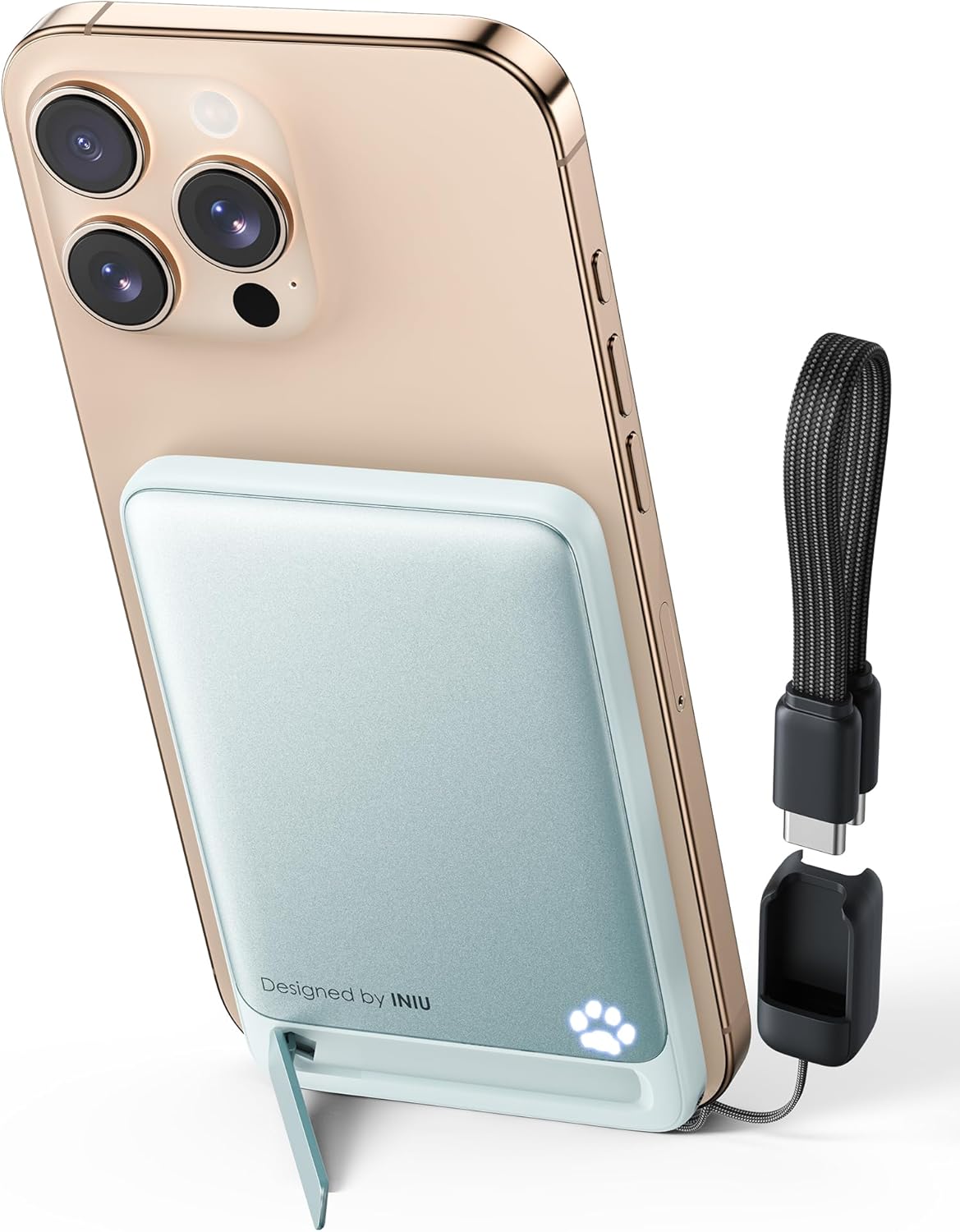
Figure 1: INIU Magnetic Portable Charger with iPhone and USB-C Lanyard Cable. This image illustrates the compact design and the integrated cable.

Figure 2: Slimness comparison of the INIU Magnetic Portable Charger. The device is notably thin, making it highly portable.
3. Setup
3.1 Initial Charging of the Power Bank
Before first use, fully charge your INIU Magnetic Portable Charger. Connect the included USB-C lanyard cable to the power bank's USB-C port and the other end to a USB power adapter (not included). The paw print LED indicator will illuminate and flash to show charging progress. All five paw prints will glow steadily when fully charged.
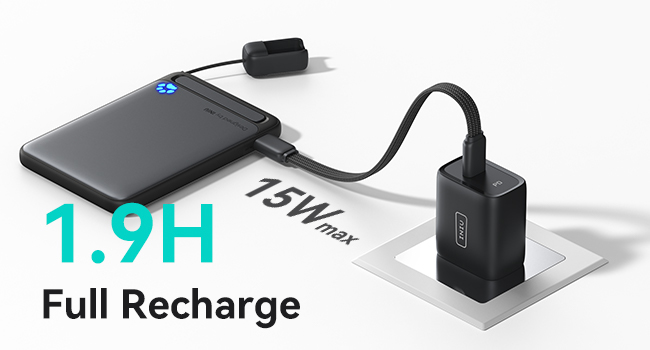
Figure 3: Recharging the INIU Magnetic Portable Charger. A full recharge typically takes approximately 1.9 hours.
3.2 Checking Battery Level
Press the power button once to check the current battery level of the power bank. The paw print LED indicator will light up, with each illuminated paw print representing approximately 20% of the battery capacity.
- 1 Paw Print: 0-20%
- 2 Paw Prints: 21-40%
- 3 Paw Prints: 41-60%
- 4 Paw Prints: 61-80%
- 5 Paw Prints: 81-100%
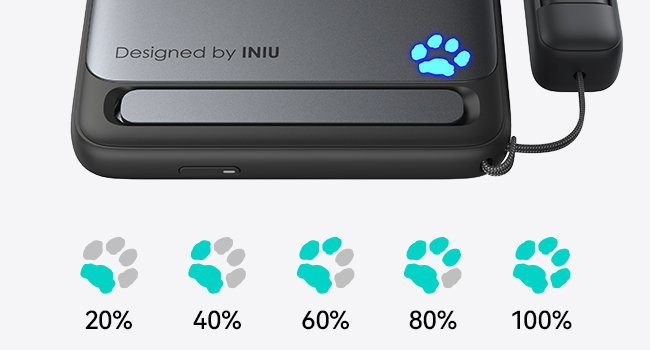
Figure 4: Paw Print LED Battery Indicator. Each illuminated paw segment indicates the remaining charge.
4. Operating Instructions
4.1 Wireless Charging (for iPhone 12/13/14/15/16 Series)
- Ensure your iPhone is compatible with MagSafe and has a MagSafe-compatible case if applicable.
- Align the INIU Magnetic Portable Charger with the back of your iPhone. The magnets will automatically snap it into place.
- The power bank will begin wirelessly charging your iPhone. The paw print LED indicator will light up to confirm charging is active.
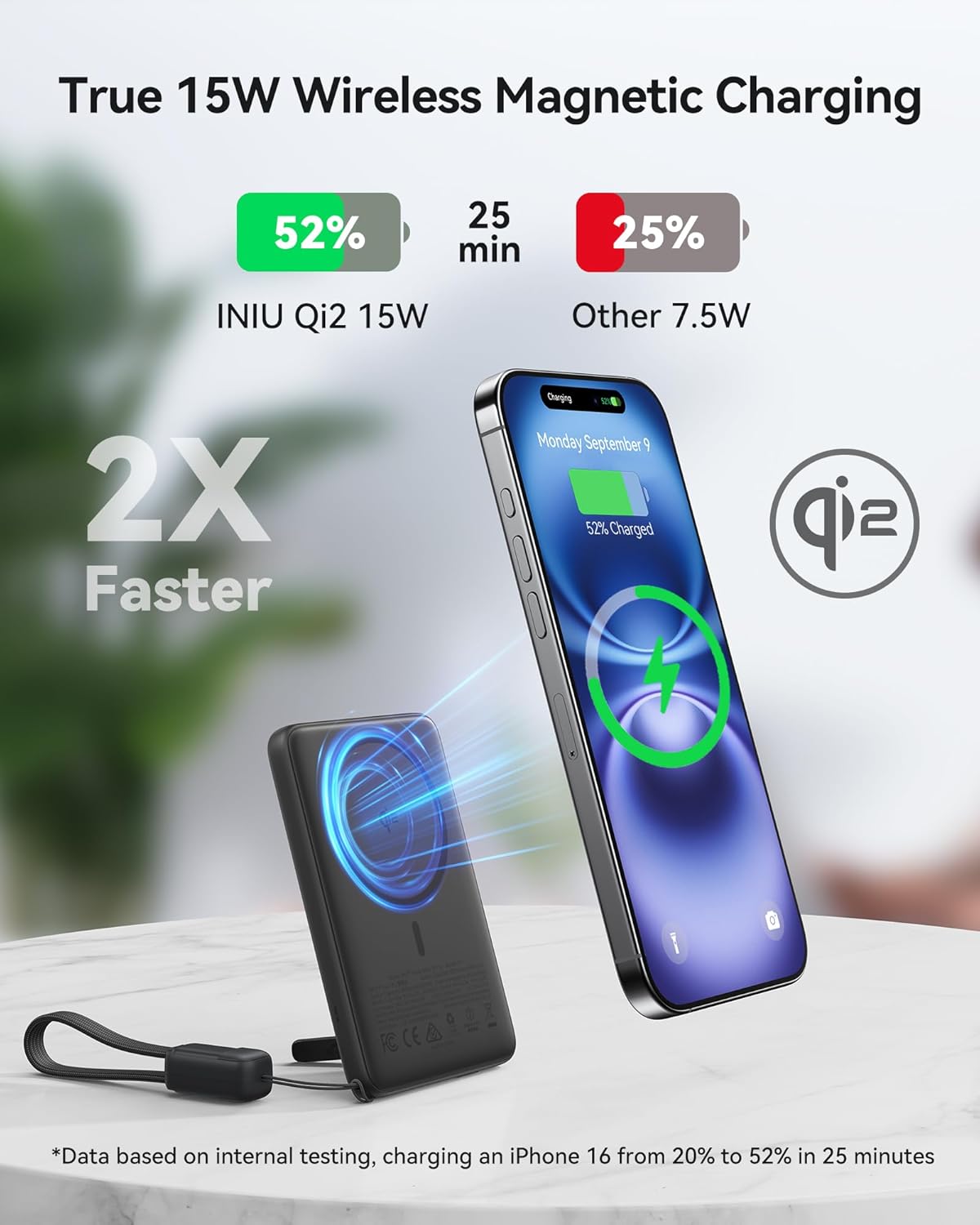
Figure 5: Wireless Charging in Progress. The power bank provides 15W Qi2 certified wireless charging.

Figure 6: Compatibility Guide. Ensure your device or case is MagSafe compatible for optimal wireless charging.
4.2 Wired Charging (via USB-C Cable)
- Unfold the integrated USB-C lanyard cable from the power bank.
- Connect the USB-C end of the cable to your device's charging port.
- The power bank will automatically begin charging your device.
Note: The power bank supports 20W Power Delivery (PD) for fast wired charging. You can charge two devices simultaneously (one wirelessly, one wired) by pressing the power button to enable wireless charging during USB-C wired charging.

Figure 7: Wired Charging with Lanyard USB-C Cable. Provides speedy 20W PD charging.

Figure 8: Charging Two Devices Simultaneously. One device can charge wirelessly while another charges via the USB-C cable.
4.3 Using the Foldable Stand
The integrated foldable stand allows for hands-free viewing while charging.
- Gently pull out the stand from the back of the power bank.
- Position your iPhone (attached to the power bank) vertically for video calls or horizontally for watching movies.
- The stand also supports StandBy mode on compatible iPhones.

Figure 9: Foldable Stand in Use. Provides versatile viewing angles for your iPhone.
5. Maintenance
5.1 Cleaning
To clean the power bank, use a soft, dry cloth. Do not use liquid cleaners, aerosols, or abrasive solvents, as these may damage the device.
5.2 Storage
Store the power bank in a cool, dry place away from direct sunlight, extreme temperatures, and humidity. If storing for extended periods, charge the power bank to approximately 50% every three months to maintain battery health.
5.3 Safety Guidelines
- Do not expose the power bank to water or other liquids.
- Avoid dropping, disassembling, or attempting to repair the device yourself.
- Keep out of reach of children.
- Do not use the power bank in environments with high temperatures or humidity.
- Dispose of the power bank according to local regulations. Do not dispose of it with household waste.
6. Troubleshooting
6.1 Power Bank Not Charging
- Ensure the charging cable is securely connected to both the power bank and the power adapter.
- Verify that the power adapter is functioning correctly and connected to a live power outlet.
- Try using a different USB-C cable or power adapter.
6.2 Device Not Charging from Power Bank
- Wireless Charging:
- Ensure your iPhone is a compatible model (iPhone 12/13/14/15/16 series).
- Check if your iPhone case is MagSafe compatible. Thick or non-MagSafe cases may interfere with magnetic alignment and charging.
- Ensure there are no foreign objects between the power bank and your iPhone.
- Verify the power bank has sufficient charge.
- Wired Charging:
- Ensure the USB-C lanyard cable is fully inserted into both the power bank and your device.
- Try using a different USB-C cable if available.
- Verify the power bank has sufficient charge.
6.3 Slow Charging
- Ensure you are using a compatible device and cable for fast charging.
- For wireless charging, ensure proper alignment and that no foreign objects are interfering.
- For wired charging, ensure the cable supports Power Delivery (PD) if fast charging is expected.
- High ambient temperatures can affect charging efficiency.
7. Specifications
| Feature | Detail |
|---|---|
| Model Number | P71 |
| Battery Capacity | 5000 mAh (Lithium Polymer) |
| Wireless Charging Output | Up to 15W (Qi2 Certified) |
| Wired Charging Output | USB-C, Up to 20W Power Delivery (PD) |
| Input (Recharge) | USB-C |
| Product Dimensions | 2.56 x 3.9 x 0.36 inches |
| Item Weight | 3.79 ounces |
| Compatibility | iPhone 12/13/14/15/16 Series (Magnetic Wireless Charging), AirPods 3/Pro 2, and other USB-C devices (Wired Charging) |
| Special Features | Qi2 15W Fast Wireless Charging, 20W PD Wired Fast Charging, Ultra Slim Metal Design, Foldable Stand, Lanyard USB-C Cable |
8. Warranty and Support
INIU provides an industry-leading 3-year care warranty for this product, along with lifetime technical support. For any inquiries, technical assistance, or warranty claims, please contact INIU customer support through their official website or the platform where you purchased the product.
Please retain your proof of purchase for warranty validation.


