
1. Introduction
Thank you for choosing the CINMOORE P2U Solar Smart Bird Feeder. This device combines a bird feeder with a high-resolution camera, offering an immersive bird-watching experience directly to your smartphone. Featuring AI-powered bird species identification, instant alerts, and solar charging, this feeder is designed for convenience and enjoyment.
2. What's Included
- Bird Feeder with Integrated 4MP 2.5K Camera
- Solar Panel
- Mounting Kit (for tree, fence, or wall installation)
- USB Charging Cable
- User Manual
Note: An SD card is not included and must be purchased separately for local storage.
3. Setup Guide
3.1 Initial Camera Charge
Before installation, fully charge the camera using the provided USB cable. This ensures optimal performance from the start.
3.2 Antenna Installation
Locate the antenna port on the back of the bird feeder camera unit. Screw the antenna firmly into place to ensure stable Wi-Fi connectivity.
3.3 Mounting the Feeder
The CINMOORE P2U offers versatile mounting options:
- Tree Mount: Use the provided straps and screws to secure the feeder directly to a tree trunk.
- Fence Mount: Attach the feeder to a fence post using the appropriate hardware from the mounting kit.
- Wall Mount: Secure the feeder to a wall using screws and anchors.
Ensure the feeder is mounted in a location that provides a clear view for the camera and is easily accessible for refilling.

Image: The CINMOORE P2U Solar Smart Bird Feeder installed on a tree, showcasing its design and solar panel integration.

Image: Illustration of different mounting methods for the bird feeder, including fence, wall, and tree installations.
3.4 Solar Panel Placement
Position the solar panel to receive maximum direct sunlight throughout the day. This will ensure continuous charging of the camera's 5200mAh rechargeable battery, eliminating the need for frequent manual recharging.
3.5 Filling the Feeder
Open the roof of the bird feeder. Pour up to 2 liters of your preferred bird seed into the main compartment. Close the roof securely.
3.6 App Installation and Pairing
- Download the dedicated app (refer to the User Manual for specific app name and QR code).
- Follow the in-app instructions to pair your smart bird feeder with your 2.4G Wi-Fi network.
- Once paired, you will have access to live view, alerts, and other smart features.
Video: A step-by-step guide demonstrating the installation process of the P2U Smart Bird Feeder, including mounting and setup.
Video: An overview of the P2U Smart Bird Feeder with camera, highlighting its features and ease of use.
4. Operating Instructions
4.1 Live View and Recording
Access the live 2.5K Ultra-Clear Vision feed from your camera via the app. You can initiate manual recordings or rely on motion-activated recording.

Image: A detailed view of the 4MP camera, emphasizing its 2.5K HD capability for capturing fine bird details.
4.2 AI Bird Species Identification
The feeder's AI technology can identify over 10,000 bird species without any subscription fees. Receive instant notifications with species identification upon a bird's arrival.
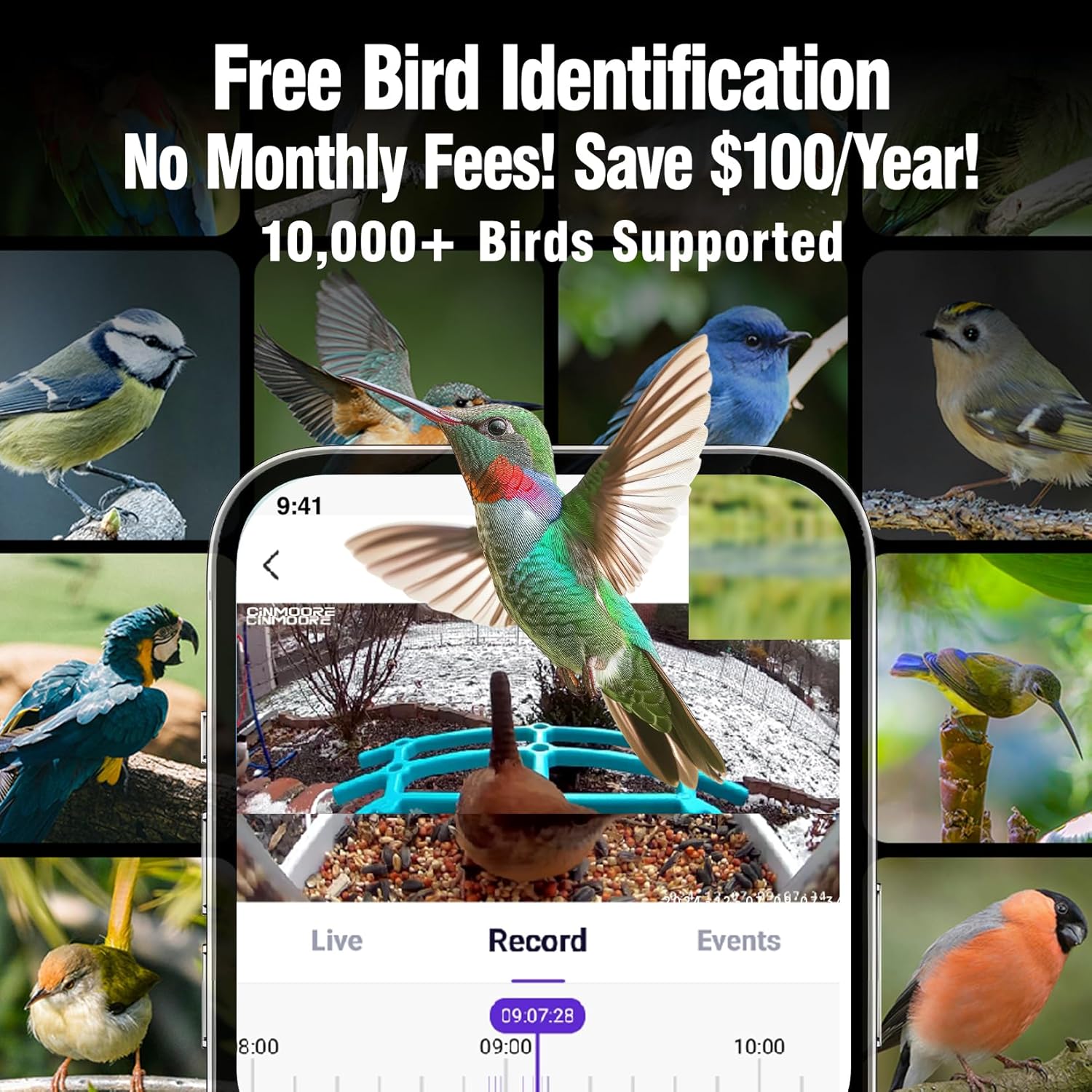
Image: A smartphone interface showing the AI bird identification feature, capable of recognizing over 10,000 bird species.
Video: Demonstrates the bird feeder camera's ability to spot birds in various weather conditions, ensuring continuous bird watching.
Video: Highlights the free AI detection feature, allowing users to enjoy bird watching without monthly fees.
4.3 Instant Arrival Alerts
Receive real-time notifications on your smartphone when a bird or other motion is detected at the feeder.
Video: Illustrates the smart motion alerts and "Bird's Here" notifications, keeping users informed of feeder activity.
4.4 Squirrel Deterrence
The feeder is equipped with a squirrel-proof alarm system. It can detect approaching squirrels and trigger an alarm to deter them, protecting your bird food.

Image: The app interface demonstrating effective squirrel repellent features, including audio-visual alarms and two-way audio communication.
4.5 Full-Color Night Vision
The 2.5K camera provides full-color night vision, allowing for clear bird-watching even after sunset.

Image: A visual comparison showing the clear 2.5K HD view during the day and the vibrant full-color night vision.
4.6 Storage Options
The feeder offers 30 days of free cloud storage for captured moments. Additionally, it supports local storage via an SD card (not included).
4.7 Sharing Features
Share your bird-watching joy with family and friends through the app, making it an engaging educational tool for children and a delightful experience for all ages.
Video: Captures a vibrant cardinal at the bird feeder, showcasing the camera's ability to record colorful bird visits.
Video: Shows two birds peacefully feeding at the feeder, demonstrating the feeder's capacity and design for multiple visitors.
5. Maintenance
5.1 Refilling Bird Seed
The feeder has a generous 2L capacity. Monitor the seed level via the app's low-feed alerts. To refill, simply open the roof and pour in fresh seed.
5.2 Cleaning the Feeder
Regularly clean the feeder to prevent the spread of disease among birds. Disassemble the feeder components as needed for thorough cleaning with mild soap and water. Ensure all parts are dry before reassembling and refilling.
5.3 Battery Management
The integrated 5200mAh rechargeable battery is primarily charged by the 3W solar panel. Ensure the solar panel is clean and receives adequate sunlight for continuous operation. If needed, the camera can be charged manually via its USB port.
5.4 Waterproof Design
The feeder boasts an IP65 waterproof rating, designed to withstand various outdoor weather conditions including rain, snow, and sun.

Image: The outdoor bird feeder highlighting its key features: 2.4GHz WiFi, audio-visual alarm, 2L large capacity, solar power, and IP65 weatherproof rating.
6. Troubleshooting
- Connectivity Issues: Ensure your feeder is within range of a 2.4G Wi-Fi network. Check your router and feeder's power status.
- No Motion Alerts: Verify motion detection settings in the app. Ensure the camera lens is clean and unobstructed.
- Squirrel Alarm Malfunction: If the squirrel alarm triggers unexpectedly or fails to deter, check the sensitivity settings in the app. Ensure the feature is enabled if desired.
- Battery Not Charging: Confirm the solar panel is positioned to receive direct sunlight and is free from debris. Check the connection between the solar panel and the feeder.
7. Specifications
| Feature | Detail |
|---|---|
| Brand | CINMOORE |
| Model Number | P2U |
| Camera Resolution | 4MP, 2.5K Ultra HD |
| AI Identification | 10,000+ bird species (no subscription) |
| Power Source | Solar-powered, 5200mAh rechargeable battery |
| Connectivity | 2.4G Wi-Fi |
| Capacity | 2 Liters |
| Waterproof Rating | IP65 |
| Special Features | Built-in Camera, Squirrel Proof, Full-Color Night Vision, Low-feed alerts |
| Mounting Type | Tree, Fence, Wall |
| Material | Acrylonitrile Butadiene Styrene (ABS) |
| Product Dimensions | 14.7"L x 13.5"W x 10.7"H |
| Item Weight | 1.93 Kilograms (4.24 pounds) |
8. Important Safety Information
Always follow local regulations and guidelines for feeding wildlife. Keep the feeder clean and well-maintained to prevent the spread of diseases. Be cautious when handling and installing the solar panel and mounting kit. Do not use the feeder if it is damaged or shows signs of wear. Keep the feeder out of reach of larger animals that might disturb or damage it. Always supervise children when they are using the app or watching the live feed.
9. Warranty and Support
For warranty information and customer support, please refer to the contact details provided in your product packaging or visit the official CINMOORE website. Keep your purchase receipt for any warranty claims.
