
Introduction
Thank you for choosing maxtek Dry Erase Markers. This manual provides essential information for the proper setup, operation, and maintenance of your 6-count set of neon-colored, bullet-tip dry erase markers. These markers are designed for use on various non-porous surfaces such as glass, whiteboards, and chalkboards, offering vibrant, consistent lines. They are certified non-toxic and low-odor, meeting ASTM D-4236 standards, making them suitable for diverse environments.
Safety Information
- Non-Toxic: These markers are certified non-toxic and conform to ASTM D-4236 standards, ensuring safety for users of all ages.
- Low Odor: The ink formulation is designed to be low odor, providing a comfortable writing experience in enclosed spaces.
- Skin Contact: Ink can be easily cleaned off skin with wipes or water.
- Ventilation: While low odor, ensure adequate ventilation when using in confined areas.

Figure 1: maxtek markers are non-toxic and easily cleanable from skin with water or wipes.
Setup and First Use
Before using your maxtek Dry Erase Markers for the first time, or after extended periods of non-use, follow these steps to ensure optimal ink flow:
- Shake Well: With the cap securely on, shake the marker vigorously for approximately 10-15 seconds. This helps to thoroughly mix the pigment and solvent within the direct ink system.
- Prime the Tip: Remove the cap. Gently press the bullet tip down onto a scrap piece of paper or the writing surface several times until the ink begins to flow consistently. Do not press excessively hard or for prolonged periods once ink flow is established.
- Begin Writing: Once the tip is saturated with ink, the marker is ready for use.

Figure 2: Follow the shake, pump, and write steps for optimal ink flow.
Operating Instructions
These markers are designed for clear and vibrant writing on various surfaces.
- Suitable Surfaces: Use on non-porous surfaces such as glass, whiteboards, and chalkboards.
- Writing Style: The bullet tip creates thick, broad lines, enhancing readability from a distance.
- Vibrant Colors: The enhanced rollerball technology ensures a uniform ink mix for vivid, consistent neon colors.
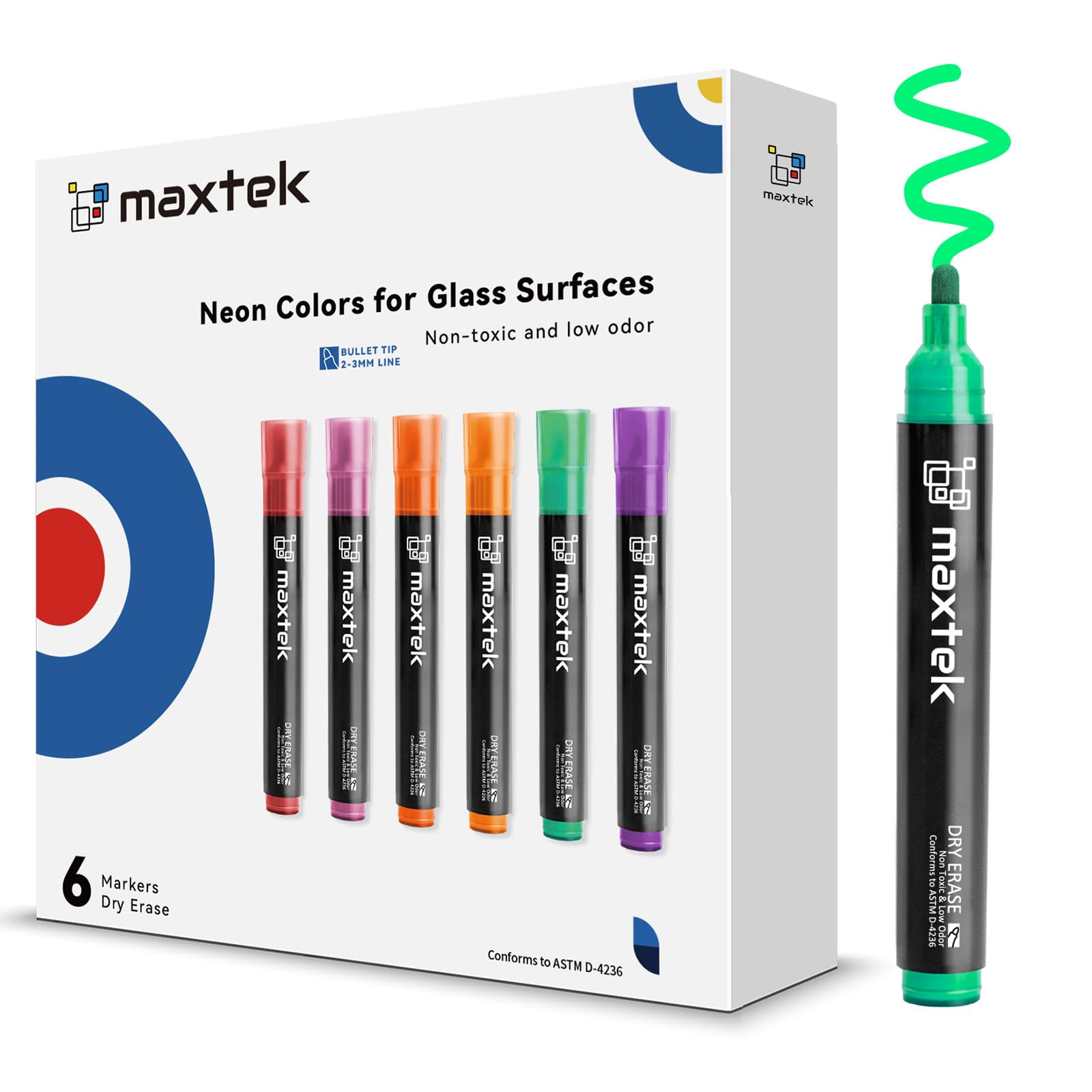
Figure 3: The 6 bold and vivid neon colors available in the set.

Figure 4: The internal glass bead ensures thorough mixing for bold and even color output.
Maintenance
Proper maintenance ensures the longevity and performance of your markers.
- Cap After Use: Always replace the cap securely after each use to prevent the tip from drying out and to maintain ink quality.
- Effortless Erasure: The German ink prevents caking, allowing for smooth and residue-free erasure. Use a dry cloth or a dedicated whiteboard eraser for best results.
- Replaceable Tips: The markers come with extra replaceable bullet tips and tweezers. If a tip becomes worn or damaged, it can be easily replaced to extend the marker's service life.

Figure 5: maxtek markers offer easy and residue-free erasure.

Figure 6: Replaceable tips extend the life of your markers.
Troubleshooting
- Ink Not Flowing: If the ink flow is inconsistent or stops, ensure the cap was securely replaced after the last use. Re-prime the marker by shaking it well with the cap on, then gently pressing the tip onto a surface until ink flows.
- Faint Lines: If lines appear faint, the marker may need re-priming or the tip might be worn. Try re-priming first. If the issue persists, consider replacing the tip using the provided extra tips and tweezers.
- Residue After Erasing: Ensure you are using the markers on a non-porous surface. For best results, use a clean, dry cloth or a dedicated dry erase board eraser. If residue remains, a specialized whiteboard cleaner may be used.
Specifications
| Brand | maxtek |
| Model Number | SJ-GMK-06NE |
| Item Weight | 4.2 ounces |
| Package Dimensions | 5.35 x 5.16 x 0.79 inches |
| Color | Multicolor (6 Neon Colors) |
| Point Type | Bullet Tip |
| Line Size | 2 Millimeters |
| Ink Color | Multicolor (Neon) |
| Number of Items | 6 |
| Material Type | German ink, plastic pen |
| Safety Standard | ASTM D-4236 (Non-toxic) |
| Ink Capacity | 5.5g per marker (Direct Ink System) |

Figure 7: maxtek markers feature a larger ink capacity for extended use.
Warranty and Support
Specific warranty details for maxtek Dry Erase Markers are not provided in this manual. For information regarding warranty coverage, product support, or to purchase additional accessories (such as replacement tips), please refer to the product packaging or contact maxtek customer service directly through their official website or the retailer where the product was purchased.