
1. Introduction
This manual provides essential information for the safe and efficient use of your INNOD Vanity Desk with Mirror and Lights. It covers assembly, operation, maintenance, and troubleshooting. Please read this manual thoroughly before assembly and use, and retain it for future reference.
The INNOD Vanity Desk features a modern design with a tempered glass top, integrated RGB LED lighting in drawers, a Hollywood-style mirror with adjustable LED bulbs, a built-in power outlet with USB ports, and ample storage solutions including drawers, cabinets, and open shelves.
2. Important Safety Information
Always unplug the vanity before assembly, disassembly, or cleaning. Keep electrical cords away from heat sources and liquids. Do not attempt to move the vanity when it is fully assembled due to its heavy weight. Always use caution when handling sharp edges and pinch points during assembly and maintenance.
3. Product Components Overview
Familiarize yourself with the main components of your vanity desk:
- Lighted Mirror: Wide mirror framed with 10 LED bulbs.
- Glass Top: Tempered glass surface for visibility of items.
- Drawers: Includes a large drawer and LED-illuminated drawers.
- Cabinet: Storage cabinet with LED lighting.
- Power Outlet: Built-in electrical outlets and dual USB ports.
- Open Shelves: For additional storage and display.
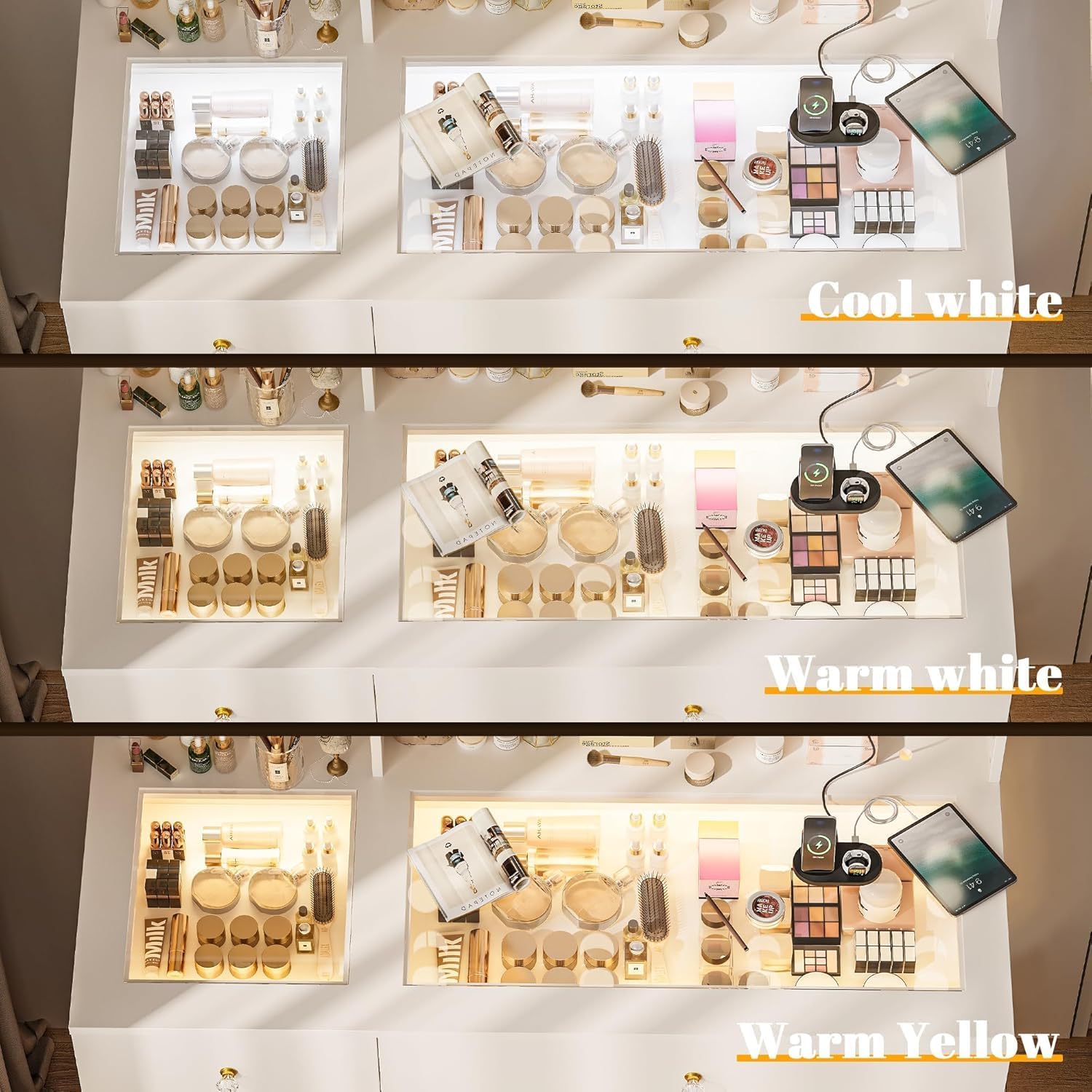
Figure 3.1: Labeled components of the INNOD Vanity Desk.
This image illustrates the various parts of the vanity desk, highlighting the lighted mirror, charging station, wide desktop, visual storage cabinet, large drawer, visual desktop, extra storage area, and open shelves for easy identification.
4. Setup and Assembly
The INNOD Vanity Desk requires assembly. All necessary assembly instructions and hardware are included in the packaging. Please follow the step-by-step guide provided with your product for detailed instructions.
- Unpacking: Carefully unpack all components and verify against the parts list in the included manual.
- Preparation: Ensure you have adequate space for assembly and the necessary tools (a magnetic tip screwdriver may be helpful).
- Assembly Steps: Follow the numbered steps in the assembly manual. Pay close attention to diagrams and part labels.
- Electrical Connections: Connect all lighting and power strip components as instructed. Ensure all connections are secure before plugging into a power source.
- Placement: Once assembled, place the vanity desk in its desired location. Due to its weight, it is recommended to assemble it near its final position or seek assistance for moving.
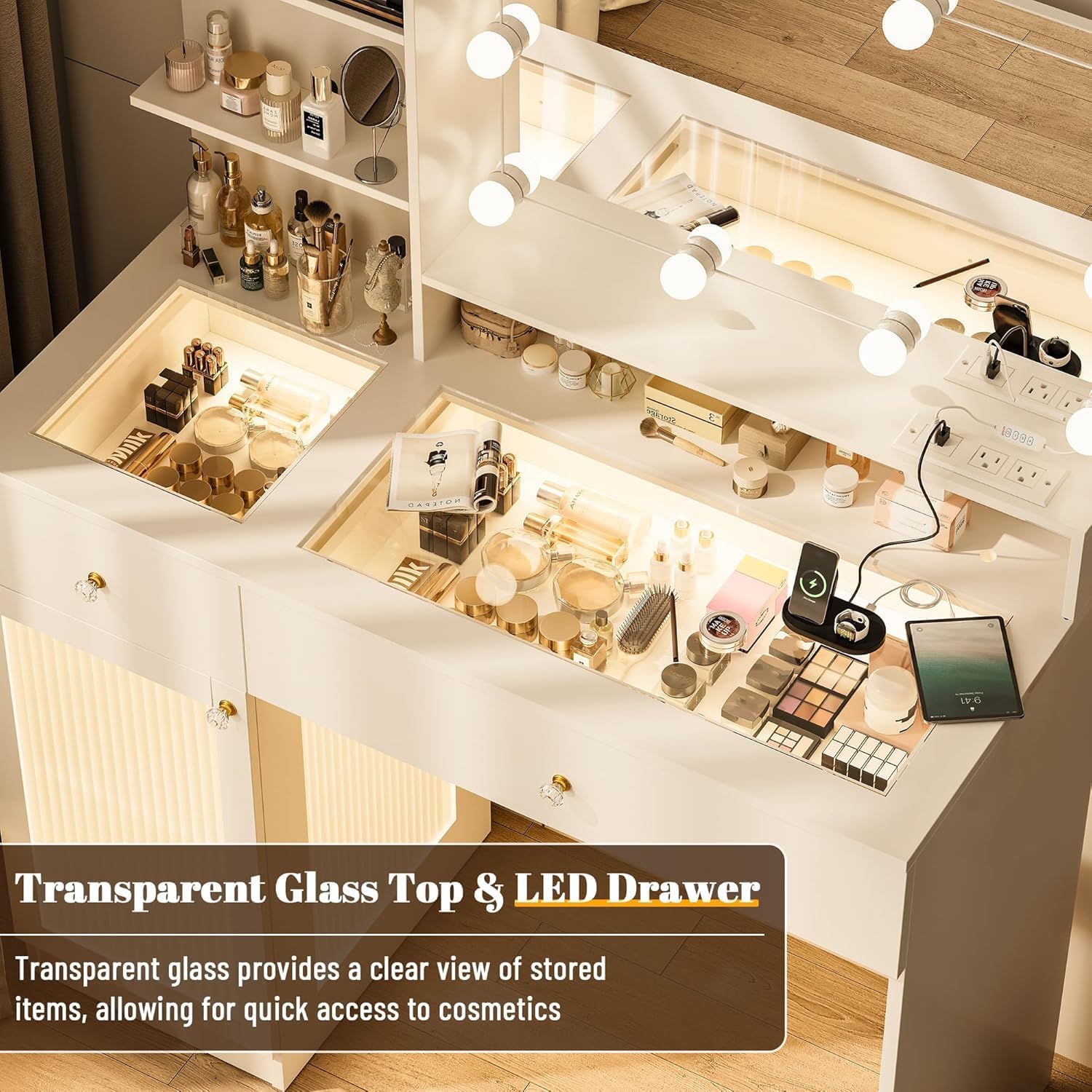
Figure 4.1: Vanity Desk Dimensions.
This diagram provides detailed measurements for the vanity desk, including its overall height, width, and depth, as well as the dimensions of individual components such as the mirror, shelves, and drawers. Refer to these measurements during assembly and placement.
5. Operating Instructions
5.1 Mirror Lighting
The vanity mirror features 10 LED bulbs with adjustable lighting modes and brightness. Use the control panel, typically located on the mirror frame or an accessible cord, to operate the lights.
- Power On/Off: Press the power button to turn the lights on or off.
- Color Temperature Adjustment: Cycle through warm yellow, warm white, and cool white light settings by pressing the mode button.
- Brightness Adjustment: Use the dimmer controls (usually '+' and '-' buttons) to increase or decrease the light intensity to your preference.

Figure 5.1: Mirror Lighting Modes.
This image demonstrates the three available lighting modes for the mirror: cool white, warm white, and warm yellow. The brightness can be adjusted from 0% to 100% to suit various lighting needs for makeup application.
5.2 LED Drawer and Cabinet Illumination
The vanity features integrated RGB LED lighting within the drawers and cabinets, providing ambient light and enhancing visibility of stored items.
- Activation: The LED lights typically activate when the drawers or cabinet doors are opened, or via a dedicated switch.
- Color Tones: The RGB LED lighting offers three adjustable color tones, which can be selected via a control button or remote (if included).

Figure 5.2: Transparent Glass Top and LED Drawer.
This image highlights the transparent glass top, which allows for a clear view of items stored in the illuminated drawers below. The LED lighting within the drawers enhances visibility and adds an aesthetic touch.

Figure 5.3: LED Cabinet and Built-in Power Strip.
This image displays the LED-illuminated cabinet, providing clear visibility for stored items. It also shows the built-in power strip, which includes two 125V/12V AC outlets and two 5V/2A USB ports for convenient charging of electronic devices.
5.3 Built-in Charging Hub
The vanity desk includes a built-in power strip with electrical outlets and USB ports for charging devices and powering styling tools.
- AC Outlets: Plug in hair dryers, curling irons, or other AC-powered devices.
- USB Ports: Connect USB cables to charge smartphones, tablets, or other USB-powered accessories.
- Safety: Always ensure devices are compatible with the power specifications (125V/12V AC, 5V/2A USB) before plugging them in.
6. Maintenance and Care
Proper care will extend the life and appearance of your vanity desk.
- Cleaning Surfaces: Wipe down wood and glass surfaces with a soft, damp cloth. Avoid abrasive cleaners or harsh chemicals that may damage the finish.
- Mirror Care: Use a glass cleaner specifically designed for mirrors and a lint-free cloth to prevent streaks.
- Electrical Components: Ensure all electrical components are unplugged before cleaning. Do not spray liquids directly onto outlets or light fixtures.
- Dusting: Regularly dust all surfaces to prevent buildup.
- Avoid Overloading: Do not place excessively heavy items on the glass top or shelves.
7. Troubleshooting
If you encounter issues with your vanity desk, refer to the following common problems and solutions:
- Mirror Lights Not Working:
- Check if the vanity is properly plugged into a working power outlet.
- Ensure all light bulb connections are secure.
- Verify the power switch for the lights is in the 'on' position.
- LED Drawer/Cabinet Lights Not Illuminating:
- Confirm the vanity is powered.
- Check if the sensor or switch for the internal lights is functioning correctly.
- Power Outlet/USB Ports Not Functioning:
- Ensure the main power cord is securely plugged into a live wall outlet.
- Test the outlet with another device to confirm it is working.
- Avoid overloading the power strip with too many high-power devices.
- Desk Wobbles After Assembly:
- Recheck all screws and fasteners to ensure they are tightened securely.
- Ensure the vanity is placed on a flat, even surface.
If problems persist after attempting these solutions, please contact customer support.
8. Specifications
| Feature | Detail |
|---|---|
| Brand | INNOD |
| Model Number | Table-2-V |
| Product Dimensions | 15.7"D x 40"W x 55"H (40 x 101.6 x 139.7 cm) |
| Item Weight | 108 pounds (49 kg) |
| Frame Material | Engineered Wood |
| Color | White |
| Assembly Required | Yes |
| Mirror Lighting | 10 LED bulbs, 3 color modes (warm yellow, warm white, cool white), Dimmable |
| Drawer/Cabinet Lighting | Integrated RGB LED, 3 adjustable color tones |
| Power Outlet | 2 x 125V/12V AC Outlets, 2 x 5V/2A USB Ports |
9. Warranty and Support
The manufacturer is committed to providing quality products. In the event that any part of your INNOD Vanity Desk is damaged or missing upon arrival, our support team is available to provide quick solutions. Please refer to your purchase documentation or contact the seller directly for specific warranty terms and customer service assistance.
When contacting support, please have your model number (Table-2-V) and purchase information readily available to expedite the process.