
Introduction
This manual provides detailed instructions for the operation and maintenance of your Armitron Sport Retro Digital Chronograph Bracelet Watch, model 40/8487BKBL. Please read this manual thoroughly to ensure proper use and to maximize the lifespan of your timepiece.
Product Overview

Figure 1: Front view of the Armitron Sport Retro Digital Chronograph Watch, showing the digital display and control buttons.
The Armitron Sport Retro Digital Chronograph Watch combines vintage aesthetics with modern functionality. It features an organic shaped case and a digital LCD display. Key functions include a chronograph, lap time, alarm with chime, military time, and dual time. The watch is equipped with a blue link bracelet with an adjustable sliding buckle closure and is water resistant up to 165 feet (50 meters).
Button Functions

Figure 2: Side view of the watch, highlighting the control buttons.
Your watch has several buttons for different functions:
- LIGHT: Activates the backlight for visibility in low light conditions.
- AL ON/OFF: Used to activate or deactivate the alarm.
- S STOP: (Stopwatch Stop) Used to stop the chronograph.
- CHRONO: Enters or exits the chronograph mode.
- MODE: Cycles through different modes (Time, Chronograph, Alarm, Dual Time).
- SET: Used to enter setting mode for time, date, and alarm.
- LAP/RESET: Used for lap timing in chronograph mode or to reset values during setting.
Setup
Setting Time and Date
- From the Time Mode, press the MODE button until the time display flashes.
- Use the SET button to select the digit you wish to adjust (hours, minutes, seconds).
- Use the LAP/RESET button to increase the value.
- Continue pressing SET to move to the next setting (year, month, day).
- Once all settings are correct, press the MODE button to exit setting mode.
Adjusting the Bracelet
The blue link bracelet features an adjustable sliding buckle closure. To adjust the fit:
- Locate the clasp on the bracelet.
- Gently lift the small lever on the clasp to unlock the sliding mechanism.
- Slide the clasp along the bracelet to achieve the desired fit on your wrist.
- Press the lever back down firmly to secure the clasp in place. Ensure it clicks to prevent accidental opening.
Operating Instructions
Time Mode
The default display shows the time, seconds, day, and date. Press the LIGHT button to illuminate the display.
Chronograph (Stopwatch) Mode
- Press the MODE button until "CHRONO" or a stopwatch icon appears on the display.
- Press the SET button to start the chronograph.
- Press the LAP/RESET button to record lap times without stopping the main timer.
- Press the S STOP button to stop the chronograph.
- Press the LAP/RESET button again to reset the chronograph to zero.
Alarm Mode
- Press the MODE button until "ALARM" or an alarm icon appears.
- Press the SET button to adjust the alarm time (hours, minutes). Use LAP/RESET to change values.
- Press AL ON/OFF to toggle the alarm on or off. An alarm icon will appear when activated.
- When the alarm sounds, press any button to silence it.
Dual Time Mode
This feature allows you to set and view a second time zone.
- Press the MODE button to navigate to the Dual Time mode.
- Press the SET button to adjust the dual time. Use LAP/RESET to change values.
- Press MODE to exit.
Military Time (24-Hour Format)
The watch supports both 12-hour (AM/PM) and 24-hour (military) time formats. To switch between formats:
- In Time Mode, press the SET button to cycle through the time format options.
- The display will show either 'AM'/'PM' for 12-hour format or no indicator for 24-hour format.
Maintenance
Water Resistance
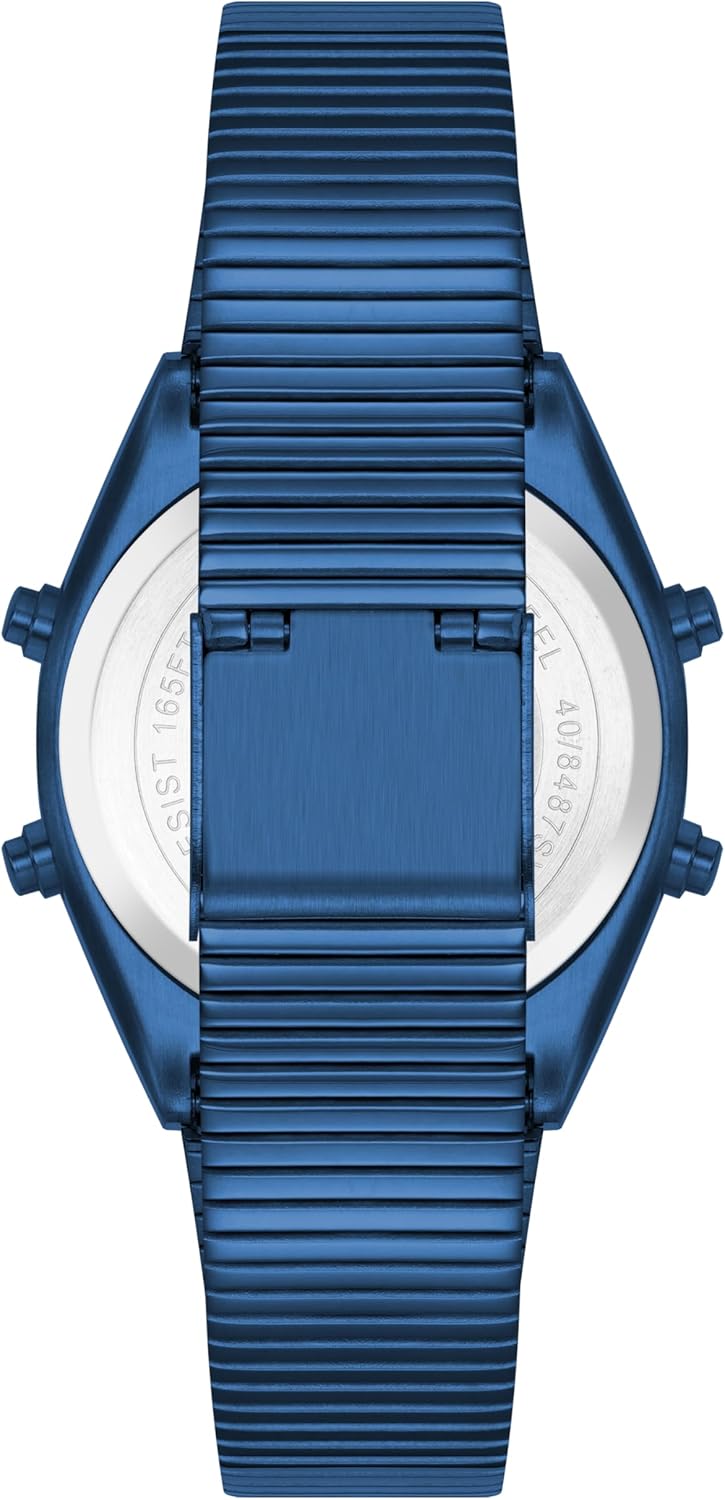
Figure 3: Back view of the watch, indicating water resistance.
Your Armitron watch is water resistant to 165 feet (50 meters). This means it is suitable for short periods of recreational swimming, but not for diving or snorkeling. Avoid pressing buttons while the watch is submerged to prevent water entry.
Battery Replacement
The watch uses 1 LR44 battery (included). When the display dims or functions become erratic, it may be time to replace the battery. Battery replacement should ideally be performed by a qualified watch technician to ensure proper sealing and water resistance.
Cleaning
To clean your watch, wipe it with a soft, damp cloth. For the metal bracelet, a mild soap solution can be used, followed by thorough rinsing and drying. Avoid using harsh chemicals or abrasive materials.
Troubleshooting
| Problem | Possible Cause | Solution |
|---|---|---|
| Display is blank or dim. | Low battery. | Replace battery. |
| Buttons are unresponsive. | Watch may be in a locked mode or battery is very low. | Try pressing the MODE button repeatedly. If still unresponsive, replace battery. |
| Time is incorrect. | Time needs to be reset. | Follow "Setting Time and Date" instructions in the Setup section. |
| Water inside the watch. | Water resistance compromised. | Immediately take the watch to a qualified technician for repair. Do not attempt to dry it yourself. |
Specifications
- Model Number: 40/8487BKBL
- Display Type: Digital LCD
- Case Shape: Organic
- Functions: Chronograph, Lap Time, Alarm with Chime, Military Time, Dual Time, Time, Seconds, Day, Date
- Band Material: Blue Link Bracelet
- Clasp Type: Adjustable Sliding Buckle Closure
- Water Resistance: 165 feet (50 meters)
- Battery: 1 LR44 (included)
- Dimensions: 3.94 x 3.58 x 2.83 inches (Package); 5.54 ounces (Weight)
- Manufacturer: Armitron Sport
- Country of Origin: China
Warranty and Support
Armitron watches are manufactured to high standards. For information regarding warranty coverage, service, or support, please refer to the official Armitron website or contact their customer service directly. Keep your purchase receipt as proof of purchase for warranty claims.


