
Introduction
Thank you for choosing the Miaosical Automatic Cat Feeder with Dual Bowls. This device is designed to provide a convenient and reliable feeding solution for your cats, kittens, or small dogs, ensuring they receive precise portions at scheduled times. Please read this manual thoroughly before use to ensure proper setup, operation, and maintenance.

Image: Front view of the Miaosical Automatic Cat Feeder with dual bowls filled with dry kibble.
Product Overview
Key Features:
- Dual Feeding System: Designed for two pets, with separate bowls to prevent food disputes.
- Programmable Schedule: Set up to 6 meals per day with up to 12 portions per meal.
- Precise Portion Control: Each portion dispenses approximately 6g ± 2g of dry kibble.
- 4.2L Capacity: Large dry food container for extended feeding periods.
- 2-in-1 Functionality: Can be used as a dual feeder or converted to a single feeder with a water bowl or wet food bowl.
- 10-Second Voice Recorder: Record a personalized message to call your pets to eat.
- Anti-Clog Rotor: Ensures smooth food dispensing for kibble sizes 2-10mm.
- Dual Power Supply: Operates via 5V USB adapter (included) with D-cell battery backup (3x D batteries, not included).
- Easy to Clean: Removable, dishwasher-safe components (bowls, food tank, lid).
- Whisker-Friendly Bowls: Round bowl design to minimize whisker fatigue.
Components:
- Main Feeder Unit (with LCD display and control panel)
- Food Storage Tank
- Lid
- 2 x Feeding Bowls (BPA-free ABS or optional 304 stainless steel)
- Food Stopper (for 2-in-1 functionality)
- 5V USB Power Adapter
- USB Cable
- Desiccant Bag (pre-installed or included separately)

Image: Diagram showing the anti-clog rotor mechanism inside the feeder, ensuring smooth kibble dispensing. Compatible kibble size is 2-10mm.
Setup Instructions
- Unpack Components: Carefully remove all parts from the packaging.
- Clean Components: Wash the food storage tank, lid, and feeding bowls with mild soap and water. Ensure they are completely dry before assembly. The main unit is not washable.
- Assemble Feeder: Place the food storage tank onto the main feeder unit. Ensure it is securely seated.
- Insert Desiccant: If not pre-installed, place the desiccant bag into its designated compartment under the lid to keep food fresh.
- Fill with Dry Food: Open the lid and fill the food storage tank with dry kibble (2-10mm size recommended). Do not overfill. Close the lid securely.
- Attach Bowls: Place the two feeding bowls onto the designated slots at the base of the feeder.
- Power Connection:
- Primary Power: Connect the USB cable to the 5V power adapter and plug it into a wall outlet. Insert the round-DC connector into the power port on the feeder.
- Battery Backup (Optional but Recommended): For uninterrupted operation during power outages, insert 3 D-cell batteries (not included) into the battery compartment at the bottom of the unit.
- Initial Power On: The LCD screen will light up, and the feeder will be ready for programming.

Image: Underside view of the feeder showing the battery compartment for 3 D-cell batteries and the port for the 5V power adapter, illustrating the dual power supply feature.
Operating Instructions
Setting Current Time:
Refer to the LCD screen and control buttons (usually 'SET', 'UP', 'DOWN') to set the current time. Follow the on-screen prompts to adjust hours and minutes in 12-hour AM/PM format.
Programming Feeding Schedule:
The feeder allows for up to 6 meals per day. Each meal can have 1 to 12 portions.
- Press the 'SET' button to enter programming mode.
- Use 'UP'/'DOWN' buttons to select the meal number (M1-M6).
- Press 'SET' again to set the feeding time for the selected meal. Adjust hours and minutes using 'UP'/'DOWN'.
- Press 'SET' to confirm the time, then adjust the number of portions (1-12) for that meal.
- Repeat for all desired meals. Press 'SET' to exit programming mode.
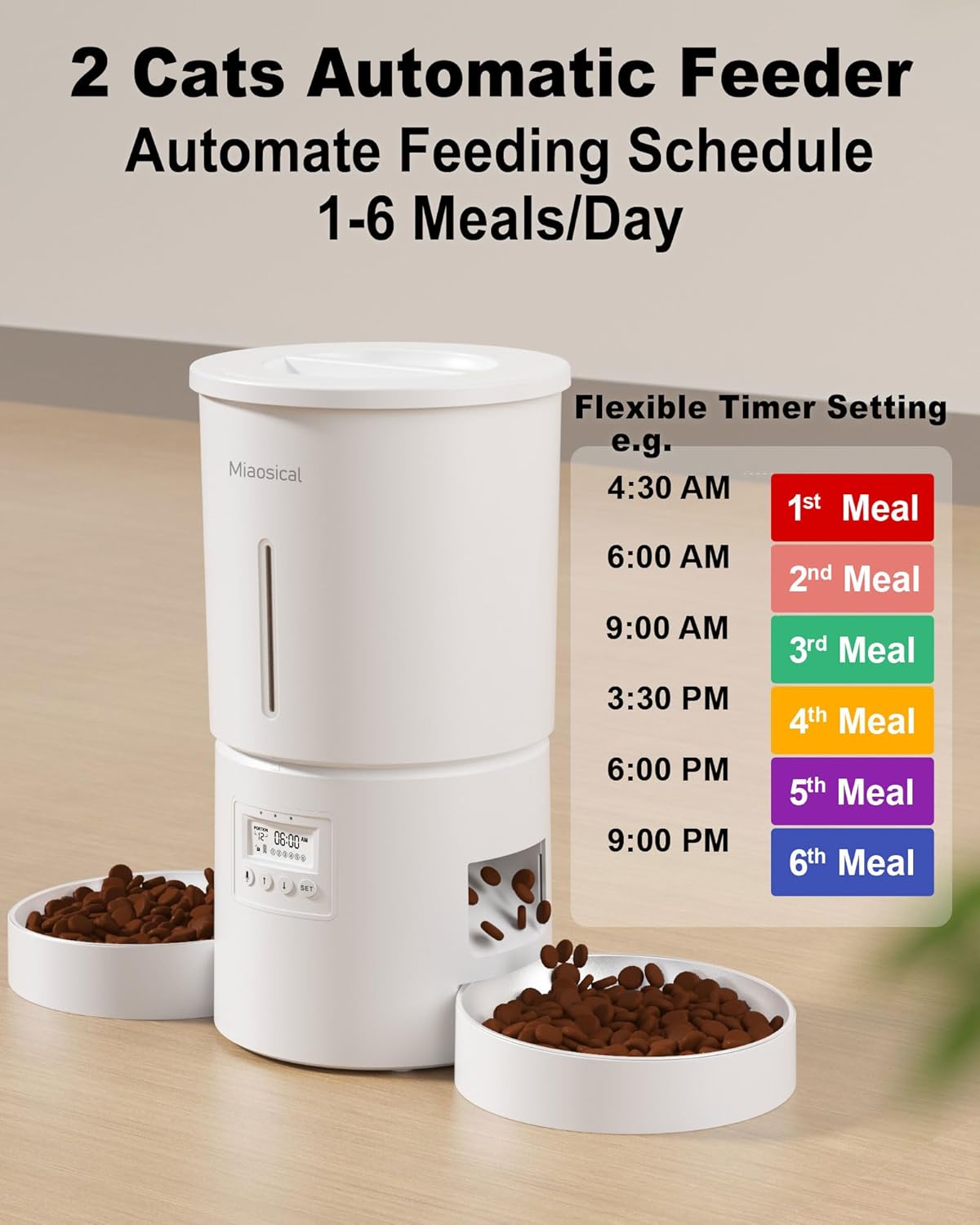
Image: The feeder displaying an example feeding schedule on its LCD screen, showing 6 meals programmed throughout the day at various times.
Manual Feeding:
To dispense a single portion manually, press the manual feed button (often labeled 'FEED' or a paw icon). This will dispense one portion immediately without affecting the programmed schedule.
Voice Recording Function:
The feeder can record a 10-second voice message to play at each mealtime.
- Locate the 'REC' (Record) button.
- Press and hold the 'REC' button. Speak clearly into the microphone for up to 10 seconds.
- Release the 'REC' button to save the recording.
- To play back the recording, press the 'PLAY' button (if available) or wait for the next scheduled meal.

Image: The feeder with a speech bubble indicating a recorded voice message, and a speaker icon, highlighting the 10-second voice recording feature to call pets for meals.
2-in-1 Functionality (Single vs. Dual Bowl):
The feeder comes with a stopper that allows you to convert it from a dual feeder to a single feeder, freeing up one bowl for water or wet food.
- Dual Bowl Mode: No stopper inserted. Food dispenses into both bowls.
- Single Bowl Mode: Insert the provided stopper into the food outlet on one side. This will direct all dispensed dry food to the other bowl. The now-empty bowl can be used for water, wet food, or larger kibble that doesn't fit through the dispenser.

Image: The feeder demonstrating its 2-in-1 functionality. One bowl receives dry kibble, while the other is shown with a stopper inserted, allowing it to be used for water or larger kibble.
Maintenance and Cleaning
Regular cleaning is essential to maintain hygiene and ensure the longevity of your feeder. Always unplug the feeder and remove batteries before cleaning.
- Disassemble: Remove the food bowls, food storage tank, and lid from the main unit.
- Wash Removable Parts: The food bowls, food storage tank, and lid are dishwasher safe or can be hand-washed with mild soap and water.
- Clean Main Unit: Wipe the main feeder unit with a soft, damp cloth. Do NOT submerge the main unit in water or wash it under running water, as this can damage electronic components.
- Dry Thoroughly: Ensure all parts are completely dry before reassembling and refilling with food.
- Replace Desiccant: Replace the desiccant bag every 1-2 months to maintain food freshness.

Image: Detached components of the feeder (bowls, food tank, lid) being washed in a sink, illustrating the ease of cleaning. The main unit is shown separately, indicating it is not washable.
Troubleshooting
| Problem | Possible Cause | Solution |
|---|---|---|
| Food not dispensing | Food tank empty; Kibble jammed; Power issue; Incorrect schedule. | Refill food tank; Check kibble size (2-10mm) and clear any blockages; Verify power connection/batteries; Recheck programmed schedule. |
| Feeder not powering on | No power; Batteries depleted or incorrectly inserted. | Ensure power adapter is securely plugged in; Replace D-cell batteries or check their polarity. |
| Voice recording not playing | No recording saved; Volume too low. | Re-record your message; Check if there's a volume setting (if applicable, refer to specific model instructions). |
| Pets fighting over food | One pet eating faster or guarding food. | The opposite dual bowl design is intended to mitigate this. Ensure both pets have clear access. Consider increasing portions slightly if one pet is consistently missing out. |
| Food not fresh | Desiccant bag needs replacement; Lid not sealed properly. | Replace desiccant bag; Ensure lid is securely closed and sealed. |
Specifications
- Model: SC-A80K
- Material: Pet-safe ABS (Acrylonitrile Butadiene Styrene)
- Capacity: 4.2 Liters (approx. 250g dry food, depending on kibble size/density)
- Dimensions (L x W x H): 17.5 x 17.5 x 21 cm
- Weight: 1.35 kg
- Rated Voltage: 5V 1A
- Screen: LCD (12-hour AM/PM display)
- Connector Type: Round-DC
- Cable Length: 1.5 m (PVC)
- Operating Temperature: -10°C to 55°C
- Compatible Kibble Size: 2-10 mm
- Power Supply: 5V USB Power Adapter (included), 3 x D-cell Batteries (not included) for backup
- Care Instructions: Removable parts are dishwasher safe. Main unit is not washable.
- Recommended for: Cats, Small Dogs, Small Animals
Warranty and Support
Warranty Information:
Miaosical products are manufactured to high-quality standards. For specific warranty details, please refer to the warranty card included with your product or contact your retailer. Keep your purchase receipt as proof of purchase.
Customer Support:
If you encounter any issues or have questions regarding your Miaosical Automatic Cat Feeder, please contact Miaosical customer support through the retailer's platform or the contact information provided on the product packaging. Our team is available to assist you with any concerns.

