Introduction
Thank you for purchasing the GUOWENHA NV800S Night Vision Binoculars. This device is designed for enhanced observation in low-light and complete darkness conditions, featuring advanced infrared technology, high-resolution imaging, and robust construction. This manual provides essential information for the proper setup, operation, and maintenance of your night vision binoculars to ensure optimal performance and longevity.

Image: The GUOWENHA NV800S Night Vision Binoculars, showcasing its ergonomic design and control buttons.
Package Contents
Please verify that all items listed below are included in your package:
- Night Vision Instrument (1 unit)
- 64G TF Card (1 unit)
- Shoulder Strap (1 unit)
- TYPE-C USB Cable (1 unit)
- Lens Wiping Cloth (1 unit)
- Instruction Manual (1 unit)
- Packaging Box (1 unit)
- Black Soft Bag (1 unit)
Specifications
Detailed technical specifications of the NV800S Night Vision Binoculars:
| Feature | Specification |
|---|---|
| Optical Magnification | 5X |
| Digital Zoom | 10X |
| Objective Lens Diameter | 42MM |
| Infrared Wavelength | 850NM |
| Weak Light Visible Range | 1.5m - ~ (under natural starlight) |
| Total Darkness Visible Range | 1.5m - 800m |
| Video Resolution | 2K (2560 * 1440) |
| Photographic Image Resolution | 12M (4640 * 2608) |
| Field of View | 7.6° × 5.5° |
| Infrared Lamp Power/Dimming | 3W / 4 manual dimming gears |
| Night Vision Color Modes | Day (True Color) / Night (Black and White) / Green / Brown |
| SD Memory Card | 64G (included) |
| Working Temperature | 0°C - 50°C |
| Battery | Built-in Lithium Battery |
| Working Voltage | 3.8V - 6.8V |
| USB Interface | TYPE-C |
| Focus Adjustment | Objective Lens Focusing |
| Foot Stand Interface | 1/4" |
| Waterproof Performance | IPX4 |
| Screen Resolution | 854 * 480 |
| Screen Size/Type | 3" / LCD |
| Camera Size/Type | 1/2.7" CMOS |
| Minimum Illumination | 0.001lux |
| Product Size | 242 * 155 * 68MM |
| Product Weight | Approximately 845G |
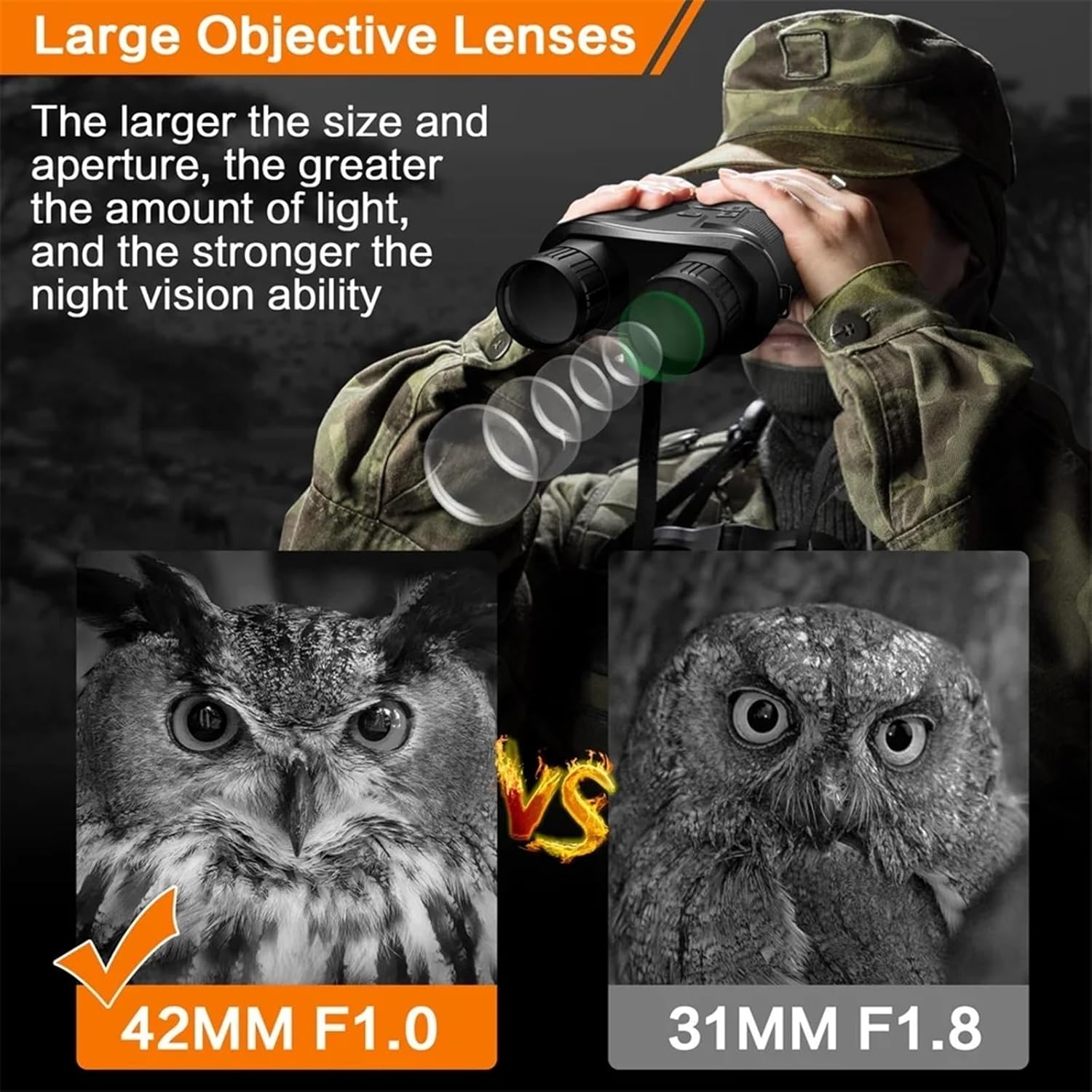
Image: Illustration highlighting the advantage of the 42MM F1.0 objective lens for enhanced light collection and night vision capability.
Setup
1. Charging the Battery
The NV800S features a built-in lithium battery. Before first use, fully charge the device using the provided TYPE-C USB cable. Connect the cable to the binoculars' USB-C port and a standard USB power adapter (not included). The charging indicator will show the charging status.

Image: The binoculars can be powered by an external power bank (not included) for extended use, providing approximately 5 hours with IR on and 12 hours with IR off.
2. Inserting the TF Card
Locate the TF card slot, typically protected by a rubber cover. Insert the included 64G TF card into the slot with the gold contacts facing the correct direction (refer to the diagram on the device or in the full manual). Gently push until it clicks into place.
3. Attaching the Shoulder Strap
Thread the provided shoulder strap through the designated attachment points on the binoculars. Ensure it is securely fastened to prevent accidental drops.
4. Tripod Mounting (Optional)
The NV800S is equipped with a standard 1/4" foot stand interface at the bottom, allowing it to be mounted on a tripod for stable, long-duration observation.
Operating Instructions
1. Power On/Off
Press and hold the Power button (usually marked with a power symbol) to turn the device on or off.
2. Focus Adjustment
Rotate the objective lens focusing ring until the image on the screen appears clear and sharp. This adjustment is crucial for optimal viewing at various distances.
3. Digital Zoom
Use the Up and Down buttons (often marked with arrows) to adjust the digital zoom level, up to 10X. The device also features 5X optical magnification.

Image: The NV800S offers 5X fixed optical zoom and up to 10X adjustable digital zoom, allowing clear observation of objects up to 800 yards away.
4. Infrared (IR) Illumination Adjustment
The device has 4 gears for manual IR dimming. Adjust the IR intensity using the dedicated IR button or menu option to suit the ambient light conditions. Higher intensity is needed in darker environments.

Image: The adjustable IR illumination system allows users to select from 4 intensity levels, concentrating the IR light as needed for clearer vision in varying dark conditions.
5. Night Vision Color Modes
Cycle through different display modes: Day (True Color), Night (Black and White), Green, and Brown. Select the mode that provides the best visibility and comfort for your specific environment.

Image: The 3-inch large LCD screen provides a comfortable visual experience, allowing seamless switching between day vision (color) and night vision (black and white) modes.
6. Photo and Video Recording
Press the Mode button to switch between photo and video modes. Press the OK button to capture a photo or start/stop video recording. All recordings are saved to the inserted TF card.
7. Playback Function
Access the playback menu to review captured photos and videos directly on the device's screen. Use the navigation buttons to browse and select files.
8. Screen Brightness and Time Settings
Adjust the screen brightness via the settings menu for comfortable viewing in various light conditions. Set the correct date and time for accurate timestamps on your recordings.
Maintenance
1. Cleaning the Lenses
Use the provided lens wiping cloth to gently clean the objective and eyepiece lenses. Avoid using abrasive materials or harsh chemicals, which can damage the optical coatings. For stubborn smudges, a small amount of lens cleaning solution designed for optics can be applied to the cloth, not directly to the lens.
2. General Cleaning
Wipe the body of the binoculars with a soft, damp cloth. Do not immerse the device in water, as its IPX4 rating protects against splashing water, not submersion.
3. Storage
When not in use, store the binoculars in the black soft bag provided, in a cool, dry place away from direct sunlight and extreme temperatures. Remove the TF card if storing for extended periods.
4. Battery Care
To prolong battery life, avoid fully discharging the battery frequently. If storing for a long time, charge the battery to about 50% every few months.
Troubleshooting
If you encounter issues with your NV800S Night Vision Binoculars, please refer to the following common problems and solutions:
- Device does not power on:
Ensure the battery is fully charged. Connect the device to a power source and try again. If the issue persists, the battery may need servicing. - Image is blurry or out of focus:
Adjust the objective lens focusing ring until the image is sharp. Ensure the lenses are clean and free of smudges or debris. - No image in dark conditions:
Verify that the infrared (IR) illumination is turned on and adjusted to an appropriate level. Ensure you are in a night vision mode (Black and White, Green, or Brown). - Cannot record photos or videos:
Check if the 64G TF card is properly inserted and has sufficient free space. The card may be full or corrupted. Try reformatting the card (this will erase all data) or using a different compatible TF card. - Screen is too dim or too bright:
Adjust the screen brightness setting in the device's menu. - Short battery life:
Ensure the battery is fully charged before use. High IR illumination levels and continuous video recording consume more power. Consider using an external power bank for extended operation.
If these steps do not resolve the issue, please contact GUOWENHA customer support for further assistance.
Warranty and Support
This product is covered by a manufacturer's warranty. Please refer to the warranty card or documentation included in your product packaging for specific terms and conditions, including warranty period and coverage details. For technical support, service, or warranty claims, please contact GUOWENHA customer service through the contact information provided with your purchase or on the official GUOWENHA website. Please have your product model number (NV800S) and purchase date ready when contacting support.