1. Introduction
Thank you for choosing the GUOWENHA NV5000 Night Vision Binoculars. This device is designed to provide clear observation capabilities in low light and complete darkness, making it ideal for hunting, camping, exploration, and surveillance. Featuring advanced infrared illumination, high-resolution photo and video recording, and a durable, waterproof design, the NV5000 enhances your outdoor experience. Please read this manual thoroughly to understand the proper operation and maintenance of your new night vision binoculars.
2. Package Contents
Please verify that all items listed below are included in your package:
- 1 x GUOWENHA NV5000 Night Vision Device
- 1 x USB Cable
- 1 x Carrying Bag
- 1 x Cleaning Cloth
- 1 x Neck Strap
- 1 x User Manual
- 1 x 32GB TF Card
3. Product Overview
The GUOWENHA NV5000 is equipped with a 2.5-inch Ultra HD screen and intuitive controls for ease of use. Its robust design ensures reliable performance in various outdoor conditions.

Figure 3.1: Front view of the GUOWENHA NV5000 Night Vision Binoculars, showing the eyepiece and control buttons.

Figure 3.2: Key features of the NV5000, including the 2.5-inch IPS screen, 7 IR levels, Starlight Lens, FHD 30fps video, Large Size Starlight Sensor, 4X Digital Zoom, 6X Magnification of eyepiece, and 32GB TF Card support.
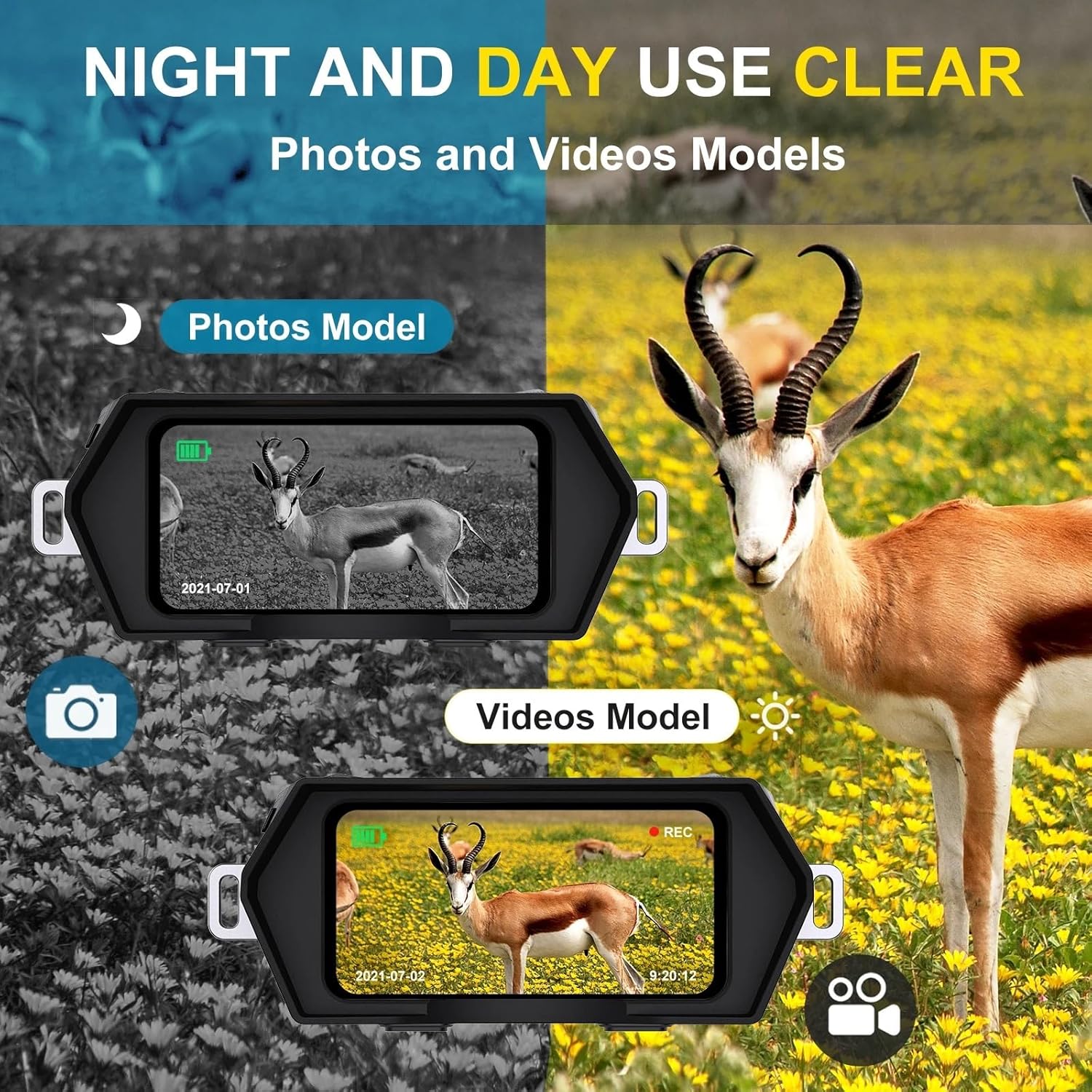
Figure 3.3: Visual representation of the 2K HD photo and 1080P video capabilities, showcasing high-resolution imaging.
4. Setup
4.1 Battery Installation
The NV5000 supports a 2-in-1 charging method, allowing operation via a power bank (not included) or 8xAA batteries (not included). For battery operation, locate the battery compartment, insert 8xAA batteries according to the polarity indicators, and close the compartment securely.
4.2 TF Card Insertion
Insert the included 32GB TF card into the designated slot until it clicks into place. Ensure the card is inserted correctly to enable photo and video recording.
4.3 Attaching the Neck Strap
Attach the neck strap to the designated loops on the device. This provides a secure way to carry the binoculars and prevents accidental drops.
5. Operating Instructions
5.1 Power On/Off
Press and hold the power button to turn the device on or off. The screen will illuminate upon power-on.
5.2 Focus Adjustment
To adjust the focus, rotate the manual focus wheel located on the device. Rotate to the left to focus on farther targets and to the right to focus on closer targets. Adjust until the image appears clear on the screen.
5.3 IR Illumination Adjustment
The NV5000 features 7 unique 850NM IR illumination modes. Press the "IR UP" button to increase the brightness of the infrared light, and the "IR Down" button to decrease it. The higher the infrared light setting, the farther and clearer the observation will be in dark conditions.

Figure 5.1: Comparison of night vision observation versus human eye observation in complete darkness, demonstrating the device's effectiveness.
5.4 Day and Night Use
The device can be used effectively both during the day and at night. For daytime use, the infrared function can be turned off to conserve battery. For night use, activate the infrared function for clear viewing in darkness.
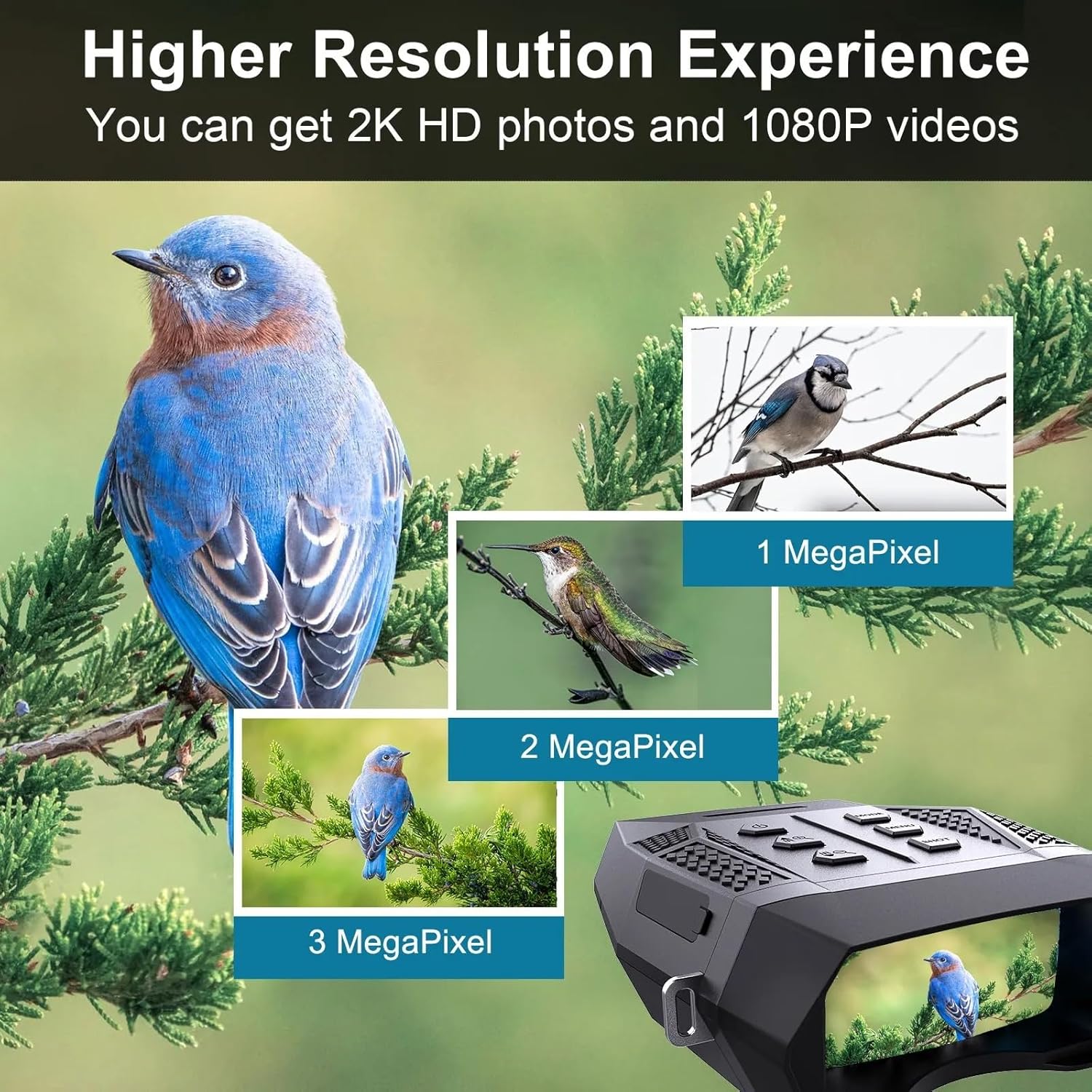
Figure 5.2: Illustrates the device's capability for clear imaging in both daytime (color) and nighttime (monochrome) conditions.
5.5 Photo and Video Recording
The NV5000 can capture high-resolution photos (2048 x 1536 pixels) and videos (1920 x 1080 @ 30fps). Use the dedicated buttons to switch between photo and video modes and to initiate recording. All captured media is saved to the inserted 32GB TF card.
6. Charging and Battery Life
The NV5000 offers a versatile 2-in-1 charging solution. You can power the device using 8xAA batteries or connect it to a power bank via the USB cable for extended use. When the infrared function is active, the device can operate for at least 6 hours. With the infrared function off during daytime use, the battery life extends to at least 20 hours.

Figure 6.1: Depicts the flexible charging options for the NV5000, including power bank and AA battery compatibility.
7. Maintenance
7.1 Cleaning
Use the provided cleaning cloth to gently wipe the lenses and exterior of the device. Avoid using abrasive materials or harsh chemicals that could damage the optics or casing.
7.2 Storage
When not in use, store the binoculars in the included carrying bag in a cool, dry place, away from direct sunlight and extreme temperatures. Remove batteries if storing for extended periods.
7.3 Water Resistance
The GUOWENHA NV5000 binoculars are designed with waterproofing, dust, and fog-resistant features to ensure reliable performance in various weather conditions, including rain, sleet, and snow. While robust, avoid submerging the device in water.
8. Troubleshooting
8.1 Device Not Powering On
- Ensure batteries are correctly inserted and fully charged.
- Try replacing batteries with new ones.
- If using a power bank, ensure it is connected properly and providing power.
8.2 Blurry Image
- Adjust the manual focus wheel until the image is clear.
- Ensure lenses are clean and free of smudges or debris.
8.3 Cannot Record Photos/Videos
- Check if the TF card is properly inserted.
- Ensure the TF card has sufficient free space.
- Format the TF card if issues persist (note: this will erase all data).
9. Specifications
| Feature | Specification |
|---|---|
| Model | NV5000 |
| Magnification | 6x |
| Digital Zoom | 4x |
| Objective Aperture | 25mm |
| IR Illumination | 850NM, 7 levels |
| Viewing Distance (Full Dark) | Up to 400m (1312ft) |
| Photo Resolution | 2048 x 1536 pixels (2K HD) |
| Video Resolution | 1920 x 1080 @ 30fps (1080P) |
| Memory Card | 32GB TF Card (included) |
| Battery Life (IR On) | Approx. 6 hours |
| Battery Life (IR Off) | Approx. 20 hours |
| Water Resistance | Waterproof, dust, and fog-resistant |
10. Warranty and Support
For warranty information or technical support, please refer to the product packaging or contact GUOWENHA customer service through the retailer where the product was purchased. Please have your product model and purchase date available when contacting support.


