
Product Overview
The GRIFEMA GA1007 is a robust 4-digit combination padlock designed for enhanced security. Constructed primarily from a durable zinc alloy, it offers 10,000 unique code combinations, providing a higher level of security compared to standard 3-digit locks. This versatile padlock is suitable for a wide range of indoor and outdoor applications, including gym lockers, school lockers, personnel lockers, gates, sheds, storage units, cabinets, toolboxes, doors, and large luggage bags.

Image: The GRIFEMA GA1007 4-Digit Combination Lock, showcasing its sturdy gold-colored body and hardened steel shackle.
Key features include:
- Enhanced Security: 4-digit combination offers 10,000 unique codes.
- Durable Construction: Made primarily with zinc alloy for maximum durability and long-term rust prevention.
- Versatile Application: Ideal for both indoor and outdoor use in various environments.
- Weather Resistant: Unaffected by heavy rain, extreme cold, or other harsh conditions.
- Easy to Use: Simple process for setting and resetting the combination.
Setup: Setting Your Combination
Your GRIFEMA GA1007 combination lock comes with a factory preset combination of 0000. Follow these steps to set your personal combination:
Open the Lock: Ensure the lock is set to the current combination (initially 0000). Pull the shackle upwards to open the lock.

Image: The first panel of the setup guide shows pulling the shackle up to open the lock.
Rotate the Shackle: With the shackle open, rotate it 180 degrees counter-clockwise (or clockwise, depending on the specific mechanism) and push it down fully into the lock body. Ensure it is pressed down completely.
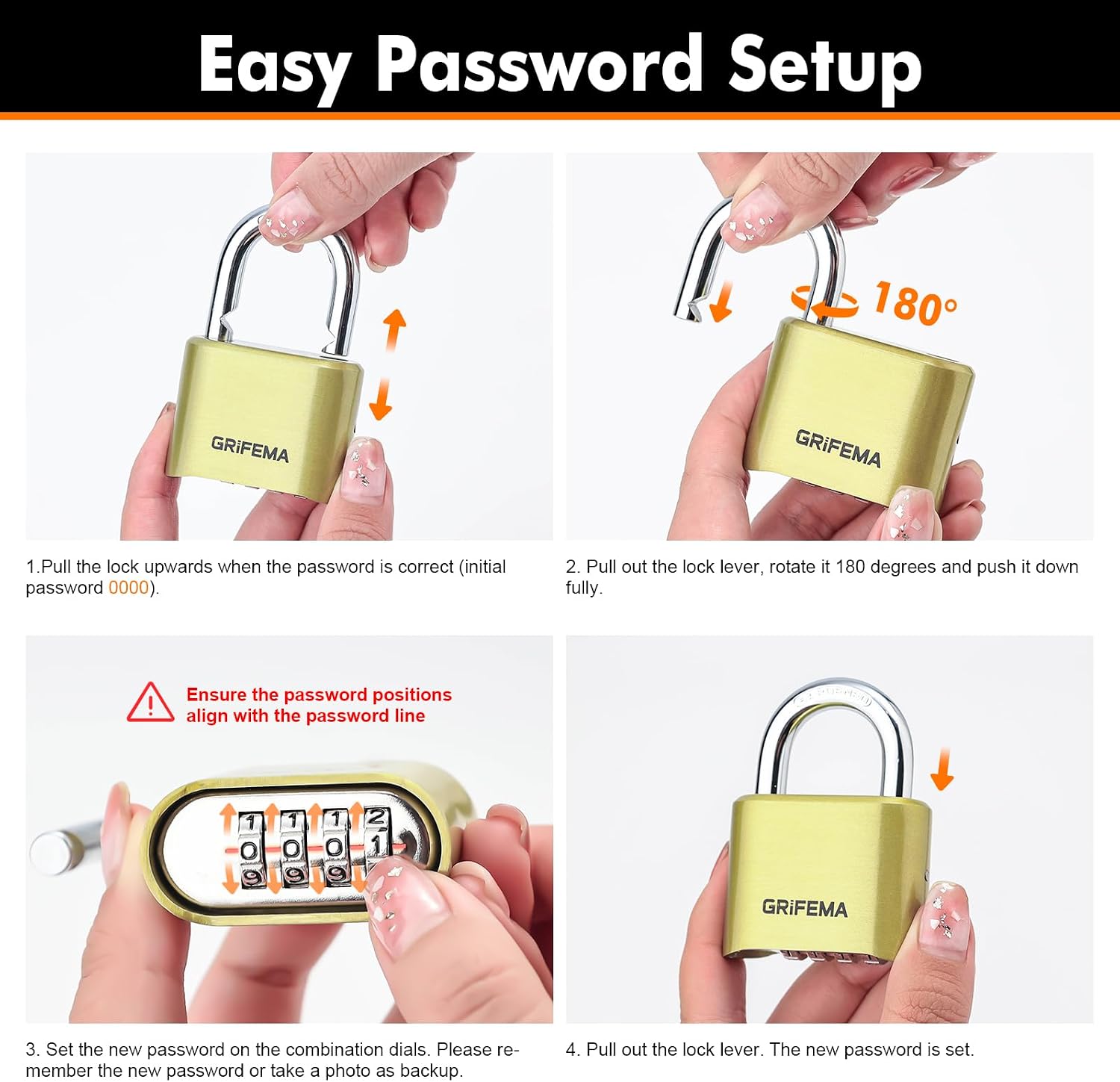
Image: The second panel shows rotating the shackle 180 degrees and pushing it down into the lock body.
Set Your New Combination: While holding the shackle pressed down, turn the dials to set your desired new 4-digit combination. Make sure the numbers align precisely with the indicator line on the lock body. It is highly recommended to write down your new combination in a secure place.
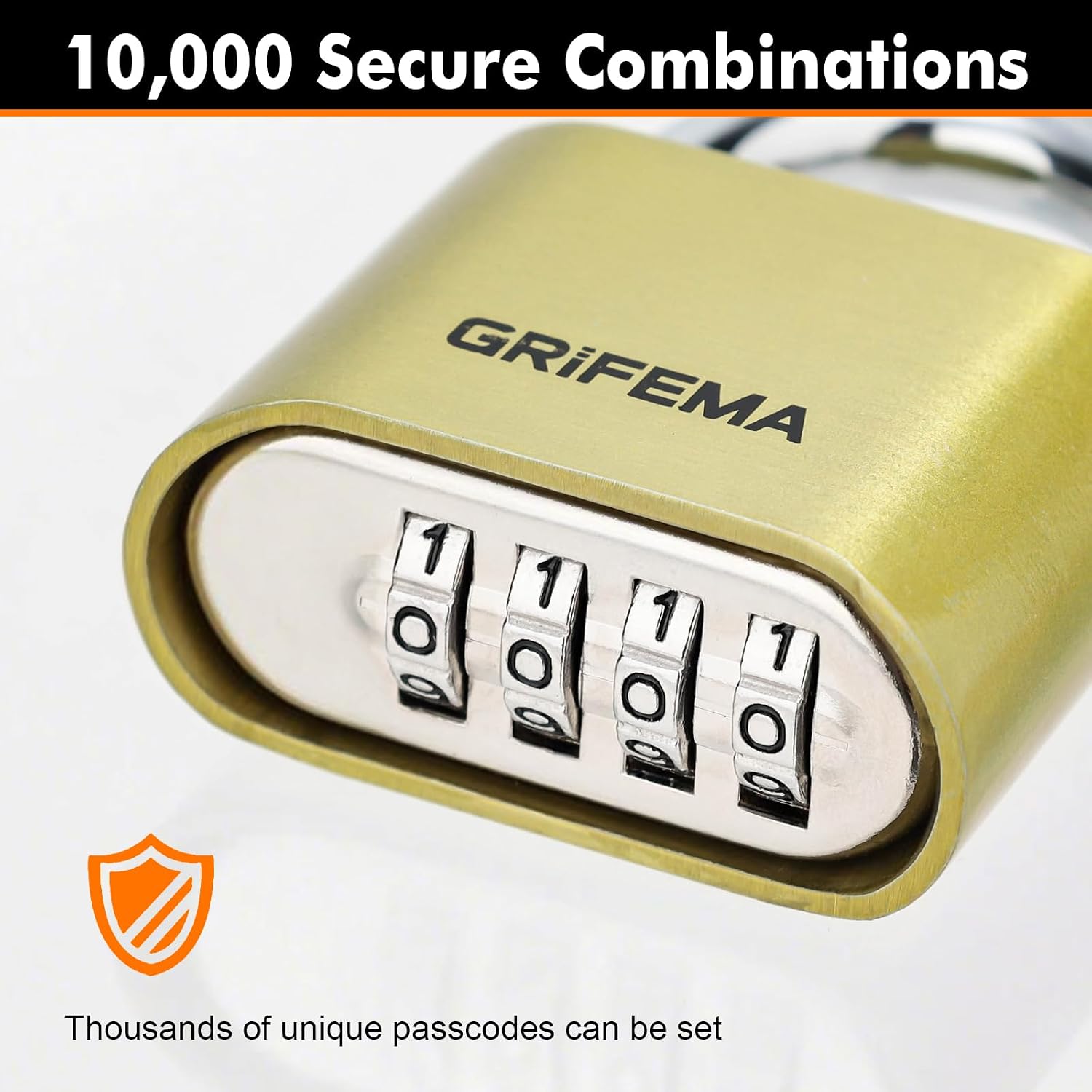
Image: A close-up of the combination dials, showing the numbers being set. A warning symbol emphasizes aligning the numbers with the password line.
Lock and Test: Pull the shackle back up to its open position. Then, scramble the dials and push the shackle down to lock it. Test your new combination immediately to ensure it works correctly before relying on it.
Important: Do not forget your new combination. There is no master key or reset button if the combination is lost.
Operating the Lock
Using your GRIFEMA GA1007 combination lock is straightforward:
- To Open: Rotate the dials to your set 4-digit combination. Once the correct combination is aligned, pull the shackle upwards to release the lock.
- To Close/Lock: With the shackle in the open position, insert it into the desired hasp or opening. Push the shackle down firmly until it clicks into place. Scramble the dials to a random set of numbers to secure the lock.

Image: The GRIFEMA GA1007 lock shown in various applications, including lockers, houses, gates, and securing other items, demonstrating its versatility.
Maintenance
The GRIFEMA GA1007 combination lock is designed for durability and requires minimal maintenance. To ensure its longevity and smooth operation:
- Cleaning: Wipe the lock periodically with a soft, damp cloth to remove dirt and grime. Avoid abrasive cleaners or solvents that could damage the finish.
- Lubrication: For optimal performance, especially in harsh environments, a small amount of silicone-based lubricant can be applied to the shackle and the combination dials once or twice a year. This helps maintain smooth movement and prevents corrosion.
- Environmental Resistance: The lock is built to withstand various climates, including heavy rain and extreme cold. However, prolonged exposure to saltwater or highly corrosive chemicals should be avoided to prevent accelerated wear.
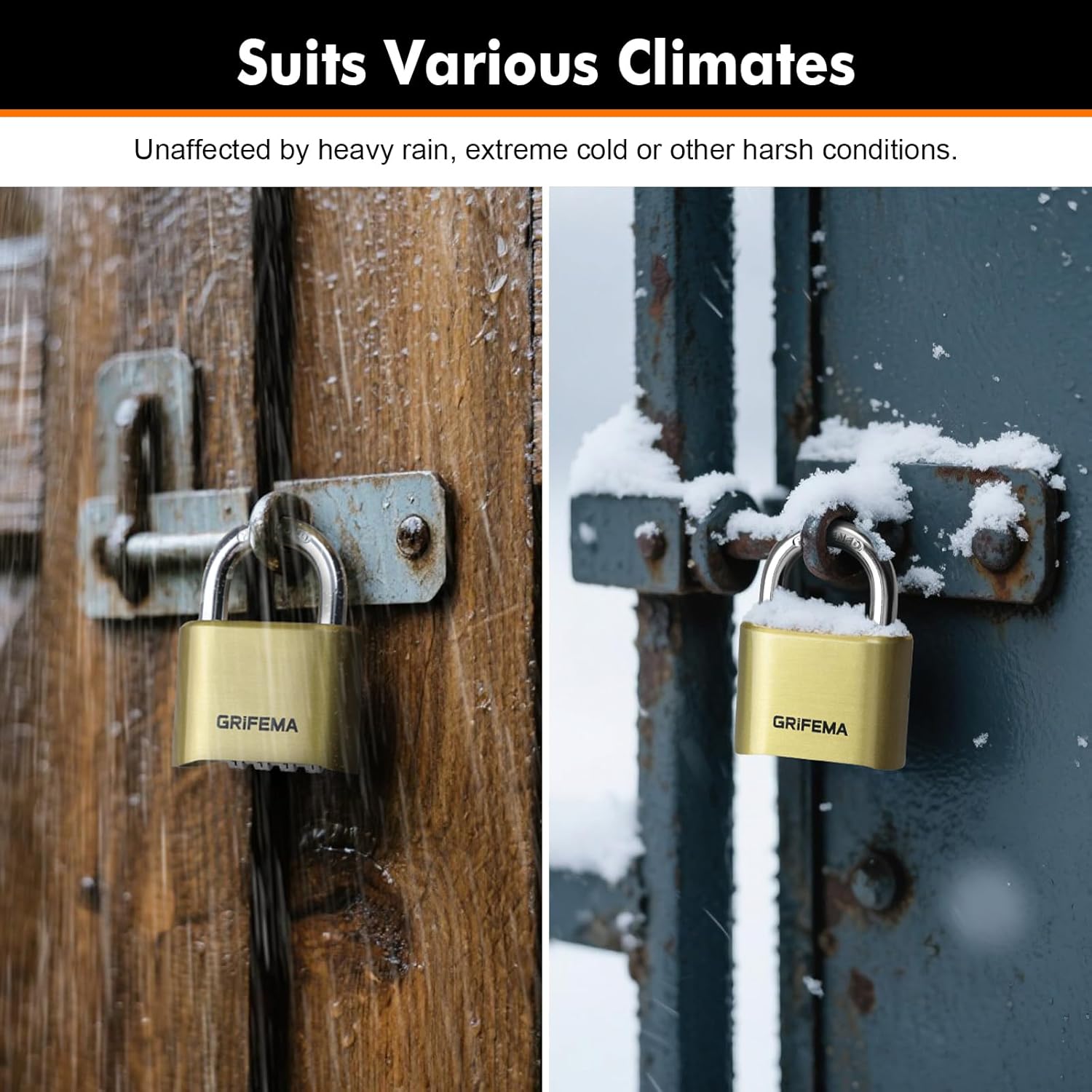
Image: The GRIFEMA GA1007 lock shown in rainy and snowy conditions, illustrating its suitability for various climates.

Image: The GRIFEMA GA1007 lock on a rusty gate, highlighting its long-lasting rust resistance due to tempered steel and zinc alloy construction.
Troubleshooting
If you encounter any issues with your GRIFEMA GA1007 combination lock, consider the following common solutions:
- Lock Not Opening:
- Ensure the numbers are perfectly aligned with the indicator line. Even a slight misalignment can prevent opening.
- Verify you are using the correct combination. If you recently changed it, try both the old and new combinations (if you are unsure).
- Apply gentle pressure while pulling the shackle.
- Dials Are Stiff:
- Clean the dials and surrounding areas to remove any accumulated dirt or debris.
- Apply a small amount of silicone-based lubricant to the dial mechanism.
- Shackle Not Locking Properly:
- Ensure the shackle is fully inserted into the lock body before attempting to push it down.
- Check for any obstructions inside the shackle hole.
Note: If you have forgotten your combination, there is no way to reset the lock without knowing the current combination. The lock will need to be replaced.
Specifications
| Feature | Detail |
|---|---|
| Model Number | GA1007 |
| Lock Type | 4-Digit Combination Padlock |
| Material | Zinc Alloy (main body), Tempered Steel (shackle) |
| Color | Gold |
| Dimensions (LxWxH) | 5.15 x 2.4 x 7.2 cm (approx. 2.03 x 0.94 x 2.83 inches) |
| Weight | 202 grams (approx. 0.45 lbs) |
| Special Features | Anti-theft, Weather Resistant, Rust Resistant |
Warranty and Support
For specific warranty information regarding your GRIFEMA GA1007 combination lock, please refer to the product packaging or the official GRIFEMA website. This manual does not contain detailed warranty terms.
If you require further assistance or have questions not covered in this manual, please visit the official GRIFEMA store or contact their customer support:
- GRIFEMA Store: Visit GRIFEMA Store on Amazon
- For general inquiries, please refer to the contact information provided on the brand's official website.