
Introduction
The Avhrit AT700 Cordless Impact Wrench is a powerful and versatile tool designed for tightening and loosening various fasteners. Equipped with a brushless motor and a high-capacity battery, it delivers efficient performance for automotive tasks, home repairs, and construction projects. This manual provides essential information for the safe and effective operation, maintenance, and troubleshooting of your impact wrench.
Safety Information
Always observe basic safety precautions to reduce the risk of injury. Read all instructions before operating the tool.
- Personal Protective Equipment: Always wear safety glasses, hearing protection, and gloves when operating the impact wrench.
- Work Area: Keep your work area clean and well-lit. Do not operate power tools in explosive atmospheres, such as in the presence of flammable liquids, gases, or dust.
- Tool Handling: Keep hands and body away from moving parts. Ensure the workpiece is securely fastened.
- Battery Safety: Use only the specified battery pack and charger. Do not expose batteries to water or extreme temperatures. Disconnect the battery pack before making any adjustments, changing accessories, or storing the tool.
- Maintenance: Do not attempt to modify or repair the tool yourself. Refer all servicing to qualified repair personnel.
Package Contents
Verify that all items are present upon unpacking:
- 1 x Avhrit AT700 Cordless Impact Wrench
- 2 x 4.0Ah Lithium-Ion Batteries
- 1 x Quick Charger
- 4 x Impact Wrench Inserts (17mm, 19mm, 21mm, 24mm)
- 4 x Screw Bits
- 4 x Drill Bits
- 1 x Belt Clip
- 1 x Carrying Strap
- 1 x User Manual (this document)
- 1 x Tailored Storage Case
Product Features
The Avhrit AT700 Cordless Impact Wrench incorporates several advanced features for enhanced performance and user convenience:
- High Torque Brushless Motor: Equipped with an efficient brushless motor, providing up to 700 N.m of maximum torque and a maximum speed of 2,700 RPM for demanding tasks.
- Dual 4.0Ah Batteries: Includes two 4000 mAh batteries for extended operation and a quick charger to minimize downtime.
- 3-in-1 Functionality: Functions as an impact wrench, screwdriver, and drill, offering versatility for various applications.
- 4 Variable Speed Control: Offers four speed modes (0-1000/1500/2100/2700 RPM) to match the optimal speed for different tasks.
- Integrated LED Light: A built-in LED work light illuminates the work area for improved visibility in dark spaces.
- Forward/Reverse with Brake Step Mode: Easy direction change with a safety lock position. The brake step mode in reverse reduces speed and torque to prevent fasteners from flying off.

Figure 1: Advanced Brushless Motor Design. This image illustrates the internal structure of the brushless motor, emphasizing its efficiency and durability.
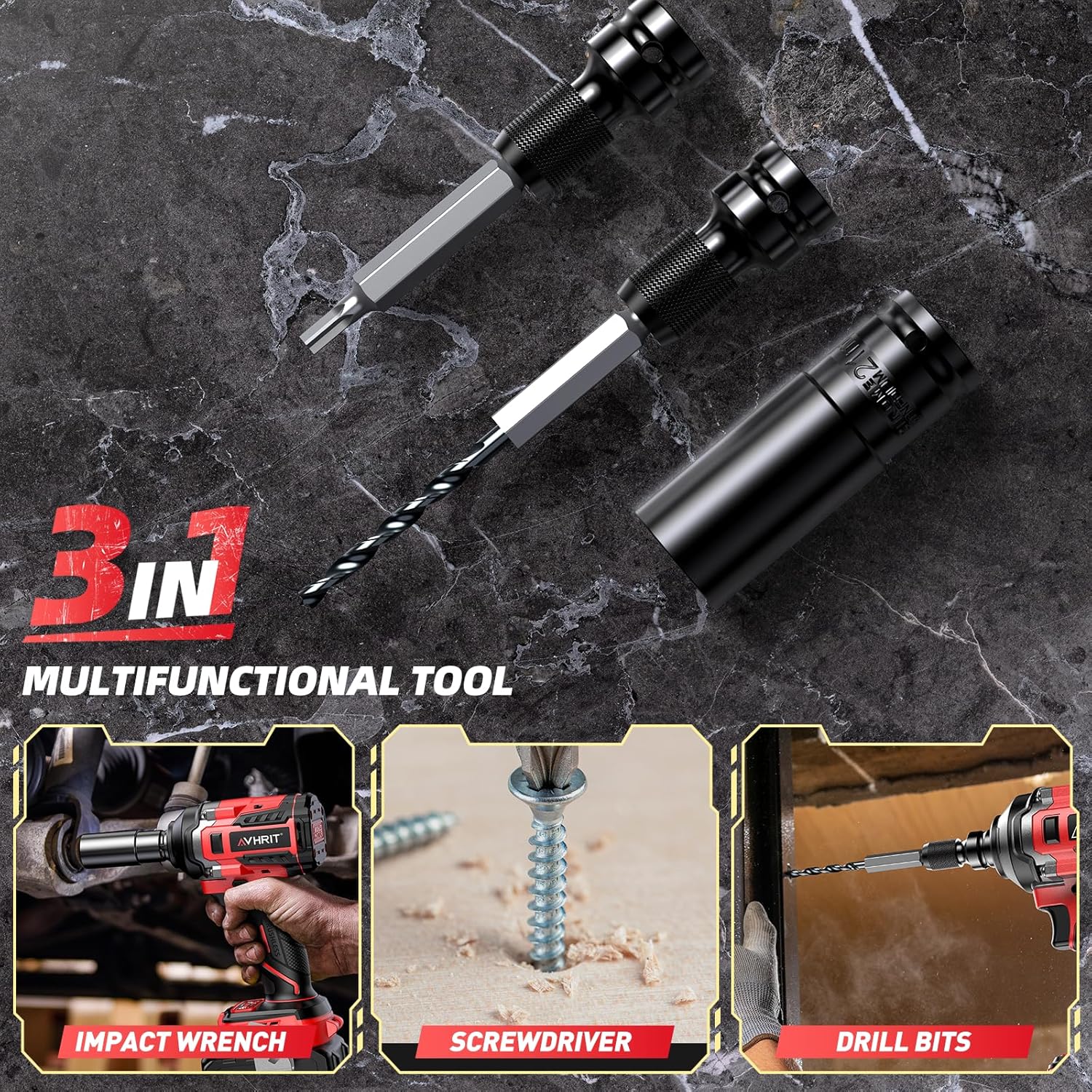
Figure 2: 3-in-1 Multifunctional Tool. This image demonstrates the versatility of the tool for impact wrenching, screwdriving, and drilling applications.
Setup
1. Battery Charging
Before first use, fully charge both 4.0Ah batteries. Ensure the charger is connected to a standard power outlet.
- Insert the battery pack into the quick charger.
- The charger's indicator light will show the charging status (e.g., red for charging, green for fully charged).
- Once fully charged, remove the battery from the charger.

Figure 3: Battery Charging and Capacity. This image displays the 4000mAh battery and the quick charger in use, highlighting the high capacity for continuous work.
2. Attaching Accessories
The Avhrit AT700 features a 1/2-inch square drive for various accessories.
- Ensure the battery is removed from the tool before attaching or removing accessories.
- Align the desired impact wrench insert, screw bit, or drill bit with the 1/2-inch square drive on the tool.
- Push firmly until the accessory locks securely into place. Pull on the accessory to ensure it is properly seated.
Operating Instructions
1. Powering On/Off
To operate the tool, insert a charged battery pack. Press the trigger to activate the tool. Release the trigger to stop the tool.
2. Speed Control
The Avhrit AT700 offers four variable speed modes. Use the speed selector button to cycle through the modes:
- Mode 1: 0-1000 RPM (200 N.m) - Ideal for delicate tasks or starting screws.
- Mode 2: 0-1500 RPM (350 N.m) - Suitable for general screwdriving or light drilling.
- Mode 3: 0-2100 RPM (500 N.m) - For more demanding drilling or fastening.
- Mode 4: 0-2700 RPM (650 N.m) - High speed for removing stubborn nuts or heavy-duty applications.
The speed also varies with trigger pressure; the harder you push, the faster the tool operates within the selected mode.

Figure 4: 4 Variable Speed Control. This diagram visually represents the different speed and torque settings available on the tool.
3. Forward/Reverse and Brake Step Mode
The forward/reverse switch controls the rotation direction of the tool.
- Forward (F): Push the switch to the left for tightening fasteners.
- Reverse (R): Push the switch to the right for loosening fasteners.
- Lock Position: Move the switch to the middle position to lock the trigger, preventing accidental startup.
- Brake Step Mode (Reverse): When operating in reverse, the tool's brake activates as soon as the nut or screw is loosened. This reduces speed and torque, preventing the fastener from flying off and getting lost.

Figure 5: Forward & Reverse Switch. This image illustrates the switch positions for tightening and loosening fasteners.
4. LED Work Light
The integrated LED light provides illumination for working in dimly lit areas.
- To turn the LED light ON, press and hold the 'Mode' button for 3 seconds.
- To turn the LED light OFF, press and hold the 'Mode' button again for 3 seconds. This helps conserve battery power when the light is not needed.

Figure 6: Built-in LED Light. This image demonstrates the LED light providing clear visibility in a dark working environment.
Maintenance
Regular maintenance ensures the longevity and optimal performance of your tool.
- Cleaning: After each use, wipe the tool with a clean, dry cloth. Do not use harsh chemicals or abrasive cleaners. Keep the ventilation openings free from dust and debris.
- Battery Care: Store batteries in a cool, dry place away from direct sunlight and extreme temperatures. Fully charge batteries before long-term storage and recharge every 3-6 months to maintain battery health.
- Accessory Inspection: Regularly inspect impact wrench inserts, screw bits, and drill bits for wear or damage. Replace worn accessories to ensure efficient and safe operation.
- Lubrication: The tool's internal components are factory-lubricated and generally do not require additional lubrication.
Troubleshooting
If you encounter issues with your Avhrit AT700, refer to the following common problems and solutions:
| Problem | Possible Cause | Solution |
|---|---|---|
| Tool does not start | Battery not charged Battery not properly inserted Forward/Reverse switch in lock position | Charge battery Re-insert battery firmly Move switch to Forward or Reverse position |
| Reduced power or torque | Low battery charge Incorrect speed mode selected Worn or incorrect accessory | Recharge battery Select a higher speed mode Replace accessory or use appropriate type |
| Tool overheats | Continuous heavy use Blocked ventilation openings | Allow tool to cool down Clear any obstructions from vents |
Specifications
Detailed technical specifications for the Avhrit AT700 Cordless Impact Wrench:
- Brand: Avhrit
- Model Number: AT700
- Operation Mode: Electric
- Voltage: 21 Volts
- Item Torque: 700 Newton Meters (Max)
- Motor Type: Brushless
- No-Load Speed: 0-2700 RPM (Variable 4-speed)
- Drive Size: 1/2-inch Square Drive
- Battery Capacity: 2 x 4.0Ah Lithium-Ion
- Item Weight: 2.8 Kilograms (Tool with battery)
- Included Components: Impact Driver, 2x 4.0Ah batteries, 1x quick charger, 4x impact wrench inserts (17/19/21/24mm), 4x screw bits, 4x drill bits, 1x belt clip, 1x carrying strap, 1x user manual, 1x storage case.
Warranty and Support
For warranty information, technical support, or service inquiries regarding your Avhrit AT700 Cordless Impact Wrench, please refer to the documentation included with your purchase or visit the official Avhrit website. Keep your purchase receipt as proof of purchase for warranty claims.
