
UGREEN W711
Contents
UGREEN 25W Qi2 3-in-1 Magflow Wireless Charging Stand User Manual
Model: W711
Introduction
The UGREEN 25W Qi2 3-in-1 Magflow Wireless Charging Stand (Model W711) is designed to provide efficient and simultaneous wireless charging for your iPhone, AirPods, and Apple Watch. Featuring Qi2 certification and MagSafe compatibility, this stand offers fast charging, smart power management, and an adjustable design for optimal viewing.
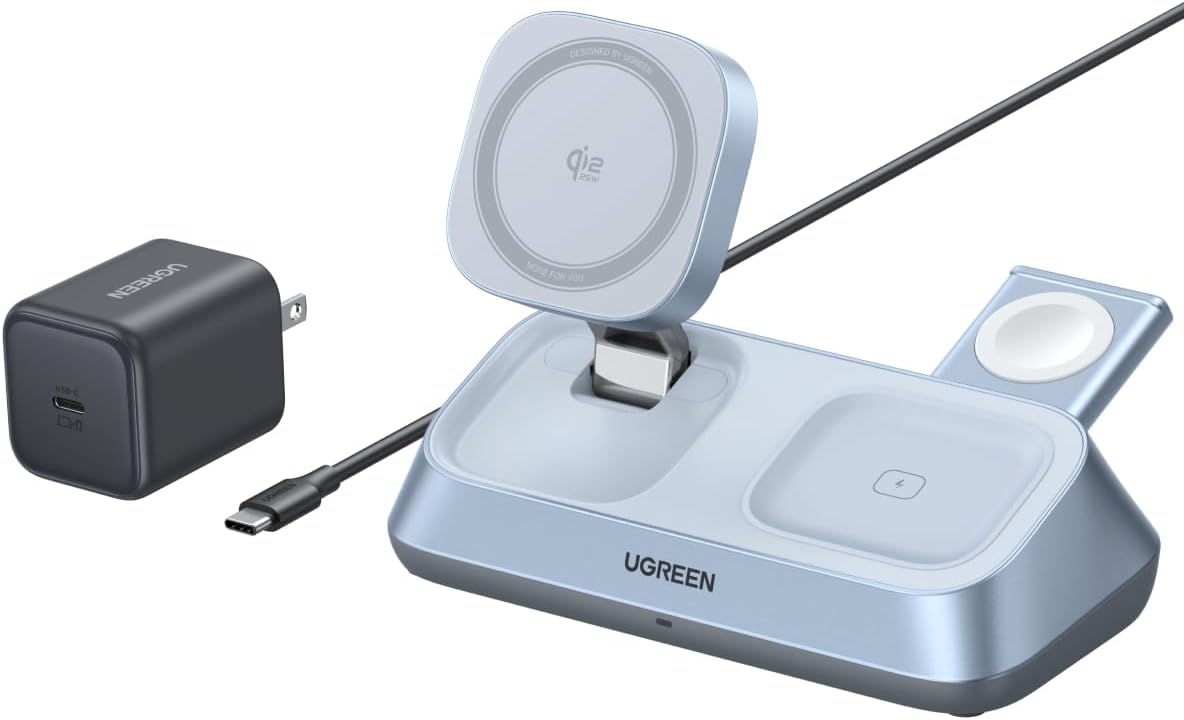
Image: UGREEN 3-in-1 Magflow Wireless Charging Stand, showcasing the main unit, 45W USB-C GaN Fast Charger, and USB-C cable.
Package Contents
- 1x UGREEN Qi2 25W Wireless Charger 3 in 1
- 1x 45W USB-C Charger
- 1x 1M USB-C Charging Cable
- 1x User Manual

Image: An illustration of the UGREEN 3-in-1 Magflow Wireless Charging Stand alongside its box, 45W USB-C charger, USB-C cable, and user manual, detailing the package contents.
Setup
- Connect Power Adapter: Insert the included 1M USB-C charging cable into the USB-C1 (IN) port on the back of the charging stand. Connect the other end of the cable to the included 45W USB-C GaN Fast Charger.
- Plug into Power: Plug the 45W USB-C GaN Fast Charger into a wall outlet.
- Position the Stand: Place the charging stand on a stable, flat surface.
Video: An official UGREEN video demonstrating the setup and use of the MagFlow 3-in-1 Magnetic Wireless Charger, showing how to connect devices and utilize its features.
Operating Instructions
Charging Your iPhone
- Place your MagSafe-compatible iPhone (iPhone 12 and later) onto the magnetic charging pad. The magnets will align your device automatically.
- The stand supports up to 25W fast charging for compatible iPhone models (iPhone 17/16 with iOS 26 or later).
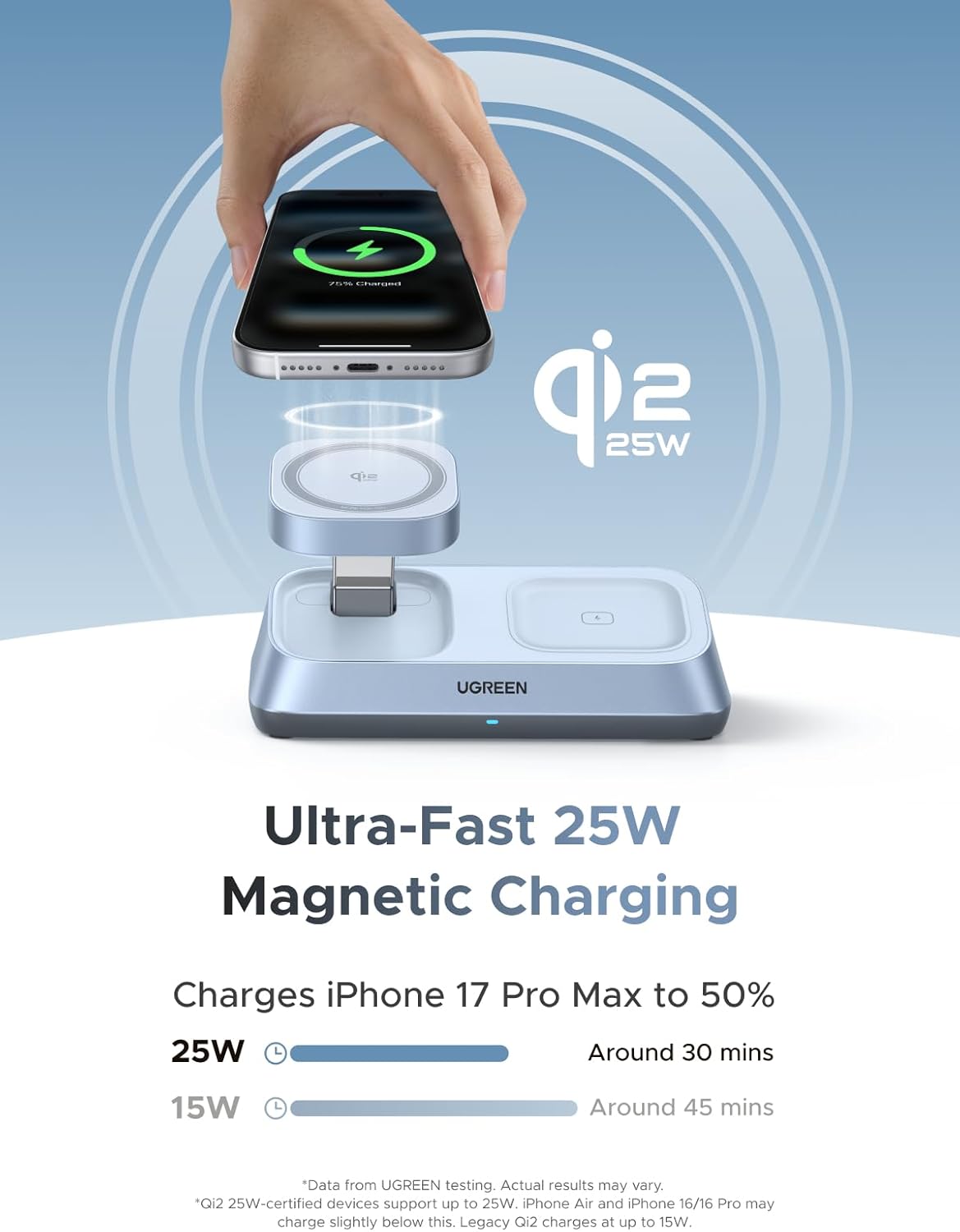
Image: An iPhone magnetically attached to the charging stand, illustrating the 25W ultra-fast magnetic charging feature.
Charging Your AirPods
- Place your AirPods charging case (AirPods 2, AirPods 3rd Gen, AirPods Pro 2nd Gen, AirPods Pro) onto the designated wireless charging pad on the base.
Charging Your Apple Watch
- Press the button on the side of the stand to extend the Apple Watch charging module.
- Place your Apple Watch (Series Ultra/8/7/6/5/4/3/2/SE) onto the charging puck.
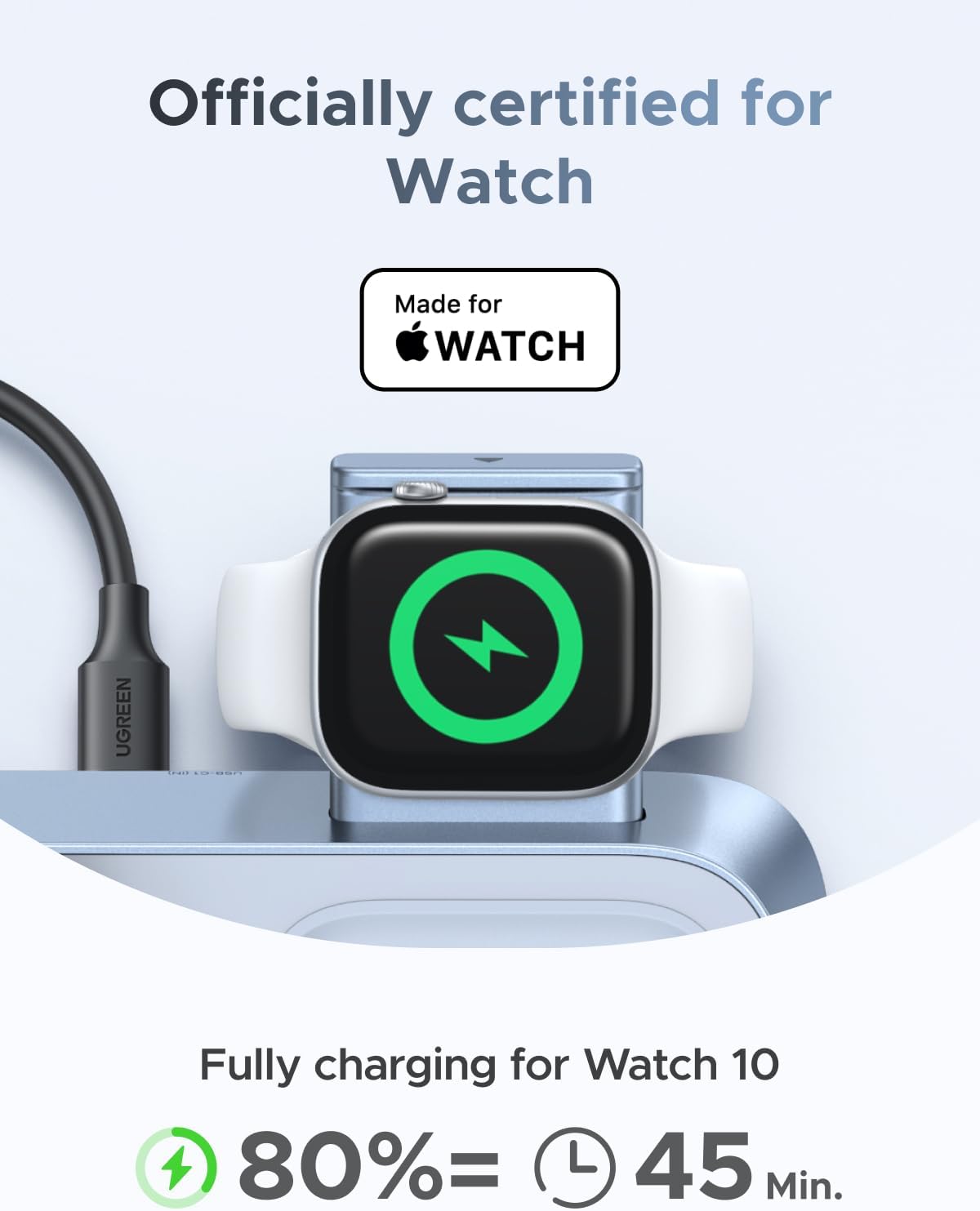
Image: A close-up of an Apple Watch charging on the stand, highlighting its official certification for Apple Watch.
Using the Additional USB-C Output Port
- The stand includes an additional 10W USB-C (OUT) port on the back for charging a fourth device.
Adjusting the Viewing Angle
- The iPhone charging pad supports a 70° tilt and 360° rotation for flexible viewing angles.
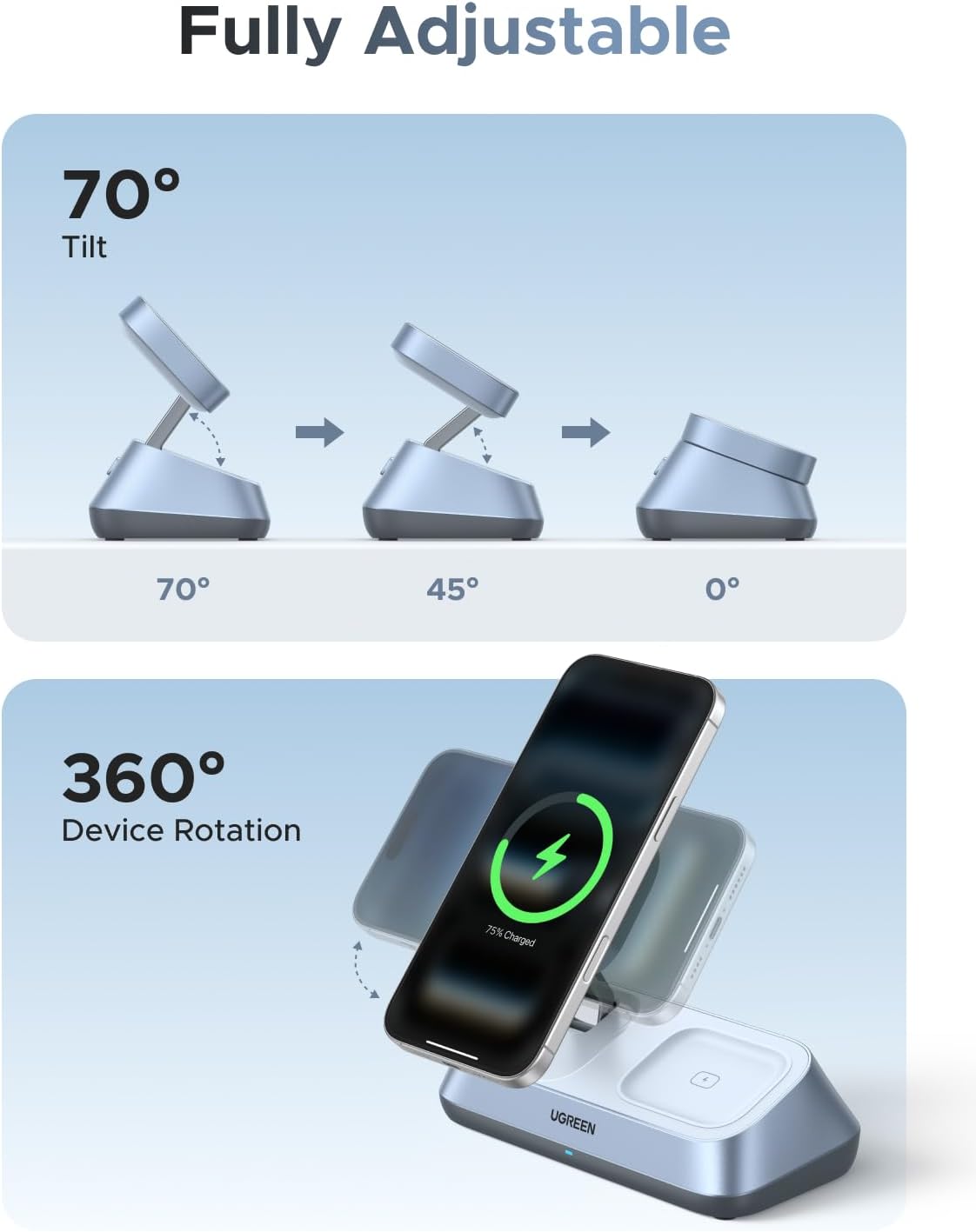
Image: Visual representation of the stand's adjustable features, including 70° tilt and 360° device rotation.
Features
- 25W Fast Charging: Qi2 certified magnetic charging delivers up to 25W wireless charging for iPhone, powering your iPhone 17 Pro Max to 50% in approximately 30 minutes.
- 3-in-1 Charging: Simultaneously charges iPhone, AirPods, and Apple Watch, reducing cable clutter.
- Smart Power Management: Automatically distributes power for maximum efficiency while protecting devices from overcharge or overheating.
- Adjustable Viewing Angle: Built-in stand supports 70° tilt and 360° rotation for versatile use.
- Sleek Desk Companion: Strong magnets ensure secure phone placement, and a reinforced metal base provides stability.
- ThermalGuard™ Technology: Monitors temperature 200 times per second to prevent overheating.
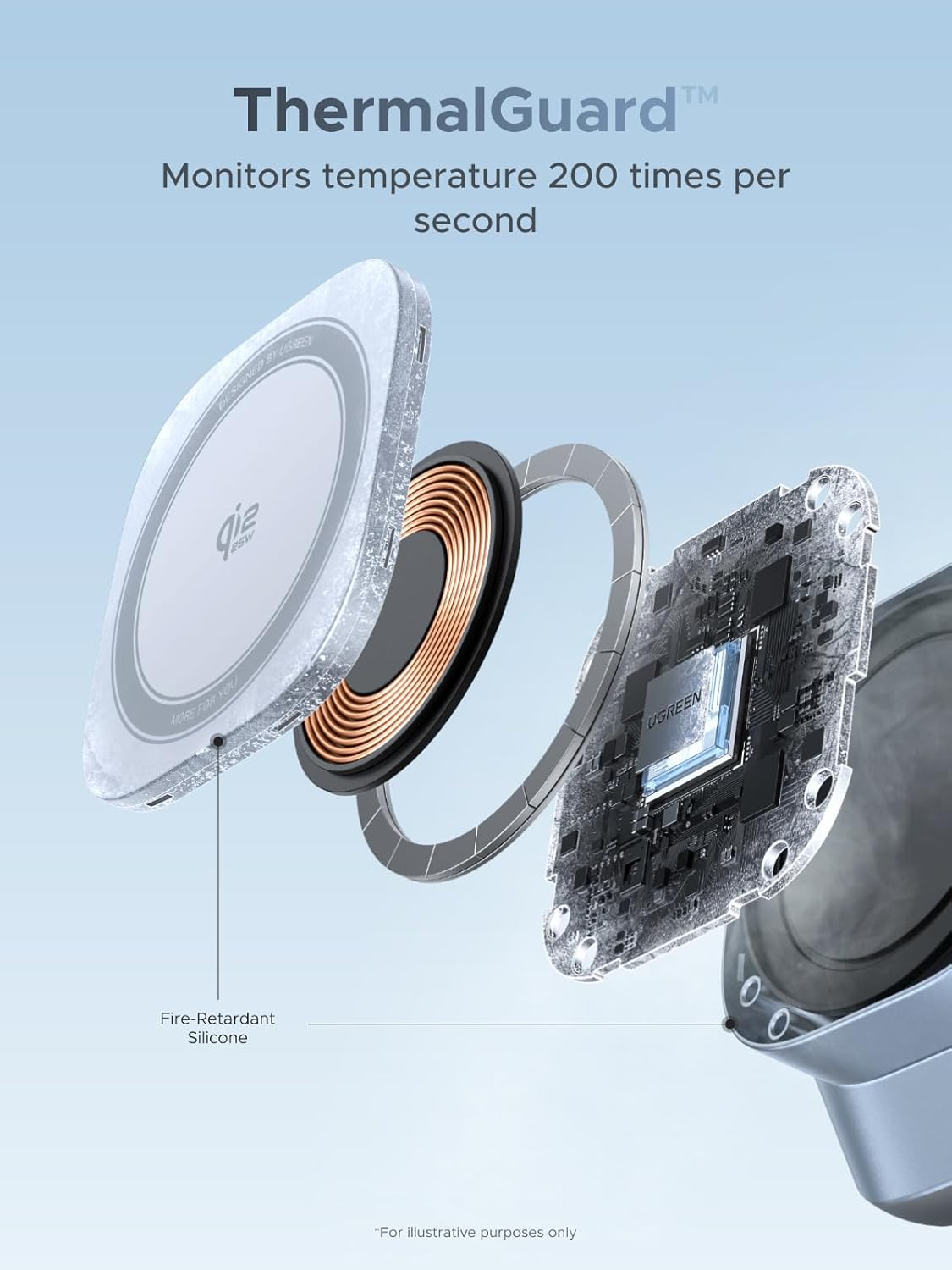
Image: An exploded view of the charging pad, illustrating the ThermalGuard™ technology and fire-retardant silicone for temperature monitoring.
8 Layers of Protection
- Overcharge protection
- Input overvoltage protection
- High temperature protection
- Short circuit protection
- Overcurrent protection
- Static electricity protection
- Overpower protection
- Foreign object detection (FOD)
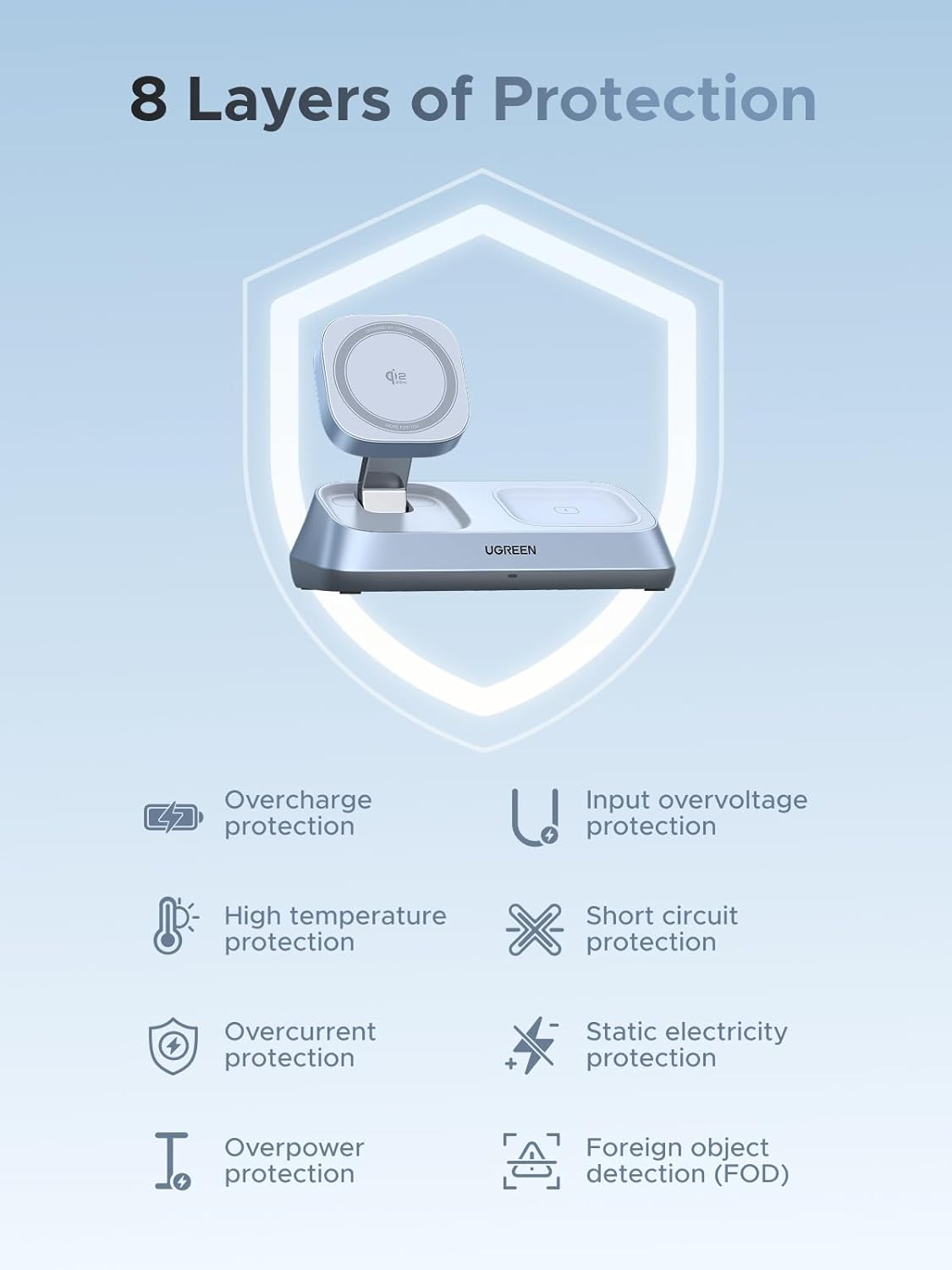
Image: A graphic illustrating the 8 layers of protection integrated into the charging stand, ensuring device safety.
Compatibility
The UGREEN 25W Qi2 3-in-1 Magflow Wireless Charging Stand is compatible with a wide range of devices:
- iPhones: iPhone 17/17 Air/17 Pro/17 Pro Max, iPhone 16/16 Plus/16 Pro/16 Pro Max, iPhone 15/15 Plus/15 Pro/15 Pro Max, iPhone 14/14 Plus/14 Pro/14 Pro Max, iPhone 13/13 Mini/13 Pro/13 Pro Max, iPhone 12/12 Mini/12 Pro/12 Pro Max.
- AirPods: AirPods 2, AirPods 3rd Gen, AirPods Pro 2nd Gen, AirPods Pro. (Not compatible with AirPods model A1602 released in 2017 and model A2897 released in 2022.)
- Apple Watch: Apple Watch Series Ultra/8/7/6/5/4/3/2/SE.
Note: For 25W charging, iPhone 17/16 with iOS 26 or later is required. Ensure third-party accessories support 45W or higher for optimal charging. Magnetic suction is only compatible with iPhones and select Google Pixel models. Other models (such as Samsung S25) may be incompatible due to camera lens position.
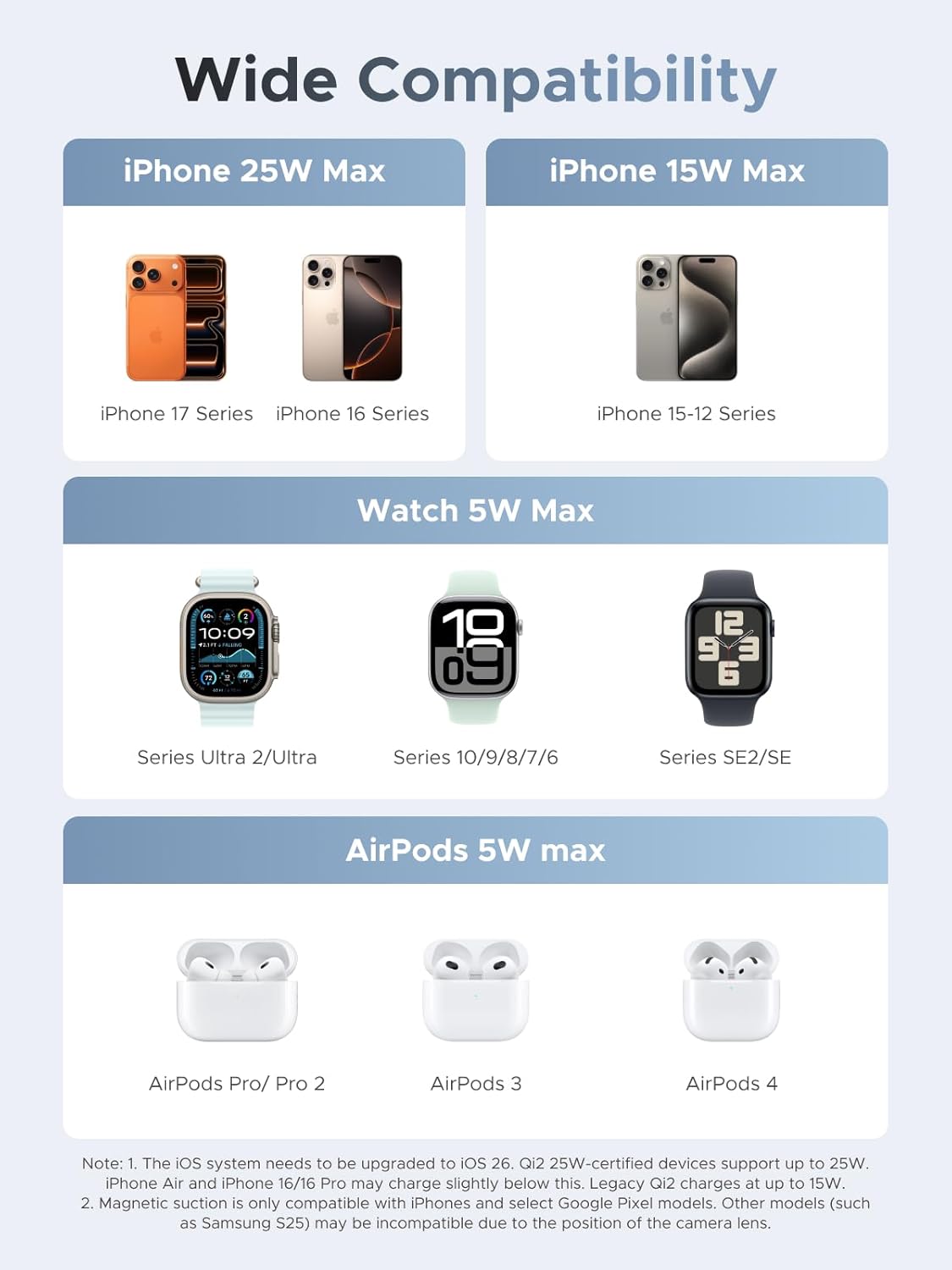
Image: A detailed compatibility chart outlining supported iPhone models (25W Max and 15W Max), Apple Watch models (5W Max), and AirPods models (5W Max).
Device Input Power Requirements
To achieve optimal charging efficiency when charging multiple devices simultaneously, it is recommended to use a charger with 45W or higher output.
| Input Power | iPhone | Apple Watch | TWS (AirPods) | USB-C Out |
|---|---|---|---|---|
| 20W | ✔ | ✖ | ✖ | ✖ |
| 30W | ✔ | ✖ | ✖ | ✖ |
| 45W and over | ✔ | ✔ | ✔ | ✔ |
Note: Data from UGREEN testing. Actual use may vary.
Specifications
| Feature | Detail |
|---|---|
| Model Number | W711 |
| Product Dimensions | 3.35 x 2.3 x 5.91 inches |
| Item Weight | 1.43 pounds |
| Brand | UGREEN |
| Connector Type | USB Type C |
| Special Feature | 3 in 1 Wireless Charging |
| Color | Grey |
| Input Voltage | 12 Volts (AC) |
| Wattage | 25 watts (Max for iPhone) |
| Material | Metal |
| Portable | No |
Maintenance
- Keep the charging stand clean and free from dust. Use a soft, dry cloth for cleaning.
- Avoid exposing the device to extreme temperatures, humidity, or corrosive substances.
- Do not disassemble or attempt to repair the device yourself. Contact customer support if service is required.
Troubleshooting
- Device not charging:
- Ensure the charging stand is properly connected to the 45W power adapter and a working power outlet.
- Verify that your device is correctly aligned on the charging pad. For iPhones, ensure MagSafe alignment.
- Check if your device is compatible with wireless charging and the specific charging pad (iPhone, AirPods, Apple Watch).
- Remove any thick phone cases that might interfere with wireless charging.
- Ensure no foreign objects are on the charging pads.
- Slow charging:
- Confirm you are using the included 45W USB-C GaN Fast Charger and cable, or a third-party adapter that supports 45W or higher.
- For 25W iPhone charging, ensure your iPhone model (17/16) has iOS 26 or later.
- Charging multiple devices simultaneously may distribute power, affecting individual charging speeds.
- LED indicator not working:
- The charging indicator light on the base may only illuminate when an iPhone or AirPods case is placed for charging, not necessarily for the Apple Watch alone.
Warranty & Support
For information regarding product warranty, returns, or technical support, please refer to the official UGREEN website or contact UGREEN customer service directly. Protection plans may also be available for purchase separately.
Ask a question about this manual
Ask about setup, troubleshooting, compatibility, parts, safety, or missing instructions. Manuals+ will review the question and use this page’s manual context to help answer it.