
REDTIGER F9 Lite
REDTIGER F9 Lite Dash Cam User Manual
Model: F9 Lite
Brand: REDTIGER
Introduction
This user manual provides comprehensive instructions for the installation, operation, and maintenance of your REDTIGER F9 Lite Dash Cam. Please read this manual thoroughly before using the device to ensure proper functionality and to maximize your user experience.
The REDTIGER F9 Lite Dash Cam is designed to capture high-quality video footage of your journeys, offering advanced features for enhanced road safety and security. It records in crystal clear 4K resolution at 30 frames per second, ensuring detailed and reliable footage. Key features include an Advanced Driver Assistance System (ADAS), seamless WiFi and GPS connectivity, loop recording, and a robust parking monitor with G-sensor functionality.

Image: The REDTIGER F9 Lite Dash Cam, showing its compact design, along with the USB Type-C power cord, a 32GB memory card, and a smartphone screen displaying the dash cam's live view and GPS data.
What's in the Box
Upon opening the package, please verify that all the following components are included:
- REDTIGER F9 Lite Dash Cam Unit
- USB Type-C Charging Cable
- Hardwire Kit (for parking monitor functionality)
- 32GB Memory Card
- User Manual (this document)

Image: A close-up of the included USB Type-C power cord, featuring an L-shaped connector on one end and a standard USB-A connector on the other.
Setup
1. Installation
Choose a suitable location on your windshield, typically behind the rearview mirror, to ensure the dash cam has a clear view of the road ahead without obstructing your driving vision. Clean the area thoroughly before applying the electrostatic sticker and then mounting the dash cam.
2. Powering the Dash Cam
Connect the USB Type-C power cord to the dash cam and plug the other end into your vehicle's 12V power outlet (cigarette lighter socket). The dash cam will automatically power on when the vehicle starts.
3. Inserting the Memory Card
The REDTIGER F9 Lite comes with a 32GB memory card pre-inserted. Ensure it is securely seated in the designated slot. If you need to insert or replace the card, gently push it into the slot until it clicks into place. The dash cam supports continuous loop recording, overwriting the oldest footage when the card is full.

Image: A visual guide demonstrating the "Plug And Use" setup process, including applying an electrostatic sticker, installing the dash cam, powering it via the car charger (with an extra USB port), confirming the 32GB memory card is inserted, and observing the indicator light flashing.
Operating the Dash Cam
Crystal Clear 4K Video Quality
The F9 Lite records in stunning 4K (3840x2160P) resolution at 30 frames per second, capturing every detail on your journeys with exceptional clarity and sharpness. This ensures that all footage is detailed and reliable, serving as crucial evidence during incidents or for documenting your travels.

Image: An overhead view of a car driving on a multi-lane highway, illustrating the wide field of view captured by the dash cam, with a prominent "4K Front Recording" graphic.
Advanced Driver Assistance System (ADAS)
Stay safe on the road with the dash cam's integrated ADAS features. These include:
- Forward Collision Warning: Alerts you if you are approaching a vehicle too quickly.
- Start-from-Stop Alerts: Notifies you when the car ahead moves after a stop.
- Lane Departure Voice Alerts: Provides voice warnings if the vehicle drifts out of its lane.
These systems help maintain driver awareness and prevent potential accidents.

Image: Three illustrative diagrams showing how the Advanced Driving Assistance System (ADAS) functions, depicting scenarios for Lane Departure Warning, Forward Collision Warning, and Front Vehicle Moving alerts.
Seamless WiFi & GPS Connectivity
The built-in WiFi allows for effortless integration with your smartphone via the REDTIGER APP. This enables wireless control for easy access to settings, live view, and footage playback directly on your phone. The integrated GPS feature records your location and speed, providing valuable context for your recordings and evidence for insurance claims.
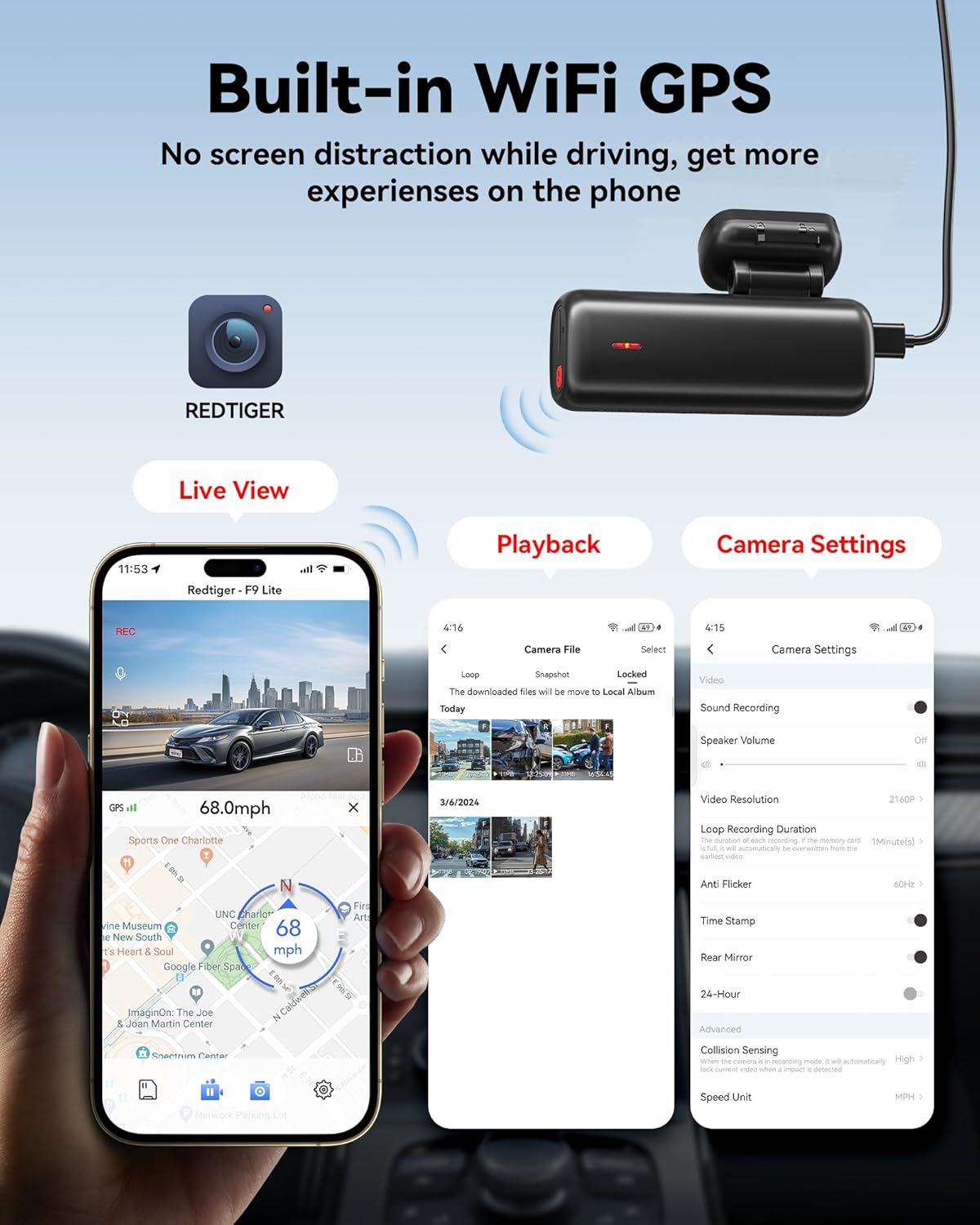
Image: The REDTIGER F9 Lite Dash Cam positioned next to a smartphone, which displays the REDTIGER app interface showing live view, video playback options, and camera settings, highlighting the built-in WiFi and GPS capabilities.
Loop Recording
With the included 32GB memory card, the dash cam features loop recording. This function ensures continuous recording by automatically overwriting the oldest footage when the memory card reaches its capacity. This means you will never miss a crucial moment on the road due to a full memory card.
Parking Monitor & G-sensor
The integrated G-sensor automatically detects sudden movements or collisions. In the event of an impact, it will automatically record and lock emergency video footage, protecting it from being overwritten. For 24-hour parking surveillance, an extra hardwire kit (included in the box) is required. This enables two parking modes:
- Emergency Recording: Automatically records when a collision is detected while parked.
- Time-Lapse Recording: Continuously records at a low frame rate to save storage space while monitoring your parked vehicle.
These features provide peace of mind and added security for your vehicle even when you are away.
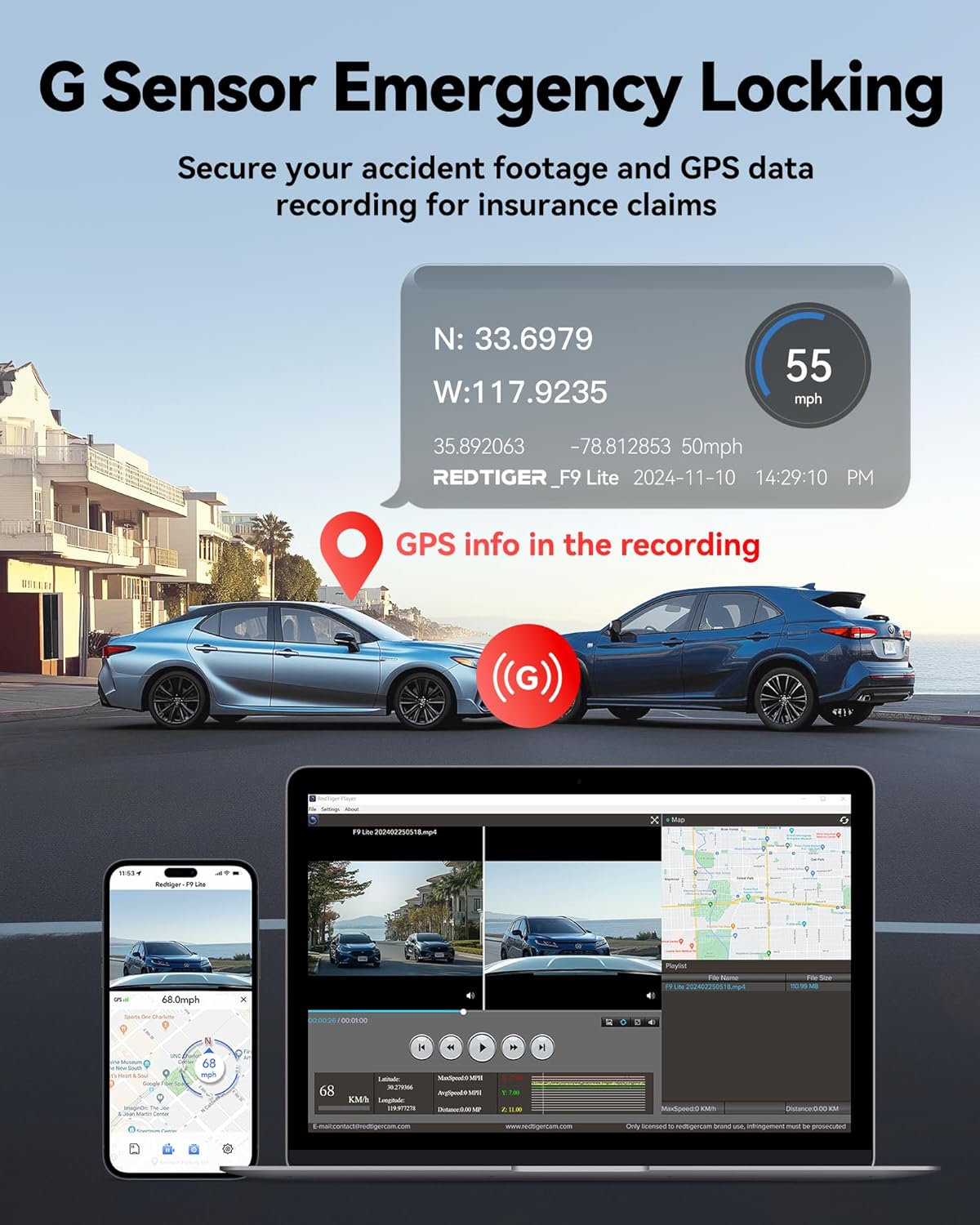
Image: An illustration of the G-Sensor Emergency Locking feature, showing a collision scenario with GPS coordinates and speed data overlaid, and demonstrating how recorded footage with GPS information can be viewed on both a smartphone and a computer for insurance claims.

Image: A visual explanation of the 24-Hour Parking Monitor feature, detailing how the G-sensor detects impacts while parked and how time-lapse recording provides continuous surveillance, noting that an extra hardwire kit is needed for these functions.
Maintenance
- Cleaning: Use a soft, dry cloth to clean the dash cam lens and body. Avoid using abrasive cleaners or solvents.
- Memory Card: Periodically format the memory card (at least once a month) within the dash cam's settings to ensure optimal performance and prevent data corruption. Back up any important footage before formatting.
- Firmware Updates: Check the REDTIGER official website or app for any available firmware updates to ensure your dash cam has the latest features and bug fixes.
- Storage: When not in use for extended periods, store the dash cam in a cool, dry place away from direct sunlight and extreme temperatures.
Troubleshooting
Dash Cam Not Powering On
- Ensure the power cable is securely connected to both the dash cam and the vehicle's power outlet.
- Check if the vehicle's 12V power outlet is functioning correctly.
- Try a different USB Type-C cable if available.
Recording Issues (e.g., footage not saving, gaps in recording)
- Format the memory card regularly.
- Ensure the memory card is a high-speed (Class 10 or U3) card.
- Check if the memory card is full (though loop recording should prevent this, errors can occur).
WiFi Connection Problems
- Ensure the REDTIGER APP is updated to the latest version.
- Restart both the dash cam and your smartphone.
- Ensure your phone's WiFi is enabled and connected to the dash cam's network.
GPS Not Working
- Ensure the dash cam has a clear view of the sky (not obstructed by tinted windows or other objects).
- Allow a few minutes for the GPS signal to acquire after powering on.
Specifications
| Feature | Detail |
|---|---|
| Model Name | F9 Lite |
| Brand | REDTIGER |
| Video Capture Resolution | 4K (3840x2160P) @ 30FPS |
| Connectivity Technology | WiFi, GPS, USB |
| Included Components | Charging Cable, Hardwire Kit, 32GB Memory Card, User Manual |
| Mounting Type | Dashboard Mount or Windshield Mount |
| Optical Sensor Technology | CMOS |
| Flash Memory Type | NAND |
| Color | Black |
| Dimensions (Approx.) | 3.48 x 1.28 x 2.17 inches (Mini Size) |
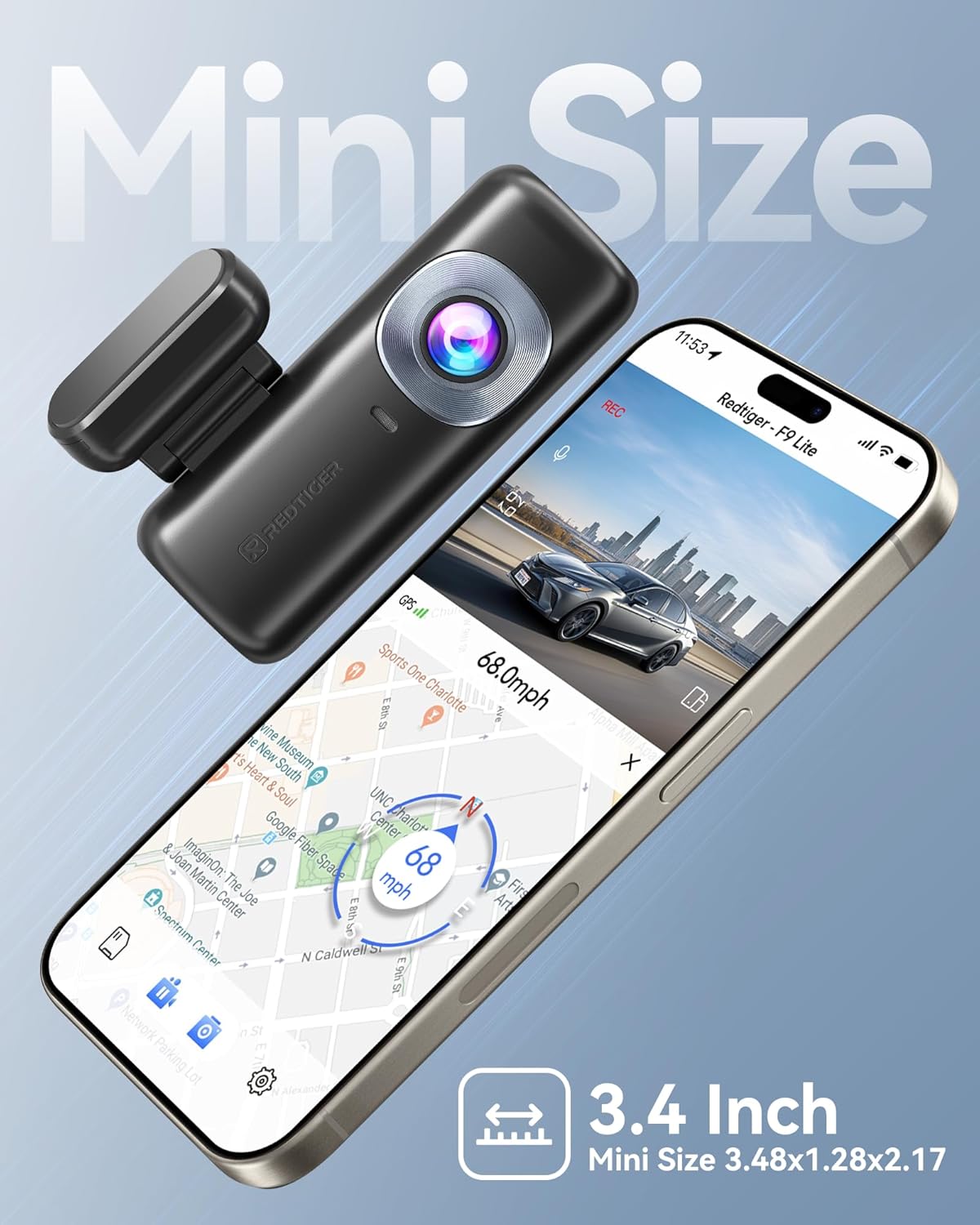
Image: The REDTIGER F9 Lite Dash Cam displayed next to a smartphone, emphasizing its compact "Mini Size" of approximately 3.4 inches (3.48x1.28x2.17 inches).
Warranty and Support
REDTIGER products are designed for reliability and performance. For specific warranty information regarding your F9 Lite Dash Cam, please refer to the warranty card included in your product packaging or visit the official REDTIGER website. For technical support, troubleshooting assistance, or any inquiries, please contact REDTIGER customer service through their official channels. Keep your purchase receipt as proof of purchase for warranty claims.
You can often find support resources, FAQs, and contact information on the official REDTIGER website: Visit the REDTIGER Store on Amazon
Related documentsF9 Lite


Ask a question about this manual
Ask about setup, troubleshooting, compatibility, parts, safety, or missing instructions. Manuals+ will review the question and use this page’s manual context to help answer it.