
FOXWELL NT909, BT301
FOXWELL NT909 Wireless Bidirectional Scan Tool and BT301 Car Battery Tester User Manual
Model: NT909, BT301
Introduction
This manual provides detailed instructions for the operation and maintenance of your FOXWELL NT909 Wireless Bidirectional Scan Tool and BT301 Car Battery Tester. Please read this manual thoroughly before using the devices to ensure proper function and safety.
The FOXWELL BT301 is an advanced battery analyzer designed for testing 6V and 12V automotive batteries. It offers a new user interface and digital screen for improved readability and provides precise results on battery condition, cranking, and charging systems.
Safety Information
Always observe the following safety precautions:
- Wear eye protection when working near batteries.
- Ensure proper ventilation when testing batteries.
- Avoid contact with battery acid.
- Do not smoke or allow sparks/flames near batteries.
- Connect the battery tester clamps correctly: red to positive (+), black to negative (-).
- Refer to your vehicle's service manual for specific battery testing procedures.
Package Contents
Verify that all items are present in your package:
- FOXWELL NT909 Wireless Bidirectional Scan Tool
- FOXWELL BT301 Car Battery Tester
- User Manual / Quick Start Guide
- Carrying Case
- Necessary cables and adapters (e.g., OBDII cable for NT909)

Image: FOXWELL BT301 Battery Tester, quick start guide, and cables displayed next to a carrying case. This image shows the complete package contents.
Setup and Initial Use
FOXWELL BT301 Car Battery Tester Setup
- Prepare the Battery: Ensure the vehicle's ignition is off and all accessories are turned off. Clean the battery terminals if necessary to ensure good contact.
- Connect the Tester:
- Connect the red clamp of the BT301 to the positive (+) terminal of the battery.
- Connect the black clamp of the BT301 to the negative (-) terminal of the battery.

Image: The FOXWELL BT301 Car Battery Tester with its red and black clamps connected to the corresponding terminals of a car battery. This illustrates the correct connection procedure.
- Power On: The BT301 will power on automatically once connected to the battery.
- Initial Settings: Follow the on-screen prompts to select language and battery type (e.g., Regular Flooded, AGM Flat Plate, AGM Spiral, GEL, EFB).
FOXWELL NT909 Wireless Bidirectional Scan Tool Setup
- Charge the Device: Ensure the NT909 tablet is fully charged before first use.
- Connect VCI (Vehicle Communication Interface): Plug the VCI module into the vehicle's OBDII port, usually located under the dashboard.
- Pair VCI with Tablet: Turn on the NT909 tablet. Navigate to the Bluetooth settings or the dedicated VCI pairing menu on the tablet to establish a wireless connection with the VCI module.
- Software Updates: Connect the NT909 to a Wi-Fi network and check for any available software or firmware updates to ensure optimal performance and vehicle compatibility.
Operating Instructions
Using the FOXWELL BT301 Car Battery Tester
The BT301 offers various testing modes for comprehensive battery analysis.
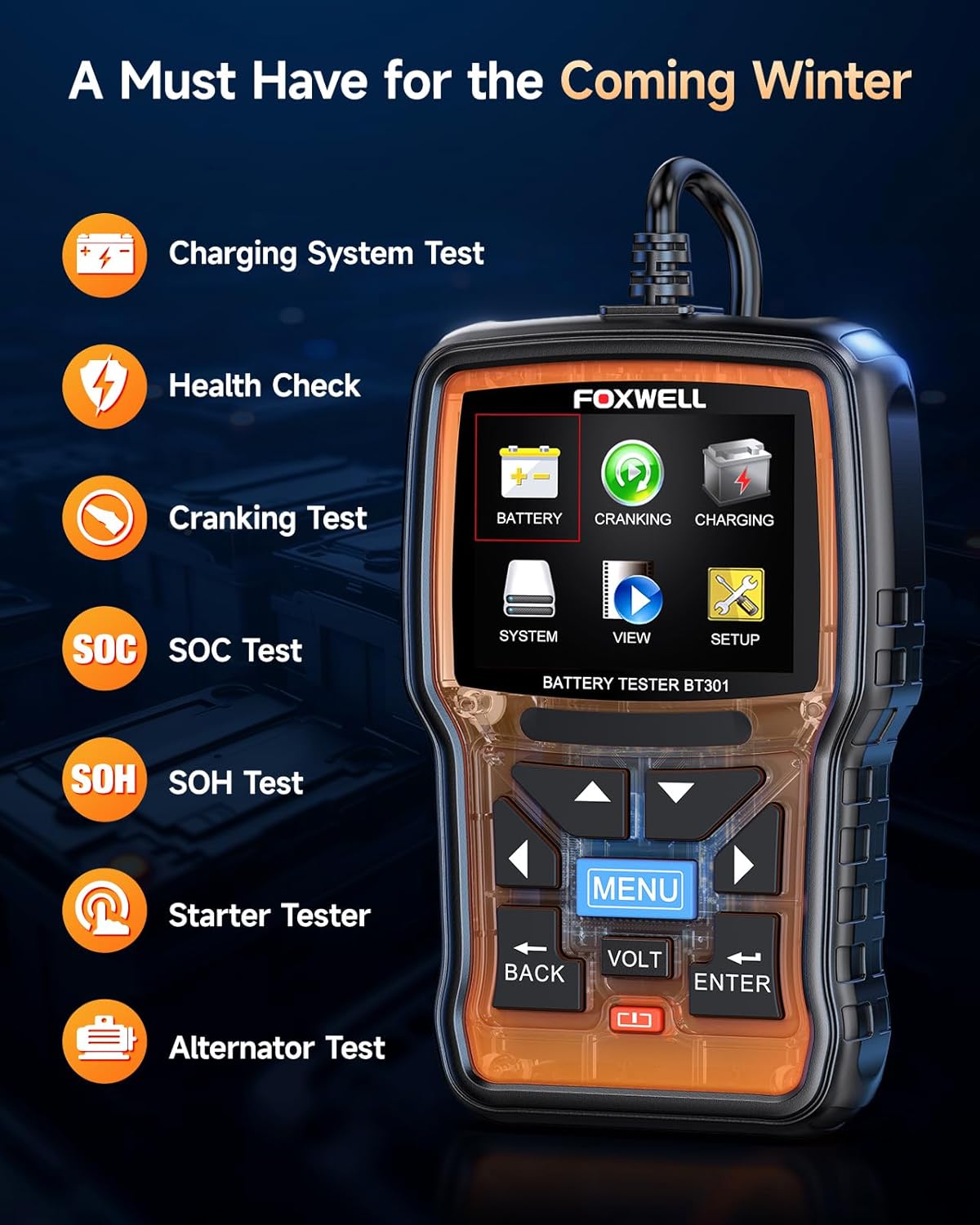
Image: The FOXWELL BT301 Car Battery Tester's main menu, displaying options such as Battery Test, Cranking Test, Charging Test, System, View, and Setup. This image highlights the user interface.
- Battery Test:
- From the main menu, select "Battery".
- Input the battery's CCA (Cold Cranking Amps) rating, which is usually found on the battery label.
- The tester will perform a quick analysis and display the battery's health status, voltage, and internal resistance.
- Results may include "Good Battery", "Charge Battery", or "Replace Battery".

Image: A close-up of the FOXWELL BT301 Car Battery Tester's screen displaying various diagnostic messages such as "GOOD BATTERY", "CHARGE BATTERY", "REPLACE BATTERY", "CRANKING NORMAL", and "LOW OUTPUT". This demonstrates the clear output provided by the device.
- Cranking Test:
- Select "Cranking" from the main menu.
- Follow the on-screen instructions to start the vehicle's engine.
- The tester will measure the cranking voltage and time, providing an assessment of the starter system's performance.
- Charging Test:
- Select "Charging" from the main menu.
- Start the engine and allow it to idle.
- The BT301 will analyze the alternator's output and rectifier ripple, indicating if the charging system is functioning correctly.
- View Data: The "View" option allows you to review previously saved test results.
- Setup: The "Setup" menu allows you to adjust language, backlight, and other system settings.
Using the FOXWELL NT909 Wireless Bidirectional Scan Tool
The NT909 is a comprehensive diagnostic tool. Specific operations will vary by vehicle and desired function.
- Vehicle Selection: From the main menu, select the vehicle manufacturer, model, and year.
- System Scan: Perform an "Auto Scan" or select specific systems (e.g., Engine, ABS, Airbag) for diagnosis. The tool will read diagnostic trouble codes (DTCs) and display live data.
- Read/Clear DTCs: View current, pending, and historic fault codes. Clear codes after repairs are completed.
- Live Data: Monitor real-time sensor data, such as engine RPM, coolant temperature, and oxygen sensor readings. Data can often be displayed in text, graph, or gauge format.
- Bidirectional Control (Active Tests): This feature allows the user to send commands to vehicle systems to perform specific tests, such as activating ABS pumps, cycling solenoids, or performing injector kill tests. Always ensure you understand the implications of active tests before performing them.
- Special Functions: Access various service functions like oil reset, EPB (Electronic Parking Brake) reset, SAS (Steering Angle Sensor) calibration, DPF (Diesel Particulate Filter) regeneration, and more.
- Report Generation: After diagnosis, the NT909 can generate diagnostic reports that can be saved or printed.

Image: The FOXWELL NT909 Wireless Bidirectional Scan Tool tablet displaying its home screen with various application icons, alongside its VCI (Vehicle Communication Interface) module. This image shows the primary components of the scan tool.
Maintenance
- Cleaning: Wipe the devices with a soft, damp cloth. Do not use abrasive cleaners or solvents.
- Storage: Store the devices in their protective carrying case in a dry, cool environment away from direct sunlight and extreme temperatures.
- Software Updates: Regularly check for and install software updates for the NT909 to ensure compatibility with new vehicle models and to access the latest features.
- Battery Care (NT909): For optimal battery life, avoid fully discharging the tablet frequently. Charge it regularly.
- Cable Inspection: Periodically inspect all cables and connectors for damage. Replace any damaged components immediately.
Troubleshooting
| Problem | Possible Cause | Solution |
|---|---|---|
| BT301 does not power on. | Poor connection to battery terminals; battery completely dead. | Ensure clamps are securely connected. Check battery voltage with a multimeter; if below 6V, the battery may be too discharged for the tester to power on. |
| BT301 displays "Error" or inconsistent readings. | Loose connections; dirty battery terminals; incorrect battery type/CCA input. | Clean battery terminals. Re-secure clamps. Verify correct battery type and CCA input in settings. |
| NT909 VCI not connecting to tablet. | VCI not powered; Bluetooth not enabled; VCI not paired. | Ensure VCI is plugged into vehicle's OBDII port and vehicle ignition is on (or accessory mode). Check tablet's Bluetooth settings. Re-pair VCI in the NT909's settings. |
| NT909 cannot communicate with vehicle. | Incorrect vehicle selection; faulty OBDII port; outdated software. | Verify vehicle information (make, model, year). Check vehicle's OBDII port with another device. Update NT909 software. |
Specifications
FOXWELL BT301 Car Battery Tester
- Voltage Range: 6V - 12V
- Test Standards: CCA, BCI, CA, MCA, JIS, DIN, IEC, EN, SAE, GB
- Battery Types: Regular Flooded, AGM Flat Plate, AGM Spiral, GEL, EFB
- Display: Digital LCD
- Operating Temperature: 0°C to 50°C (32°F to 122°F)
FOXWELL NT909 Wireless Bidirectional Scan Tool
- Operating System: Android-based
- Connectivity: Wi-Fi, Bluetooth (for VCI)
- Display: High-resolution touchscreen
- Functions: Full system diagnostics, bidirectional control, special functions, live data, DTC reading/clearing.
- Vehicle Coverage: Extensive coverage for various makes and models (refer to FOXWELL website for latest list).
Warranty and Support
For warranty information, please refer to the warranty card included with your product or visit the official FOXWELL website. Technical support can be obtained through the FOXWELL customer service channels, which typically include online support, email, and phone assistance.
Official FOXWELL Website: www.foxwelltech.com
Related documentsNT909, BT301


Ask a question about this manual
Ask about setup, troubleshooting, compatibility, parts, safety, or missing instructions. Manuals+ will review the question and use this page’s manual context to help answer it.