
1. Introduction
1.1 Product Overview
The Sierra Wireless 4-in-1 SharkFin Antenna is designed for use with AirLink routers and gateways. This compact, OEM-style antenna integrates multiple functions into a single unit, providing comprehensive connectivity solutions.
1.2 Key Features
- Integrated Connectivity: Combines 2x2 MiMo antenna functions for 2G, 3G, and 4G LTE frequencies, an active GNSS antenna with 26dB gain LNA, and dual-band Wi-Fi (2.4/5.0GHz).
- Robust Design: Features an Ingress Protection rating of IP66, ensuring resistance against dust and powerful water jets.
- Wide Operating Temperature: Functions reliably in temperatures ranging from -40°C to +80°C (-40°F to 176°F).
- Flexible Mounting: Designed for bolt mount installation with a 19mm (3/4”) mounting hole.
- Long Cable Lengths: Includes 4m (13ft) cables for Cell/LTE/GPS with SMA(m) termination and 4m (13ft) cable for Wi-Fi with RP-SMA(m) termination.
2. Safety Information
- Ensure the antenna is installed by qualified personnel.
- Do not install the antenna near power lines or other electrical hazards.
- Verify all cable connections are secure before operating the device.
- Avoid exposing the antenna to extreme physical impact.
- Operate within the specified temperature range to prevent damage.
3. Package Contents
- 1 x Sierra Wireless 4-in-1 SharkFin Antenna Unit
- Integrated Cell/LTE/GPS Cables (4m, SMA(m) termination)
- Integrated Wi-Fi Cable (4m, RP-SMA(m) termination)
- Mounting hardware (typically included for bolt mount)
4. Setup and Installation
4.1 Mounting Instructions
The 4-in-1 SharkFin Antenna is designed for bolt mount installation. A 19mm (3/4”) mounting hole is required for secure attachment.
- Select a suitable, flat mounting surface on your vehicle or structure, ensuring it is free from obstructions and metallic objects that could interfere with signal.
- Drill a 19mm (3/4”) hole at the chosen mounting location.
- Feed the antenna cables through the drilled hole.
- Position the antenna over the hole and secure it using the provided bolt and nut, ensuring a tight seal to maintain the IP66 rating.
4.2 Cable Connections
Connect the antenna cables to your compatible AirLink router or gateway.
- Cell/LTE/GPS Cables: These are Type CS29, 4m (13ft) in length, and terminate with SMA(m) connectors. Connect them to the corresponding cellular and GPS ports on your router/gateway.
- Wi-Fi Cable: This is Type CS32, 4m (13ft) in length, and terminates with an RP-SMA(m) connector. Connect it to the Wi-Fi port on your router/gateway.
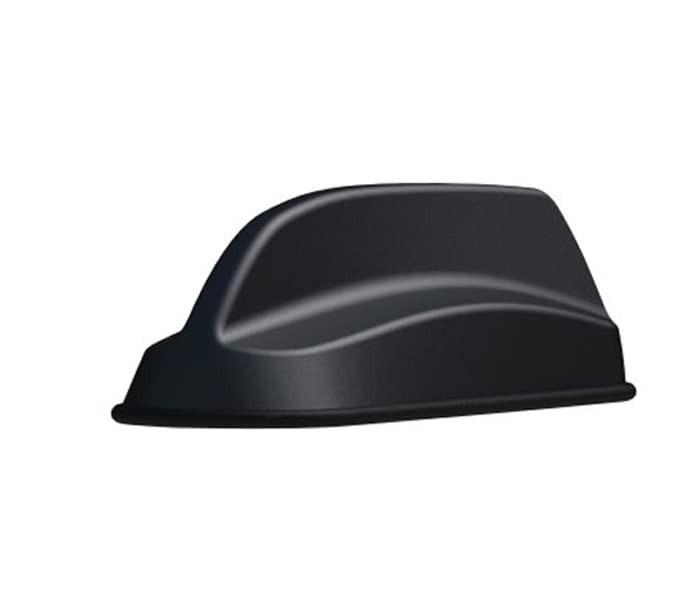
Figure 1: Sierra Wireless 4-in-1 SharkFin Antenna. This image displays the compact, black, shark-fin shaped antenna unit with its integrated cables extending from the base, ready for installation.
5. Operation
Once the antenna is securely mounted and all cables are correctly connected to your router or gateway, the antenna will begin to function automatically upon power-up of the connected device. Ensure your router/gateway is configured to utilize the external antenna for optimal performance.
6. Maintenance
- Cleaning: Periodically clean the exterior of the antenna with a soft, damp cloth. Avoid using harsh chemicals or abrasive materials.
- Inspection: Regularly inspect the antenna and its cables for any signs of wear, damage, or loose connections.
- Environmental Considerations: The antenna is designed for outdoor use with an IP66 rating. While robust, avoid unnecessary exposure to extreme conditions beyond its specified operating temperature range.
7. Troubleshooting
- No Signal/Poor Signal:
- Check all cable connections to ensure they are secure and correctly seated.
- Verify that your router/gateway is configured to use the external antenna.
- Ensure the antenna is mounted in a location with a clear line of sight to cellular towers and GPS satellites.
- Confirm the antenna is compatible with the frequency bands used by your service provider.
- GPS Inaccuracy:
- Ensure the antenna has an unobstructed view of the sky.
- Check the GPS cable connection.
8. Specifications
| Feature | Specification |
|---|---|
| Antenna Type | 4-in-1 SharkFin (2x2 MiMo 4G LTE, Wi-Fi, GPS) |
| 4G LTE Frequency Range | 698-960MHz (2dBi), 1710-3800MHz (5dBi) |
| Wi-Fi Frequency Range | 2.4GHz (4dBi), 5.8GHz (6dBi) |
| GPS/GNSS Frequency Range | 1562-1612MHz LNA 26dB |
| Antenna Dimensions (H x L x W) | 47mm (1.9”) x 172mm (6.8”) x 60mm (2.4”) |
| Operating Temperature | -40°C to +80°C (-40°F to 176°F) |
| Ingress Protection | IP66 |
| Cell/LTE/GPS Cable Type | CS29 |
| Cell/LTE/GPS Cable Length | 4m (13ft) |
| Cell/LTE/GPS Termination | SMA(m) |
| Wi-Fi Cable Type | CS32 |
| Wi-Fi Cable Length | 4m (13ft) |
| Wi-Fi Termination | RP-SMA(m) |
| Mounting Type | Bolt Mount |
| Mounting Hole Size | 19mm (3/4”) |
| Impedance | 50 Ohms |
| Number of Channels | 4 |
9. Warranty and Support
For warranty information and technical support, please refer to the documentation provided with your purchase or contact Sierra Wireless directly through their official website. Keep your proof of purchase for warranty claims.


