
Dreo DR-HPF002
Dreo PolyFan 502 Standing Fan User Manual
Model: DR-HPF002

1. Important Safety Instructions
Please read all instructions carefully before using this appliance and retain for future reference. Failure to follow these instructions may result in electric shock, fire, or serious injury.
- Always ensure the fan is placed on a stable, flat surface to prevent tipping.
- Do not insert fingers or any objects through the grille when the fan is operating.
- Unplug the fan from the power outlet before cleaning, moving, or performing any maintenance.
- Keep the power cord away from heated surfaces.
- Do not operate the fan with a damaged cord or plug. Contact customer support for assistance.
- This appliance is for indoor use only. Do not use outdoors or in wet conditions.
- Supervise children when the fan is in use.
2. Product Overview
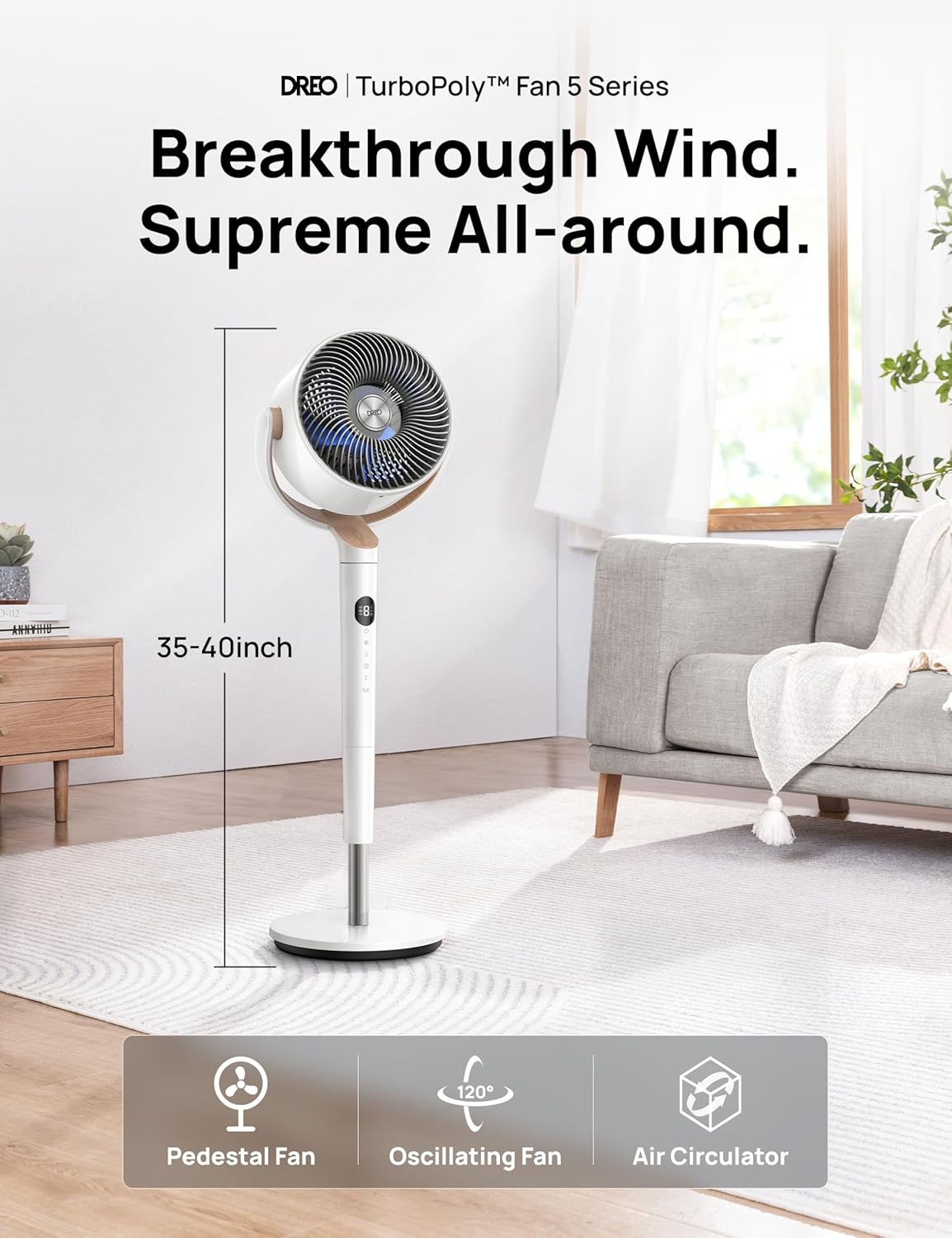
The Dreo PolyFan 502 is a versatile standing fan designed to provide optimal air circulation and cooling for various indoor environments. It features omni-directional oscillation, multiple speed settings, and quiet operation, making it suitable for bedrooms, living rooms, and offices.



3. Package Contents
Ensure all items are present and in good condition upon unpacking.
- Dreo PolyFan 502 Standing Fan (Main Unit)
- Remote Control (with 1 C battery included)
- User Manual (this document)
4. Setup
Follow these steps to assemble and set up your Dreo PolyFan 502.
- Unpack the Fan: Carefully remove all components from the packaging.
- Assemble the Base: Attach the main fan unit to the base. Ensure it clicks securely into place.

Simple assembly process for the fan base. - Adjust Height: The fan's height can be adjusted from 32.7 inches to 42.5 inches. Loosen the height adjustment knob, extend or retract the pole to the desired height, and then tighten the knob.

Adjustable height mechanism. - Insert Remote Battery: Open the battery compartment on the remote control and insert the included C battery, observing polarity.
- Connect to Power: Plug the power cord into a standard 120V AC outlet.
5. Operating Instructions
Learn how to use the various functions of your Dreo PolyFan 502.
5.1 Control Panel and Remote Control
The fan can be operated using the touch controls on the unit's display or the included remote control.
- Power Button: Turns the fan On/Off.
- Speed Adjustment: Cycle through 8 unique wind speeds.
- Mode Selection: Choose from 3 powerful modes (e.g., Normal, Natural, Sleep).
- Oscillation Control: Activate 120° horizontal and 120° vertical omni-directional oscillation.
- Timer: Set the fan to automatically turn off after a set period (up to 8 hours).
- Mute Button: Turns off button beeping sounds.

5.2 Oscillation Features
The fan offers extensive oscillation to cover a wide area.
- Horizontal Oscillation: The fan head rotates 120° horizontally to distribute air across the room.
- Vertical Oscillation: The fan head moves 120° vertically to circulate air from floor to ceiling.
- Omni-directional Oscillation: Combine both horizontal and vertical movement for comprehensive air distribution.


5.3 Timer Function
Set the fan to automatically turn off after a specified duration, from 1 to 8 hours.

5.4 Quiet Operation
Designed with a DC motor and bionic blade design, the PolyFan 502 operates at an ultra-quiet 23dB, ideal for undisturbed sleep or work.

6. Maintenance
Regular cleaning and maintenance will ensure optimal performance and longevity of your fan.
- Cleaning the Exterior: Wipe the exterior surfaces with a soft, damp cloth. Do not use abrasive cleaners or solvents.
- Cleaning the Fan Blades: The front grille and fan blades can be removed for effortless cleaning. Refer to the diagram for disassembly.

Effortless cleaning of removable fan components. - Storage: If storing the fan for an extended period, unplug it, clean it thoroughly, and store it in a cool, dry place, preferably in its original packaging.
7. Troubleshooting
Refer to this section for common issues and their solutions.
| Problem | Possible Cause | Solution |
|---|---|---|
| Fan does not turn on. | Not plugged in; Power outage; Power button not pressed. | Ensure the power cord is securely plugged into a working outlet. Check your home's circuit breaker. Press the power button on the fan or remote. |
| Weak airflow. | Low speed setting; Obstruction in front/back of fan; Dirty fan blades. | Increase the fan speed. Remove any obstructions. Clean the fan blades and grilles as per maintenance instructions. |
| Fan is noisy. | Fan not on a stable surface; Loose parts; Obstruction. | Place the fan on a flat, stable surface. Check for any loose components and ensure they are properly secured. Remove any foreign objects. |
| Remote control not working. | Battery depleted; Obstruction between remote and fan; Remote not pointed at sensor. | Replace the remote control battery. Ensure there are no obstructions. Point the remote directly at the fan's control panel. |
8. Specifications
| Feature | Detail |
|---|---|
| Brand | Dreo |
| Model Name | DR-HPF002 |
| Color | White |
| Style | Pedestal |
| Power Source | DC |
| Product Dimensions | 7.28"D x 13.07"W x 40"H |
| Noise Level | 23 dB |
| Wattage | 24 watts |
| Voltage | 120.0 V |
| Number of Power Levels | 9 |
| Included Components | Remote |
| Item Weight | 13.17 pounds |
| Batteries Required | 1 C battery (included) |
9. Warranty and Support
Dreo products come with a standard manufacturer's warranty. For detailed warranty information, product support, or to register your product, please visit the official Dreo website or contact their customer service.
Dreo Official Website: Visit Dreo Store on Amazon
Please have your model number (DR-HPF002) and purchase date ready when contacting support.
Related documentsDR-HPF002


Ask a question about this manual
Ask about setup, troubleshooting, compatibility, parts, safety, or missing instructions. Manuals+ will review the question and use this page’s manual context to help answer it.