
GESKE GK000778GY01
GESKE Electric Pumice Foot Smoothing Roller User Manual
Model: GK000778GY01
1. Introduction
This manual provides essential instructions for the safe and effective use of your GESKE Electric Pumice Foot Smoothing Roller. Please read this manual thoroughly before first use and retain it for future reference.

Image: The GESKE Electric Pumice Foot Smoothing Roller, shown alongside its product packaging, highlighting its design and branding.
Product Overview
The GESKE Electric Pumice Foot Smoothing Roller is designed for at-home foot care, offering a convenient way to remove calluses and smooth skin. It features a rotating pumice stone and an ergonomic design for comfortable handling.

Image: Front and back views of the GESKE Electric Pumice Foot Smoothing Roller, showcasing its sleek design and control buttons.
Key Features
- Adjustable Spin Speed: Allows for versatile foot care and smoothing.
- Dry and Dead Cell Removing System: Improves skin texture.
- Long-Lasting Stone: Designed for sustainable foot care.
- Painless Exfoliation System: Ensures comfortable use.
- Ultra-Gentle Callus Removal: Effectively eliminates calluses.
- Ergonomic Design: Non-slip handle for comfortable and safe use.
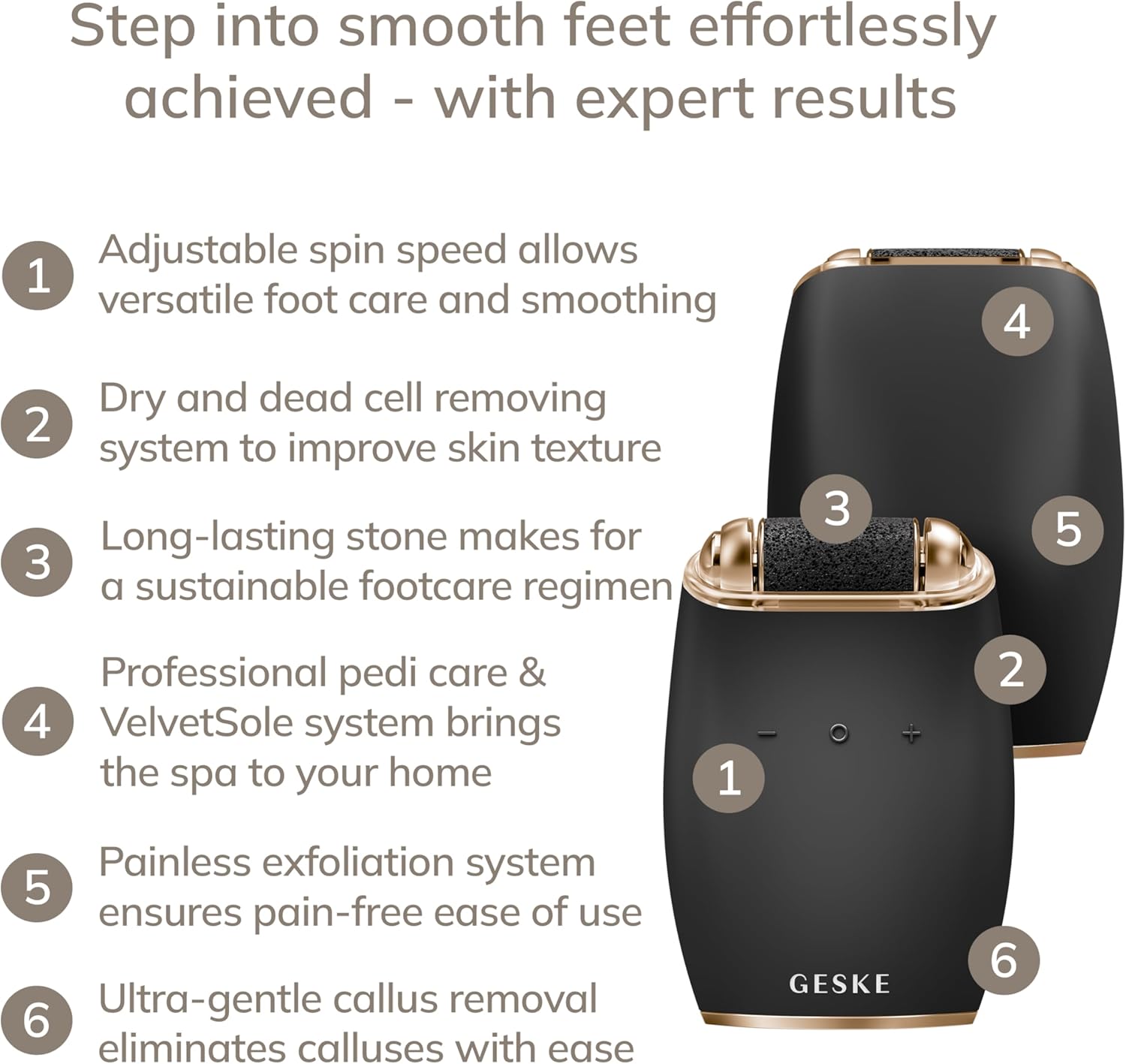
Image: A diagram illustrating key features of the device with numbered callouts, including adjustable spin speed, dry cell removal, and long-lasting stone.
2. Important Safety Information
To reduce the risk of injury, electric shock, fire, or damage to the device, always observe the following basic safety precautions:
- Read all instructions before using the appliance.
- Keep the device away from water. Do not immerse the device in water or use it in a shower or bath.
- This appliance is not intended for use by persons with reduced physical, sensory, or mental capabilities, or lack of experience and knowledge, unless they have been given supervision or instruction concerning use of the appliance by a person responsible for their safety.
- Children should be supervised to ensure they do not play with the appliance.
- Do not use on broken, irritated, or infected skin. Consult a medical professional if you have diabetes or poor circulation before use.
- Do not apply excessive pressure to the skin, as this may cause irritation or injury.
- Ensure the device is fully charged before use to maintain optimal performance.
- Only use original GESKE replacement rollers.

Image: The device displayed with icons highlighting its waterproof (IPX7) rating, skin-friendly silicone, and magnetic charging capabilities.
3. Setup and First Use
Charging the Device
Before first use, ensure your GESKE Electric Pumice Foot Smoothing Roller is fully charged. Connect the magnetic charging cable to the device and a suitable power source. The charging indicator will show the charging status.
Attaching the Roller Head
Ensure the device is turned off. Align the roller head with the device's slot and gently push until it clicks into place. To remove, press the release button (if present) and pull the roller head off.
4. Operating Instructions
Preparation
- Soak your feet in lukewarm water for a few minutes to soften the skin.
- Dry your feet thoroughly. The device is most effective on dry skin.
Using the Device
- Press the power button to turn on the device.
- Adjust the spin speed using the '+' and '-' buttons to your comfort level. Start with a lower speed and increase as needed.
- Gently glide the rotating pumice stone over the callus areas on your feet. Apply light pressure only. Do not press too hard or stay in one area for too long (maximum 2-3 seconds per area).
- Continue until the desired smoothness is achieved.
- Turn off the device by pressing the power button.
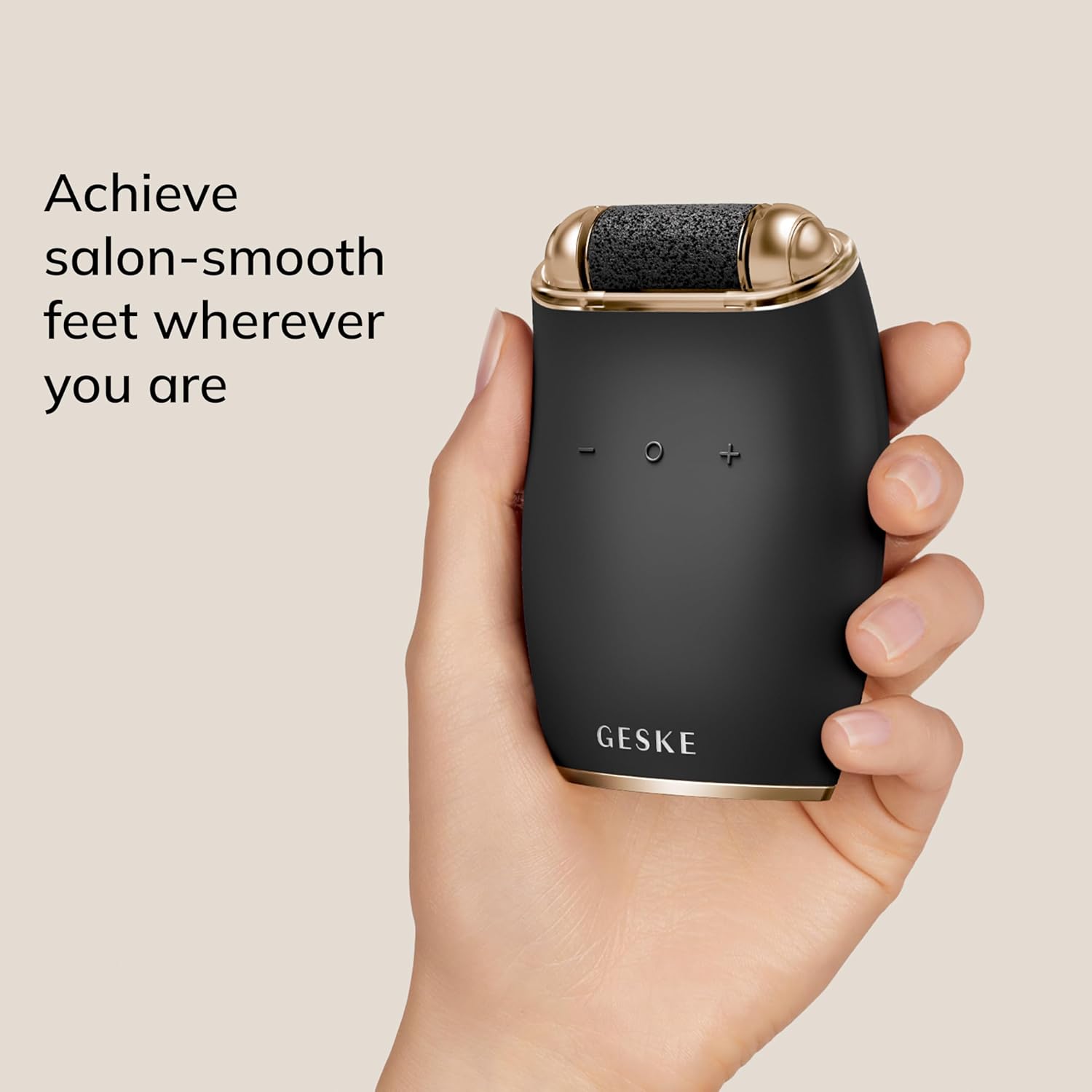
Image: A hand demonstrating the ergonomic grip of the GESKE Electric Pumice Foot Smoothing Roller during use.
Post-Treatment
After using the device, rinse your feet to remove any dead skin particles. Apply a moisturizing cream or lotion to your feet to keep them soft and hydrated.
5. Maintenance and Cleaning
Cleaning the Roller Head
After each use, remove the roller head from the device. Rinse the roller head under running water to remove any skin debris. Allow it to air dry completely before reattaching or storing.
Cleaning the Device Body
Wipe the body of the device with a damp cloth. For thorough cleaning, you may use a specialized device cleanser, such as the GESKE Organic Device Cleanser.

Image: A bottle of GESKE Organic Device Cleanser, recommended for maintaining the hygiene of your device.
Replacing the Roller Head
The roller head should be replaced when it shows signs of wear or its effectiveness diminishes. Replacement roller heads are available from authorized GESKE retailers.
6. Troubleshooting
| Problem | Possible Cause | Solution |
|---|---|---|
| Device does not turn on. | Battery is depleted. | Charge the device fully. |
| Roller head stops spinning during use. | Excessive pressure applied. | Reduce pressure on the skin. |
| Reduced effectiveness of the roller. | Roller head is worn out or clogged. | Clean the roller head or replace it with a new one. |
| Skin irritation after use. | Excessive use or sensitive skin. | Reduce usage time, apply less pressure, or consult a dermatologist if irritation persists. |
7. Specifications
- Model: GK000778GY01
- Brand: GESKE
- Product Dimensions: 9.3 x 6.5 x 3.4 cm
- Weight: 280 g
- Waterproof Rating: IPX7
- Power Source: Rechargeable (Magnetic Charging)
8. Warranty and Support
Warranty Information
The GESKE Electric Pumice Foot Smoothing Roller comes with a 15-year guarantee. Please retain your proof of purchase for warranty claims. For specific warranty terms and conditions, refer to the documentation included with your product or visit the official GESKE website.
Customer Support and AI Beauty App
For further assistance, product information, or to explore additional features and expert advice, download the free GESKE AI Beauty App. The app provides access to product details, how-to videos, and personalized beauty routines.

Image: A visual representation of the GESKE AI Beauty App, showing its interface with features like skin scan and personalized routines.
You can download the app from:
(Note: Replace XXXXXXXXX with the actual App Store ID if available.)
Ask a question about this manual
Ask about setup, troubleshooting, compatibility, parts, safety, or missing instructions. Manuals+ will review the question and use this page’s manual context to help answer it.