1. Product Overview
This manual provides essential information for the safe and efficient operation of your Samsung 350 L Bespoke AI Refrigerator. This frost-free double door refrigerator features a Digital Inverter Compressor, Convertible 5-in-1 modes, and is WiFi enabled with AI capabilities for enhanced convenience and energy efficiency.
Key Features:
- Capacity: 350 Liters (275 L Fresh Food, 75 L Freezer)
- Energy Rating: 2 Star Energy Efficiency (280 kWh/year)
- Compressor: Digital Inverter Compressor with 20-year warranty
- Cooling Technology: Frost Free, Twin Cooling Plus
- Smart Features: AI Energy Mode, SmartThings App integration, WiFi Enabled
- Convertibility: 5-in-1 Convertible modes (Normal, Extra Fridge, Seasonal, Vacation, Home Alone)
- Additional Features: Adjustable Shelves, Anti-Bacterial Gasket, LED Light, Stabilizer Free Operation (100V - 300V), Easy Clean Back
Dimensions and Weight:
- Dimensions (WxHxD): 63 cm x 178.5 cm x 73.2 cm
- Net Weight: 62 kg
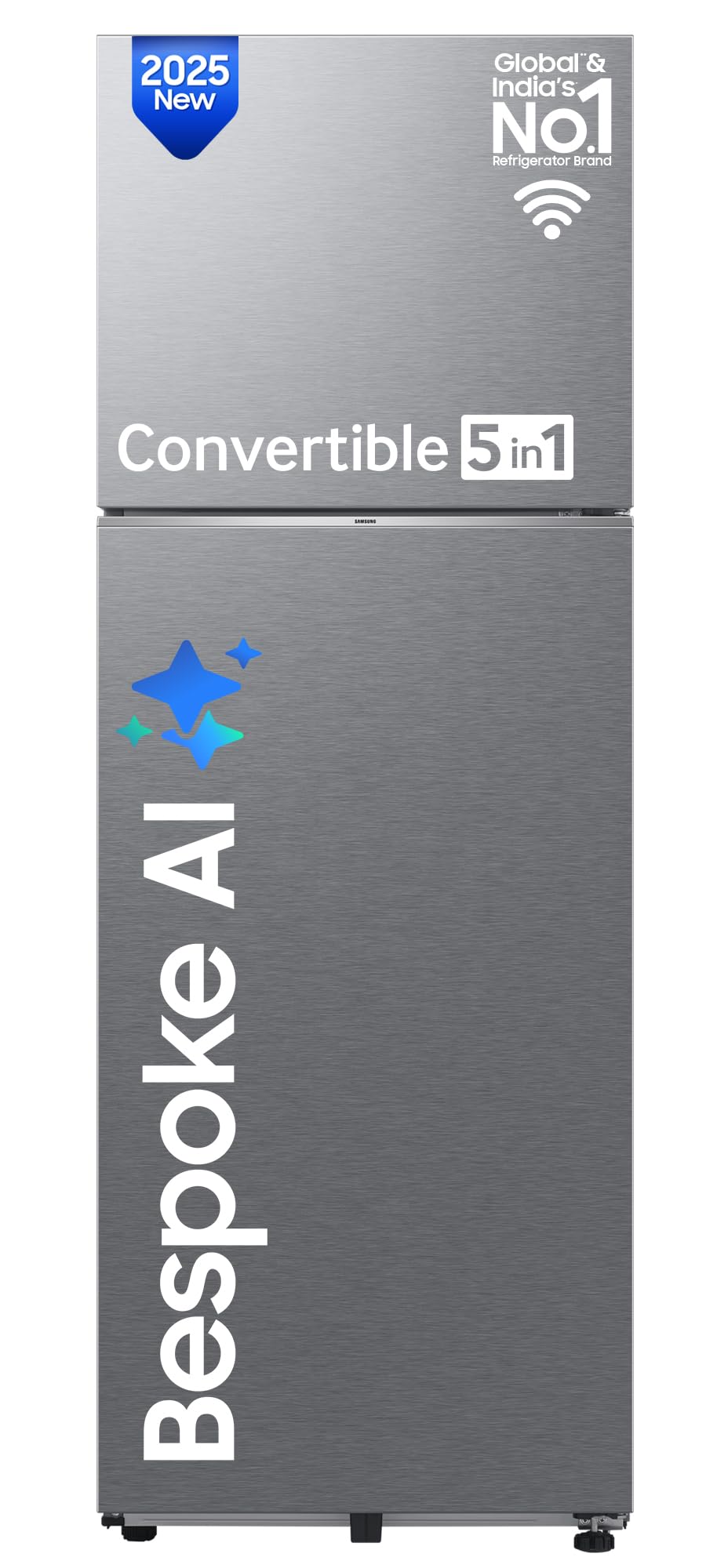
Image: Refrigerator dimensions, energy label, and easy clean back feature.
2. Safety Information
Always follow basic safety precautions when using this appliance to reduce the risk of fire, electric shock, or injury to persons. Keep this manual for future reference.
- Ensure the refrigerator is properly grounded.
- Do not damage the refrigerant circuit.
- Keep ventilation openings clear of obstruction.
- Do not use mechanical devices or other means to accelerate the defrosting process, other than those recommended by the manufacturer.
- Do not use electrical appliances inside the food storage compartments, unless they are of the type recommended by the manufacturer.
- Unplug the appliance before cleaning or performing maintenance.
- Keep children away from the appliance.
3. Installation
Unboxing and Placement:
Carefully unbox the refrigerator. Inspect for any damage. Place the refrigerator on a flat, stable surface. Ensure adequate clearance around the unit for proper ventilation. The back of the refrigerator is designed for easy cleaning.
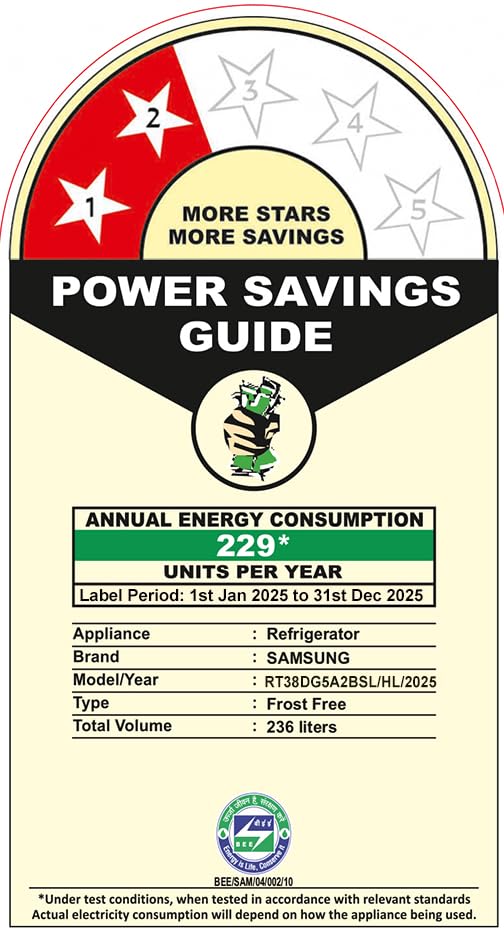
Image: Rear view of the refrigerator, highlighting the easy clean back.
Initial Power On:
After placement, plug in the refrigerator. It is recommended to let the empty refrigerator run for a minimum of 7 hours before storing food items to allow it to reach optimal cooling temperatures. The appliance supports stabilizer-free operation within a voltage range of 100V - 300V.
SmartThings App Connection:
To utilize the AI features and WiFi connectivity, download the Samsung SmartThings app on your Android or iOS device. Follow the in-app instructions to connect your refrigerator. A Samsung Account is required.

Image: Smartphone showing the SmartThings app interface for controlling the refrigerator.
4. Operating Instructions
Control Panel and Temperature Settings:
The refrigerator features an internal control panel for adjusting temperature settings. You can also control and monitor your refrigerator remotely via the SmartThings app.

Image: Interior view of the refrigerator with food items, showing the internal control panel.
Convertible 5-in-1 Modes:
Your refrigerator offers five flexible conversion modes to adapt to your storage needs:
- Normal Mode: Both fridge and freezer operate as standard.
- Extra Fridge Mode: Converts the freezer compartment into an additional fridge space.
- Seasonal Mode: Turns off the freezer while the fridge operates normally, ideal for seasonal needs.
- Vacation Mode: Turns off the fridge compartment while the freezer operates normally, saving energy when you're away.
- Home Alone Mode: Turns off the freezer and converts the fridge to a smaller, energy-efficient cooling zone.

Image: Visual representation of the 5-in-1 Convertible modes.
AI Energy Mode:
Activate AI Energy Mode via the SmartThings app to optimize energy consumption. This mode monitors your usage patterns and intelligently adjusts the compressor speed and freezer temperature to save up to 10% energy.

Image: Illustration of AI Energy Mode functionality and energy savings.
Power Cool and Power Freeze:
Use Power Cool to rapidly chill items in the refrigerator compartment or Power Freeze to quickly make ice or freeze food in the freezer compartment. These functions can be activated from the internal control panel or through the SmartThings app, even using voice commands with Samsung Bixby.

Image: Power Cool feature for faster chilling.

Image: Power Freeze feature for faster ice making.
5. Maintenance
Cleaning:
Regularly clean the interior and exterior of your refrigerator. The 'Easy Clean Back' design simplifies cleaning the rear of the appliance. Use a soft cloth with mild detergent and water. Avoid abrasive cleaners.
Active Fresh Filter+:
The Active Fresh Filter+ helps eliminate up to 99.9% of potentially harmful bacteria, keeping your refrigerator hygienic and food fresh. Ensure the filter is clean and functioning correctly.

Image: Interior of the refrigerator, showing the Active Fresh Filter+ location.
SmartThings Home Care:
The SmartThings Home Care feature allows the refrigerator to self-diagnose operational issues and proactively inform you if any action is required, helping you maintain the appliance effectively.
6. Troubleshooting
Door Open Alert:
If the refrigerator door is left open for an extended period, you will receive an alert on your SmartThings app. This helps prevent cooling loss and food spoilage.
General Issues:
For any operational concerns, refer to the SmartThings Home Care section in the app for diagnostic information and suggested solutions. For further assistance, contact Samsung customer support.
7. Specifications
| Feature | Specification |
|---|---|
| Brand | Samsung |
| Model | RT38DG5A2BSLHL |
| Capacity | 350 litres |
| Annual Energy Consumption | 280 Kilowatt Hours Per Year |
| Refrigerator Fresh Food Capacity | 275 litres |
| Freezer Capacity | 75 Litres |
| Installation Type | Freestanding |
| Form Factor | Standard Double Door, Freezer Top, Convertible |
| Special Features | Adjustable Shelves, Automatic Defrost, Energy Efficient, Frost Free, Wi-Fi Enabled |
| Colour | Silver (AI Real Steel) |
| Voltage | 230 Volts |
| Number of Shelves | 3 |
| Shelf Type | Toughened Glass |
| Defrost System | Frost Free |
| Included Components | 1 Frost Free Refrigerator Unit |
| Item Weight | 62 kg |
| Product Dimensions | 73.2D x 63W x 178.5H Centimeters |
8. Warranty and Support
Warranty Information:
The product comes with a 1-year comprehensive warranty. The Digital Inverter Compressor is backed by a 20-year warranty. Brand warranty can be availed using the seller invoice.

Image: Digital Inverter Compressor with 20-year warranty.
Customer Support:
For any queries or support, please visit the official Samsung website or contact their customer service. The user manual can also be accessed from the brand website.
9. Product Video Overview
Watch this official product video for a visual guide on the features and functionalities of your Samsung Bespoke AI Refrigerator.
Video: An overview of the Samsung Bespoke AI Double Door Refrigerator, detailing its AI features, connectivity, convertible modes, and Digital Inverter Technology.


