
1. Safety Instructions
Please read and understand all safety warnings and instructions before operating this electric screwdriver. Failure to follow these instructions may result in electric shock, fire, and/or serious injury.
- Work Area Safety: Keep your work area clean and well-lit. Cluttered or dark areas invite accidents. Do not operate power tools in explosive atmospheres, such as in the presence of flammable liquids, gases, or dust.
- Electrical Safety: Avoid body contact with earthed or grounded surfaces such as pipes, radiators, ranges, and refrigerators. There is an increased risk of electric shock if your body is earthed or grounded. Do not expose power tools to rain or wet conditions. Water entering a power tool will increase the risk of electric shock.
- Personal Safety: Stay alert, watch what you are doing, and use common sense when operating a power tool. Do not use a power tool while you are tired or under the influence of drugs, alcohol, or medication. A moment of inattention while operating power tools may result in serious personal injury. Use personal protective equipment. Always wear eye protection.
- Tool Use and Care: Do not force the power tool. Use the correct power tool for your application. The correct power tool will do the job better and safer at the rate for which it was designed. Disconnect the battery pack from the power tool before making any adjustments, changing accessories, or storing power tools.
2. Package Contents
Verify that all items are present in your package:
- JENABOM 3.6V Cordless Electric Screwdriver
- USB Charging Cable
- 105-piece Accessory Set (various screwdriver bits, drills, screws, extension rods, magnetizer)
- Storage Box

This image displays the JENABOM 3.6V Cordless Electric Screwdriver, its USB charging cable, and the comprehensive 105-piece accessory kit, including various screwdriver bits, sockets, and a storage case.

The complete JENABOM electric screwdriver kit, including the tool and all 105 accessories, neatly stored in its dedicated carrying case for organization and portability.
3. Product Overview
Familiarize yourself with the components of your electric screwdriver:
- Hex Collet: Accepts standard 1/4 inch (6.35mm) bits.
- LED Worklight: Illuminates the work area.
- Forward/Reverse Buttons: Controls the rotation direction.
- Charging and Torque Gear Indicator: Displays battery level and selected torque setting.
- USB Charging Port: For recharging the internal battery.
- Anti-slip Handle: Ergonomically designed for comfortable grip.

This diagram illustrates the main features of the screwdriver, including the USB charging port, the 1/4 inch hex collet for standard bits, the LED indicator for charge and torque settings, and the forward/reverse control buttons.
4. Setup
4.1. Charging the Screwdriver
Before first use, fully charge the screwdriver. The built-in 1300mAh lithium-ion battery typically requires 3-5 hours for a full charge.
- Locate the USB charging port on the screwdriver.
- Connect the provided USB charging cable to the screwdriver's port.
- Connect the other end of the USB cable to a compatible USB power source (e.g., computer, power bank, wall adapter).
- The charging indicator lights will show the charging status. Once fully charged, the indicator will show a full battery.

The image shows the JENABOM electric screwdriver connected to a laptop via its USB cable for charging, demonstrating its convenient and versatile charging options.
4.2. Inserting Screwdriver Bits
The screwdriver features a magnetic hex collet for easy bit changes.
- Select the appropriate 1/4 inch hex bit for your task.
- Push the bit firmly into the hex collet until it is securely seated. The magnetic design will hold the bit in place.
- To remove, simply pull the bit straight out.

This image illustrates the magnetic design of the screwdriver's chuck, allowing for quick and easy insertion and removal of screwdriver bits, both directly and with an extension pole.
5. Operation
5.1. Powering On/Off and Direction Control
The screwdriver is activated by pressing and holding the appropriate button.
- Forward Rotation: Press and hold the forward button (usually indicated by an arrow pointing right or up) for 1 second to start driving screws.
- Reverse Rotation: Press and hold the reverse button (usually indicated by an arrow pointing left or down) for 1 second to remove screws.
- Release the button to stop the screwdriver.

This image illustrates the forward and reverse control buttons on the screwdriver, indicating that a 1-second press is required to initiate operation and switch between modes.
5.2. Torque Adjustment
The screwdriver features four adjustable torque settings, allowing you to match the power to the task and prevent over-tightening or damage.
- The torque setting can be adjusted using the dedicated torque adjustment button or by cycling through the settings with the main power button (refer to the indicator lights).
- Available torque levels range from 2.5 N.m to 5 N.m.
- Select a lower torque for delicate tasks (e.g., electronics, soft materials) and a higher torque for more demanding applications (e.g., furniture assembly, harder materials).
- When the set torque is reached, the mechanical clutch will disengage, preventing further tightening.

This graphic provides essential technical data for the screwdriver, detailing its 3.6V operating voltage, 1300mAh battery capacity, 200 RPM no-load speed, and the adjustable torque range from 2.5 N.m to 5 N.m across four settings.

This image demonstrates the functionality of the adjustable 4-level torque system, showing how it prevents damage to screws or materials by disengaging the clutch when the set torque is reached.
5.3. LED Work Light
The integrated LED work light automatically activates when the screwdriver is in operation, providing illumination for dark or confined spaces.
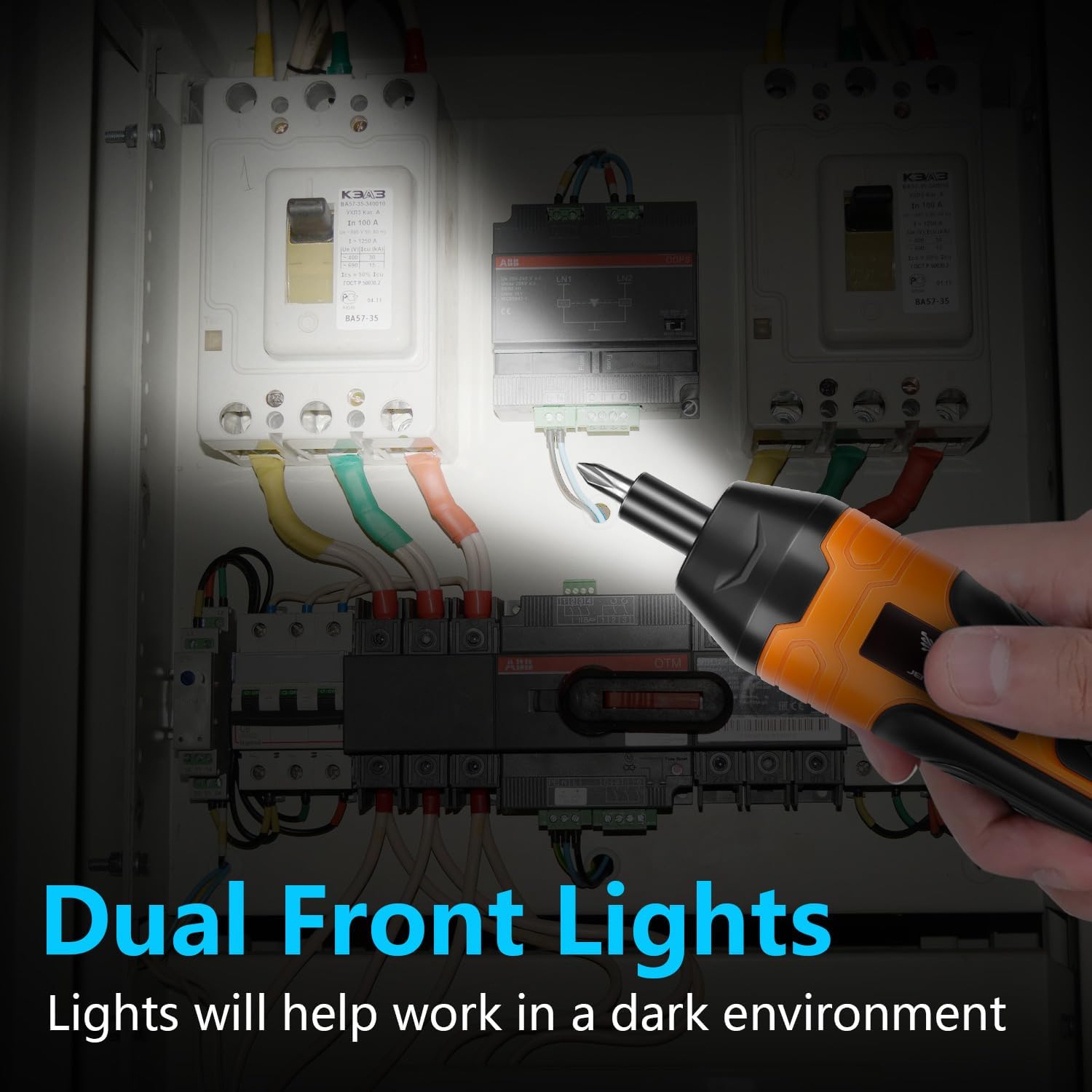
An image depicting the screwdriver in operation, with its built-in LED work light actively illuminating the work area, enhancing visibility in low-light conditions.

This image highlights the effectiveness of the LED working light, demonstrating how it provides crucial illumination in dark environments for improved visibility during tasks.
6. Maintenance
Regular maintenance ensures optimal performance and extends the life of your screwdriver.
- Cleaning: Keep the tool's ventilation openings clean to prevent overheating. Use a soft, damp cloth to clean the exterior. Do not use harsh chemicals or abrasive cleaners.
- Bit Care: Store screwdriver bits in the provided case to prevent loss and damage. Replace worn or damaged bits to ensure efficient and safe operation.
- Storage: Store the screwdriver and accessories in a dry, secure location, away from direct sunlight and extreme temperatures.
7. Troubleshooting
If you encounter issues, refer to the following common problems and solutions:
| Problem | Possible Cause | Solution |
|---|---|---|
| Screwdriver does not turn on. | Battery is depleted. | Charge the battery fully (refer to Section 4.1). |
| Screwdriver lacks power or stops during use. | Low battery charge. | Recharge the battery. |
| Bit slips or does not engage screw. | Incorrect bit size or worn bit. | Ensure the correct bit is used and replace if worn. |
| Screws are stripped or damaged. | Torque setting is too high. | Adjust to a lower torque setting (refer to Section 5.2). |
8. Specifications
Key technical specifications for the JENABOM 3.6V Cordless Electric Screwdriver:
| Feature | Specification |
|---|---|
| Brand | JENABOM |
| Model Number | TY-CS07 |
| Voltage | 3.6 Volts (DC) |
| Battery Capacity | 1300mAh Lithium Ion |
| Max Torque | 5 N.m |
| Torque Adjustment | 4-Gear (2.5 N.m to 5 N.m) |
| No-load Speed | 200 rpm |
| Power Source | Battery Powered |
| Product Dimensions | 2.36"L x 8.27"W x 4.53"H |
| Item Weight | 1.76 pounds |
| Material | Rubber |
9. Warranty and Support
For warranty information or technical support, please contact JENABOM customer service. Details can typically be found on the product packaging or the official JENABOM website.
If you are not satisfied with your purchase, please feel free to contact us. JENABOM will reply to you within 24 hours.