
1. Introduction
The eSynic ESYESY266 Professional eARC/ARC to Optical Audio Extractor is designed to convert audio signals from your HDTV's eARC or ARC interface to an optical output. This allows you to connect your modern HDTV to audio devices such as soundbars, wireless headphones, or home theater systems that utilize an optical input. The device supports high sampling rates up to 24bit/192KHz and various audio formats including PCM 2.0, Dolby 5.1, and DTS 5.1, ensuring high-quality audio transmission. It is a plug-and-play solution, requiring no additional software or drivers.
2. Package Contents
Please verify that all items are present in the package:
- 1 x 192KHZ ARC/eARC Audio Extractor
- 1 x 1.1M Optical Cable
- 1 x 1M HDMI Cable
- 1 x USB Type-C Cable
- 1 x User Manual

Image: Contents of the eSynic ESYESY266 package, including the extractor, optical cable, HDMI cable, and USB Type-C cable.
3. Product Overview
The eSynic ESYESY266 is a compact and lightweight device designed for seamless audio conversion. It features an HDMI input for connecting to your HDTV's eARC/ARC port, a USB-C port for power, and an optical output for connecting to your audio system.

Image: The eSynic ESYESY266 Audio Extractor connected with its HDMI and optical cables.
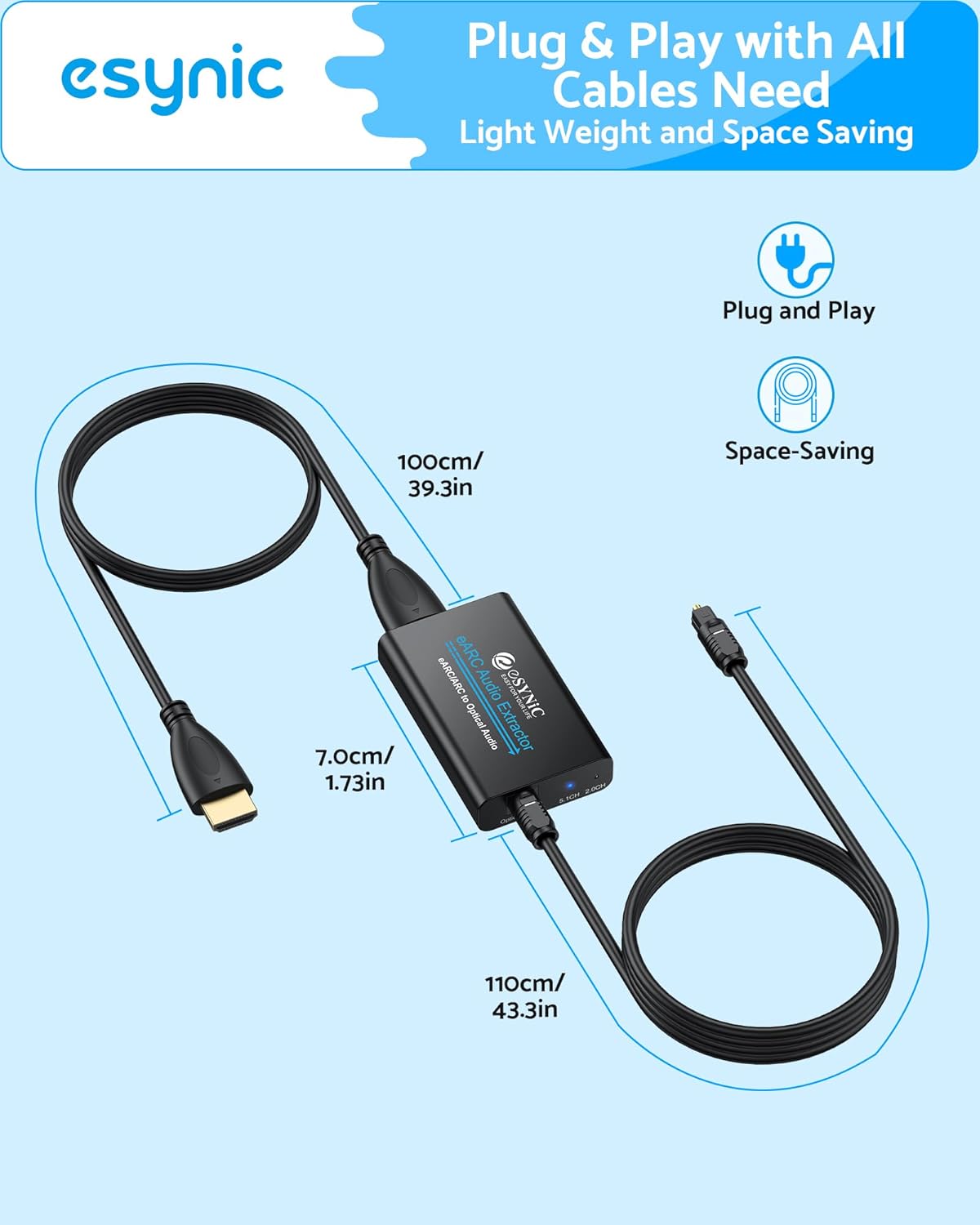
Image: Diagram showing the dimensions of the eSynic ESYESY266 Audio Extractor and its integrated cables.
4. Setup Instructions
Follow these steps to set up your eSynic ESYESY266 Audio Extractor:
- Power Connection: Connect the provided USB Type-C cable to the "Power" port on the eARC Audio Extractor. Connect the other end of the USB cable to a 5V USB power source (e.g., a TV USB port or a USB wall adapter, not included). Ensure the adapter is powered on.
- HDMI Connection: Connect the integrated HDMI cable from the eARC Audio Extractor to the eARC/ARC HDMI port on your HDTV. This port is typically labeled "HDMI (eARC/ARC)" or similar. Ensure your HDTV supports the eARC/ARC function.
- Optical Output Connection: Connect the provided optical cable from the "Optical Output" port on the eARC Audio Extractor to the optical input port on your soundbar, wireless headphones, or home theater system.
- TV Audio Settings: Access your HDTV's audio settings menu.
- Enable the eARC/ARC function on your TV.
- Set the HDTV to eARC/ARC audio output (use the TV's remote control to turn it on).
- For optimal sound, ensure the TV's digital audio output format is set to PCM 2.0, Dolby 5.1, or DTS 5.1. Avoid "Dolby Digital Plus", "Dolby Atmos", "DTS:X", or "PCM Multi-channel" as these formats may exceed the optical interface's capacity.

Image: A diagram illustrating the connection of the eSynic ESYESY266 Audio Extractor from an HDTV's eARC/ARC port to an optical sound system.

Image: Important notes regarding TV settings for eARC/ARC function and CEC limitations.
Setup Video Guide:
Video: An official eSynic video demonstrating the setup and connection of the eARC/ARC Audio Extractor.
5. Operating Instructions
Once properly connected and configured, the eSynic ESYESY266 operates automatically. The device will extract the audio signal from your HDTV's eARC/ARC port and output it through the optical cable to your connected audio system.
- Audio Format Indicators: The extractor is equipped with LED indicators for 5.1 Channel and 2.0 Channel audio signals, allowing you to confirm the active audio format.
- High-Quality Audio: Enjoy clear and detailed sound with support for up to 24bit/192KHz sampling rates.
- CEC Limitation: Please note that due to the characteristics of the optical interface, the product does not support CEC (Consumer Electronics Control) remote volume control. Volume adjustments must be made directly on your audio receiving device.
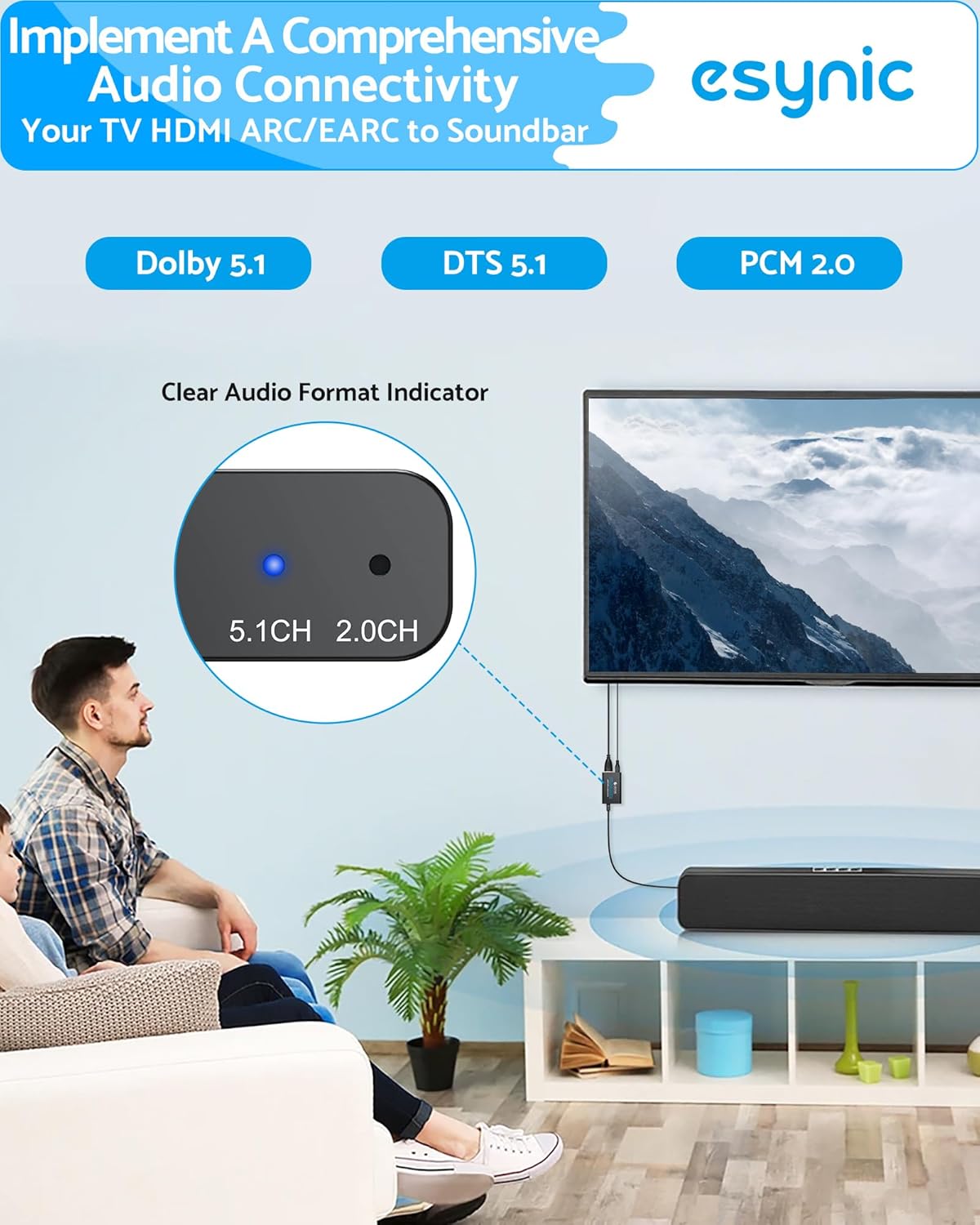
Image: Close-up of the eSynic ESYESY266 showing the 5.1CH and 2.0CH audio signal indicators.

Image: Illustration of enjoying high-resolution audio with the eSynic ESYESY266 connected to a soundbar.
6. Troubleshooting
If you encounter issues, please refer to the following troubleshooting steps:
"Login Only" Problem:
The "Login Only" prompt is typically not generated by the eARC Audio Extractor itself, but rather by your TV or streaming application. This usually indicates an incompatibility between the TV's audio output settings and the optical fiber's capabilities.
To resolve this, you must adjust the audio output settings of your TV:
- Enter the TV Settings menu using your TV remote control.
- Find sound/audio options (e.g., "Sound", "Audio", or "Effects").
- In the sound menu, find "Advanced Settings", "Expert Settings", or "Professional Settings".
- To modify the digital audio output format, find options named "Digital Audio Output Format", "HDMI Audio Format", or "eARC Mode".
- Do not select "Auto" or "Passthrough".
- Please manually set it to "Dolby Digital" or "Bitstream". Some TVs may display as "Dolby Digital".
Important: Please avoid choosing "Dolby Digital Plus", "Dolby Atmos", "DTS:X", or "PCM Multi-channel", as these formats exceed the transmission capacity of optical fibers and may cause playback interruption.

Image: A visual guide for troubleshooting the "Login Only" problem by adjusting TV audio settings.
7. Specifications
| Brand | eSynic |
| Model Number | ESYESY266 |
| Interface Type | HDTV ARC/eARC Port to Soundbar Optical Port |
| Sampling Rate Support | Up to 24bit/192KHz |
| Audio Formats Supported | PCM 2.0, Dolby 5.1, DTS 5.1 |
| Mounting Type | Plug & Play |
| Power Supply | USB 5V |
| Number of Channels | 6 |
| Package Dimensions | 7.44 x 6.69 x 0.67 inches |
| Item Weight | 5.29 ounces |
8. Safety Information
- Keep the device away from water or excessive moisture.
- Do not attempt to disassemble or modify the device.
- Use only the provided cables or certified replacements.
- Ensure proper ventilation to prevent overheating.
- Keep out of reach of children.
9. Warranty and Support
For warranty information or technical support, please contact eSynic customer service through the retailer where the product was purchased or visit the official eSynic website. Please retain your proof of purchase for warranty claims.