1. Introduction
The Xmenha AI Translation Earbuds (Model x28A) are designed to facilitate seamless communication across language barriers. These open-ear headphones offer real-time translation in 144 languages, ensuring clear audio and awareness of your surroundings. With multiple translation modes and HD sound quality, they are suitable for various scenarios from casual conversations to business meetings.
Key Features:
- AI Translator Earbuds Support 144 Languages: Provides accurate and authentic translations with 96% accuracy and offers instant two-way translations in just about 0.2 seconds.
- Multi-Scenario Translation Modes & Privacy Protection: Offers a variety of innovative translation modes, including free talk mode, speech-to-text, text-to-speech, and audio transcription.
- Binaural Mode: One person wears a translator earbud, speaks, and the translated sound plays from both translating earbuds in real-time.
- HD Sound Quality: Features HD sound quality, providing clear and pure sound for music, calls, or language translation.
- Open Ear Safe & Clear: Allows you to remain aware of your surrounding environment while enjoying audio or conversations.
2. What's in the Box
- Xmenha AI Translation Earbuds (Left & Right)
- Charging Case
- USB Charging Cable
- Instruction Manual
3. Setup
3.1. Charging the Earbuds and Case
Before first use, fully charge your Xmenha AI Translation Earbuds and charging case. Connect the provided USB charging cable to the charging port on the case and a compatible USB power source. The case's display will indicate charging status. The earbuds will charge automatically when placed inside the case.
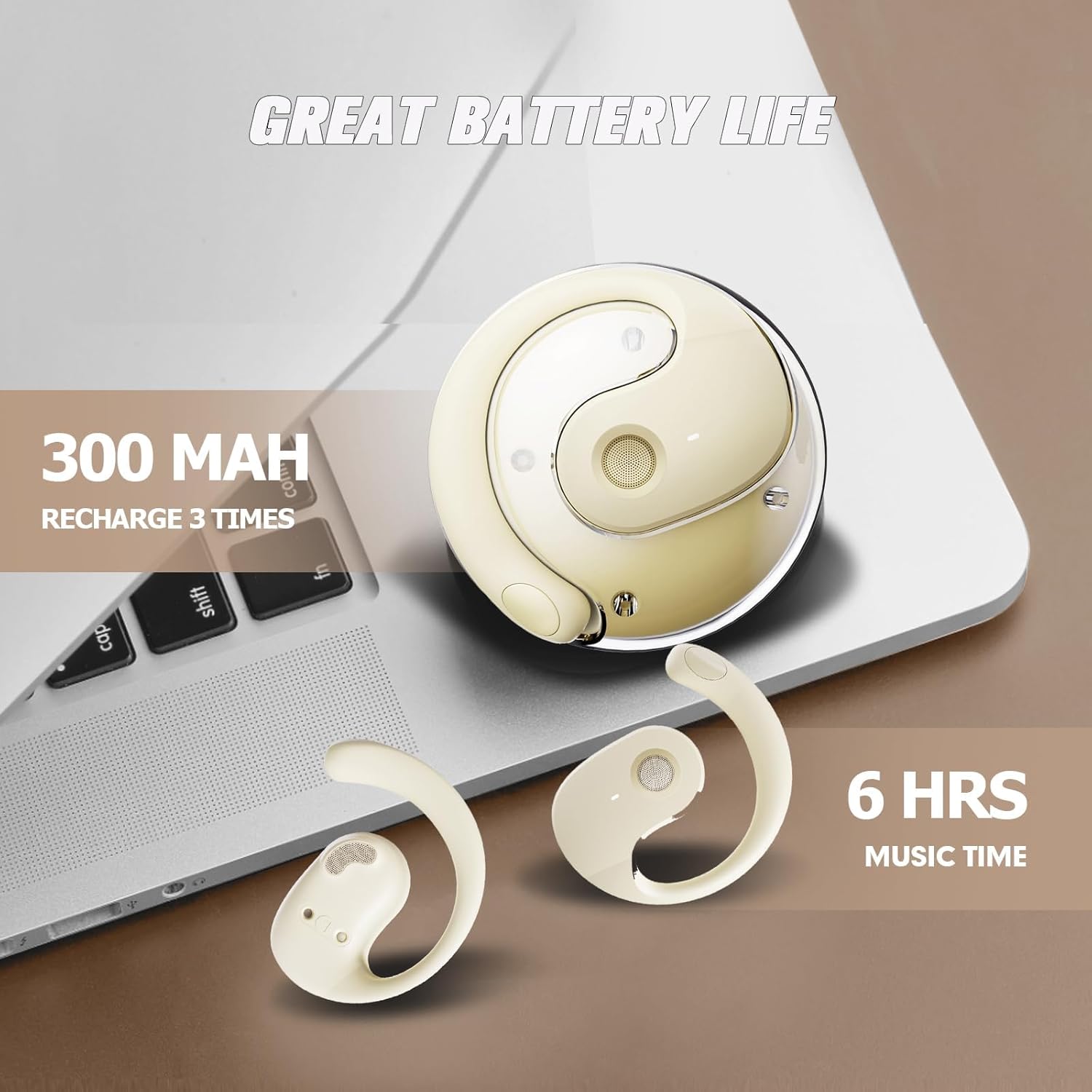
Image: The Xmenha AI Translation Earbuds charging case and earbuds, highlighting the 300 mAh battery capacity for the case (recharge 3 times) and 6 hours of music time for the earbuds.
3.2. Wearing the Earbuds
The earbuds feature an open-ear design for comfort and situational awareness. Gently place each earbud over your ear, ensuring the speaker is positioned correctly to direct sound towards your ear canal without blocking it. Adjust for a secure and comfortable fit.

Image: A woman wearing the Xmenha AI Translation Earbuds, illustrating the ergonomic open-ear design for comfortable, non-compressive wear.
3.3. Connecting to Your Device (Bluetooth Pairing)
- Ensure the earbuds are charged and removed from the charging case. They will automatically enter pairing mode.
- On your smartphone or tablet, go to Bluetooth settings and search for available devices.
- Select "x28A" (or similar model name) from the list to pair. A voice prompt will confirm successful connection.
3.4. App Download and Initial Setup
To utilize the full translation capabilities, download the dedicated "IA COOL APP" from your device's app store (iOS/Android). Follow the in-app instructions for initial setup, including language settings and mode selection.
Video: A demonstration of how to activate the Xmenha AI Translation Earbuds, including pairing with a smartphone and navigating the companion app for language selection and translation modes.
4. Operating Instructions
4.1. Touch Controls
The earbuds feature touch-sensitive controls for various functions. Refer to the in-app manual for specific tap sequences for actions such as:
- Play/Pause music
- Skip tracks (next/previous)
- Adjust volume
- Answer/End calls
- Activate voice assistant
4.2. Translation Modes
The "IA COOL APP" offers several translation modes:
- AI Dialogue Mode: Engage in natural conversations with AI assistance.
- Free Talk Mode: For two-way conversations with another person, each wearing an earbud.
- Translation Machine Mode: Use your phone as a translation device, with audio output through the earbuds.
- Headphones+Phone Mode: One person clicks on the earphones and the other clicks on the phone to start a conversation.
- Photo Translation: Translate text from images.
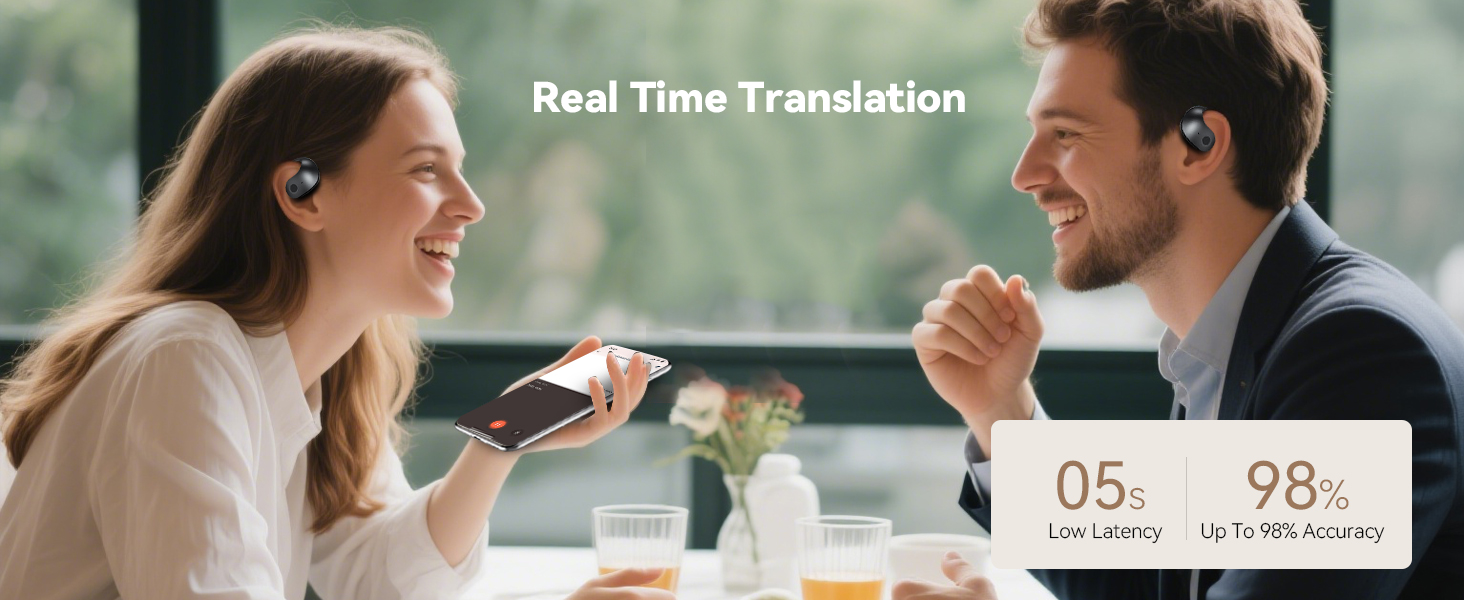
Image: The Xmenha AI Translation Earbuds app interface, displaying options for AI dialogue mode, free talk mode, translation machine mode, headphones+phone mode, and photo translation.

Image: Two individuals engaged in face-to-face communication, each wearing an Xmenha AI Translation Earbud, illustrating 98% accuracy and 0.5-second simultaneous translation.
4.3. Audio Playback
Enjoy your music, podcasts, or audiobooks with HD sound quality. The open-ear design allows you to stay aware of your surroundings while listening.

Image: A man and a woman using Xmenha AI Translation Earbuds while looking at a smartphone, demonstrating real-time translation with 0.5s low latency and up to 98% accuracy.
5. Maintenance
5.1. Cleaning
Regularly clean your earbuds and charging case with a soft, dry cloth. Avoid using harsh chemicals or abrasive materials. Ensure charging contacts are free of dust and debris.
5.2. Water Resistance
The earbuds are rated as waterproof. However, avoid prolonged submersion in water and exposure to saltwater or other liquids that may cause damage.
6. Troubleshooting
6.1. Earbuds Not Pairing
- Ensure both earbuds are charged and removed from the case.
- Turn off and on your device's Bluetooth.
- Forget the device in your Bluetooth settings and attempt to re-pair.
6.2. Translation Inaccuracy or Delay
- Check your internet connection; a stable connection is crucial for real-time translation.
- Ensure the correct source and target languages are selected in the app.
- Speak clearly and at a moderate pace into the microphone.
6.3. Poor Sound Quality
- Adjust the earbud's position on your ear to ensure optimal sound delivery.
- Clean the speaker mesh to remove any obstructions.
- Check the audio source device for any issues.
7. Specifications
| Model Name | x28A |
| Connectivity Technology | Wireless (Bluetooth 5.0) |
| Headphones Jack | No Jack |
| Included Components | Bluetooth Earbuds, Charging Case, USB Charging Cable |
| Age Range (Description) | 1-99 |
| Material | Plastic |
| Compatible Devices | Smartphones, Tablets, Laptops, Desktops |
| Control Type | Touch |
| Water Resistance Level | Waterproof |
| Item Weight | 0.13 Kilograms (4.6 ounces) |
| Product Dimensions | 0.3 x 0.2 x 0.5 inches |
| Batteries | 1 Lithium Ion batteries required (included) |
| Ear Placement | Open Ear |
| Noise Control | Sound Isolation |
8. Warranty and Support
For warranty information and customer support, please refer to the documentation included in your product packaging or visit the official Xmenha website. Keep your purchase receipt for warranty claims.