
Introduction
Thank you for purchasing the Bajaj ICX 160TS Neo Induction Stove. This manual provides essential information for the safe and efficient operation, maintenance, and troubleshooting of your new appliance. Please read these instructions thoroughly before first use and retain them for future reference.
Important Safety Instructions
To reduce the risk of fire, electric shock, injury to persons, or damage to the appliance, always follow basic safety precautions, including the following:
- Read all instructions before using the appliance.
- Do not touch hot surfaces. Use handles or knobs.
- To protect against electrical shock, do not immerse cord, plugs, or the appliance in water or other liquid.
- Close supervision is necessary when any appliance is used by or near children.
- Unplug from outlet when not in use and before cleaning. Allow to cool before putting on or taking off parts.
- Do not operate any appliance with a damaged cord or plug or after the appliance malfunctions or has been damaged in any manner. Contact customer service for examination, repair, or adjustment.
- The use of accessory attachments not recommended by the appliance manufacturer may cause injuries.
- Do not use outdoors.
- Do not let cord hang over edge of table or counter, or touch hot surfaces.
- Do not place on or near a hot gas or electric burner, or in a heated oven.
- Extreme caution must be used when moving an appliance containing hot oil or other hot liquids.
- Always attach plug to appliance first, then plug cord into the wall outlet. To disconnect, turn any control to "off", then remove plug from wall outlet.
- Do not use appliance for other than intended use.
- Ensure the appliance is placed on a stable, flat, heat-resistant surface.
- Only use induction-compatible cookware.
Product Components
The Bajaj ICX 160TS Neo Induction Stove package includes the following items:
- 1N Induction Stove
- 1N Instruction Manual
- 1N Warranty Card

Image: Bajaj ICX 160TS Neo Induction Stove, showcasing its sleek design and control panel.
Setup Guide
Follow these steps for the initial setup of your induction stove:
- Unpack: Carefully remove the induction stove and all accessories from the packaging. Retain the packaging for future storage or transport.
- Placement: Place the induction stove on a dry, stable, heat-resistant, and non-metallic surface. Ensure there is adequate ventilation around the unit (at least 10 cm clearance from walls or other appliances).
- Power Connection: Plug the power cord into a grounded electrical outlet. Ensure the voltage rating of the appliance matches your local power supply.
- First Use: Before first use, wipe the ceramic plate with a soft, damp cloth. Do not use abrasive cleaners.
Operating Instructions
Control Panel Overview

Image: Close-up view of the control panel, showing the digital display, power, temperature, time controls, and various function icons.
The control panel features a digital display, tactile buttons for various functions, and indicators for power, temperature, and time settings.
Power On/Off
- To turn on: Place an induction-compatible pan on the cooking zone. Press the ON/OFF button. The display will illuminate.
- To turn off: Press the ON/OFF button again. The unit will power down.
Using Pre-Set Menus

Image: The 9 pre-set menu icons on the control panel, including Curry, Deep Fry, Idli, Chapati, Milk, Keep Warm, Saute, Pressure Cook, and Dosa.
The induction stove comes with 9 pre-set menus for common Indian culinary preparations. To use a pre-set menu:
- Ensure the stove is powered on and a suitable pan is in place.
- Press the desired pre-set menu button (e.g., Curry, Deep Fry, Milk). The stove will automatically adjust to the optimal power and temperature settings for that dish.
- Some pre-set menus may have a default time setting.
Variable Time, Power, and Temperature Selection
For manual control, you can adjust the cooking time, power, and temperature:
- Power Adjustment: After turning on, press the Power button, then use the + and - buttons to increase or decrease the wattage (up to 1600W).
- Temperature Adjustment: Press the Temperature button, then use the + and - buttons to set the desired temperature.
- Time Setting: Press the Timer button, then use the + and - buttons to set the cooking duration. The stove will automatically turn off once the timer expires.
Keep Warm Function
The Keep Warm function maintains food at a serving temperature without overcooking. To activate, press the Keep Warm button. This function can be used after cooking or as a standalone setting.
Pan Sensor Technology
The induction stove is equipped with a Pan Sensor. It detects if an induction-compatible pan is placed on the cooking zone. If no pan is detected or an incompatible pan is used, the stove will not generate heat and may display an error code.
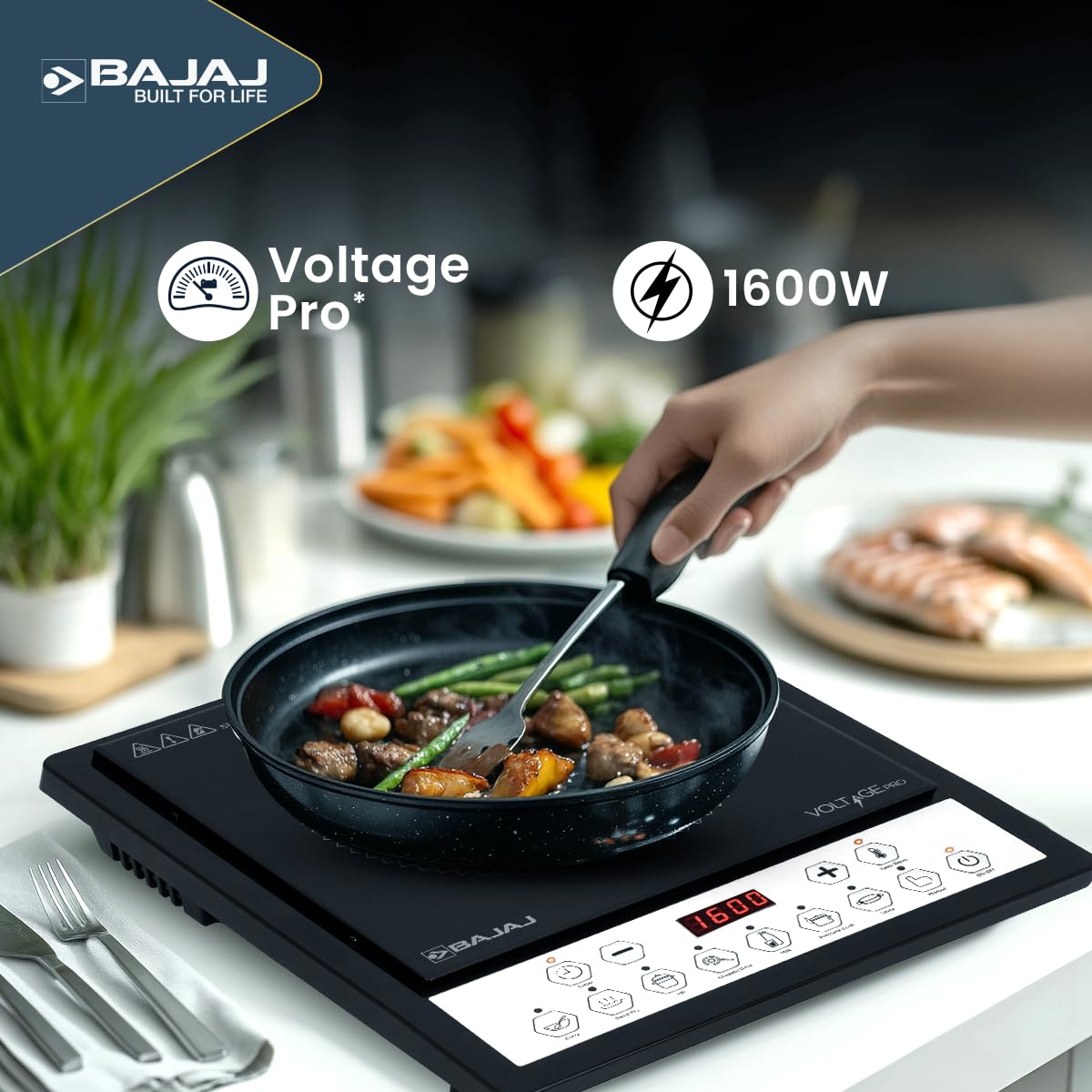
Image: The induction stove in operation, demonstrating its use for cooking various dishes.
Digital Display and Error Codes
The digital display shows current settings (power, temperature, time) and communicates error codes if an issue arises. Refer to the Troubleshooting section for common error codes and their solutions.
Maintenance and Cleaning
Proper maintenance ensures the longevity and optimal performance of your induction stove.
- Before Cleaning: Always unplug the appliance from the power outlet and allow it to cool completely before cleaning.
- Ceramic Plate: Wipe the ceramic glass surface with a soft, damp cloth. For stubborn stains, use a mild detergent specifically designed for ceramic cooktops. Do not use abrasive pads, harsh chemicals, or scouring agents, as these can scratch or damage the surface.
- Control Panel: Wipe the control panel with a soft, damp cloth. Ensure no liquid enters the control buttons or display area.
- Exterior: Clean the exterior housing with a soft, damp cloth.
- Ventilation Openings: Keep the ventilation openings clear of dust and debris to prevent overheating. Use a soft brush or vacuum cleaner if necessary.
- Do Not Immerse: Never immerse the induction stove in water or any other liquid.
Troubleshooting Guide
If you encounter any issues with your induction stove, refer to the table below for common problems and their solutions.
| Problem | Possible Cause | Solution |
|---|---|---|
| Stove does not turn on | No power supply; Power cord not plugged in; Main switch off. | Check power outlet; Ensure cord is securely plugged in; Turn on main switch. |
| No heat generated (Error code E0/E1) | No pan on cooking zone; Incompatible cookware; Pan too small. | Place an induction-compatible pan; Use cookware with a magnetic base; Ensure pan diameter is appropriate. |
| Overheating protection (Error code E2/E3) | Ventilation blocked; Empty pan heated for too long. | Clear ventilation openings; Allow stove to cool down; Do not heat empty pans. |
| Uneven heating | Cookware base is warped or uneven. | Use cookware with a flat, thick base. |
| Buttons unresponsive | Control panel is wet; Foreign object on buttons. | Wipe the control panel dry; Remove any obstructions. |
If the problem persists after attempting these solutions, please contact customer support.
Technical Specifications
Below are the technical specifications for the Bajaj ICX 160TS Neo Induction Stove:
| Feature | Specification |
|---|---|
| Model Number | 740313 |
| Power Consumption | 1600 Watts |
| Voltage Pro Range | 130 - 270V |
| Pre-Set Menus | 9 (Curry, Deep Fry, Idli, Chapati, Milk, Keep Warm, Saute, Pressure Cook, Dosa) |
| Control Type | Tact Switch Buttons |
| Display | Digital Display with Error Code Communicator |
| Safety Features | Pan Sensor Technology |
| Dimensions (LxWxH) | 34.5 x 27 x 6.5 Centimeters |
| Item Weight | 1 kg 740 g |
| Power Source | Corded Electric |
| Manufacturer | EPACK DURABLE LIMITED |

Image: Illustration of the Voltage Pro feature, indicating efficient operation within a 130-270V range.
Warranty and Customer Support
The Bajaj ICX 160TS Neo Induction Stove comes with a 1-year warranty from the date of purchase, covering manufacturing defects. Please refer to the included Warranty Card for detailed terms and conditions.
For any product-related queries, service requests, or consumer complaints, please contact Bajaj Electricals Limited:
- Address: M/S. BAJAJ ELECTRICALS LIMITED, # 45/47 VEER NARIMAN ROAD, MUMBAI-400001, MAHARASHTRA.
- Telephone: 022 - 41280000
- Email: consumercare@bajajelectricals.com