
Introduction
This manual provides comprehensive instructions for the setup, operation, maintenance, and troubleshooting of your HIRREO FV15-B-US Smartwatch. Please read this manual thoroughly to ensure proper use and to maximize the device's features.

Image: The HIRREO FV15-B-US Smartwatch, showcasing its display with various metrics.
What's in the Box
Upon opening the package, verify that all items are present:
- HIRREO FV15-B-US Smartwatch
- Charging Cable
- User Manual (this document)
Setup
1. Charging the Smartwatch
Before initial use, fully charge your smartwatch. Connect the magnetic charging cable to the charging points on the back of the watch and plug the USB end into a power adapter (not included) or a computer's USB port. A full charge typically provides 10-15 days of normal use or over 30 days in power-saving mode, thanks to its 800mAh battery.

Image: Visual representation of the smartwatch's extended battery life.
2. Pairing with Your Smartphone
- Download the App: Scan the QR code provided in the quick start guide or search for "FitCloudPro" in your smartphone's app store (available for iOS and Android).
- Enable Bluetooth: Ensure Bluetooth is enabled on your smartphone.
- Open the App: Launch the FitCloudPro app and follow the on-screen instructions to add your device.
- Connect: Select "AK75 PRO" (or similar device name) from the list of available devices in the app to establish a Bluetooth 5.2 connection.
The smartwatch is compatible with iOS 11.0 and above (iOS 13.0 and above required for call functions) and Android 5.0 and above, with Bluetooth 4.0 or higher.
Operating Instructions
Display and Navigation
The smartwatch features a 1.85-inch HD full-touch display with a 450x450 resolution and a 60Hz refresh rate for smooth interaction. Swipe across the screen to navigate menus and access various functions. The side crown can also be rotated for navigation and pressed for selection.

Image: Examples of customizable watch faces available on the smartwatch.
LED Flashlight Function
The integrated high-brightness LED flashlight provides convenient illumination. Activate it through the watch interface for use in low-light conditions, outdoor activities, or emergencies.

Image: The smartwatch's flashlight in use for various scenarios.
Bluetooth Calling and Notifications
Once paired, the smartwatch allows you to answer, reject, and make calls directly from your wrist using its built-in speaker and microphone. It also displays real-time notifications from various social media applications and messages, ensuring you stay connected without needing to check your phone constantly.

Image: Smartwatch interface showing call management, voice assistant, and message alerts.
Sports Modes and Fitness Tracking
The device supports over 100 sport modes, including running, cycling, swimming, and hiking. It tracks your performance in real-time, providing data on heart rate, calorie burn, cadence, and distance. Detailed reports and analysis are available after each workout to help optimize your training.

Image: The smartwatch tracking activity during swimming and displaying various sport mode icons.
Health Monitoring
Equipped with high-precision sensors, the smartwatch offers 24/7 health monitoring for heart rate, blood oxygen, and stress levels. It uses advanced optical technology and AI algorithms to track these metrics and provides smart reminders. Note: The data provided is for reference only and should not be used for professional medical diagnosis.
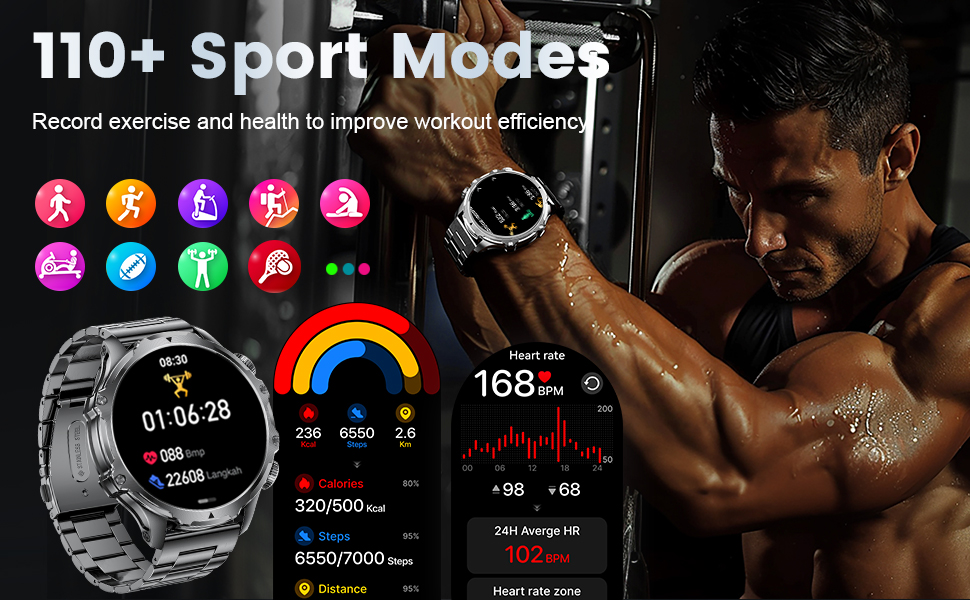
Image: Smartwatch screens showing heart rate, blood oxygen, and blood pressure readings.
Sleep Monitoring
The detailed sleep monitoring feature categorizes your sleep into different stages: awake, light sleep, and deep sleep. This analysis helps you understand your sleep patterns and adjust habits for improved rest.
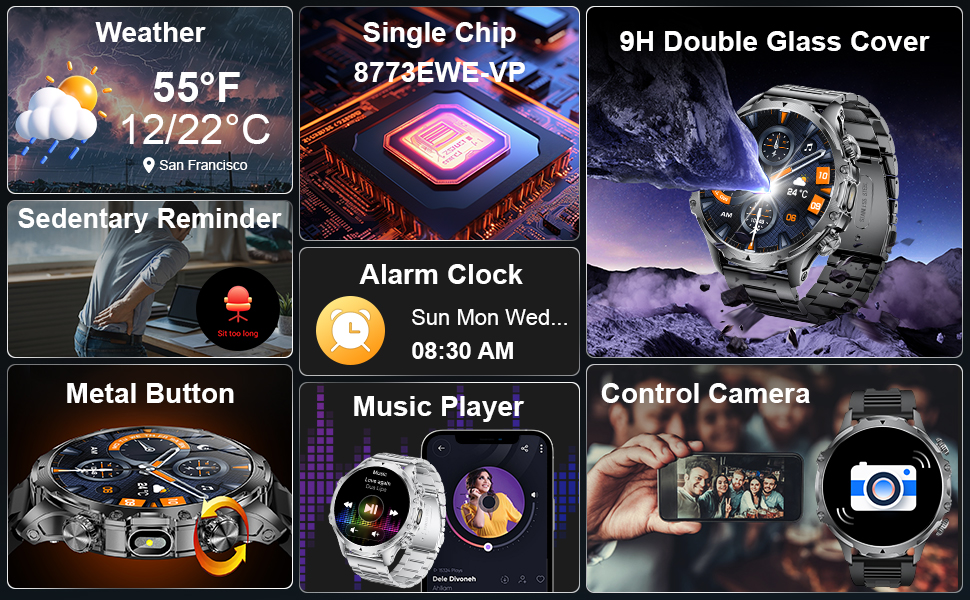
Image: Smartwatch display showing sleep duration and breakdown of sleep stages.
Additional Functions
The smartwatch includes various other useful features:
- Voice Assistant: Interact with your device using voice commands.
- Remote Camera Control: Use your watch to remotely trigger your phone's camera.
- Music Control: Manage music playback on your connected smartphone.
- Weather Forecast: Get real-time weather updates.
- Alarm Clock: Set alarms directly from your wrist.
- Calculator: A basic calculator for quick computations.
- Drinking Water Reminder: Prompts to stay hydrated.
- Sedentary Reminder: Alerts you to move after periods of inactivity.
- Do Not Disturb Mode: Silence notifications during specific times.
- All-Day Activity Tracker: Monitors daily steps, distance, and calories.
- Stopwatch & Timer: For precise timekeeping.
- Brightness Adjustment: Customize screen brightness.
- Find Phone: Helps locate your paired smartphone.
Maintenance
To ensure the longevity and optimal performance of your HIRREO FV15-B-US Smartwatch, follow these maintenance guidelines:
- Cleaning: Wipe the watch and strap regularly with a soft, dry cloth. For stubborn dirt, a slightly damp cloth can be used, followed by drying.
- Water Resistance: The watch has a 5ATM water and dust resistance rating. It is suitable for swimming and showering but avoid hot water, steam, or prolonged submersion in deep water. Do not operate buttons underwater.
- Avoid Extreme Temperatures: Do not expose the watch to extreme hot or cold temperatures, as this can affect battery life and internal components.
- Charging: Use only the provided magnetic charging cable. Ensure the charging contacts are clean and dry before charging.
- Storage: When not in use for extended periods, store the watch in a cool, dry place.

Image: Visual representation of the smartwatch's military-grade durability and resistance to various environmental factors.
Troubleshooting
If you encounter issues with your smartwatch, refer to the following common problems and solutions:
| Problem | Solution |
|---|---|
| Watch does not turn on. | Ensure the watch is fully charged. Connect it to the charger for at least 30 minutes. |
| Cannot pair with smartphone. |
|
| Notifications are not received. |
|
| Screen does not consistently turn on when raising wrist. |
|
| Inaccurate health data readings. |
|
Specifications
| Feature | Detail |
|---|---|
| Model Number | FV15-B-US |
| Display Size | 1.85 Inches HD Touch Display |
| Battery Capacity | 800 mAh (Lithium Polymer) |
| Battery Life | 10-15 days (normal use), 30+ days (power-saving mode) |
| Water Resistance | 5ATM |
| Connectivity | Bluetooth 5.2 |
| Compatibility | iOS 11.0+ (calls iOS 13+), Android 5.0+ |
| Operating System | AsteroidOS |
| Memory Storage | 256 MB |
| Special Features | 100+ Sports Modes, Fitness Tracker, Stress Tracker, Sleep Monitor, Call/Message Notifications, Voice Assistant, Multi-Language, LED Flashlight, Weather Forecast, Music Control, Remote Camera, Alarm Clock, Calculator, Drinking Water Reminder, Sedentary Reminder, Do Not Disturb Mode, Find Phone |
| Item Weight | 9.6 ounces |
| Manufacturer | HIRREO |
Warranty and Support
Your HIRREO FV15-B-US Smartwatch comes with a 24-month warranty. For any issues regarding accessories, quality, operation, or charging, please contact our customer support team. We offer 24-hour online support to provide solutions within 24 hours.
For support, please visit the HIRREO Store on Amazon or contact us through the provided channels in your product packaging.