
ARPHA K06-A
ARPHA 2K Solar Security Camera User Manual
Model: K06-A
Introduction
This manual provides comprehensive instructions for the installation, operation, and maintenance of your ARPHA 2K Solar Security Camera (Model K06-A). This wireless outdoor camera is designed for home security, featuring 2.4GHz Wi-Fi connectivity, continuous power via solar charging, a removable battery, and color night vision. It is also waterproof and compatible with Alexa.

Image: Front and side view of the ARPHA 2K Solar Security Camera, highlighting its sleek design and integrated solar panel.
What's in the Box
Please verify that all components are present before proceeding with installation.
- 1 x ARPHA 2K Solar Security Camera (Model K06-A)
- Mounting Bracket
- Mounting Screws and Wall Plugs
- USB Charging Cable
- User Manual (this document)
Setup and Installation
1. Initial Charging
Before first use, fully charge the camera's 10,000 mAh removable battery using the provided USB cable. A full charge ensures optimal performance and solar charging efficiency.

Image: Diagram showing the removable 10,000mAh battery being inserted into the camera unit.
2. App Download and Account Creation
Download the official ARPHA security camera application from your smartphone's app store (iOS or Android). Follow the in-app instructions to create an account and log in.
3. Wi-Fi Connection
- Open the ARPHA app and select "Add Device."
- Power on the camera. The camera will enter pairing mode (indicated by a flashing LED).
- Follow the app's prompts to connect the camera to your 2.4GHz Wi-Fi network. Ensure your phone is connected to the same 2.4GHz network during setup.
- Scan the QR code displayed on your phone screen with the camera lens when prompted.
- Once connected, the camera's LED will turn solid, and you will receive a confirmation in the app.
4. Mounting the Camera
Choose an outdoor location with good Wi-Fi signal and direct sunlight exposure for optimal solar charging. The camera is IP65 waterproof, suitable for various weather conditions.
- Mark the drilling points using the mounting bracket as a template.
- Drill holes and insert wall plugs if mounting on masonry.
- Secure the mounting bracket to the wall using the provided screws.
- Attach the camera to the mounting bracket and adjust the angle for desired coverage.

Image: A sequence of images illustrating the easy installation process, from mounting the camera to configuring it via the mobile app.

Image: The camera is shown mounted outdoors, enduring heavy rain and lightning, demonstrating its IP65 waterproof rating and operational temperature range of -4°F to 140°F.
Operating Your Camera
Live View and Recording
Access live 2K HD video streams through the ARPHA app. The camera records events triggered by motion detection. Recordings can be stored on a local SD card (up to 128GB, not included) or via cloud storage (7 days free cloud storage included).

Image: A side-by-side comparison demonstrating the superior clarity and detail of the ARPHA 2K HD camera's video output compared to standard cameras.

Image: Illustration of the camera's support for both local SD card storage and cloud storage options for recorded video.
Intelligent Human Detection (AI PIR)
The camera utilizes advanced PIR and AI detection technology to accurately distinguish humans from other moving objects, significantly reducing false alarms. When suspicious motion is detected, the app will send alerts to your smartphone.

Image: A scene demonstrating the AI PIR Intelligent Detection feature, effectively distinguishing human figures from animals to minimize irrelevant alerts.
Customized Monitoring Areas
Within the app, you can define up to 4 customized monitoring areas. This allows you to focus surveillance on specific zones of interest and reduce unnecessary alerts from other areas, optimizing energy consumption.

Image: An overhead view of a house with distinct colored overlays, illustrating how users can customize up to four specific monitoring zones within the camera's field of view.
Color Night Vision
Equipped with infrared LEDs and a wide f/1.8 aperture, the camera provides clear images both day and night. It supports color night vision for enhanced detail in low-light conditions.

Image: A split image demonstrating the difference between standard infrared night vision and the camera's color night vision mode, showing a house at night with improved color and detail.
Two-Way Audio
The built-in microphone and speaker allow for real-time two-way communication through the app. This feature is useful for speaking to visitors or deterring unwanted guests.
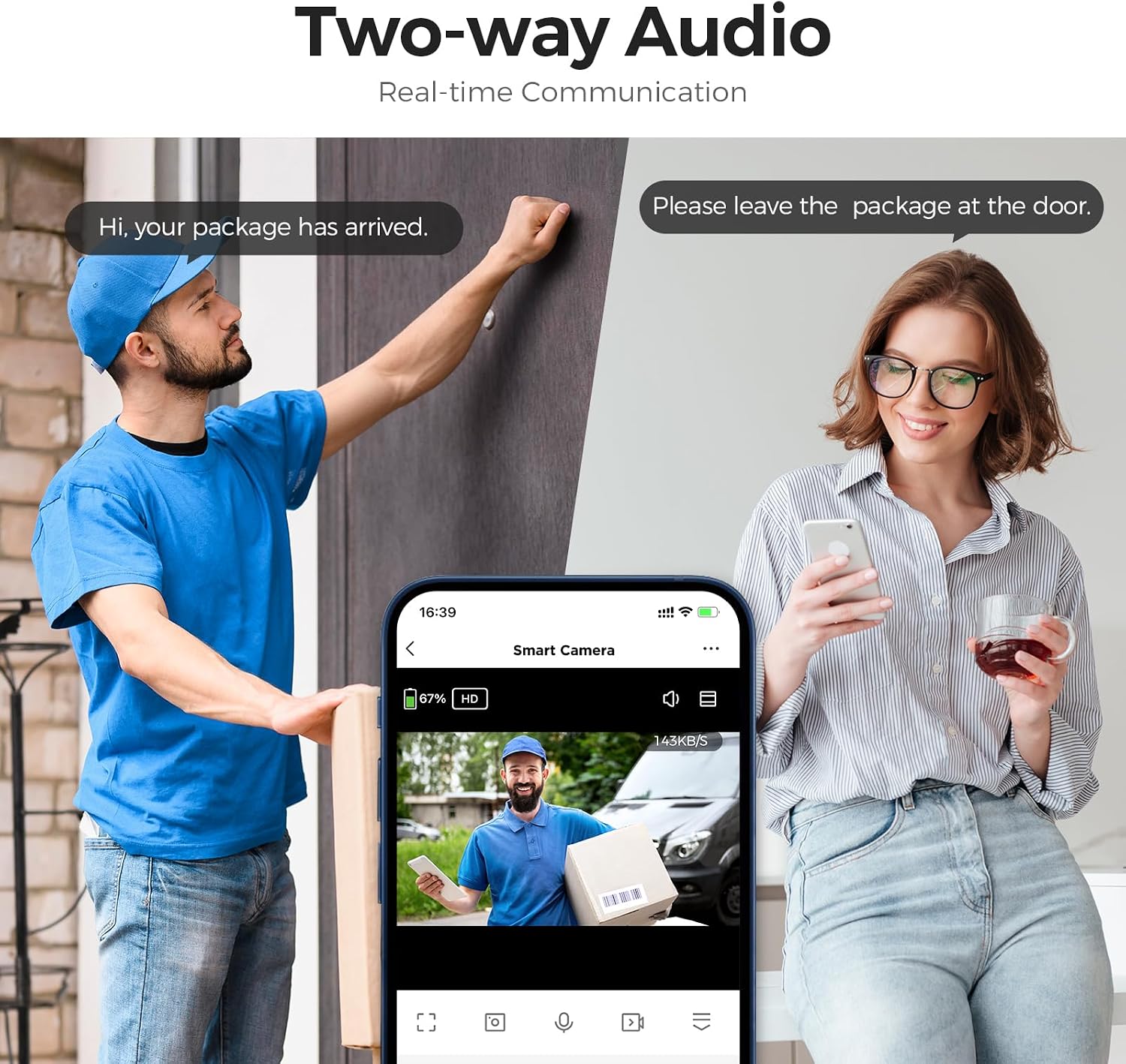
Image: A scenario depicting the two-way audio feature, where a user can communicate with a delivery person at their door via the camera's app.
Smart Home Integration
The ARPHA K06-A camera works with Amazon Alexa and Google Assistant, allowing for voice control and integration into your smart home ecosystem.

Image: A user interacting with the camera feed on a tablet, demonstrating compatibility with smart home devices like Amazon Alexa and Google Assistant for convenient control.
Maintenance
Solar Charging and Battery Management
The integrated solar panel provides continuous power, ensuring the 10,000 mAh battery remains charged with 3-4 hours of daily sunlight exposure. If sunlight is insufficient, the removable battery can be charged manually via USB-C.

Image: An X-ray view of the camera illustrating how the built-in solar panel collects sunlight to charge the internal 10,000mAh battery, providing continuous power.
Cleaning
Periodically clean the camera lens and solar panel with a soft, damp cloth to ensure clear image quality and efficient solar charging. Do not use harsh chemicals or abrasive materials.
Troubleshooting
| Issue | Possible Cause | Solution |
|---|---|---|
| Camera not connecting to Wi-Fi | Incorrect Wi-Fi password; camera too far from router; 5GHz Wi-Fi network selected. | Ensure correct 2.4GHz Wi-Fi password. Move camera closer to router or use a Wi-Fi extender. Confirm you are connecting to a 2.4GHz network. |
| Battery not holding charge overnight | Insufficient sunlight for solar charging; excessive motion detection events; low ambient temperature affecting battery efficiency. | Ensure solar panel has direct, unobstructed sunlight for several hours daily. Reduce sensitivity or customize monitoring areas to minimize unnecessary recordings. In very cold weather, battery performance may be reduced; consider manual charging. |
| Night vision image is grainy or unclear | Lens obstruction; environmental factors (fog, heavy rain); camera too far from subject. | Clean the camera lens. Ensure no objects are blocking the view. Adjust camera position for optimal night vision range. |
| Frequent false alarms | PIR sensitivity too high; objects like trees or pets triggering detection. | Adjust PIR sensitivity settings in the app. Utilize the customized monitoring areas feature to exclude irrelevant zones. |
Specifications
| Feature | Detail |
|---|---|
| Model Number | K06-A |
| Video Capture Resolution | 2K QHD |
| Field of View | 153° wide angle |
| Power Source | Solar Powered, 10,000 mAh Removable Battery |
| Connectivity | 2.4GHz Wi-Fi |
| Weather Resistance | IP65 Waterproof |
| Night Vision | Color Night Vision (Infrared LED + f/1.8 aperture) |
| Audio | Two-way Audio |
| Detection | PIR and AI Human Detection |
| Storage Options | SD Card (up to 128GB), Cloud Storage |
| Smart Home Compatibility | Amazon Alexa, Google Assistant |
| Operating Temperature | -4°F to 140°F (-20°C to 60°C) |
| Dimensions (L x W x H) | 6 x 2 x 3.5 inches |
| Item Weight | 1.26 pounds |
Warranty and Support
ARPHA products come with a standard manufacturer's warranty. For detailed warranty information, technical support, or service inquiries, please refer to the contact information provided on the product packaging or visit the official ARPHA website. Please retain your proof of purchase for warranty claims.
For additional assistance, you may also refer to the ARPHA Store on Amazon.
Related documentsK06-A


Ask a question about this manual
Ask about setup, troubleshooting, compatibility, parts, safety, or missing instructions. Manuals+ will review the question and use this page’s manual context to help answer it.