1. Product Overview
The Fortdows 8-Core 2+32GB Car Radio is an advanced multimedia system designed to upgrade the in-car experience for Nissan Altima models from 2013 to 2018. Featuring a 9-inch 1280*800 HD touchscreen, this unit integrates modern connectivity and entertainment options.
Key features include an 8-core processor with 2GB RAM and 32GB ROM, Android 13 operating system, Wireless CarPlay, Android Auto, 5G WiFi, GPS navigation, Bluetooth, FM/RDS radio, and support for a 1080P backup camera.

Image: Display showing Wireless CarPlay (Apple interface) and Android Auto (Android interface) for navigation, music, and phone calls.
2. Package Contents
Verify that all components are present in the package before beginning installation.
- Fortdows 8-Core 2+32GB Car Radio Unit
- Power Cable
- Original USB Cable
- USB Cable * 2
- RCA Cable
- CanBus Decoder
- GPS Antenna
- Reversing Line
- 1080P Backup Camera
- External Microphone
- Crowbar (Trim Removal Tool)

Image: A visual representation of the car radio unit and all included accessory wire kit items.
3. Setup and Installation
Professional installation is recommended. Ensure the vehicle's battery is disconnected before starting the installation process.
3.1 Installation Steps Overview
- Remove the long decorative panels from the dashboard.
- Carefully remove the air conditioning outlet.
- Unscrew and remove the original car radio player.
- Disconnect all plugs from the back of the original player.
- Remove the decorative frame and clips from the original air conditioning outlet.
- Install the clips onto the new Fortdows unit.
- Connect the harness plugs to the corresponding sockets on the back of the new unit.
- Install the air conditioning vents onto the new unit.
- Restore the time display screen.
- Install the new Fortdows unit into the center console.
- Attach the long decorative frame to the new player first, then install it together on the center console.
3.2 Installation Video Guide
Video: A detailed installation guide for the Nissan Altima 2013-2017 Car Radio, demonstrating step-by-step removal of original components and installation of the new unit.
3.3 Wiring and Connections
Ensure all wiring harnesses are securely connected. Refer to the included wiring diagram for specific connections. The unit supports various inputs and outputs for enhanced functionality.
Video: Demonstrates the center console disassembly and wiring method, providing visual guidance for connecting the unit's harnesses.
4. Operating Instructions
4.1 Wireless CarPlay and Android Auto
Connect your smartphone wirelessly to access navigation, contacts, email, music, and voice control assistants. This feature enhances driving safety by minimizing distractions.
Image: The car radio display showing both Apple CarPlay and Android Auto interfaces, highlighting navigation, music, and phone call functionalities.
Video: A demonstration of the car radio's features, including Wireless CarPlay and Android Auto connectivity for Nissan Altima 2013-2018.
4.2 GPS Navigation and 5G WiFi
The 9-inch touchscreen with 1280*800 resolution provides sharp and vibrant map displays. The unit supports both offline and online maps via GPS. Utilize 5G WiFi for app installation, video streaming, and online navigation from the Play Store.
Video: A product demonstration highlighting the GPS navigation and 5G WiFi capabilities of the car radio for Nissan Altima 2013-2018.
4.3 1080P Backup Camera and Steering Wheel Controls
The included waterproof 1080P AHD backup camera offers a 170-degree ultra-wide angle view, automatically switching to the reversing image for optimal parking assistance. Steering Wheel Controls allow for hands-on control of calls, volume, and music tracks.
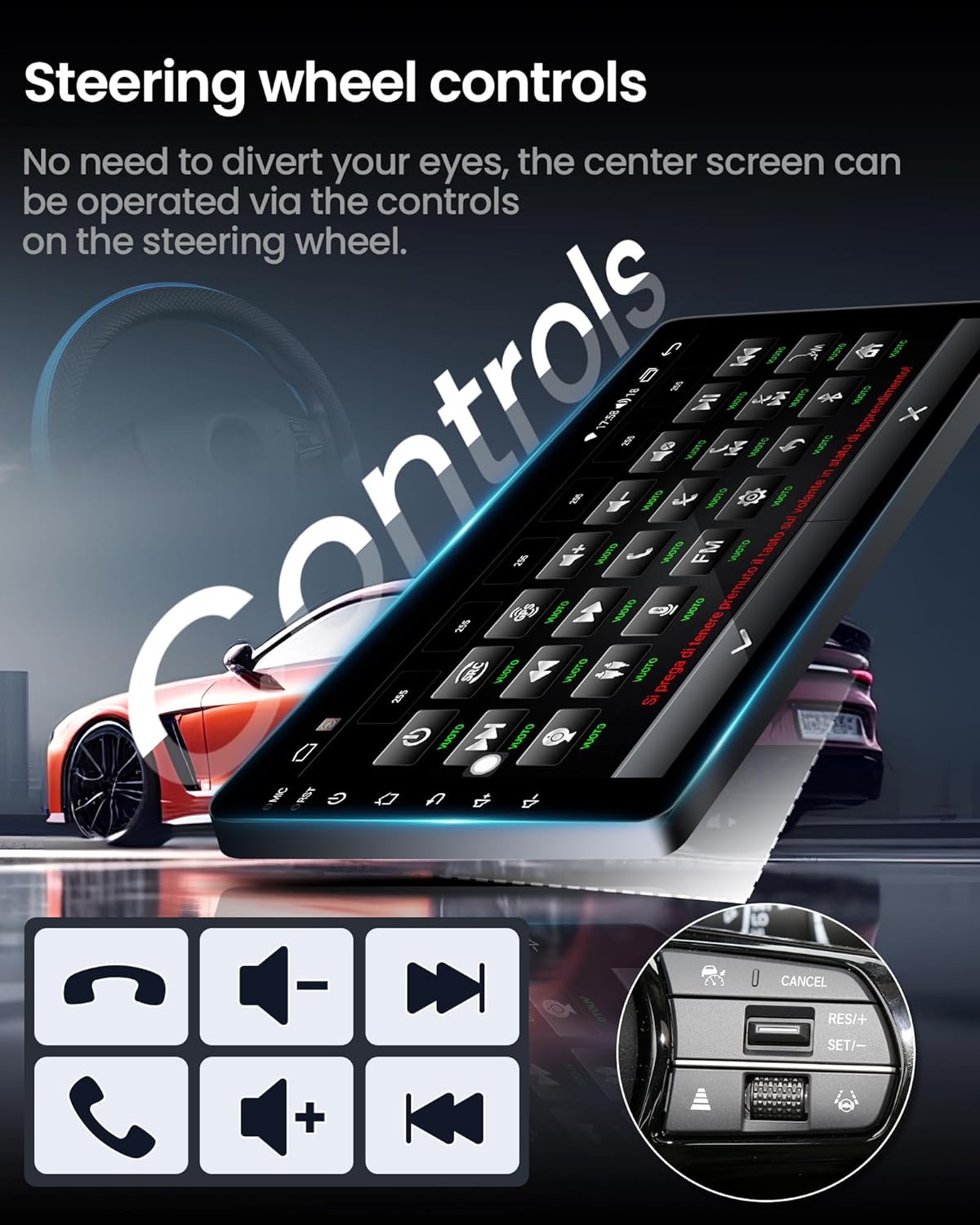
Image: The car radio display showing the steering wheel controls interface, emphasizing safe driving by keeping eyes on the road.
4.4 Bluetooth, FM/RDS Radio, and DSP Sound
The unit supports Bluetooth for hands-free calls and music streaming. Enjoy stable broadcast signals with FM/RDS radio, which also displays content information. Experience high-quality sound effects with professional DSP (Digital Signal Processor) technology.

Image: The car radio display showing the professional DSP sound settings, including equalizer and sound field adjustments.
4.5 Mirror Link and Split Screen
Mirror Link is compatible with Android and iOS smartphones, allowing you to mirror your phone's screen on the radio's display. The split-screen function enables simultaneous use of different applications, such as navigation and music playback.
5. Specifications
- Operating System: Android 13
- Processor: 8-Core
- RAM: 2GB
- ROM: 32GB
- Screen Size: 9 Inches
- Display Resolution: 1280*800 HD IPS Touchscreen
- Connectivity: 5G WiFi, Bluetooth, USB
- Navigation: GPS (Offline and Online Maps)
- Special Features: Wireless CarPlay, Android Auto, Mirror Link, Split Screen, DSP Sound, FM/RDS Radio, 1080P AHD Backup Camera Support, Steering Wheel Controls
- Item Weight: 3.76 pounds
- Package Dimensions: 13.39 x 8.07 x 4.57 inches
6. Maintenance
To ensure the longevity and optimal performance of your Fortdows Car Radio, follow these maintenance guidelines:
- Cleaning: Use a soft, dry cloth to clean the touchscreen and surrounding frame. Avoid abrasive cleaners or solvents that could damage the display or finish.
- Software Updates: Periodically check for software updates to ensure the system runs efficiently and has the latest features and security patches.
- Environmental Conditions: Avoid exposing the unit to extreme temperatures or direct sunlight for prolonged periods.
- Cable Connections: Ensure all cables remain securely connected to prevent intermittent issues.
7. Troubleshooting
If you encounter any issues with your Fortdows Car Radio, refer to the following common troubleshooting steps:
- No Power: Check all power connections and ensure the vehicle's battery is properly connected. Verify the fuse for the radio is intact.
- No Sound: Check speaker connections. Ensure the volume is not muted or set to minimum. Verify audio settings in the DSP menu.
- Touchscreen Unresponsive: Restart the unit. If the issue persists, perform a factory reset (refer to the system settings for this option).
- CarPlay/Android Auto Connectivity Issues: Ensure Bluetooth and WiFi are enabled on both the unit and your smartphone. Try forgetting the device and re-pairing. Update your phone's operating system.
- GPS Signal Loss: Ensure the GPS antenna is securely mounted in a location with a clear view of the sky. Check for any obstructions.
- Backup Camera Not Displaying: Verify the backup camera's video input cable is correctly connected to the unit. Check the camera's power supply.
8. Warranty and Support
8.1 Warranty Information
This Fortdows Car Radio is covered by a standard manufacturer's warranty against defects in materials and workmanship. Please retain your proof of purchase for warranty claims. Specific warranty duration and terms may vary; refer to your purchase documentation for details.
8.2 Technical Support
For technical assistance, troubleshooting, or warranty inquiries, please contact the seller directly through your Amazon order page. The seller, Fancygod, is committed to providing high-standard customer service.
You can also visit the Fortdows Store on Amazon for additional product information and support resources: Fortdows Store


