
Phantomgogo E-Scooter
Phantomgogo Electric Scooter User Manual
Model: E-Scooter | Brand: Phantomgogo
1. Introduction
Welcome to the Phantomgogo Electric Scooter user manual. This guide provides essential information for the safe and efficient operation, maintenance, and troubleshooting of your new electric scooter. Please read this manual thoroughly before first use to ensure optimal performance and rider safety.
Safety Warnings
- Always wear a helmet and appropriate safety gear.
- Do not ride in wet conditions or on slippery surfaces.
- Adhere to local traffic laws and regulations.
- Ensure the scooter is fully charged and all components are secure before each ride.
- Maximum supported weight: 220 lbs.
2. Product Overview
The Phantomgogo Electric Scooter is designed for personal transportation, commuting, and recreation, featuring a powerful 350W motor and a foldable design for portability.
Key Features
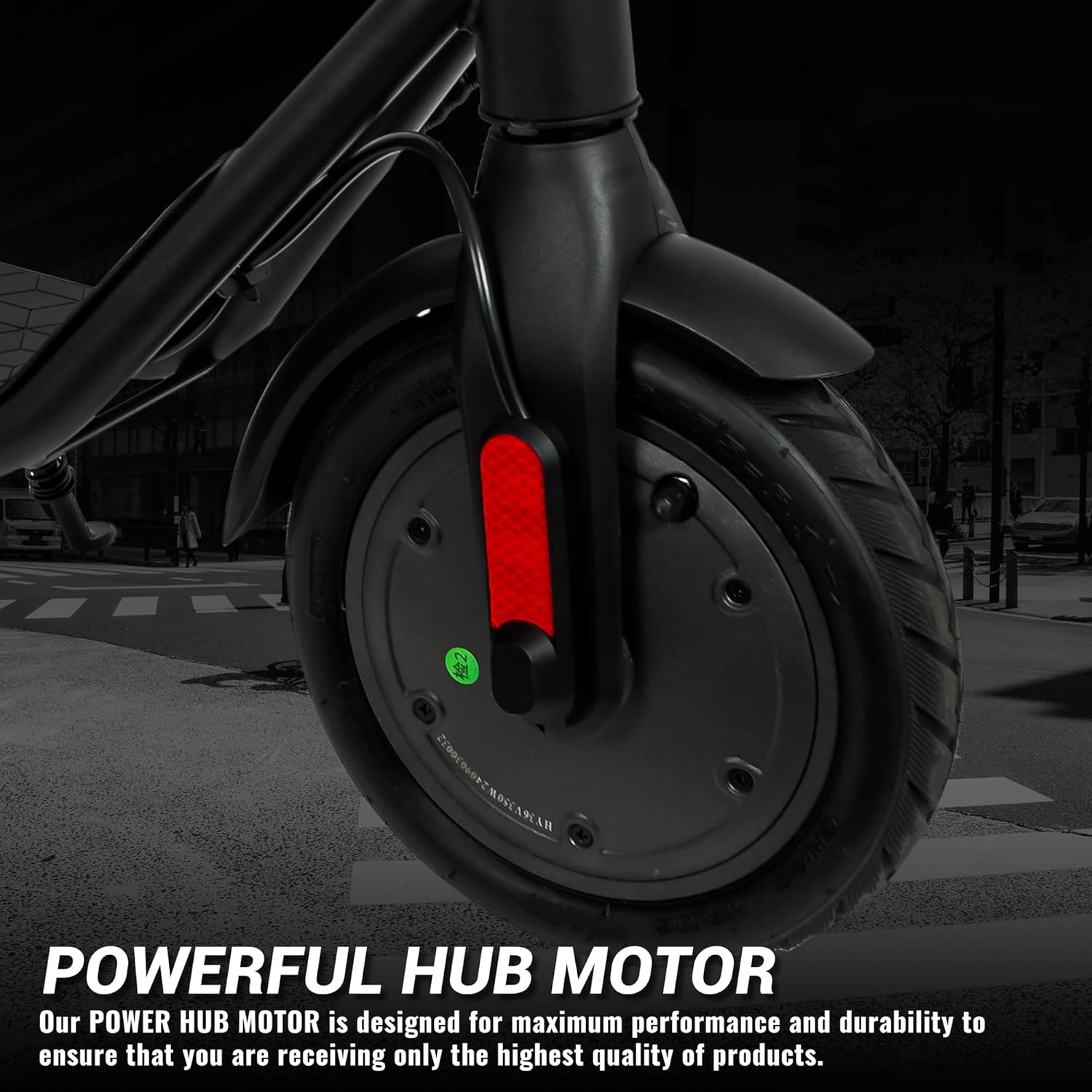
- Powerful 350W brushless motor for speeds up to 15.5 mph.
- Long-range battery, up to 12 miles on a single charge.
- Lightweight and portable design (30 lbs) with a 2-step folding mechanism.
- Enhanced safety with 8.5" anti-slip rubber tires, mechanical disc brake, side reflectors, and flashing brake backlight.
- Multifunctional LED display for speed, mileage, and battery level.
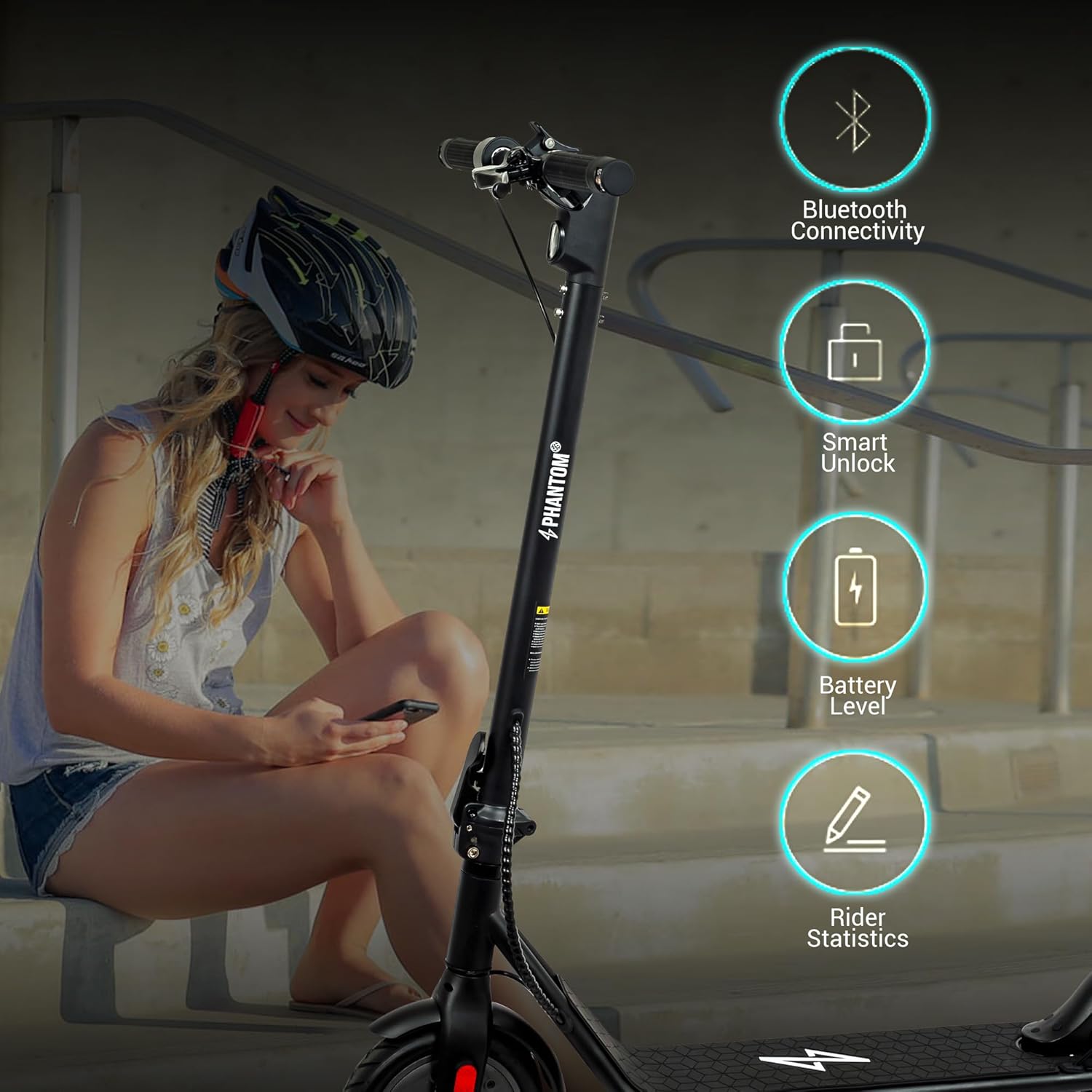
- Smart App Control with Bluetooth connectivity for convenience.
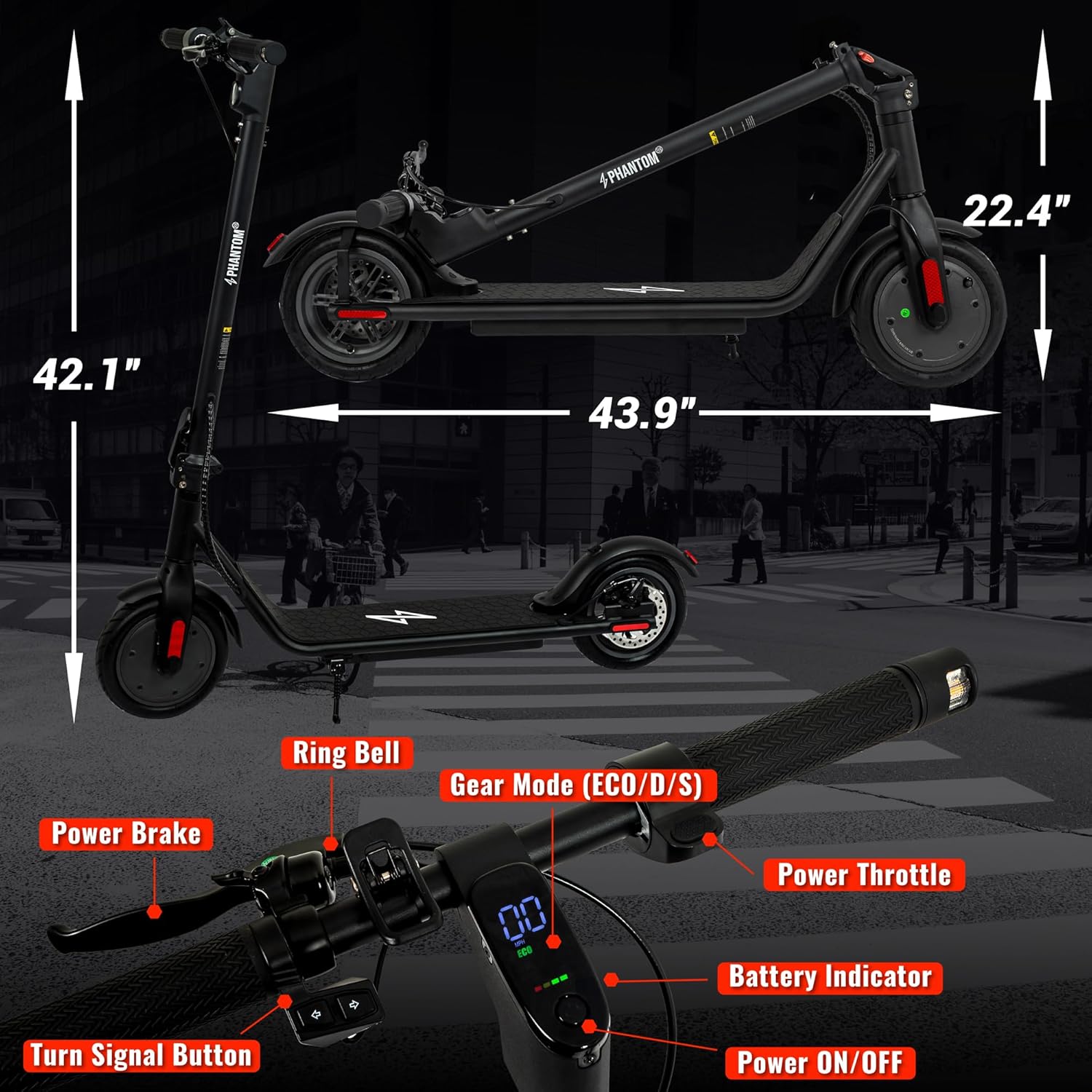
Components Diagram
3. Setup and Assembly
3.1 Unboxing and Initial Inspection
Carefully remove all components from the packaging. Verify that all parts are present and undamaged. The package should include the electric scooter and a charger.
3.2 Handlebar Assembly
The handlebar requires minimal assembly. Attach the handlebar to the main stem using the provided screws. Ensure it is securely fastened before proceeding.
3.3 Initial Charging
Before first use, fully charge the scooter's battery. Connect the charger to the charging port on the scooter and then to a power outlet. The battery indicator on the LED display will show charging progress. A full charge takes approximately 5.5 hours.
4. Operating Instructions
4.1 Power On/Off
Press and hold the power button on the LED display to turn the scooter on or off. The display will illuminate, showing current speed, battery level, and selected speed mode.
4.2 Speed Modes
The scooter features multiple speed modes (ECO/D/S) to suit different riding conditions and rider preferences. Press the power button briefly to cycle through the available speed modes. ECO mode offers extended range, while S mode provides maximum speed.
4.3 Riding the Scooter
To start riding, place one foot on the deck and push off with the other foot. Once you gain a little momentum, gently press the power throttle to accelerate. Use the power brake lever to slow down or stop. The rear mechanical disc brake ensures safe and responsive stopping.
4.4 Turn Signals and Lighting
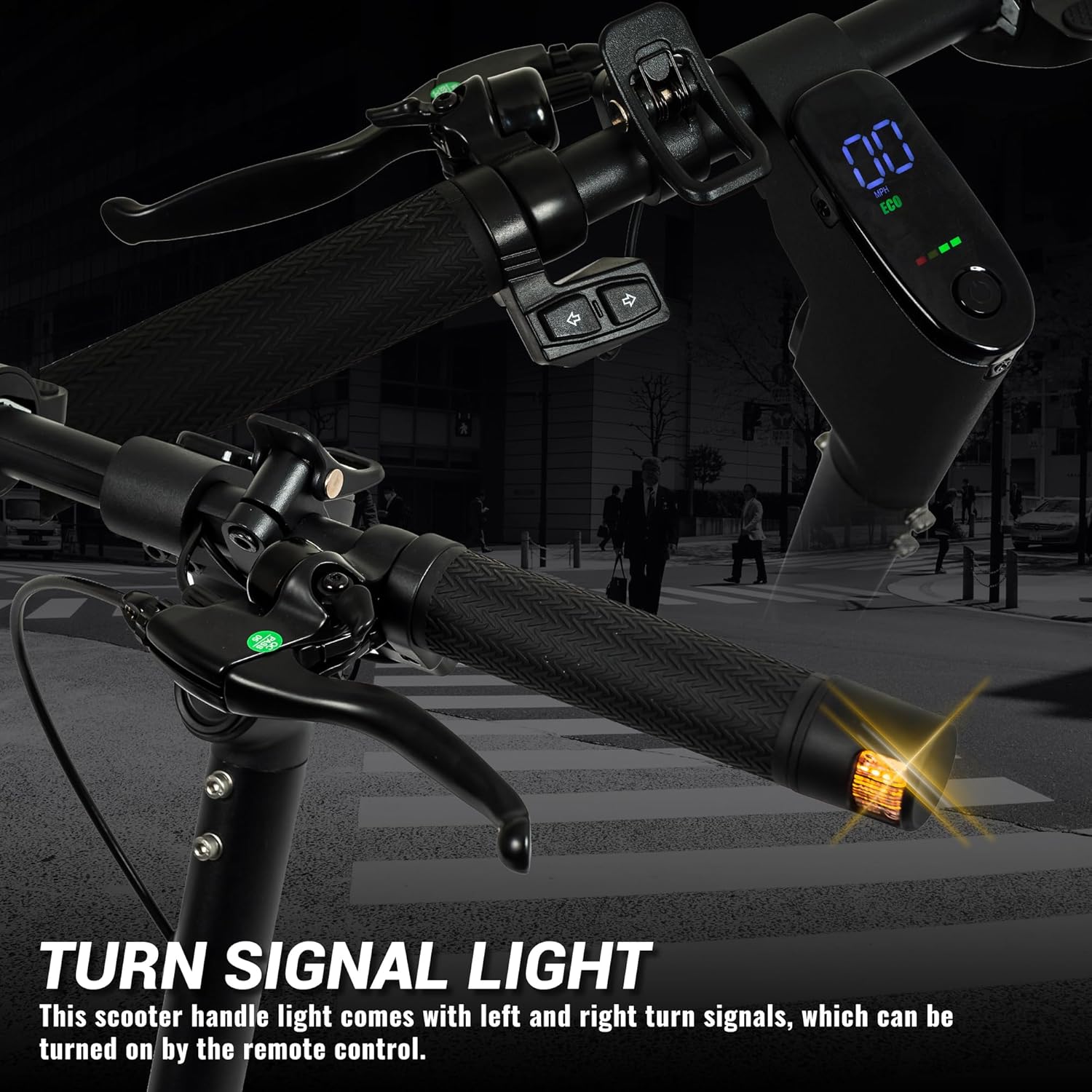
The scooter is equipped with turn signals on the handlebars for improved visibility. Activate them using the dedicated turn signal button. The ultra-bright headlights and flashing brake backlight enhance safety during night rides.
4.5 Folding Mechanism
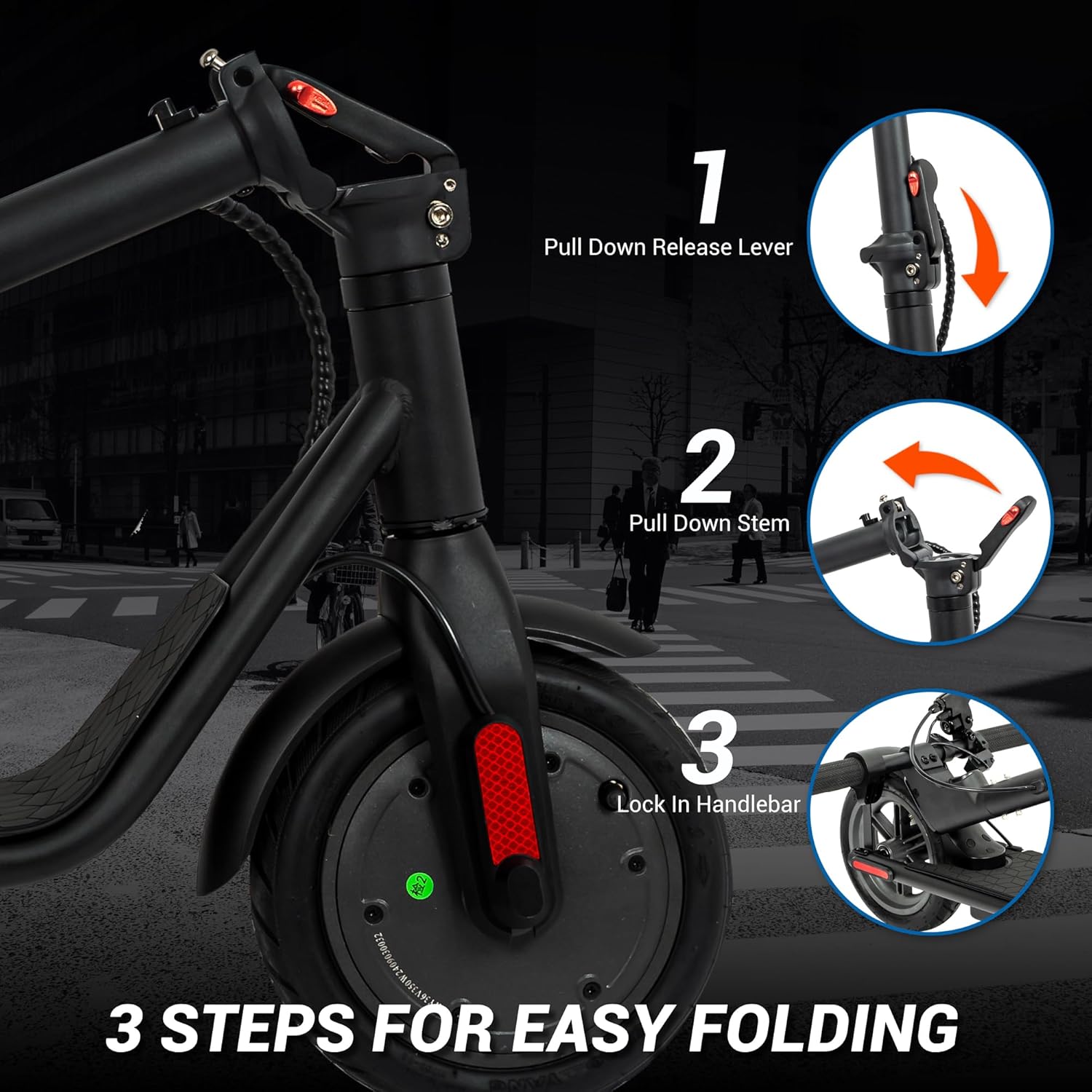
The Phantomgogo Electric Scooter features a convenient 2-step folding mechanism for easy storage and transport. Follow these steps:
- Pull down the release lever located on the stem.
- Pull down the stem towards the deck.
- Lock the handlebar into the designated latch on the rear fender.

4.6 Smart App Control
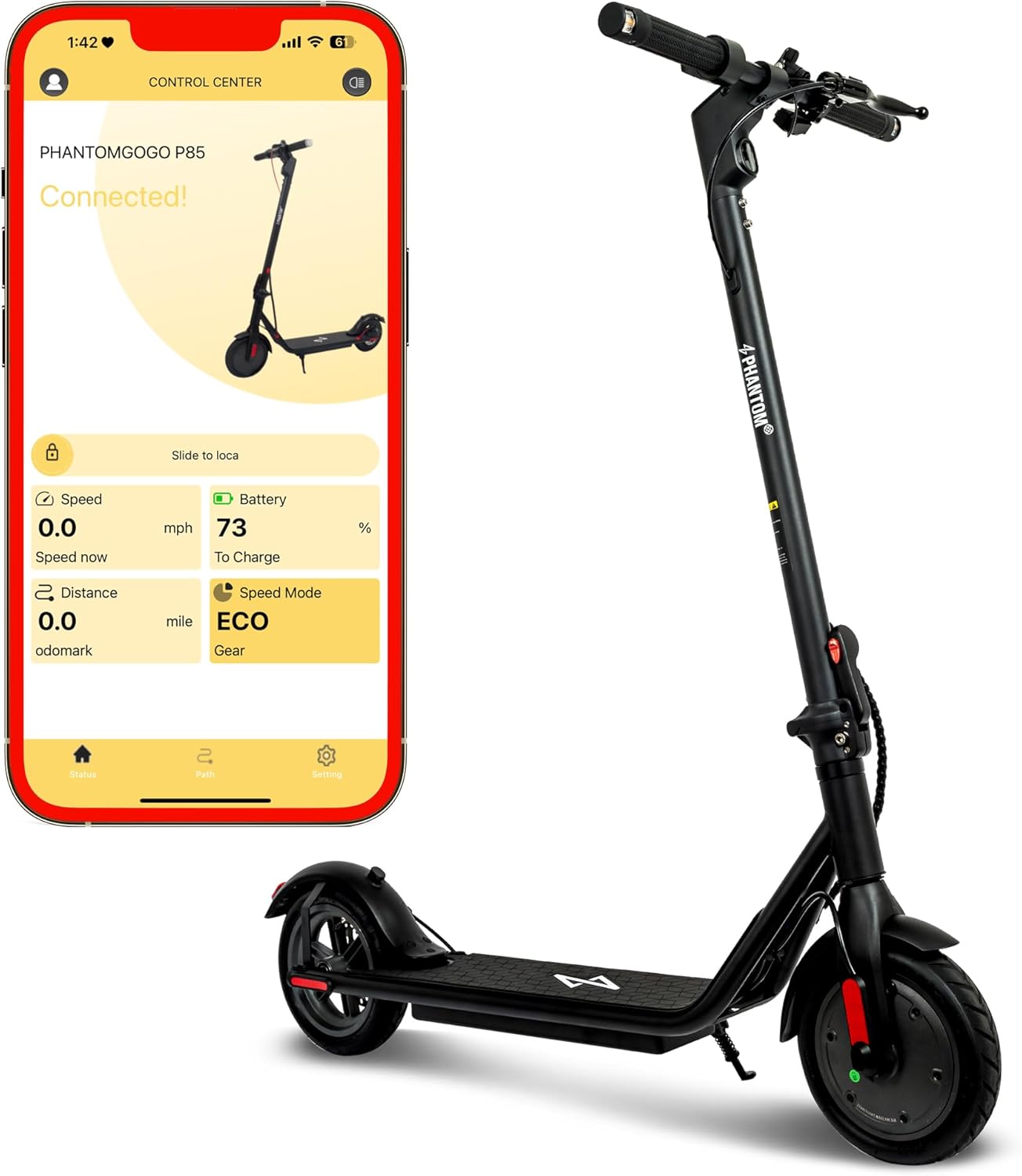
Connect your Phantomgogo Electric Scooter to the dedicated smartphone app via Bluetooth for enhanced control and monitoring. The app allows you to view speed, trip mileage, battery level, and potentially lock/unlock the scooter.

4.7 Official Product Video
Video 4.1: An official product video demonstrating the Phantomgogo Electric Scooter's features, including its folding mechanism, portability, and usage in various environments. This video is provided by the seller, Phantomgogo.
5. Maintenance
5.1 Cleaning
Regularly clean your scooter with a damp cloth. Avoid using high-pressure water jets or harsh chemicals, as these can damage electrical components. Ensure the charging port cover is securely closed when not charging.
5.2 Battery Care
To prolong battery life, avoid completely draining the battery. Charge the scooter regularly, even if not in frequent use. Store the scooter in a cool, dry place away from direct sunlight and extreme temperatures.
5.3 Tire Pressure
Check the tire pressure periodically. Proper tire inflation ensures optimal performance, range, and safety. Refer to the tire sidewall for recommended pressure.
5.4 Brake System Check
Regularly inspect the brake system for wear and tear. Ensure the brake lever operates smoothly and the mechanical disc brake provides adequate stopping power. Adjust or replace components as necessary.
6. Troubleshooting
| Problem | Possible Cause | Solution |
|---|---|---|
| Scooter does not power on. | Low battery; Power button not pressed correctly. | Charge the battery; Press and hold the power button firmly. |
| Reduced speed or range. | Low battery; Overload (exceeding weight limit); Tire pressure too low; Riding uphill. | Fully charge battery; Ensure rider weight is within limits (220 lbs); Inflate tires to recommended pressure; Use appropriate speed mode. |
| Brakes feel weak. | Brake pads worn; Brake cable loose. | Inspect and replace brake pads if necessary; Adjust brake cable tension. Consult a professional if unsure. |
| Unusual noises during operation. | Loose components; Debris in wheels/motor. | Check all screws and connections; Inspect wheels and motor for obstructions. |
7. Specifications
| Feature | Detail |
|---|---|
| Brand | Phantomgogo |
| Model Name | E-Scooter |
| Motor Power | 350W |
| Max Speed | 15.5 mph |
| Max Range | 12 miles |
| Weight Limit | 220 Pounds |
| Item Weight | 30 lbs |
| Wheel Size | 8.5 Inches |
| Wheel Material | Alloy Steel |
| Frame Material | Aluminum |
| Brake Style | Rear Braking (Mechanical Disc Brake) |
| Charge Time | Approx. 5.5 hours |
| Climbing Angle | Up to 8 degrees |
| Special Feature | Foldable |
8. Warranty & Support
8.1 Warranty Information
The Phantomgogo Electric Scooter comes with a 2-year manufacturer's warranty. Please retain your proof of purchase for warranty claims. The warranty covers defects in materials and workmanship under normal use.
8.2 Customer Support
For any questions, technical assistance, or warranty claims, please contact Phantomgogo customer support. You can often find contact information on the product packaging or the official Phantomgogo website. For purchases made on Amazon, you may also contact the seller directly through your order history.
Seller: Phantomgogo
Related documentsE-Scooter


Ask a question about this manual
Ask about setup, troubleshooting, compatibility, parts, safety, or missing instructions. Manuals+ will review the question and use this page’s manual context to help answer it.