
1. Introduction
This manual provides essential instructions for the safe and effective use of your Pelican V770 Vault Single Scoped Rifle Case and Pelican V100 Vault Small Pistol Case. These cases are engineered for robust protection of firearms against impact, dust, and moisture. Please read this manual thoroughly before using the cases to ensure proper handling and longevity.
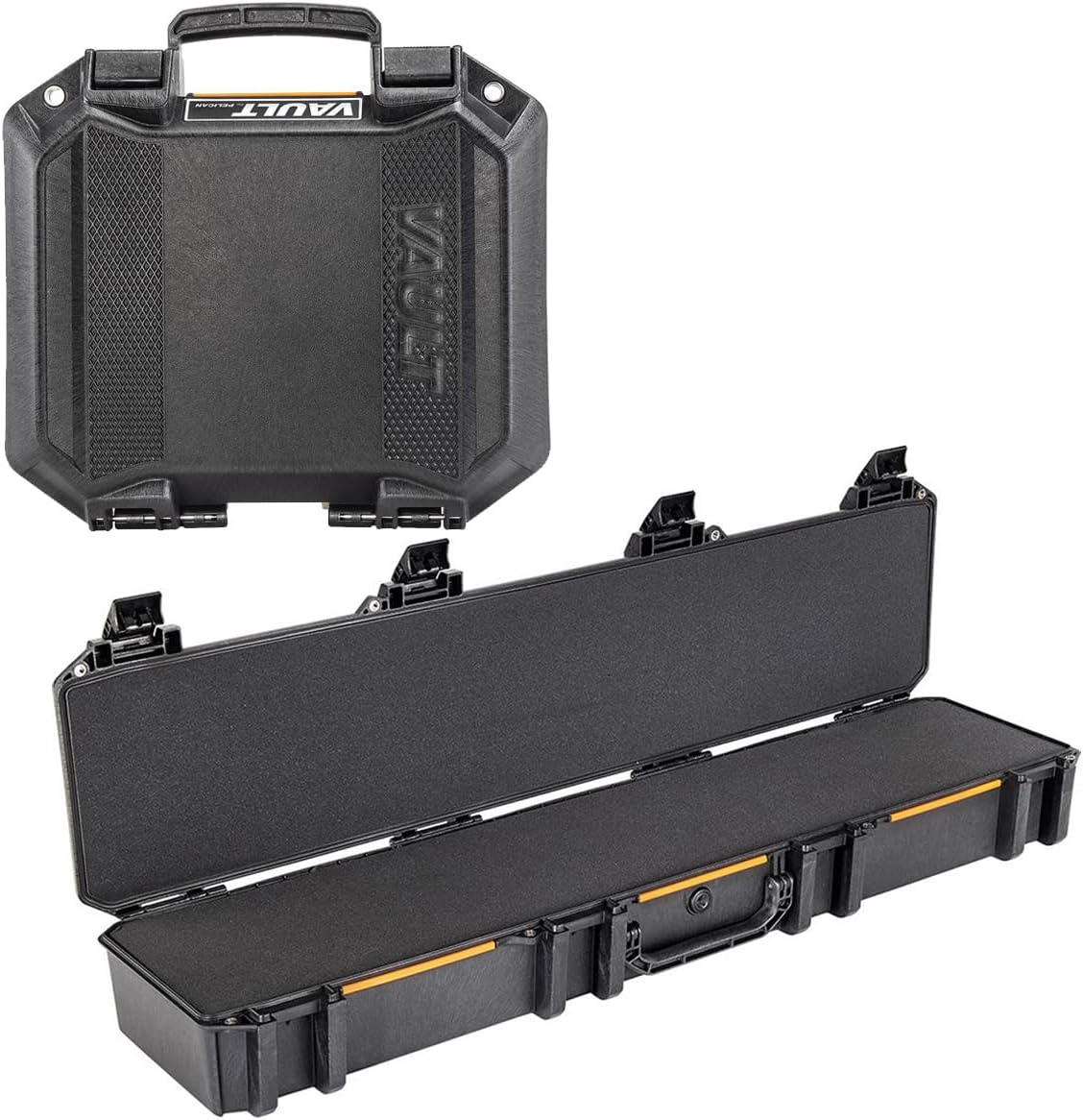
Figure 1: Pelican V770 Vault Single Scoped Rifle Case and V100 Vault Small Pistol Case bundle. The image displays both cases, with the larger rifle case open to show its foam interior and the smaller pistol case closed.
2. Setup and Foam Customization
The Pelican Vault cases come with customizable foam interiors designed to securely hold your firearms and accessories. Proper foam customization is crucial for maximum protection.
2.1 Unpacking
- Carefully remove both the V770 Rifle Case and V100 Pistol Case from their packaging.
- Inspect both cases for any signs of damage during transit. If damage is found, contact customer support immediately.
2.2 Foam Customization for V770 Rifle Case
The V770 case features multiple layers of foam. The top layer is typically a "pick-n-pluck" foam or similar customizable material.

Figure 2: The Pelican V770 Vault Single Scoped Rifle Case shown open, revealing the protective foam interior designed for customization.
- Open the V770 case by disengaging all latches.
- Place your scoped rifle and any necessary accessories (e.g., magazines, bipod) onto the foam in the desired configuration. Ensure adequate spacing between items and from the case edges.
- Trace the outline of your items onto the foam using a marker or by gently pressing the items to leave an impression.
- Carefully remove the foam sections around your items. For "pick-n-pluck" foam, gently pull out the pre-scored cubes. For solid foam, use a sharp utility knife to cut along the traced lines, ensuring cuts are deep enough to accommodate the item's thickness.
- Test the fit. The items should sit snugly within the cutouts without excessive movement when the case is closed.
- Ensure the lid foam (convoluted foam) makes contact with the items when the case is closed to provide top-down pressure and prevent shifting.
2.3 Foam Customization for V100 Pistol Case
The V100 case also includes customizable foam for your pistol.

Figure 3: The Pelican V100 Vault Small Pistol Case in a closed position, showcasing its compact and rugged design.
- Open the V100 case.
- Position your pistol and any small accessories (e.g., extra magazine) on the foam.
- Follow the same foam removal process as described for the V770 case to create a secure fit.
3. Operating Instructions
3.1 Opening and Closing the Cases
Both V770 and V100 cases feature robust latches for secure closure.

Figure 4: A detailed view of the latch and handle mechanism on the Pelican V770 Vault Rifle Case, highlighting its secure design.
- To Open: Lift the latch release mechanism and pull the latch upwards and outwards until it disengages from the case body. Repeat for all latches.
- To Close: Align the lid with the base. Press each latch down firmly until it clicks securely into place. Ensure all latches are fully engaged to maintain the case's protective seal.
3.2 Transporting the Cases
The cases are equipped with heavy-duty handles for comfortable carrying.

Figure 5: Top-down view of the Pelican V770 Vault Single Scoped Rifle Case in its closed state, showing the integrated handle and latches.
- Always ensure all latches are securely closed before lifting or transporting the cases.
- Use the integrated handles for carrying. For the V770 rifle case, consider using two hands for better balance and weight distribution, especially when fully loaded.
- Avoid dragging the cases over rough surfaces to prevent unnecessary wear and tear.
4. Maintenance
Regular maintenance ensures the continued performance and longevity of your Pelican Vault cases.
4.1 Cleaning the Exterior
- Wipe down the exterior of the cases with a damp cloth and mild soap as needed.
- Avoid using harsh chemicals or abrasive cleaners, as these can damage the case material.
- Rinse thoroughly and allow to air dry completely before storage.
4.2 Inspecting Seals and Latches
- Periodically inspect the O-ring seal around the perimeter of the lid for any cracks, tears, or debris. A clean, intact O-ring is essential for water and dust resistance.
- If the O-ring appears dry, apply a thin coat of silicone grease (do not use petroleum-based lubricants) to maintain its flexibility and sealing properties.
- Check all latches for proper function. Ensure they engage and disengage smoothly and securely.
4.3 Foam Care
- If the foam becomes dirty, it can often be spot cleaned with a mild detergent and water. Allow it to dry completely before placing firearms back into the case.
- Over time, foam may compress. If your firearms no longer fit snugly, consider replacing the foam inserts to maintain optimal protection.
5. Troubleshooting
This section addresses common issues you might encounter with your Pelican Vault cases.
- Case is difficult to open or close:
- Ensure no items are obstructing the lid or latches.
- Check if the O-ring seal is clean and properly seated. A dirty or misaligned O-ring can create resistance.
- If the case has been exposed to significant temperature changes, a pressure differential might occur. Briefly open a latch slightly to equalize pressure, then close it.
- Water or dust ingress:
- Verify that all latches are fully and securely closed.
- Inspect the O-ring seal for any damage, cracks, or debris. Clean or replace the O-ring if necessary.
- Ensure the case is not overpacked, which could prevent the lid from sealing properly.
- Latches feel loose or do not secure:
- Examine the latch mechanism for any visible damage or foreign objects.
- If a latch is broken, contact Pelican customer support for replacement parts or service.
6. Specifications
Key specifications for the Pelican V770 Vault Single Scoped Rifle Case and V100 Vault Small Pistol Case.
| Feature | V770 Rifle Case | V100 Pistol Case |
|---|---|---|
| Brand | Pelican | Pelican |
| Model Number | VCV770-0000-BLK S | (Not explicitly listed, but part of bundle) |
| Shell Type | Hard | Hard |
| Product Dimensions (L x W x H) | 50"L x 10"W x 6"H | (Not explicitly listed, but smaller than V770) |
| Interior Dimensions (L x W x H) | 50" x 10" x 6" | (Not explicitly listed) |
| Item Weight | 22.9 Pounds (combined weight for bundle) | (Part of combined weight) |
| Handle Type | Wrap handle | Handle |
| Number of Compartments | 5 (for the bundle) | (Part of bundle total) |
| Capacity | 3000 Cubic Inches (for the bundle) | (Part of bundle total) |
| Material | High-impact polyethylene | High-impact polyethylene |
7. Warranty and Support
Pelican stands behind its products with a commitment to quality and durability.
7.1 Warranty Information
This product bundle includes Pelican's 3-Year Limited Warranty. This warranty covers defects in materials and workmanship under normal use. For full details regarding warranty coverage, limitations, and how to file a claim, please refer to the official Pelican website or contact their customer service.
7.2 Customer Support
For technical assistance, warranty claims, or to purchase replacement parts (such as foam inserts or latches), please contact Pelican customer support. You can find contact information and additional resources on the official Pelican website:
Visit the Pelican Store on Amazon
Always refer to the official Pelican website for the most current support information.

