
1. Important Safety Information
Before operating your iScooter iX3 Electric Scooter, please read this manual thoroughly and understand all safety warnings and instructions. Failure to follow these instructions may result in serious injury or property damage.
- Wear a Helmet: Always wear a certified helmet and other protective gear (knee pads, elbow pads) when riding.
- Local Regulations: Be aware of and comply with all local laws and regulations regarding electric scooter use.
- Weight Limit: Do not exceed the maximum weight limit of 264 lbs (120 kg).
- Age Restriction: This scooter is intended for adult use only.
- Pre-Ride Check: Before each ride, check the brakes, tire pressure, and ensure all quick releases and fasteners are securely tightened.
- Environmental Conditions: Avoid riding in wet conditions, heavy rain, or on slippery surfaces.
- Visibility: Ride during daylight hours or in well-lit areas. Use the scooter's lights for enhanced visibility.
- Avoid Distractions: Do not use mobile phones or wear headphones while riding.
2. Product Overview
The iScooter iX3 is a high-performance electric scooter designed for adult commuting and recreational use. It features a powerful 800W motor, 10-inch off-road pneumatic tires, and dual suspension for a comfortable ride.

Image: Two iScooter iX3 electric scooters, showcasing their design and under-deck lighting.
Key Features:
- Motor: 800W Brushless Motor
- Battery: 48V/10Ah Lithium-Ion
- Range: Up to 25 miles (40 km)
- Top Speed: Up to 25 MPH (40 km/h)
- Tires: 10-inch Off-Road Pneumatic Tires
- Suspension: Dual Shock Absorbers (Front and Rear)
- Braking System: Dual Braking Systems
- Portability: Foldable frame with adjustable handlebar height
- Smart Connectivity: 'MiniRobot' App support

Image: Detail of the 10-inch off-road pneumatic tires and dual suspension system.
3. Setup and Assembly
The iScooter iX3 is designed for minimal assembly. It comes with a one-piece pre-installation design, meaning most components are already assembled upon receipt.
3.1 Unboxing and Initial Inspection
- Carefully remove the scooter from its packaging.
- Inspect the scooter for any signs of damage during transit. Contact customer support immediately if any damage is found.
- Ensure all included components are present (scooter, charger, user manual).
3.2 Initial Charging
Before your first ride, fully charge the scooter's battery. This typically takes approximately 7 hours.
- Locate the charging port on the scooter.
- Connect the charger to the scooter, then plug the charger into a power outlet.
- The charging indicator light on the charger will change (e.g., from red to green) when charging is complete.
- Always use the original charger provided with your iX3 scooter.
3.3 Unfolding and Handlebar Adjustment
The iX3 features a 3-step folding design and an adjustable handlebar for user comfort.
- To unfold, release the folding mechanism latch (refer to the diagram on the scooter for exact location).
- Gently pull the stem upwards until it locks into place. Ensure the locking mechanism is fully engaged.
- To adjust the handlebar height, loosen the quick-release clamp on the stem. Adjust the handlebar to your desired height (between 44.5-52.8 inches), then securely tighten the clamp.
- To fold, reverse these steps. Ensure the folding mechanism is securely latched when folded for transport or storage.

Image: The iScooter iX3 in use, illustrating its design and battery capacity. The folding design allows for easy transport.
4. Operating Instructions
4.1 Powering On/Off
- To power on, press and hold the power button on the display for a few seconds.
- To power off, press and hold the power button again until the display turns off.
4.2 Riding Modes
The iX3 offers multiple speed modes to suit different riding conditions:
- ECO Mode: Approximately 10 MPH (16 km/h) - For extended range and casual riding.
- STD Mode: Approximately 18 MPH (29 km/h) - Standard performance for balanced speed and range.
- TURBO Mode: Approximately 25 MPH (40 km/h) - Maximum speed for dynamic riding.
Switch between modes using the dedicated button on the handlebar or via the 'MiniRobot' app.
4.3 Smart App Connectivity ('MiniRobot' App)
Enhance your riding experience by connecting your iX3 to the 'MiniRobot' app via Bluetooth.
- Download the 'MiniRobot' app from your smartphone's app store.
- Ensure your scooter is powered on and Bluetooth is enabled on your phone.
- Open the app and follow the instructions to pair with your iX3 scooter.
- Through the app, you can:
- Set speed limits.
- Lock/unlock the scooter.
- View riding statistics.
- Customize other settings.

Image: The smart LCD display on the scooter and the 'MiniRobot' app interface for advanced controls.
4.4 Braking System
The iX3 is equipped with dual braking systems for reliable stopping power. Apply both brakes simultaneously for optimal braking performance.
- Familiarize yourself with the brake levers and their responsiveness before riding at higher speeds.
- Avoid sudden, harsh braking, especially at high speeds or on slippery surfaces, to prevent loss of control.
4.5 Lighting System
The iX3 includes a comprehensive lighting system for safety and visibility.
- Powerful Headlights: Illuminate your path forward.
- Tail Lights: Enhance visibility from the rear.
- Turn Signals: Indicate your turning intentions to others.
- Ambient Mood Lights: Provide additional side visibility and aesthetic appeal.
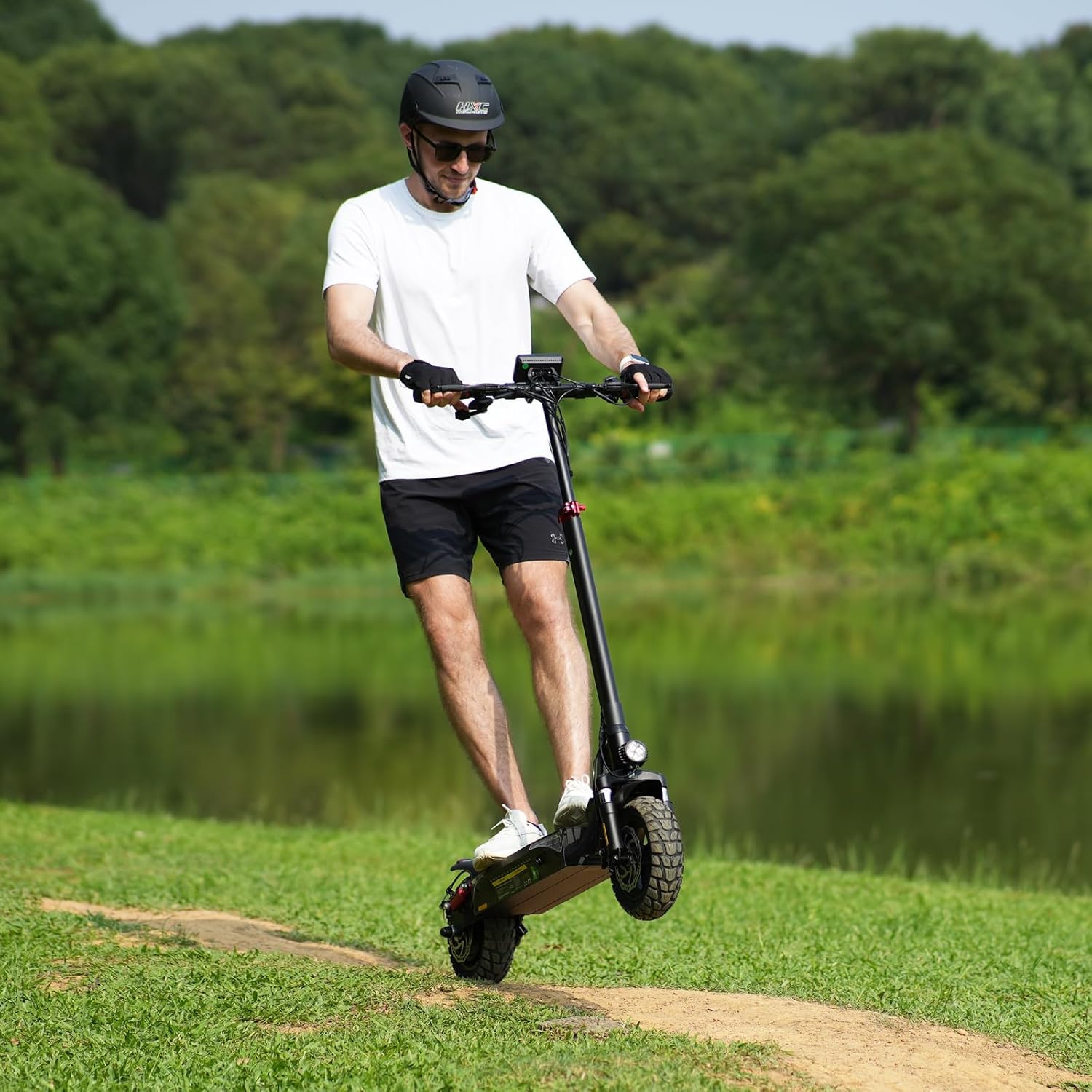
Image: The iX3's integrated lighting system, including headlights, tail lights, turn signals, and ambient lights.
5. Maintenance
Regular maintenance ensures the longevity and safe operation of your iScooter iX3.
5.1 General Care
- Keep the scooter clean. Wipe down the frame with a damp cloth. Avoid using high-pressure water jets directly on electrical components.
- Regularly check all screws and bolts for tightness.
5.2 Tire Care
- Maintain proper tire pressure for optimal performance and safety. Refer to the tire sidewall for recommended PSI.
- Inspect tires regularly for wear, punctures, or damage. Replace worn tires promptly.
5.3 Battery Care
- Charge the battery fully after each use, especially if storing for an extended period.
- If storing for a long time, charge the battery to approximately 50-70% every 1-2 months to prevent deep discharge.
- Do not expose the battery to extreme temperatures.
5.4 Brake System
- Regularly check brake pads for wear and replace them as needed.
- Ensure brake levers operate smoothly and provide adequate stopping power. Adjust brake cables if necessary.
5.5 Suspension System
- Inspect the dual shock absorbers for any visible damage or leaks.
- Keep the suspension components clean to ensure smooth operation.
6. Troubleshooting
This section addresses common issues you might encounter with your iScooter iX3.
| Problem | Possible Cause | Solution |
|---|---|---|
| Scooter does not power on | Low battery; Loose power connection; Faulty power button | Charge the battery; Check all connections; Contact support if issue persists. |
| Reduced range or speed | Under-inflated tires; Low battery charge; Riding uphill frequently; Heavy load | Inflate tires to recommended PSI; Fully charge battery; Adjust riding style; Reduce load. |
| Brakes feel weak | Worn brake pads; Loose brake cable; Air in hydraulic system (if applicable) | Inspect and replace brake pads; Adjust brake cable tension; Seek professional service for hydraulic brakes. |
| App not connecting | Bluetooth off; Scooter not powered on; App permissions | Ensure Bluetooth is enabled and scooter is on; Check app permissions; Restart phone and scooter. |
If you encounter an issue not listed here or if the suggested solutions do not resolve the problem, please contact iScooter customer support for assistance.
7. Specifications
Detailed technical specifications for the iScooter iX3 Electric Scooter.
| Feature | Specification |
|---|---|
| Brand | iScooter |
| Model Name | iX3 |
| Motor Power | 800W Brushless Motor |
| Battery | 48V/10Ah Lithium-Ion |
| Maximum Speed | 25 MPH (40 km/h) |
| Maximum Range | 25 Miles (40 km) |
| Charging Time | 7 Hours |
| Weight Limit | 264 Pounds (120 kg) |
| Wheel Size | 10 Inches |
| Wheel Type | Pneumatic Off-Road |
| Suspension Type | Dual Suspension |
| Brake Style | Dual Braking Systems |
| Frame Material | Aluminum |
| Handlebar Type | Adjustable |
| Slope Climbing Ability | 20-25° |
8. Warranty and Support
iScooter prioritizes quality and technical excellence. Your iX3 Electric Scooter comes with a warranty to ensure your satisfaction.
8.1 Warranty Information
- The iX3 Electric Scooter includes a 1-year limited warranty.
- Specific parts may have varying warranty periods, such as 360-day or 180-day warranties. Please refer to your warranty card or contact customer service for detailed information on specific components.
- The warranty covers manufacturing defects and workmanship under normal use. It does not cover damage caused by misuse, accidents, unauthorized modifications, or normal wear and tear.
8.2 Customer Support
For fast and professional service, technical assistance, or warranty claims, please contact iScooter customer support. Refer to the contact information provided in your product packaging or on the official iScooter website.
Please have your model number (iX3) and purchase date ready when contacting support.
9. Environmental Responsibility
The iScooter iX3 is a Climate Pledge Friendly product, certified by Carbonfree Certified. This indicates that carbon emissions from the lifecycle of this product have been measured, reduced, and offset.