
AMHVMU G9
Contents
AMHVMU G9 GPS Digital Car Speedometer User Manual
Model: G9 | Brand: AMHVMU
Introduction
The AMHVMU G9 GPS Digital Car Speedometer is designed to enhance your driving experience by providing essential information without distraction. This device is compatible with all vehicle types, suitable for both new and experienced drivers, and ideal for long-distance travel. It features a clear digital display for speed, a compass for navigation, and a time display.

Image: The AMHVMU G9 GPS Digital Car Speedometer, displaying speed and a compass, shown from an angled perspective.
Package Contents
Please verify that all items are present in the package:
- 1 x AMHVMU G9 GPS Digital Car Speedometer
- 1 x USB Cable (2 meters)
- 1 x Anti-slip Mat
- 1 x User Manual
Setup
- Placement: Place the G9 speedometer on your dashboard or attach it to the windshield using the provided suction cup mount. Ensure it does not obstruct your view of the road. The compact design allows for flexible placement without blocking your line of sight.
- Power Connection: Connect the G9 speedometer to your vehicle's USB port using the supplied 2-meter USB cable. The device is plug-and-play, requiring no complex installation.
- Secure Mounting: If using the anti-slip mat, place it on a clean, flat surface on your dashboard. For suction cup mounting, ensure the surface is clean and dry before attaching. The rotatable suction cup holder allows for adjustment to your preferred viewing angle.
- GPS Signal Acquisition: Once powered on, the device will automatically search for a GPS signal. This may take a few moments, especially during the first use or after a long period of inactivity. For optimal performance, avoid testing the GPS HUD in enclosed spaces or underground garages, as signal connection may be slow and affect accuracy.

Image: The AMHVMU G9 speedometer positioned on a car dashboard, demonstrating its compact size and clear visibility without obstructing the driver's view.

Image: A detailed view of the AMHVMU G9 speedometer with its rotatable suction cup holder, illustrating how it can be adjusted for optimal viewing.
Operating Instructions
Basic Functions
- Power On/Off: The device powers on automatically when connected to a power source and turns off when disconnected.
- Speed Display: The large digital screen clearly displays your current driving speed.
- Unit Switching (KM/H & MPH): Easily switch between kilometers per hour (KM/H) and miles per hour (MPH) to suit your preference or regional requirements. Refer to the detailed settings section for specific button presses.
- Automatic Brightness Adjustment: The G9 features automatic brightness adjustment, ensuring clear visibility of the display in both bright daylight and dark night conditions.
- Compass Function: A built-in compass assists with orientation, particularly useful during long journeys or when navigating unfamiliar routes.
- Time Display: The device displays the current time, keeping you informed while driving.
Advanced Settings
- Display Modes: The G9 offers multiple display modes, allowing you to view various information such as speed, driving distance, driving time, driving direction, number of satellites, and acceleration time. Use the dial button to cycle through these modes.
- Font Color Customization: You can change the font color of the display. There are 7 colors to choose from (e.g., light green, ice blue, blue, green, cyan, red, purple). Consult the full user manual for specific instructions on how to access and change these settings using the dial button.
- Overspeed Alarm: Set an overspeed alarm to receive an alert when your vehicle's speed exceeds a predefined limit. This feature helps you adhere to speed regulations. Instructions for setting the alarm are typically found in the full user manual.
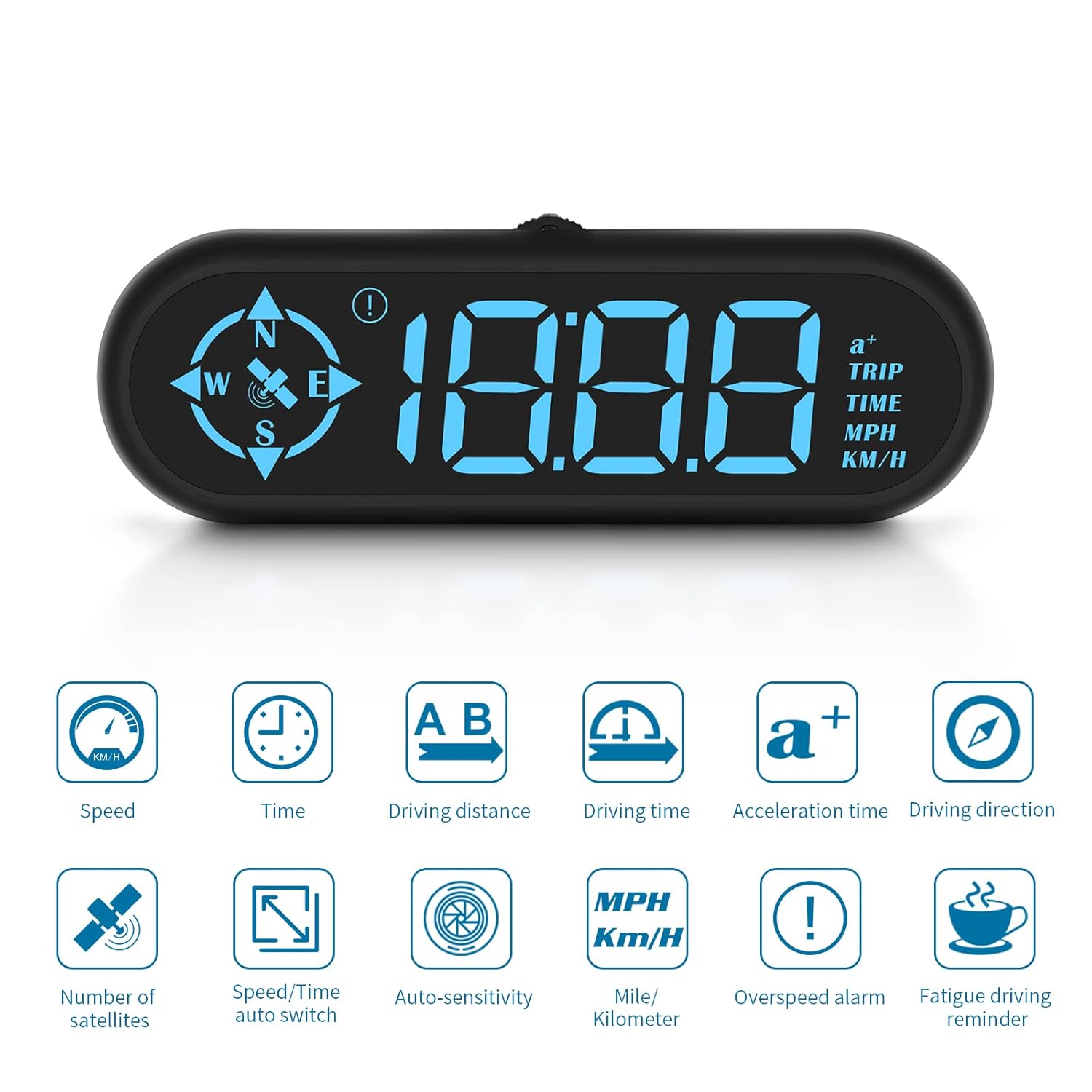
Image: A visual representation of the various display modes available on the AMHVMU G9, including speed, driving distance, driving time, and driving direction with speed.
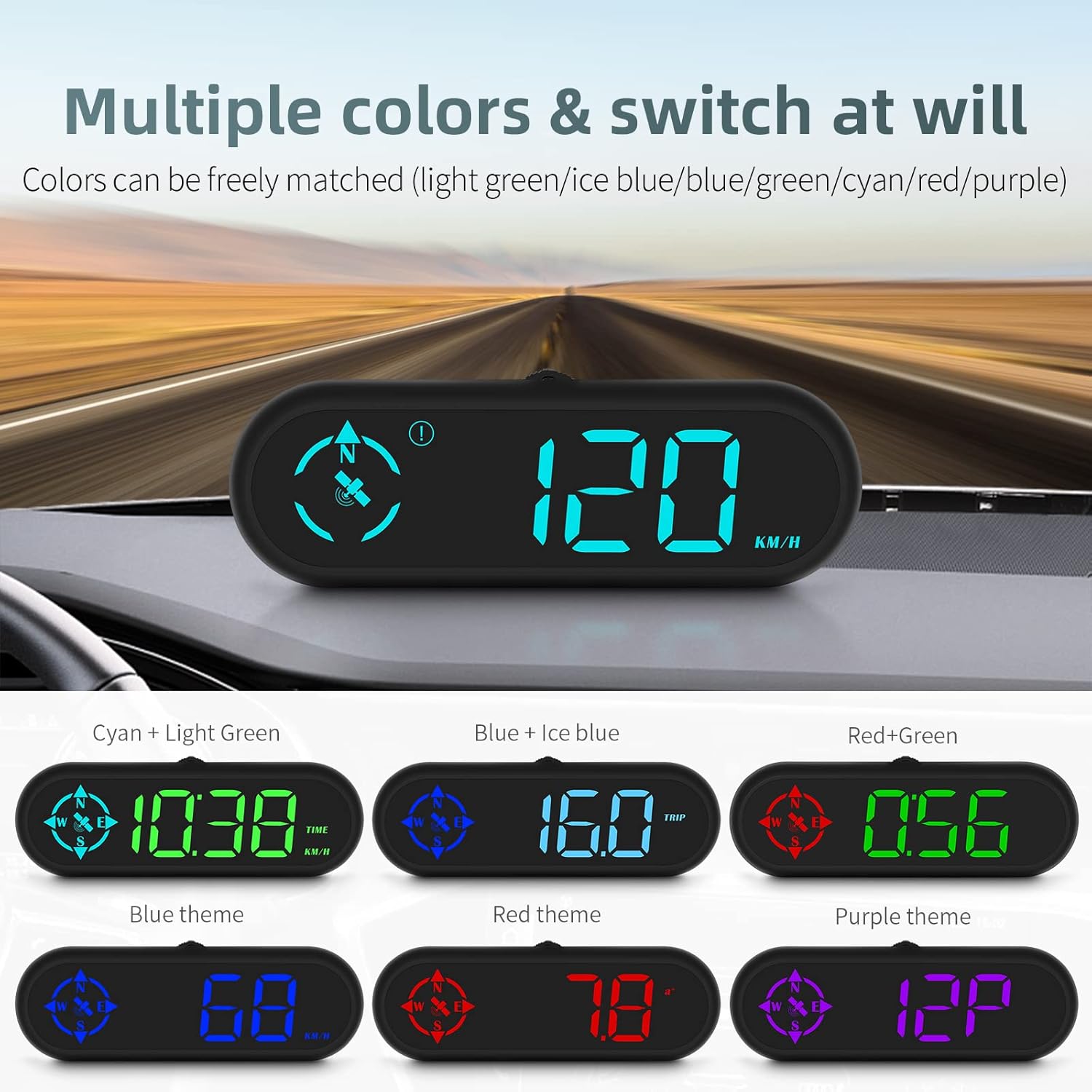
Image: The AMHVMU G9 display showing examples of different font colors, such as cyan, light green, blue, ice blue, red, and green, demonstrating customization options.
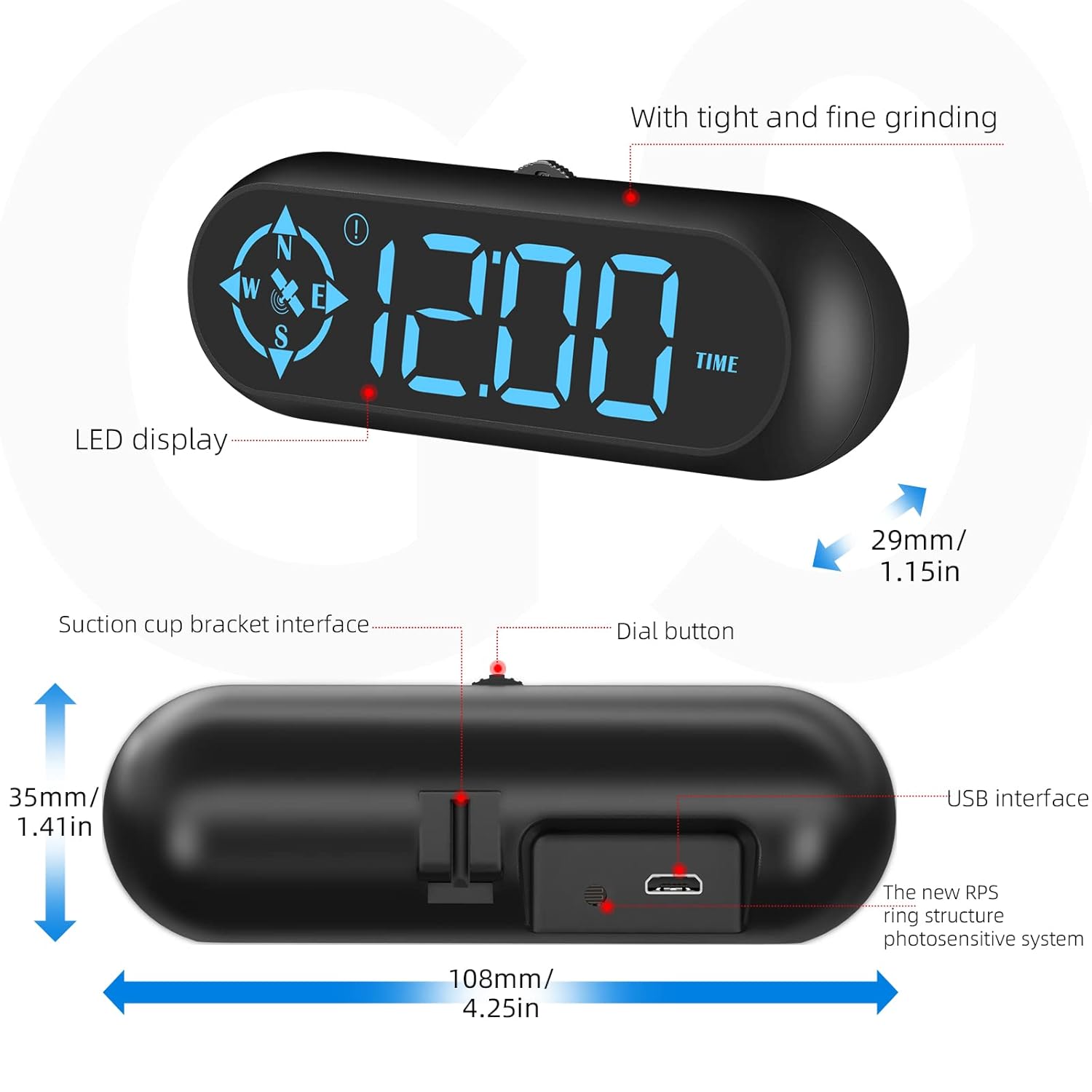
Image: A collection of icons representing the various features of the AMHVMU G9, including speed, time, driving distance, overspeed alarm, and fatigue driving reminder.
Maintenance
- Cleaning: Use a soft, dry cloth to clean the device. Avoid using abrasive cleaners or solvents that could damage the display or casing.
- Storage: When not in use for extended periods, store the device in a cool, dry place away from direct sunlight and extreme temperatures.
- Cable Care: Handle the USB cable gently to prevent damage. Do not bend or crimp the cable excessively.
Troubleshooting
Common Issues and Solutions
- No Display / Device Not Powering On:
- Ensure the USB cable is securely connected to both the G9 speedometer and a functional USB power source in your vehicle.
- Try a different USB port or power adapter to rule out a power source issue.
- No GPS Signal / Inaccurate Speed Reading:
- Ensure the device has a clear view of the sky. GPS signals can be obstructed by tunnels, underground garages, tall buildings, or dense foliage.
- Allow sufficient time (up to several minutes) for the device to acquire a GPS signal, especially during initial setup or after being moved to a new location.
- Avoid testing the GPS HUD in enclosed spaces or underground garages, as signal connection may be slow and affect accuracy.
- Display Not Clear in Bright Sunlight:
- The device features automatic brightness adjustment. Ensure the sensor is not obstructed.
- Adjust the device's position to minimize direct glare from the sun.
Specifications
| Feature | Detail |
|---|---|
| Model Number | G9 |
| Brand | AMHVMU |
| Dimensions (L x W x H) | 10.8 x 2.9 x 3.5 cm (4.25 x 1.15 x 1.41 inches) |
| Weight | 110 Grams |
| Material | Plastic |
| Power Source | USB Powered |
| Display Type | Digital HUD |
| Features | GPS Speedometer, Compass, Time Display, KM/H & MPH Switch, Auto Brightness, Overspeed Alarm, Multiple Color Options |
Warranty and Support
This product comes with a 1-year availability of spare parts, as per EU regulations. For specific warranty details and support inquiries, please refer to the documentation provided with your purchase or contact AMHVMU customer service through the retailer where the product was purchased.
Return Policy: A return policy of 30 days for refund/replacement is typically offered by the retailer. Please check the specific return policy of your purchase point.
Ask a question about this manual
Ask about setup, troubleshooting, compatibility, parts, safety, or missing instructions. Manuals+ will review the question and use this page’s manual context to help answer it.