
CIRCOOTER Mate
Contents
Circooter MATE Electric Scooter User Manual
Model: MATE
1. Introduction
Welcome to the world of efficient and exhilarating urban commuting with your new Circooter MATE Electric Scooter. This manual provides essential information for the safe operation, maintenance, and optimal performance of your scooter. Please read it thoroughly before your first ride to ensure a safe and enjoyable experience.
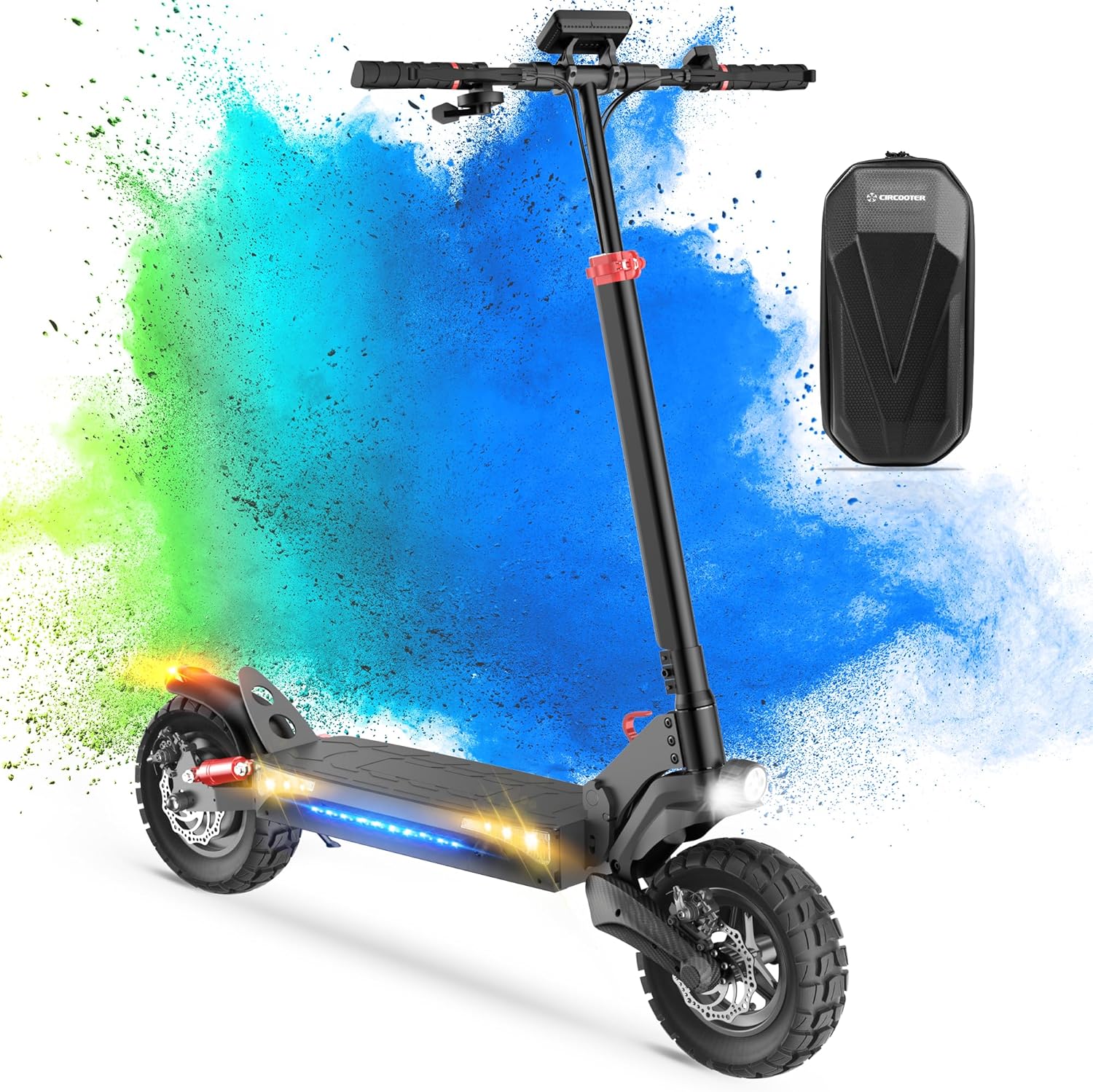
Figure 1: Circooter MATE Electric Scooter
The Circooter MATE Electric Scooter is designed for adults, offering a powerful 800W/1600W motor, a maximum load capacity of 330 lbs, and a range of up to 25 miles. It features 10-inch off-road tires, turn signals, and a storage bag for convenience.
2. Safety Guidelines
Your safety is paramount. Always adhere to the following guidelines:
- Always wear a certified helmet and appropriate safety gear (knee pads, elbow pads) when riding.
- Familiarize yourself with local traffic laws and regulations regarding electric scooters.
- Perform a pre-ride inspection: check brakes, tire pressure, and ensure all components are secure.
- Do not ride in adverse weather conditions (heavy rain, snow, ice).
- Avoid riding under the influence of alcohol or drugs.
- Maintain a safe distance from other vehicles and pedestrians.
- The maximum load capacity is 330 lbs. Do not exceed this limit.
3. Package Contents
Upon opening your Circooter MATE package, please verify that all items are present:
- Circooter MATE Electric Scooter
- Power Adapter/Charger
- User Manual (this document)
- Storage Bag
- Necessary Tools for Assembly (if applicable)
4. Assembly and Setup
Your Circooter MATE is designed for quick and easy setup. Follow these steps:
- Unfolding the Scooter: Carefully lift the handlebar stem until it locks into place. Ensure the folding mechanism is securely latched.
- Handlebar Assembly: Attach the handlebars if they are separate, ensuring all screws are tightened.
- Initial Charge: Before your first ride, fully charge the scooter's battery. Connect the power adapter to the charging port and then to a power outlet. The indicator light on the charger will change when fully charged.
- Tire Pressure Check: Verify that the 10-inch pneumatic off-road tires are inflated to the recommended pressure (refer to the tire sidewall for details).

Figure 2: Scooter Folding Mechanism
The Circooter MATE features an easy 3-step folding mechanism for convenient storage and transport.
5. Operating Instructions
5.1 Powering On/Off
Press and hold the power button on the display to turn the scooter on or off.
5.2 Riding Modes
The Circooter MATE offers three distinct riding modes to suit your preference and road conditions:
- Gear 1 (ECO): Approximately 10 MPH (16 km/h) - Ideal for beginners or conserving battery.
- Gear 2 (STD): Approximately 18 MPH (29 km/h) - Balanced mode for everyday commuting.
- Gear 3 (TURBO): Approximately 28 MPH (45 km/h) - For maximum speed and performance.
Use the mode selection button on the handlebar to switch between modes. The scooter also supports cruise control for consistent speed on long rides.
5.3 Lighting System
For enhanced visibility and safety, your scooter is equipped with a 360° lighting system:
- Bright Headlight
- Dual Side Moonlights
- Front and Rear Turn Signals
- Brake Light
Ensure all lights are functional before riding, especially at night.

Figure 3: Scooter Lighting System
The comprehensive lighting system ensures visibility from all angles, crucial for night riding safety.
5.4 Braking System
The scooter features a dual braking system with Anti-Lock Brake System (ABS) for reliable stopping power. Always apply both brakes simultaneously for optimal control and shorter stopping distances.

Figure 4: Motor and Brake Components
The powerful 800W motor is complemented by a robust braking system for safe operation.
5.5 App Connectivity
Enhance your riding experience by connecting your Circooter MATE to the dedicated mobile application. The app allows you to:
- View Riding Records
- Lock/Unlock the Scooter
- Control Cruise Control Settings
- Turn Lights On/Off
- Adjust Startup Mode

Figure 5: Scooter Display and App Control
The scooter's display provides real-time information, while the mobile app offers advanced control and monitoring features.
6. Battery and Charging
The Circooter MATE is powered by a 48V 12.5Ah Lithium Battery, providing a maximum range of 25 miles under specific conditions. A full charge typically takes 7 hours.
- Only use the original charger provided with your scooter.
- Do not overcharge the battery. Disconnect the charger once the battery is full.
- Charge the scooter in a dry, well-ventilated area, away from flammable materials.
- Avoid completely draining the battery to prolong its lifespan.

Figure 6: Battery Specifications and Range
The 48V 12.5Ah battery provides ample range for urban commutes, with a charging time of approximately 5-6 hours.
7. Maintenance
Regular maintenance ensures the longevity and safe operation of your scooter:
- Cleaning: Wipe the scooter with a damp cloth. Do not use high-pressure water or immerse the scooter in water.
- Tires: Regularly check tire pressure and inspect for wear or damage.
- Brakes: Periodically check brake pads and cables for wear. Ensure brakes respond effectively.
- Fasteners: Check all screws and bolts for tightness before each ride.
- Storage: Store the scooter in a cool, dry place, away from direct sunlight and extreme temperatures.
8. Troubleshooting
If you encounter issues with your Circooter MATE, refer to the following common problems and solutions:
| Problem | Possible Cause | Solution |
|---|---|---|
| Scooter does not power on. | Low battery; loose connections. | Charge the battery; check all cable connections. |
| Reduced range or speed. | Low tire pressure; battery degradation; heavy load. | Inflate tires to recommended pressure; ensure full charge; reduce load. |
| Brakes feel weak. | Worn brake pads; loose brake cable. | Inspect and replace brake pads; adjust brake cable tension. |
| Unusual noises during operation. | Loose components; debris in wheels. | Check all fasteners; inspect wheels for obstructions. |
If the issue persists, please contact customer support.
9. Specifications
Detailed technical specifications for the Circooter MATE Electric Scooter:
| Feature | Detail |
|---|---|
| Brand | CIRCOOTER |
| Model Name | Mate |
| Motor Power | 800W (Peak 1600W) |
| Max Speed | 28 MPH (45 km/h) |
| Max Range | 25 Miles (40 km) |
| Battery | 48V 12.5Ah Lithium |
| Charging Time | 7 Hours |
| Max Load | 330 LBS (150 kg) |
| Tire Size | 10 Inches |
| Tire Type | Inner pneumatic off-road tires |
| Suspension | Quadruple (Dual hydraulic front, dual spring rear) |
| Brake Style | Double Braking Systems (ABS) |
| Product Dimensions | 47"L x 8"W x 50"H |
| Item Weight | 46 Pounds (20.8 kg) |
| Frame Material | Aluminum |
| Special Features | Free Storage Bag, 360° Lighting System, APP Support |

Figure 7: Key Performance Metrics
The Circooter MATE boasts a powerful motor, long-range battery, and robust 10-inch off-road tires for versatile riding.

Figure 8: Suspension System and Max Load
Equipped with quadruple suspension and a high max load capacity, the scooter provides a comfortable and stable ride.
10. Warranty and Support
CIRCOOTER is committed to providing high-quality products and excellent customer service. Your Circooter MATE Electric Scooter comes with a standard warranty (please refer to your purchase documentation for specific terms and duration).
For any questions, technical support, or warranty claims, please contact CIRCOOTER customer service:
- Live Chat: Hello@circooter.com
- Call Center: (+1) 833-597-1988
- Online Store: CIRCOOTER Store on Amazon
Please have your model number (Mate) and purchase date ready when contacting support.
Documents and downloads
Ask a question about this manual
Ask about setup, troubleshooting, compatibility, parts, safety, or missing instructions. Manuals+ will review the question and use this page’s manual context to help answer it.