Introduction
The ICE-WATCH Ice Music 2.0 is a compact and powerful portable Bluetooth speaker designed for an enhanced audio experience. This speaker features Bluetooth V5.3 connectivity, an 8W audio output, and a robust battery providing up to 12 hours of continuous playback at medium volume. Its IPX7 waterproof rating ensures durability for outdoor use. The Ice Music 2.0 also includes colorful LED light modes, True Wireless Stereo (TWS) pairing for a wider soundstage, and a Micro SD card reader for versatile music playback options. It is designed for portability with an ergonomic design and a strap, and recharges quickly via its included USB-C cable.
Package Contents
- 1 x ICE-WATCH Ice Music 2.0 Portable Bluetooth Speaker
- 1 x USB-C Charging Cable
Product Overview
Familiarize yourself with the components of your ICE-WATCH Ice Music 2.0 speaker.
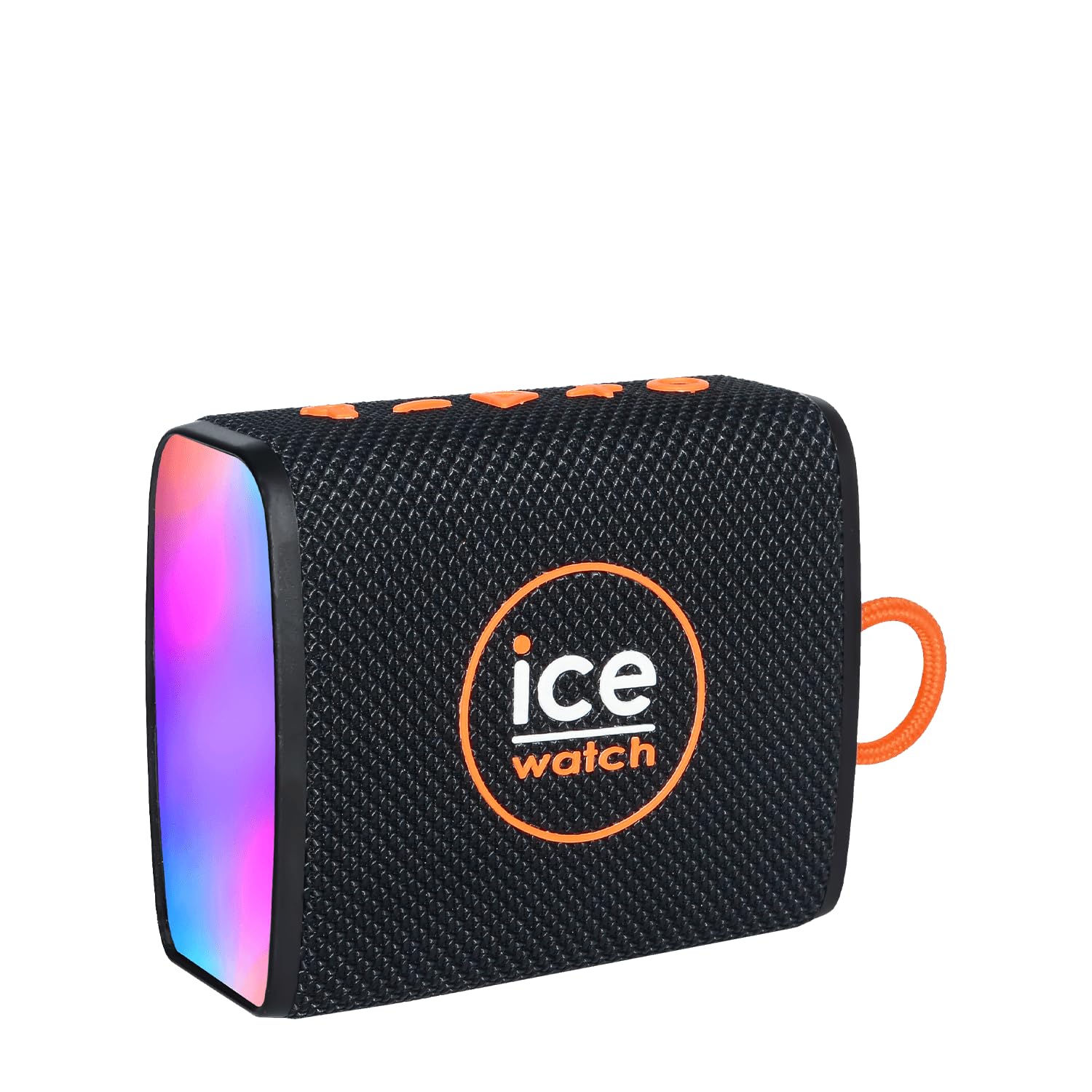
Figure 1: Front view of the ICE-WATCH Ice Music 2.0 Portable Bluetooth Speaker, showcasing its compact design and speaker grille.
Controls and Ports:
- Power Button: Press and hold to turn the speaker on or off.
- Volume Up/Next Track Button: Short press for volume up, long press for next track.
- Volume Down/Previous Track Button: Short press for volume down, long press for previous track.
- Play/Pause Button: Press to play or pause music.
- Mode Button: Press to switch between Bluetooth, Micro SD, and LED light modes.
- USB-C Charging Port: For charging the speaker's internal battery.
- Micro SD Card Slot: For playing music directly from a Micro SD card.
Setup
1. Charging the Speaker
- Connect the provided USB-C charging cable to the speaker's USB-C port.
- Connect the other end of the USB-C cable to a compatible USB power adapter (not included) or a computer's USB port.
- The charging indicator light will illuminate during charging and turn off once fully charged.
- A full charge provides up to 12 hours of playback at 50% volume or 3.5 hours at maximum volume.
2. Bluetooth Pairing
- Ensure the speaker is fully charged.
- Press and hold the Power Button to turn on the speaker. A sound prompt will indicate it is powered on, and the LED indicator will flash, signifying it is in pairing mode.
- On your mobile device (smartphone, tablet, computer), enable Bluetooth and search for available devices.
- Select "ICE Music 2.0" from the list of available devices.
- Once paired, the speaker will emit a confirmation sound, and the LED indicator will stop flashing and remain solid.
- The speaker will automatically attempt to reconnect to the last paired device when powered on.
Operating Instructions
Basic Functions:
- Power On/Off: Press and hold the Power Button.
- Play/Pause: Press the Play/Pause Button.
- Volume Control: Short press Volume Up (+) or Volume Down (-) buttons.
- Next/Previous Track: Long press Volume Up (+) for next track, long press Volume Down (-) for previous track.
True Wireless Stereo (TWS) Pairing:
To achieve a stereo sound experience, you can pair two ICE-WATCH Ice Music 2.0 speakers together.
- Ensure both speakers are powered off and not connected to any Bluetooth device.
- Turn on both speakers.
- On one of the speakers (this will be the primary speaker), double-press the Play/Pause Button. The speaker will enter TWS pairing mode.
- The two speakers will automatically connect to each other. A confirmation sound will indicate successful TWS pairing.
- Now, connect your mobile device to the primary speaker via Bluetooth as described in the "Bluetooth Pairing" section.
- Audio will now play in stereo through both speakers.
Micro SD Card Playback:
The speaker supports playing audio files directly from a Micro SD card.
- Insert a Micro SD card (with supported audio files) into the Micro SD card slot on the speaker.
- Press the Mode Button to switch to Micro SD card mode. The speaker will automatically begin playing music from the card.
- Use the Play/Pause and Volume Up/Down buttons to control playback.
LED Light Modes:
The speaker features colorful LED lights that react to music.
- Press the Mode Button repeatedly to cycle through different LED light modes or to turn them off.
Maintenance
Cleaning:
- Before cleaning, ensure the speaker is powered off and disconnected from any charging source.
- Wipe the exterior of the speaker with a soft, damp cloth. Do not use abrasive cleaners, alcohol, or chemical solvents, as these may damage the surface.
- For the speaker grille, use a soft brush to gently remove dust or debris.
- Ensure all ports are dry before charging or using the speaker after cleaning.
Storage:
- Store the speaker in a cool, dry place away from direct sunlight and extreme temperatures.
- If storing for an extended period, charge the battery to approximately 50% every few months to maintain battery health.
Troubleshooting
| Problem | Possible Cause | Solution |
|---|---|---|
| Speaker does not turn on. | Low battery. | Charge the speaker using the provided USB-C cable. |
| Cannot pair with Bluetooth device. | Bluetooth is off on your device; speaker is not in pairing mode; speaker is already connected to another device; device is out of range. | Ensure Bluetooth is enabled on your device. Turn the speaker off and on again to enter pairing mode. Disconnect from other devices. Move your device closer to the speaker (within 10 meters). |
| No sound or low volume. | Volume too low on speaker or device; speaker not properly connected; audio source issue. | Increase volume on both the speaker and your connected device. Re-pair the Bluetooth connection. Check if the audio source is playing correctly. |
| TWS pairing fails. | Speakers not in TWS pairing mode; too far apart. | Ensure both speakers are powered on and not connected to any device before initiating TWS pairing. Keep speakers close during pairing. |
Specifications
- Model Number: 023622
- Brand: ICE-WATCH
- Connectivity Technology: Bluetooth V5.3
- Wireless Communication Range: Up to 10 meters (33 feet)
- Speaker Output Power: 8 Watts
- Audio Output Mode: Stereo (with TWS pairing)
- Waterproof Rating: IPX7 (Submersible up to 1 meter for 30 minutes)
- Battery Life: Up to 12 hours (at 50% volume), 3.5 hours (at maximum volume)
- Power Source: Battery Powered (Rechargeable via USB-C)
- Included Components: USB-C Charging Cable
- Product Dimensions: Approximately 11.7 x 11 x 4.9 cm (4.6 x 4.3 x 1.9 inches)
- Product Weight: Approximately 290 grams (0.64 lbs)
- Special Features: Shock resistant, LED light modes, Micro SD card reader
- Country of Origin: China
Safety Information
- Do not expose the speaker to extreme temperatures, direct sunlight, or open flames.
- Do not attempt to disassemble, repair, or modify the speaker. This will void the warranty and may cause damage or injury.
- Keep the speaker away from children and pets.
- Use only the provided USB-C cable for charging.
- Ensure the charging port cover is securely closed when using the speaker near water to maintain its IPX7 rating.
- Avoid listening at high volumes for extended periods to prevent hearing damage.
Warranty and Support
This product comes with a standard manufacturer's warranty. For specific warranty terms and conditions, please refer to the documentation provided with your purchase or contact ICE-WATCH customer support.
If you encounter any issues or have questions not covered in this manual, please contact ICE-WATCH customer service for assistance.
Manufacturer: ICE-WATCH


