
Introduction
Thank you for choosing the ONBRILL 55" Oak TV Stand. This manual provides detailed instructions for assembly, operation, maintenance, and troubleshooting to ensure safe and efficient use of your new entertainment center. Please read this manual thoroughly before assembly and retain it for future reference.
This TV stand is designed to accommodate TVs up to 60 inches and features a built-in power outlet with USB ports, adjustable shelves, and elegant sliding doors for convenient storage and cable management.
Safety Information
Important Safety Instructions:
- Always assemble the TV stand according to the provided instructions.
- To prevent tip-over, secure the stand to the wall using the provided hardware.
- Keep the sliding doors closed when not in use.
- Keep the stand away from children to prevent injury from sharp edges or small parts.
- Do not overload the shelves. Refer to the specifications for weight limits.
- Ensure all electrical connections to the power outlet are secure and meet local safety standards.
Package Contents
Before beginning assembly, verify that all parts listed below are present and undamaged. If any parts are missing or damaged, please contact customer support.
- TV Stand Components (various panels, shelves, legs)
- Hardware Pack (screws, dowels, cam locks, etc.)
- Power Outlet Unit (pre-installed or separate)
- Anti-tip hardware
- Assembly Instructions
Setup and Assembly
Assembly is estimated to take approximately 50 minutes. It is recommended to have two people for assembly to ensure stability and ease of handling larger components. Please follow the included step-by-step diagrams carefully.
General Assembly Steps:
- Unpack all components and lay them out on a clean, soft surface to prevent scratches.
- Identify each part using the labels and the parts list in the instruction manual.
- Attach the support legs to the base of the TV stand using the provided screws.
- Assemble the main frame of the TV stand, ensuring all connections are tight.
- Insert the adjustable shelves into the desired height slots.
- Install the sliding doors into their tracks.
- Secure the anti-tip hardware to the back of the TV stand and to a wall stud.
- Connect the power outlet unit to a wall socket.

Image: Dimensions and assembly overview of the ONBRILL 55" Oak TV Stand. Note the 55.1" width, 21.7" height, and 15.7" depth. The top surface supports up to 150 lbs, and internal shelves support 17 lbs each. Assembly is estimated to take less than 50 minutes.
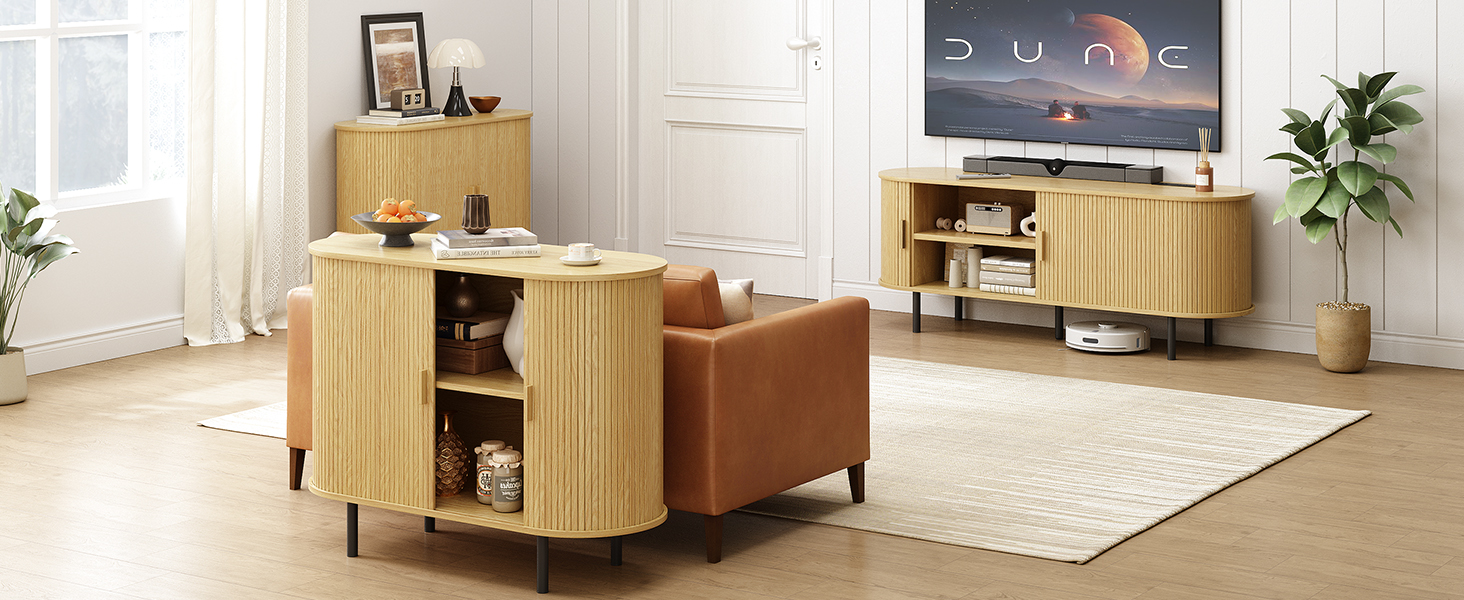
Image: Close-up view highlighting key features such as the table power outlet, adjustable shelves, cable holes for wire management, and sturdy support legs.
Installation Video:
Video: Official ONBRILL Oak TV Stand Installation Guide. This video demonstrates the step-by-step assembly process for the TV stand.
Operating Instructions
Sliding Doors:
The TV stand features smooth-gliding sliding doors. To open or close, gently push the door panel left or right along its track. Ensure no objects obstruct the door's path.
Adjustable Shelves:
The internal shelves are adjustable to three different height levels. To adjust, remove any items from the shelf, lift the shelf, and reposition the support pins into the desired holes. Ensure the shelf is level and securely seated before placing items on it.
Integrated Power Outlet:
The TV stand includes a built-in power outlet with two standard AC outlets and two USB ports. Connect the stand's power cord to a wall outlet. You can then plug in your TV, media devices, and charge mobile devices directly from the stand's surface.

Image: The integrated power outlet on the TV stand, showing two standard power outlets and two USB ports for convenient device charging and power supply.
Cable Management:
Utilize the pre-drilled cable holes located on the back panel of the stand to route and organize your device cables, keeping them tidy and out of sight.
Maintenance
To maintain the appearance and longevity of your ONBRILL TV stand, follow these simple guidelines:
- Cleaning: Wipe surfaces with a soft, damp cloth. Avoid harsh chemicals or abrasive cleaners, which can damage the finish.
- Spills: Immediately wipe up any spills to prevent staining or water damage.
- Sunlight: Avoid prolonged exposure to direct sunlight to prevent fading or discoloration.
- Heat: Do not place hot items directly on the surface. Use coasters or protective pads.
- Hardware: Periodically check and tighten all screws and fasteners to ensure the stand remains stable.
Troubleshooting
If you encounter any issues with your TV stand, please refer to the following common solutions:
| Problem | Possible Cause | Solution |
|---|---|---|
| Stand is wobbly/unstable | Loose fasteners; uneven floor. | Tighten all screws and bolts. Ensure the stand is on a level surface. Adjust leg levelers if present. |
| Sliding doors stick or don't move smoothly | Debris in tracks; misaligned doors. | Clean the tracks of any dust or debris. Check that the doors are correctly seated in their grooves. |
| Power outlet not working | Not plugged into wall; tripped circuit breaker. | Ensure the stand's power cord is securely plugged into a functional wall outlet. Check your home's circuit breaker. |
| Missing parts during assembly | Packaging error. | Contact ONBRILL customer support with your purchase details and the specific missing parts. |
If the problem persists, please contact ONBRILL customer support for further assistance.
Specifications
| Feature | Detail |
|---|---|
| Brand | ONBRILL |
| Model Number | OB-JL-004 |
| Color | Oak |
| Material Type | Engineered Wood |
| Item Dimensions (L x W x H) | 94.5 x 15.7 x 21.5 inches (Overall) |
| Item Depth | 55.1 inches (Top Surface) |
| Item Weight | 48.6 pounds |
| Max TV Size Supported | Up to 60 inches |
| Power Outlet | 2 AC outlets, 2 USB ports |
| Storage | 6 spaces, 2 hidden, adjustable shelves (3 levels) |
| Assembly Time (Estimated) | Under 50 minutes |
Warranty Information
ONBRILL products are manufactured with quality and care. For specific warranty details regarding your ONBRILL 55" Oak TV Stand, please refer to the warranty card included in your package or contact ONBRILL customer support directly. Please retain your proof of purchase for any warranty claims.
Customer Support
If you have any questions, require assistance with assembly, or need to report missing/damaged parts, please contact ONBRILL customer support. Have your model number (OB-JL-004) and purchase information ready for faster service.
For more information and support, visit the official ONBRILL store: ONBRILL Store on Amazon
