
Karlak SGS05
Karlak SGS05 Garden Water Meter User Manual
Model: SGS05
Introduction
The Karlak SGS05 Garden Water Meter is a versatile digital device designed to help you monitor and manage your water usage efficiently. It offers four distinct measurement modes, allowing you to track one-time water consumption, daily average consumption over seven days, real-time water flow rate, and total water consumption up to 99999 liters or gallons. Its robust design and IPX5 waterproof rating make it suitable for various outdoor watering applications.
Product Overview
Key Features
- Large digital display for easy readability and mode switching.
- 3/4-inch threaded connector compatible with standard faucets and garden hoses.
- IPX5 waterproof rating for outdoor use.
- Integrated filters to prevent clogging from grit and debris.
- Automatic sleep mode for power saving when not in operation.
- Low battery alert.
Components
The Karlak SGS05 Garden Water Meter consists of a main body with a digital display, a control button, a 3/4-inch faucet connector, and a 3/4-inch outlet. It is powered by a CR2032 battery.

Figure 1: Product Components and Dimensions
Setup
Installation
- Ensure the water meter is clean and free of debris.
- Screw the 3/4-inch faucet connector of the water meter onto your standard outdoor faucet or tap. Hand-tighten only to prevent damage.
- Connect your garden hose or watering accessory to the 3/4-inch outlet at the bottom of the water meter. Ensure a secure connection to prevent leaks.
- The meter is now ready for use.

Figure 2: Water Meter Installation Example
Operating Instructions
The water meter features a single button for switching between its four measurement modes. Press the button to cycle through the modes.
Measurement Modes
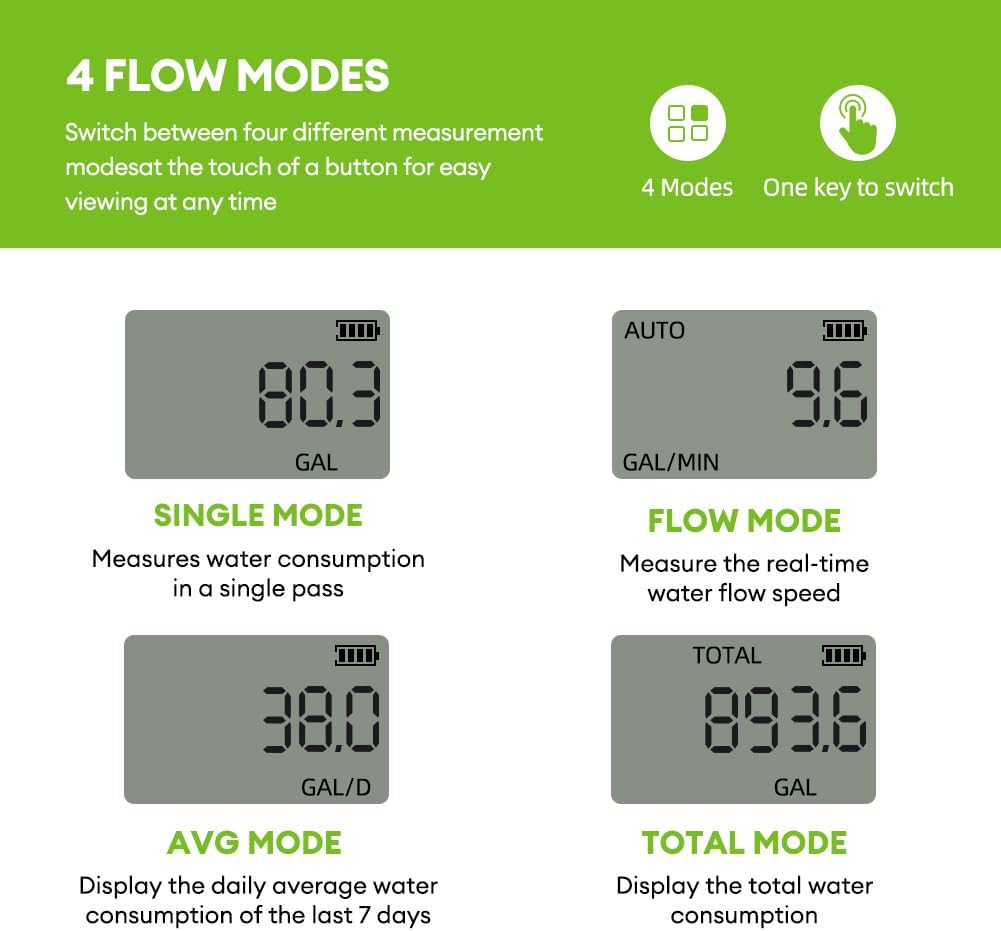
Figure 3: Overview of Four Measurement Modes
1. Single Mode
Measures water consumption in a single pass. This mode is ideal for tracking the volume of water used during a specific watering session.
2. Flow Mode
Measures the real-time water flow speed (e.g., GAL/MIN or L/MIN). The LCD will activate and display the current flow speed when water passes through the meter.

Figure 4: Water Meter in Flow Mode
3. AVG Mode
Displays the daily average water consumption over the last 7 days. This mode helps you understand your weekly watering trends.
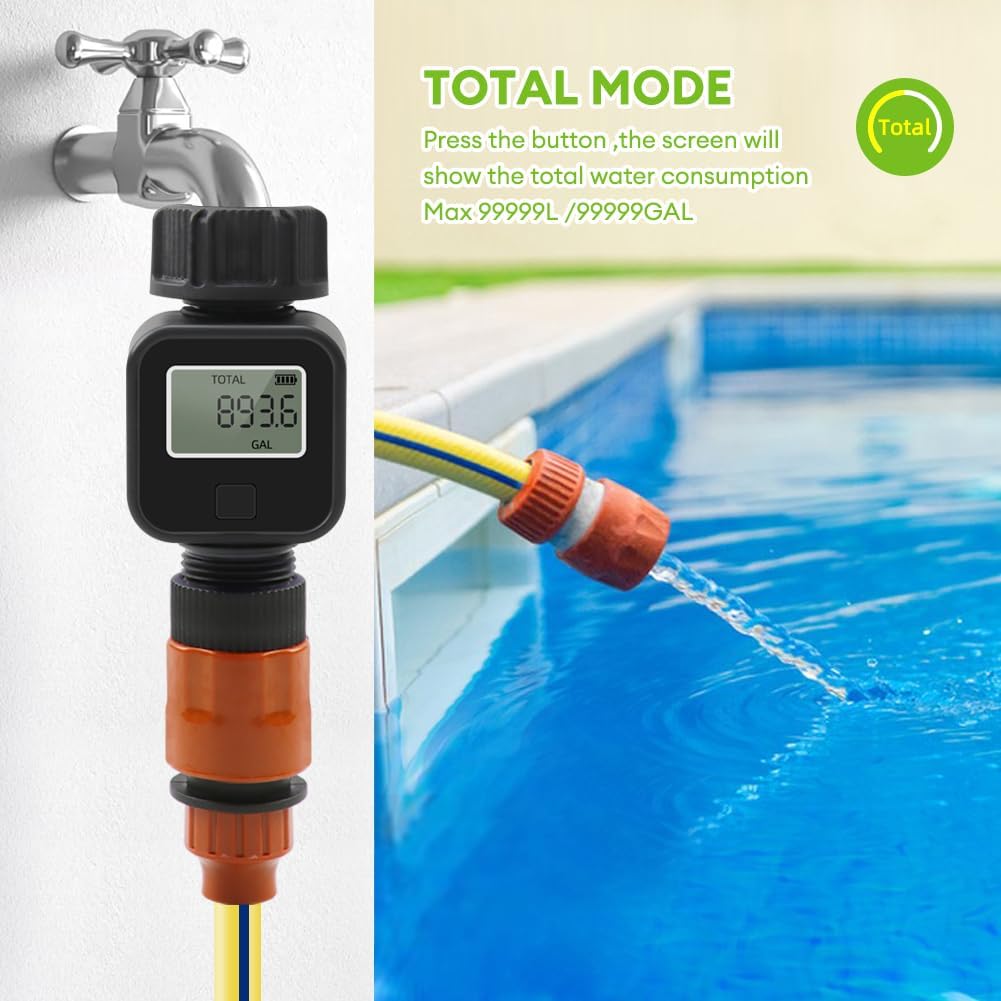
Figure 5: Water Meter in AVG Mode with Usage Graph
4. Total Mode
Displays the total water consumption up to a maximum of 99999 liters or gallons. This cumulative reading helps track overall water usage over time.

Figure 6: Water Meter in Total Mode
Maintenance
Battery Replacement
The water meter uses one CR2032 3V battery. When the low battery alert appears on the display, replace the battery promptly to ensure accurate readings. To replace, unscrew the battery compartment cover, remove the old battery, insert a new CR2032 battery with the correct polarity, and securely reattach the cover.
Filter Maintenance
The water meter is equipped with an internal filter mesh to prevent sand and stones from entering and causing clogs. Periodically inspect and clean the filter to maintain optimal performance. To access the filter, carefully unscrew the inlet connector.

Figure 7: Filter and Battery Compartment Details
Cleaning and Storage
Clean the exterior of the meter with a soft, damp cloth. Do not use abrasive cleaners. When not in use for extended periods, store the meter in a dry, cool place, away from direct sunlight and extreme temperatures.
Troubleshooting
| Problem | Possible Cause | Solution |
|---|---|---|
| No display or faint display | Low or dead battery | Replace the CR2032 battery. |
| Inaccurate readings | Clogged filter; improper installation; air in the line | Clean the inlet filter. Ensure secure, leak-free connections. Allow water to flow to purge air. |
| Water leakage at connections | Loose connection; damaged washer | Tighten connections. Check and replace rubber washers if damaged. |
| Meter not entering sleep mode | Continuous water flow; internal malfunction | Ensure water flow has stopped completely. If issue persists, contact customer support. |
Specifications
| Parameter | Value |
|---|---|
| Main Color | Black |
| Material | ABS |
| Waterproof Rating | IPX5 |
| Water Rate Measuring Range | 1-45.5 L/min (12.0 GAL/min) |
| Water Consumption Measuring Range | 0-99999 L / 0-99999 GAL |
| Working Pressure | 0.5-8 bar |
| Thread Size | 3/4 inch |
| Battery Type | 1 * CR2032, 3V, 240mAh |
| Item Dimensions | 90 * 50 mm (3.5 * 2.0 inches) |
| Product Weight (without packaging) | 93g |
Warranty Information
This product comes with a manufacturer warranty for 90 days from the date of purchase. Please retain your proof of purchase for any warranty claims. The return policy allows for refund or replacement within 30 days of purchase, subject to seller terms.
Customer Support
For any questions, technical assistance, or warranty inquiries not covered in this manual, please contact the seller or manufacturer directly through the platform where the product was purchased. Provide your product model number (SGS05) and purchase details for faster service.
Related Documents - SGS05
 |
LCD Digital Water Flow Meter (SGS05) User Guide User guide for the Aideepen LCD Digital Water Flow Meter. Features, technical specifications, and operating instructions for monitoring water consumption in gardening and agricultural applications. |
 |
Haoqi LCR-T7H Multifunction Tester: Features, Specifications, and Operation Guide Explore the Haoqi LCR-T7H Multifunction Tester. This guide details its features, transistor testing, component measurement capabilities, operating instructions, and performance parameters for electronics enthusiasts and professionals. |
 |
6000counts Mini Pen Multimeter User's Manual - Noyafa Comprehensive user manual for the Noyafa 6000counts Mini Pen Multimeter, detailing features, operation, safety precautions, and technical specifications for accurate electrical measurements. |
 |
Habotest HT122 Digital True RMS Multimeter with Intelligent Test Function User Manual User manual for the Habotest HT122 digital True RMS multimeter, detailing its features, safety instructions, measurement modes (NCV, DC/AC voltage, resistance, frequency, capacitance, diode, live wire, phase sequence), technical specifications, maintenance, and warranty. |
 |
AstroAI CM2KOR Digital Clamp Meter User Manual Comprehensive user manual for the AstroAI CM2KOR Digital Clamp Meter, covering introduction, warnings, included items, electrical symbols, meter diagram, button functions, auto power off, usage instructions, maintenance, battery replacement, specifications, disposal, and warranty. |
 |
FKM6016D Digital Clamp Meter User Manual User manual for the FKM6016D Digital Clamp Meter, providing detailed safety instructions, product description, specifications, operation guides, maintenance procedures, and accessory information for electrical measurements. |
Ask a question about this manual
Ask about setup, troubleshooting, compatibility, parts, safety, or missing instructions. Manuals+ will review the question and use this page’s manual context to help answer it.