1. Overview
The MINISFORUM MS-01-S1260 Mini PC is a high-performance, compact computing solution designed for demanding tasks. Featuring an Intel 12th Generation Core i5-12600H processor, extensive connectivity options, and flexible storage expansion, this Mini PC is suitable for business, creative work, and advanced home use. This manual provides essential information for setting up, operating, maintaining, and troubleshooting your device.
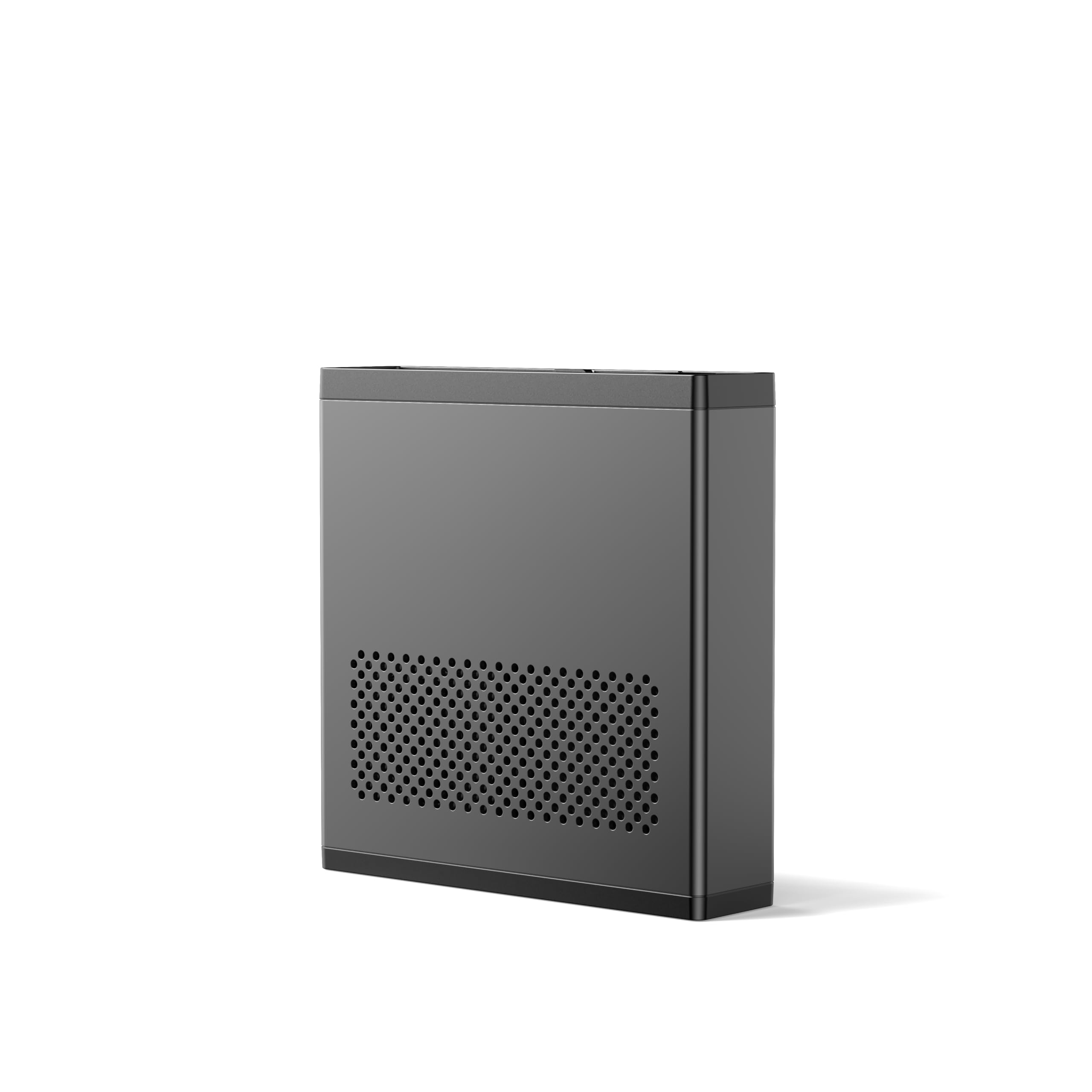
Figure 1: MINISFORUM MS-01-S1260 Mini PC
2. Setup
Follow these steps for initial setup:
- Unpack the Device: Carefully remove the Mini PC and all accessories from the packaging.
- Connect Peripherals: Connect your monitor(s) using the HDMI or USB4 ports. Connect your keyboard and mouse to the available USB ports.
- Network Connection: For wired internet, connect an Ethernet cable to one of the 2.5Gbps RJ45 ports or use SFP+ modules for 10Gbps SFP+ ports. For wireless, ensure Wi-Fi is configured in the operating system.
- Power Connection: Connect the power adapter to the DC 19V port on the Mini PC, then plug the power cable into a wall outlet.
- Power On: Press the power button located on the front of the device.

Figure 2: Front and Rear Ports of the Mini PC
3. Features
The MINISFORUM MS-01-S1260 Mini PC is equipped with advanced features to deliver robust performance:
- Intel 12th Generation Core i5-12600H Processor: This Mini PC features a high-end Intel Core i5-12600H processor with 12 cores/16 threads, 18MB cache, and a boost frequency of up to 4.5GHz. It includes integrated Intel Iris Xe Graphics, providing powerful performance for various applications.
- DDR5 Memory Support: Supports dual-channel DDR5 memory, allowing for up to 96GB of RAM for enhanced multitasking and application performance.
- PCIe 4.0 x16 Slot: A dedicated PCIe 4.0 x16 slot (wired as x8) enables the installation of high-performance external GPUs, network cards, or storage controllers, offering significant expansion capabilities.
- Enterprise-Class Storage: Supports up to three M.2 NVMe SSDs (each up to 2TB) with one slot being PCIe 4.0 compatible (up to 7000MB/s transfer speed). It also supports RAID0 for increased capacity and RAID1 for data safety. Additionally, it supports U.2 NVMe SSDs, allowing for a total maximum storage of 24TB with one U.2 NVMe SSD and two 22110 M.2 NVMe SSDs.
- Intel vPro Enterprise Support: Integrated Intel vPro technology provides hardware-level protection and reduces security risks, supporting hardware acceleration for graphics and audio tasks.
- Ultra-Fast Network Connectivity: Equipped with two 10Gbps SFP+ Ethernet ports for high stability and fiber-optic transmission, and two standard 2.5Gbps RJ45 network ports for improved network performance.
- Triple Display Support: Features HDMI 2.0 (4K@60Hz) and two USB4 ports (8K@30Hz) for connecting up to three displays simultaneously.

Figure 3: Intel Core i5-12600H Processor Details

Figure 4: Triple Display Configuration
4. Operating Instructions
To operate your MINISFORUM MS-01-S1260 Mini PC:
- Power On/Off: Press the power button on the front panel to turn the device on or off. A short press will initiate sleep mode, while a long press will force a shutdown.
- Restart: To restart the system, use the operating system's restart option.
- BIOS Access: During startup, repeatedly press the 'Del' key to enter the BIOS setup utility.
- Operating System: The Mini PC comes with a pre-installed operating system. Follow the on-screen instructions for initial setup and personalization.
5. Storage Expansion
The MS-01-S1260 offers extensive storage expansion options:
- M.2 NVMe SSD Slots: The device supports up to three M.2 NVMe SSDs. The leftmost slot is PCIe 4.0 compatible, offering high-speed data transfer. These slots support RAID0 for increased performance and RAID1 for data redundancy.
- U.2 NVMe SSD Support: For enterprise-class storage needs, the Mini PC can be expanded with a U.2 NVMe SSD, alongside two 22110 M.2 NVMe SSDs, for a total capacity of up to 24TB.
- Installation: The chassis features a pull-out body design for easy access to the internal components, simplifying memory and storage upgrades.

Figure 5: Internal SSD Slots

Figure 6: PCIe Slot for Expansion
6. Connectivity
The MS-01-S1260 provides a wide array of high-speed connectivity options:
- 10Gbps SFP+ Ethernet: Two SFP+ ports offer 10 Gigabit Ethernet speeds, providing high stability and fiber-optic transmission for secure and high-performance networking.
- 2.5Gbps RJ45 Ethernet: Two standard 2.5Gbps RJ45 ports deliver enhanced transfer speeds compared to traditional Gigabit Ethernet.
- USB4 Ports: Two USB4 ports provide versatile high-speed data transfer and display capabilities, supporting up to 8K@30Hz resolution.
- HDMI 2.0: One HDMI 2.0 port supports 4K@60Hz display output.
- USB 3.0/2.0 Ports: Multiple USB Type-A ports are available for connecting various peripherals.

Figure 7: High-Speed Network Connectivity Options

Figure 8: Detailed Port Layout
7. Performance
The MINISFORUM MS-01-S1260 is engineered for high performance across various applications:
- Processor Power: The Intel Core i5-12600H processor provides excellent multi-core and single-core performance, making it suitable for demanding software like video editing, 3D rendering, and complex business applications.
- Graphics Capabilities: Integrated Intel Iris Xe Graphics handle everyday visual tasks and can support multiple high-resolution displays. For more intensive graphical workloads, the PCIe 4.0 x16 slot allows for the addition of a dedicated external graphics card.
- Memory Speed: With support for DDR5 RAM, the system ensures fast data access and smooth operation even with multiple applications running simultaneously.
Video 1: Official product video showcasing the MINISFORUM MS-01 Mini Workstation PC, highlighting its features and performance capabilities.
8. Maintenance
To ensure the longevity and optimal performance of your Mini PC, regular maintenance is recommended:
- Cleaning: Regularly clean the exterior of the device with a soft, dry cloth. Use compressed air to gently clear dust from ventilation grilles and ports to prevent overheating.
- Software Updates: Keep your operating system, drivers, and applications updated to ensure security and performance.
- Ventilation: Ensure the Mini PC is placed in a well-ventilated area, away from direct sunlight or heat sources, to allow for proper airflow.
- Cable Management: Organize cables to prevent obstruction of airflow and accidental disconnections.

Figure 9: Internal Cooling System
9. Troubleshooting
If you encounter issues with your Mini PC, try the following basic troubleshooting steps:
- No Power: Ensure the power adapter is securely connected to both the Mini PC and a working power outlet. Check the power cable for any damage.
- No Display: Verify that the monitor cables are correctly connected to both the Mini PC and the monitor. Try a different display port or cable if available. Ensure the monitor is powered on and set to the correct input source.
- Network Connectivity Issues: For wired connections, check the Ethernet cable and ensure network drivers are installed. For Wi-Fi, verify that the Wi-Fi adapter is enabled and connected to the correct network.
- System Unresponsive: Perform a hard reset by holding down the power button for 5-10 seconds until the device shuts down, then power it back on.
- Overheating: Ensure proper ventilation and clean any dust from the vents. If the issue persists, contact support.
10. Specifications
| Feature | Detail |
|---|---|
| Processor | Intel Core i5-12600H (12C/16T, up to 4.5 GHz) |
| Graphics Coprocessor | Intel Iris Xe Graphics |
| RAM | 32 GB DDR5 (Dual Channel, up to 96GB supported) |
| Hard Drive | 1 TB SSD (Supports up to 3x M.2 NVMe SSDs, 1x U.2 NVMe SSD) |
| Max Screen Resolution | 3840x2160 (HDMI), 8K@30Hz (USB4) |
| Ethernet | 2x 10Gbps SFP+ LAN, 2x 2.5Gbps RJ45 LAN |
| USB Ports | 2x USB4 (Type-C), 3x USB 3.0 (Type-A), 2x USB 2.0 (Type-A) |
| Video Output | 1x HDMI 2.0, 2x USB4 (Alt DP) |
| Operating System | OS (Pre-installed) |
| Item Weight | 5.94 pounds |
| Package Dimensions | 9.17 x 8.94 x 4.72 inches |
| Color | Black |
11. Warranty and Support
For warranty information and technical support, please refer to the documentation included with your product or visit the official MINISFORUM website. Keep your purchase receipt as proof of purchase for warranty claims.


