Introduction
Welcome to the user manual for your new S.I.T.S Wireless Headphones, Model 383321. These headphones are designed to provide a superior audio experience with the convenience of wireless connectivity. Featuring Bluetooth 5.0, they offer crystal-clear audio, comfortable wear for extended periods, and intuitive controls for music and calls.
Please read this manual thoroughly before using your headphones to ensure proper operation and to maximize their lifespan.
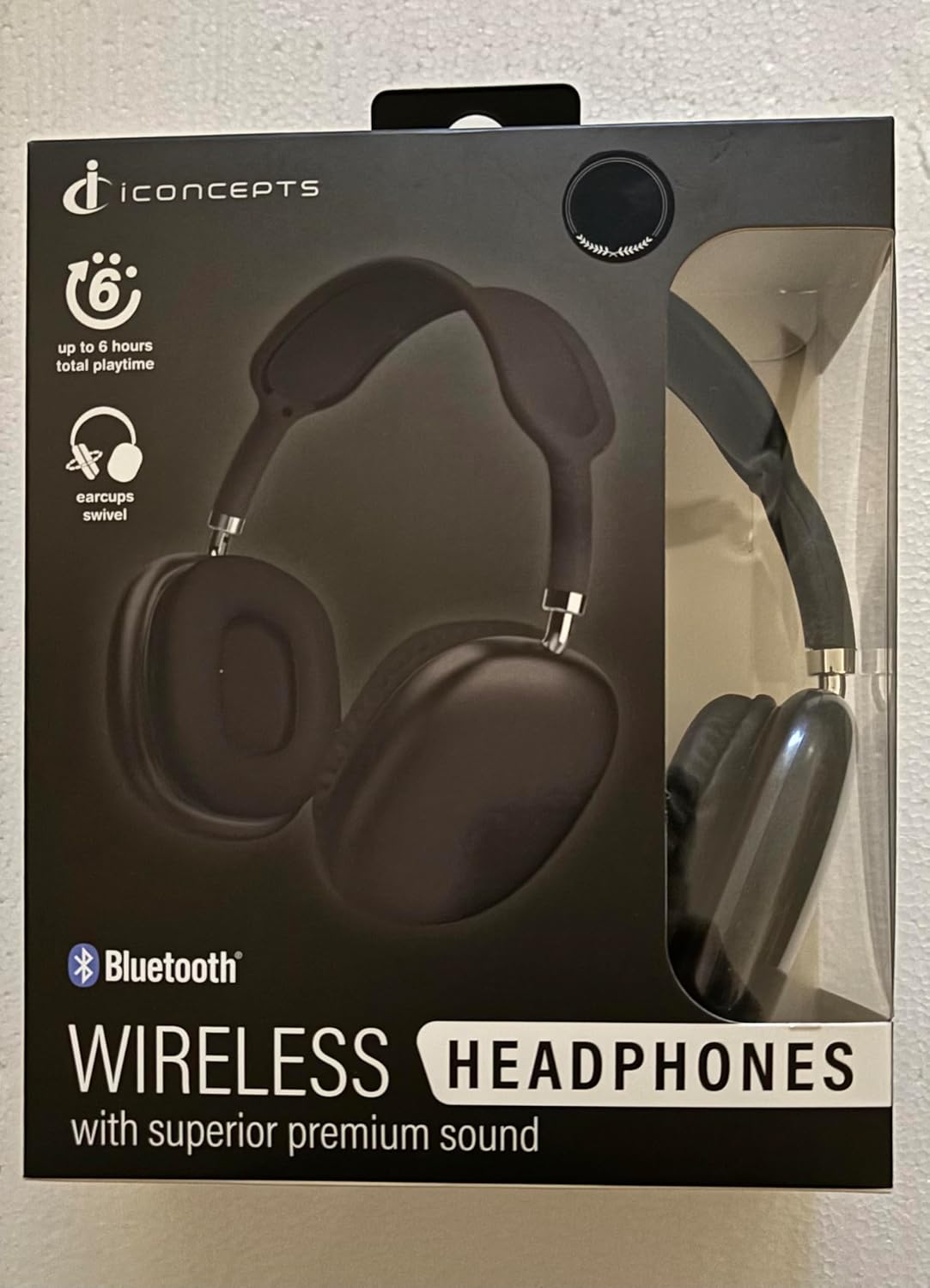
Image: S.I.T.S Wireless Headphones in Pink-White, showcasing the over-ear design and earcups.
Safety Information
To ensure safe and proper use of your headphones, please observe the following guidelines:
- Do not expose the headphones to extreme temperatures, humidity, or corrosive substances.
- These headphones are not water resistant. Avoid contact with water or other liquids.
- Do not disassemble, repair, or modify the headphones yourself. Refer all servicing to qualified personnel.
- Avoid listening at high volume levels for extended periods to prevent hearing damage.
- Keep the headphones away from children and pets.
- Dispose of the product and its battery responsibly according to local regulations.
What's in the Box
Upon opening your S.I.T.S Wireless Headphones package, you should find the following items:
- 1 x Wireless Headphones (Pink-White Modern)
- 1 x User Manual (this document)
- (Note: Charging cable may be included depending on the specific package. Please check your box contents.)

Image: The retail packaging for the S.I.T.S Wireless Headphones, showing the Pink-White model.
Setup
1. Charging the Headphones
Before first use, fully charge your headphones. Locate the charging port (typically USB-C or Micro-USB) on one of the earcups. Connect the provided charging cable (if included) or a compatible USB cable to the headphones and the other end to a USB power source (e.g., computer USB port, wall adapter).
- A charging indicator light will typically illuminate while charging and turn off or change color when fully charged.
- Charging time may vary. Refer to the product specifications for estimated battery life (up to 6 hours total playtime).
2. Bluetooth Pairing
To connect your S.I.T.S Wireless Headphones to a device (smartphone, tablet, computer), follow these steps:
- Power On: Press and hold the Power button on the headphones until you hear a power-on prompt or see an indicator light flash (often blue or red/blue alternating), indicating pairing mode.
- Activate Bluetooth: On your device, go to the Bluetooth settings and ensure Bluetooth is turned on.
- Search for Devices: Your device will begin searching for nearby Bluetooth devices.
- Select Headphones: Look for "Iconcepts Wireless" or a similar name in the list of available devices and select it.
- Confirm Connection: Once connected, the indicator light on the headphones may change to a solid blue or flash slowly, and you may hear a confirmation tone.
Your headphones are now paired and ready for use. They will typically reconnect automatically to the last paired device when powered on, if the device's Bluetooth is active and within range (up to 33 feet).
Operating Instructions
Your S.I.T.S Wireless Headphones feature intuitive button controls for easy management of audio playback and calls.
Controls Overview (Button Control / Touch Control)
- Power On/Off: Press and hold the Power button.
- Play/Pause: Press the Multi-function button (often the Power button or a dedicated play/pause button) once.
- Volume Up/Down: Press the Volume + or Volume - buttons.
- Next Track: Press and hold Volume + or double-press the Multi-function button (varies by model).
- Previous Track: Press and hold Volume - or triple-press the Multi-function button (varies by model).
- Answer/End Call: Press the Multi-function button once during an incoming call.
- Reject Call: Press and hold the Multi-function button during an incoming call.
- Activate Voice Assistant: Double-press or press and hold the Multi-function button (varies by model).
Note: Specific button functions may vary slightly. Refer to the diagrams on the product packaging or quick start guide for precise button locations.
Wearing the Headphones
Adjust the headband to ensure the earcups sit comfortably over your ears. The oval earpiece shape and cushioned earcups are designed for all-day comfort. Ensure a snug fit for optimal sound quality and passive noise cancellation.
Maintenance
Proper care will extend the life of your S.I.T.S Wireless Headphones:
- Cleaning: Use a soft, dry, lint-free cloth to wipe the headphones. Do not use abrasive cleaners, alcohol, or chemical solvents.
- Storage: When not in use, store the headphones in a cool, dry place, away from direct sunlight and extreme temperatures.
- Battery Care: To preserve battery health, avoid fully discharging the battery frequently. Charge the headphones regularly, even if not used for extended periods.
- Avoid Moisture: As these headphones are not water resistant, keep them away from rain, spills, and high humidity.
Troubleshooting
If you encounter issues with your headphones, try the following solutions:
| Problem | Possible Solution |
|---|---|
| Headphones won't power on. | Ensure the headphones are fully charged. Connect them to a power source and try again. |
| Cannot pair with device. |
|
| No sound or poor sound quality. |
|
| Microphone not working. |
|
Specifications
| Feature | Detail |
|---|---|
| Model Name | Iconcepts Wireless |
| Model Number | 383321 |
| Brand | S.I.T.S |
| Connectivity Technology | Wireless, Bluetooth |
| Bluetooth Version | 5.0 |
| Bluetooth Range | Up to 33 Feet |
| Ear Placement | Over Ear |
| Earpiece Shape | Oval |
| Noise Control | Passive Noise Cancellation |
| Control Type | Button Control |
| Control Method | Touch |
| Frequency Range | 20 Hz to 20,000 Hz |
| Impedance | 32 Ohm |
| Material | Plastic, Metal |
| Item Weight | 0.25 ounces |
| Package Dimensions | 8 x 7 x 3 inches |
| Water Resistance Level | Not Water Resistant |
| Manufacturer | Iconcepts |
| Date First Available | December 12, 2024 |
Warranty and Support
For warranty information and customer support, please refer to the warranty card included with your product or visit the official S.I.T.S website. You may also contact the manufacturer, Iconcepts, directly for assistance.
Please retain your proof of purchase for any warranty claims.