
Ninja CRTE99NJAF181RB
Ninja AF181 Air Fryer Pro XL User Manual
Model: CRTE99NJAF181RB
Introduction
This manual provides essential information for the safe and efficient operation of your Ninja AF181 Air Fryer Pro XL. Please read all instructions carefully before first use and retain this manual for future reference.
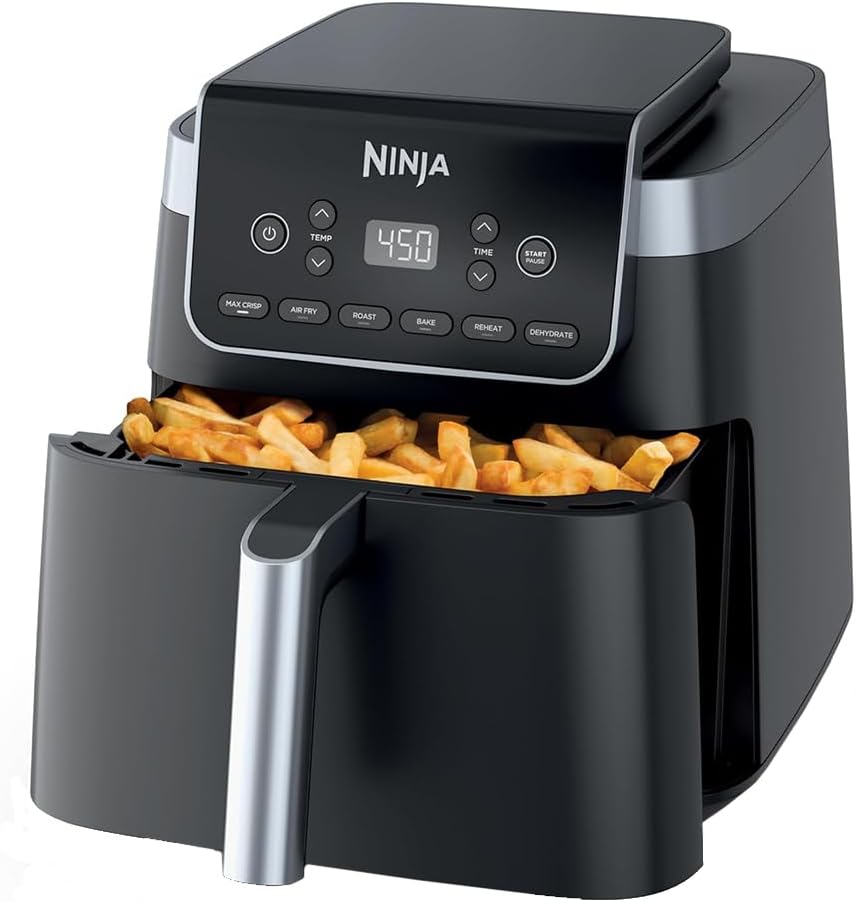
Image: The Ninja AF181 Air Fryer Pro XL, a black appliance with a digital control panel, shown with its pull-out basket filled with crispy french fries.
Important Safeguards
Always follow basic safety precautions when using electrical appliances to reduce the risk of fire, electric shock, injury, or damage. This appliance is for household use only.
- Do not immerse the cord, plugs, or main housing in water or other liquid.
- Ensure the appliance is placed on a stable, level, heat-resistant surface.
- Do not block any air vents.
- Keep hands and face away from the hot air vent when operating.
- Unplug from outlet when not in use and before cleaning.
Setup
Unboxing and Initial Inspection
Carefully remove all packaging materials and promotional labels from the air fryer. Inspect the appliance for any damage. If any components are missing or damaged, do not operate the appliance and contact customer support.
Included Components
- Ninja AF181 Air Fryer Pro XL Main Unit
- 6.5-Quart Nonstick Basket
- Crisper Plate
- Chef-inspired 20 Recipe Book and Cooking Charts
Before First Use
- Wash the nonstick basket and crisper plate in warm, soapy water. Rinse and dry thoroughly.
- Wipe the interior and exterior of the main unit with a soft, damp cloth.
- Place the crisper plate into the nonstick basket. Insert the basket into the main unit.
- Plug the air fryer into a grounded electrical outlet.
Operating Instructions
Control Panel Overview
The Ninja AF181 features an intuitive touch control panel. Key controls include:
- Power Button: Turns the unit on/off.
- TEMP Arrows: Adjust cooking temperature.
- TIME Arrows: Adjust cooking time.
- START/PAUSE Button: Begins or pauses the cooking cycle.
- Function Buttons: MAX CRISP, AIR FRY, AIR ROAST, BAKE, REHEAT, DEHYDRATE.
6-in-1 Functionality
Your Ninja Air Fryer Pro XL offers versatile cooking options:
- Max Crisp: Utilizes 450°F superheated air for hotter, crispier results, especially for frozen foods.
- Air Fry: Cooks food with little to no oil for crispy textures and up to 75% less fat than traditional frying.
- Air Roast: Ideal for roasting meats, vegetables, and more.
- Bake: Perfect for baking cakes, pastries, and other desserts.
- Reheat: Gently warms leftovers to restore their original texture and flavor.
- Dehydrate: Removes moisture from foods for healthy snacks like fruit leathers and jerky.

Image: A collage demonstrating the 6-in-1 functionality, showing crispy chicken tenders (Max Crisp), french fries (Air Fry), roasted Brussels sprouts (Roast), cinnamon rolls (Bake), pizza slice (Reheat), and dried apple slices (Dehydrate).
General Cooking Steps
- Place the crisper plate into the nonstick basket.
- Add ingredients to the basket. Do not overfill; ensure air can circulate. The 6.5-quart capacity fits up to 5 lbs of french fries or 9 lbs of chicken wings.
- Insert the basket into the main unit.
- Press the Power button.
- Select your desired cooking function (e.g., AIR FRY).
- Use the TEMP arrows to set the temperature (up to 450°F).
- Use the TIME arrows to set the cooking duration.
- Press START/PAUSE to begin cooking.
- During cooking, you may pull out the basket to shake or flip ingredients for even browning. The unit will pause automatically. Reinsert the basket to resume.
- When cooking is complete, carefully remove the basket and transfer food to a serving dish.
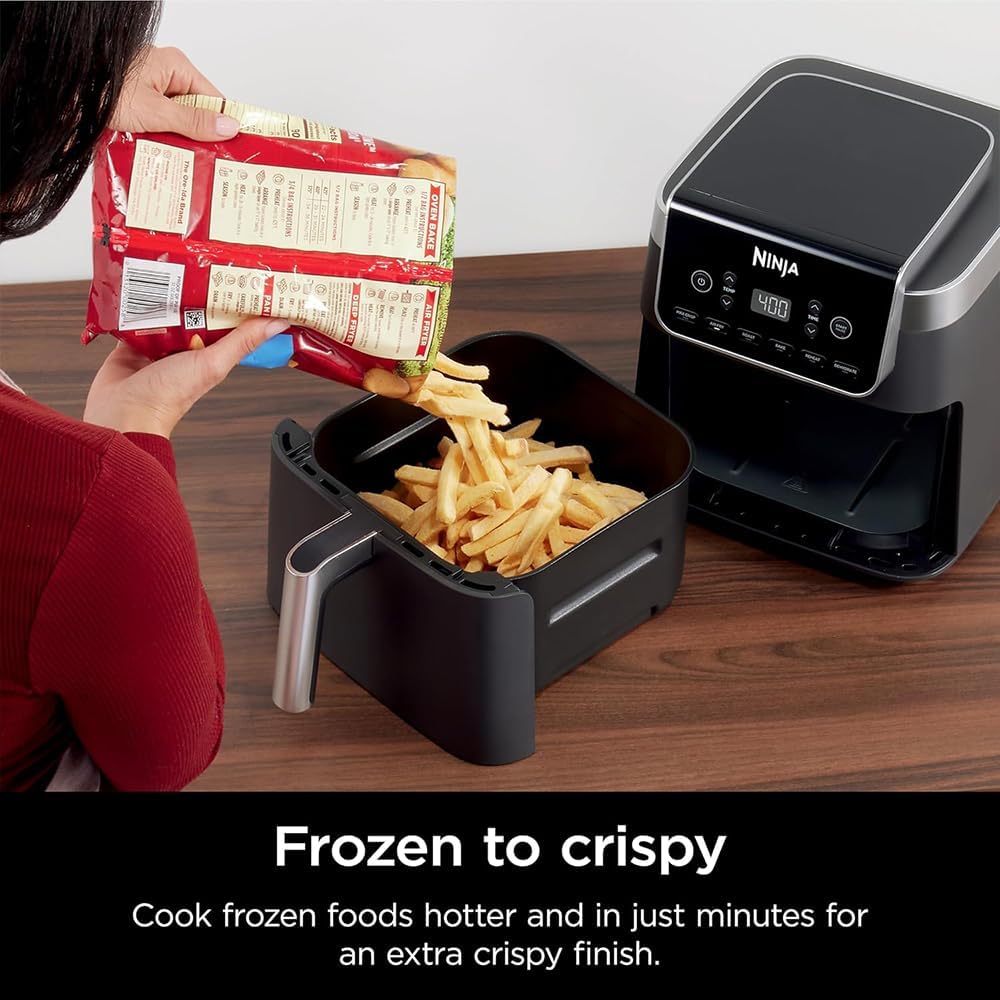
Image: A hand pouring frozen french fries from a bag into the air fryer basket, illustrating the 'Frozen to Crispy' feature.
Maintenance
Cleaning
Clean the air fryer after every use.
- Unplug the appliance from the wall outlet and allow it to cool completely before cleaning.
- The nonstick basket and crisper plate are dishwasher safe. Alternatively, wash them in warm, soapy water using a non-abrasive sponge.
- Wipe the exterior of the main unit with a damp cloth. Do not immerse the main unit in water.
- For stubborn food residue on the crisper plate or basket, soak them in warm, soapy water for a period before cleaning.
Storage
Ensure all parts are clean and dry before storing. Store the air fryer in a cool, dry place.
Troubleshooting
| Problem | Possible Cause | Solution |
|---|---|---|
| Appliance does not turn on. | Not plugged in; power outlet malfunction. | Ensure the power cord is securely plugged into a working electrical outlet. |
| Food is not crispy. | Basket overloaded; incorrect temperature/time; insufficient oil (for some recipes). | Do not overload the basket. Shake or flip food halfway through cooking. Increase temperature or cooking time if needed. A light spray of oil can enhance crispiness. |
| White smoke coming from unit. | Grease residue from previous cooking; high-fat food. | Clean the basket and crisper plate thoroughly after each use. For high-fat foods, consider draining excess fat during cooking. |
| Basket is difficult to insert/remove. | Basket or crisper plate not aligned correctly. | Ensure the crisper plate is seated flat in the basket and the basket is pushed in completely until it clicks into place. |
Specifications
| Feature | Detail |
|---|---|
| Model Name | CRTE99NJAF181RB |
| Capacity | 6.5 Quarts |
| Dimensions (D x W x H) | 14.92" x 11.3" x 12.01" |
| Weight | 11.4 pounds |
| Color | Black |
| Material | Metal (Outer & Inner) |
| Wattage | 1750 watts |
| Voltage | 120 volts |
| Max Temperature Setting | 450 °F |
| Control Method | Touch |
| Special Features | Automatic Shut-Off, Programmable, Temperature Control, Timer |
Warranty and Support
Warranty Information
This Ninja AF181 Air Fryer Pro XL (Renewed) includes a 2-Year Extended Warranty in addition to a 90-Day Manufacturer REFURBISHED Warranty. Please refer to your warranty documentation for specific terms and conditions.
Customer Support
For product assistance, troubleshooting, or to inquire about warranty claims, please contact Ninja customer support. Contact details can typically be found on the manufacturer's official website or in the product packaging.
For information regarding Amazon Renewed products, including return policies and the A-to-z Guarantee, please visit the Amazon Renewed Store.
Ask a question about this manual
Ask about setup, troubleshooting, compatibility, parts, safety, or missing instructions. Manuals+ will review the question and use this page’s manual context to help answer it.